
Objective
Based on a previous article, we know that we can integrate custom events with Google Analytics using Google Tag Manager.
This article will demonstrate how to pass event parameters through Google Tag Manager to capture the keywords that users search for on your e-commerce site and integrate this data into GA4 reports.
Prerequisites
- Refer to the previous article and configure GTM to integrate the "searchSubmit" custom event with GA.
First, execute the following front-end code within the search button's event handler on your website
export const pushSearchDataLayer = (searchString: string) => {
  const dataLayer = window.dataLayer || [];
  const pushData = {
    event: 'searchSubmit',
    SearchParam: searchString,
  };

  dataLayer.push(pushData);
};
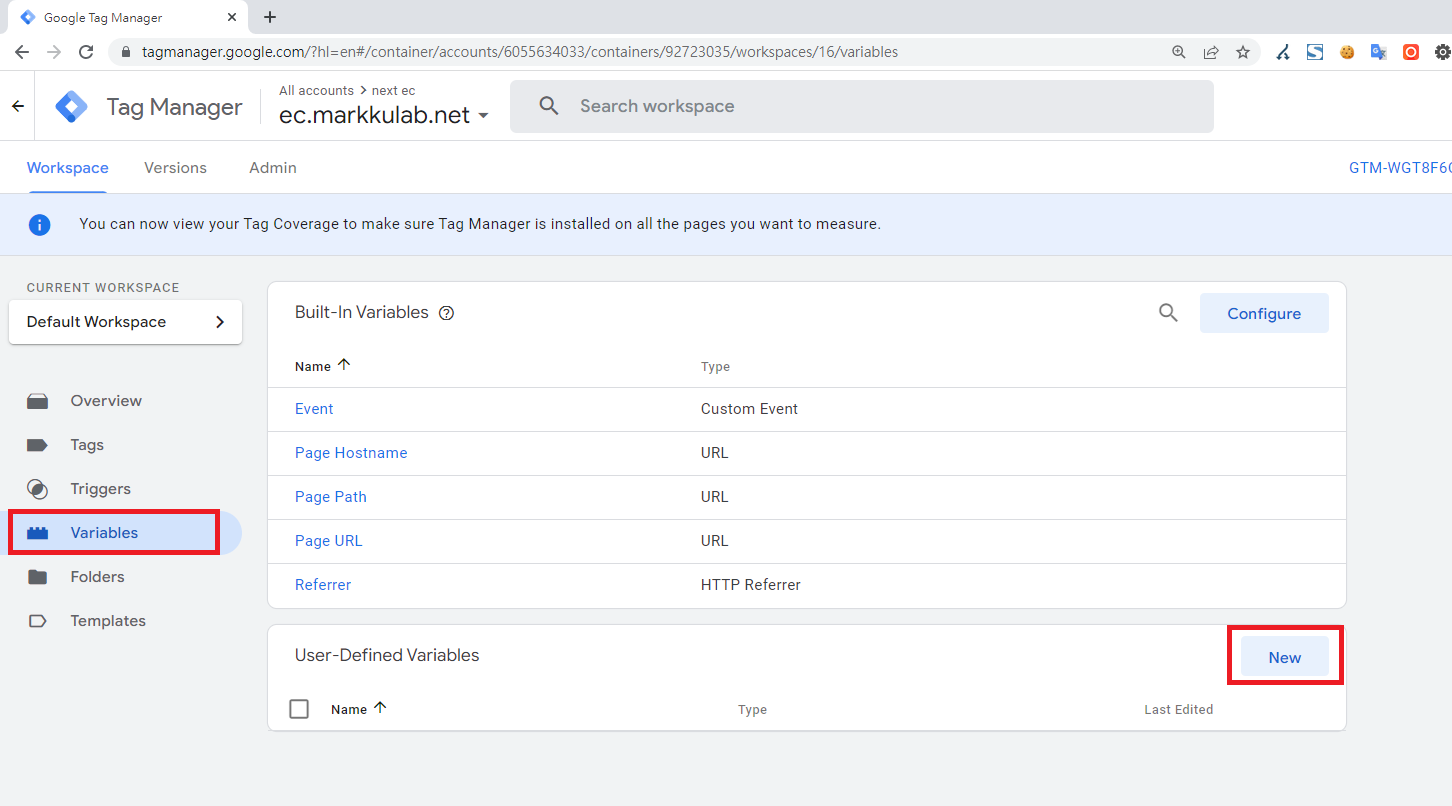
Next, we need to create a variable to receive the parameter passed from the front-end code. Click Variables > New
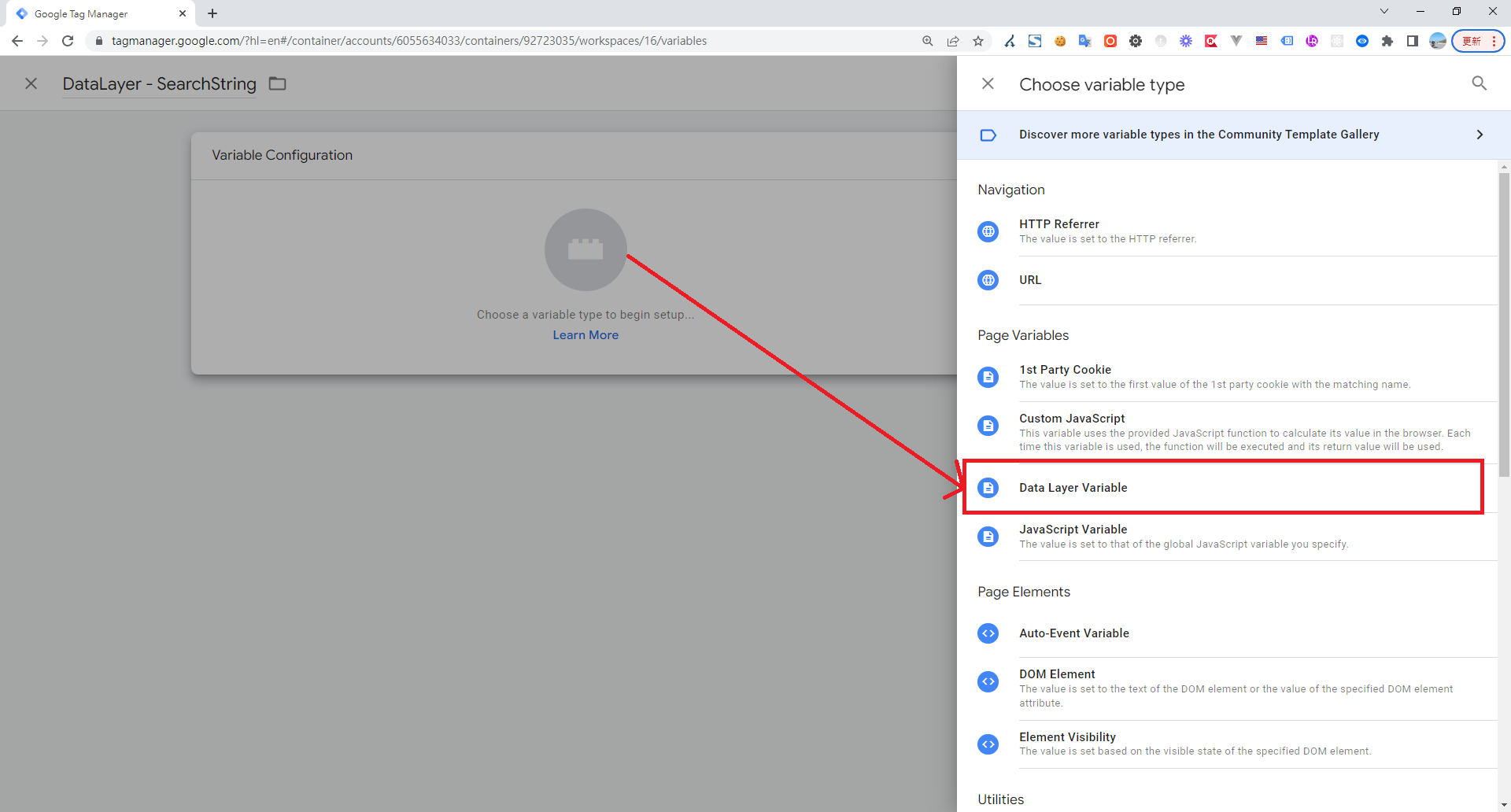
Click Choose variable type > and select DataLayer
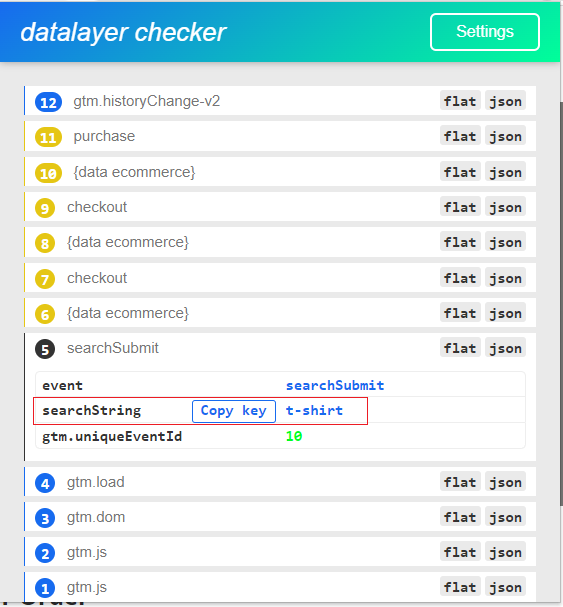
Fill in the Data Layer Variable Name. You can use the Datalayer Checker Chrome plugin to find the correct variable name. Then, rename the variable to something easily recognizable, like "DataLayer - searchString".
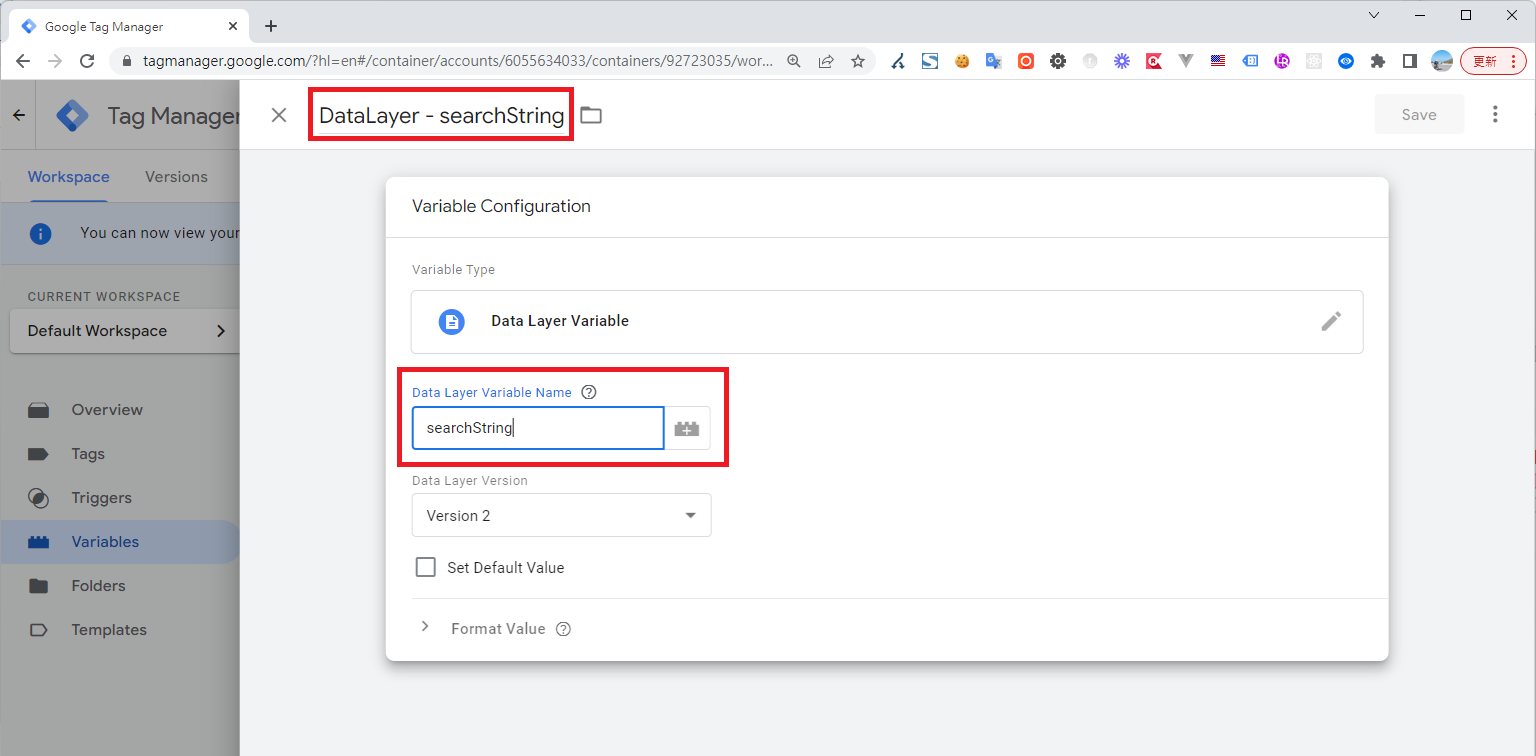 (Datalayer Checker Plugin)
Go back to Tags > and edit the "GA4 Event - searchSubmit" custom event you created earlier
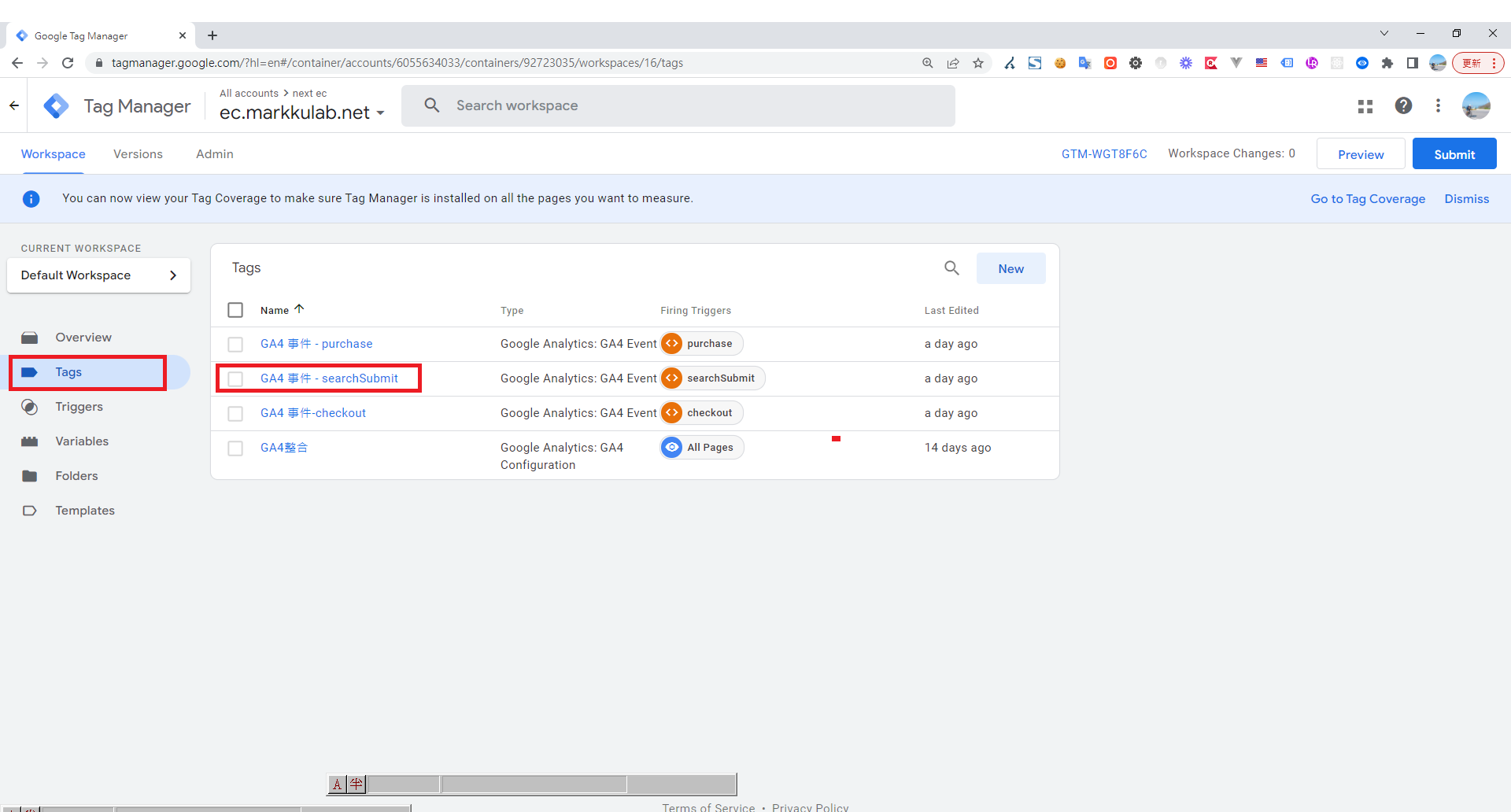
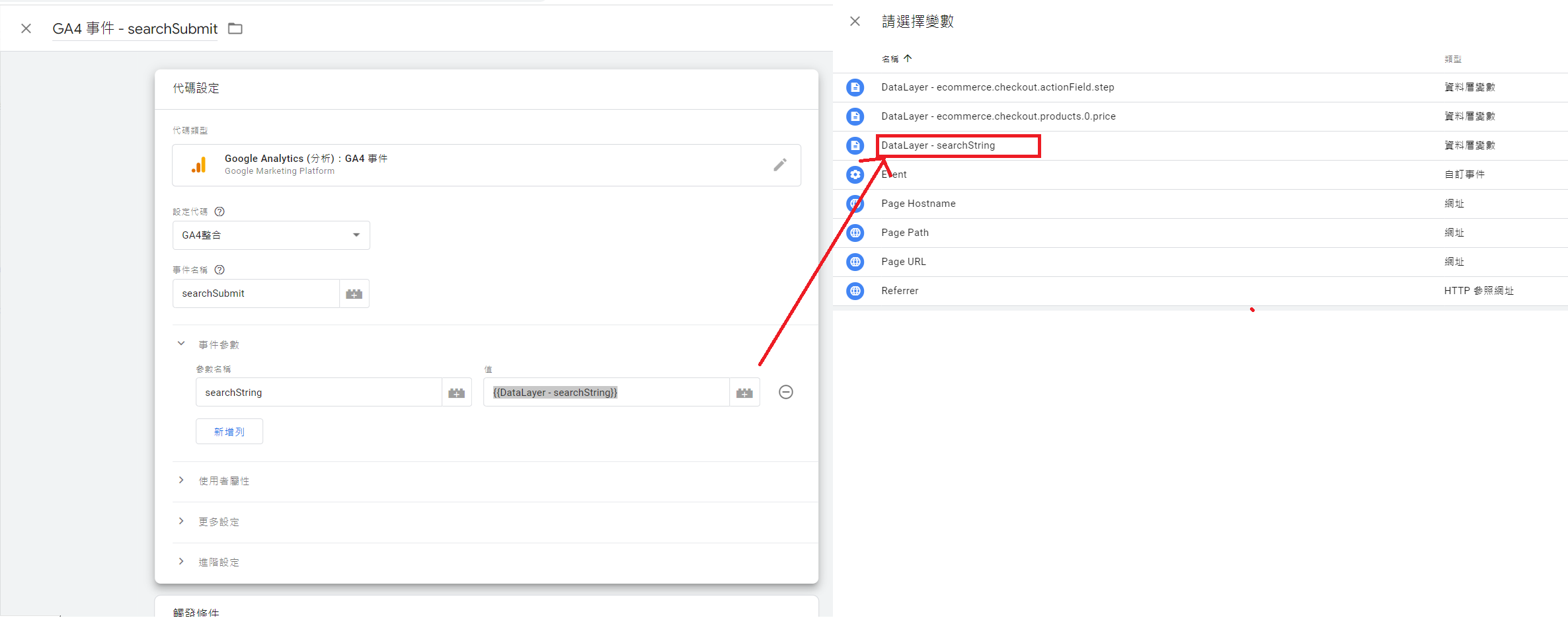
Now, you can add the variable you created earlier, "DataLayer - searchString", to the Event Parameters
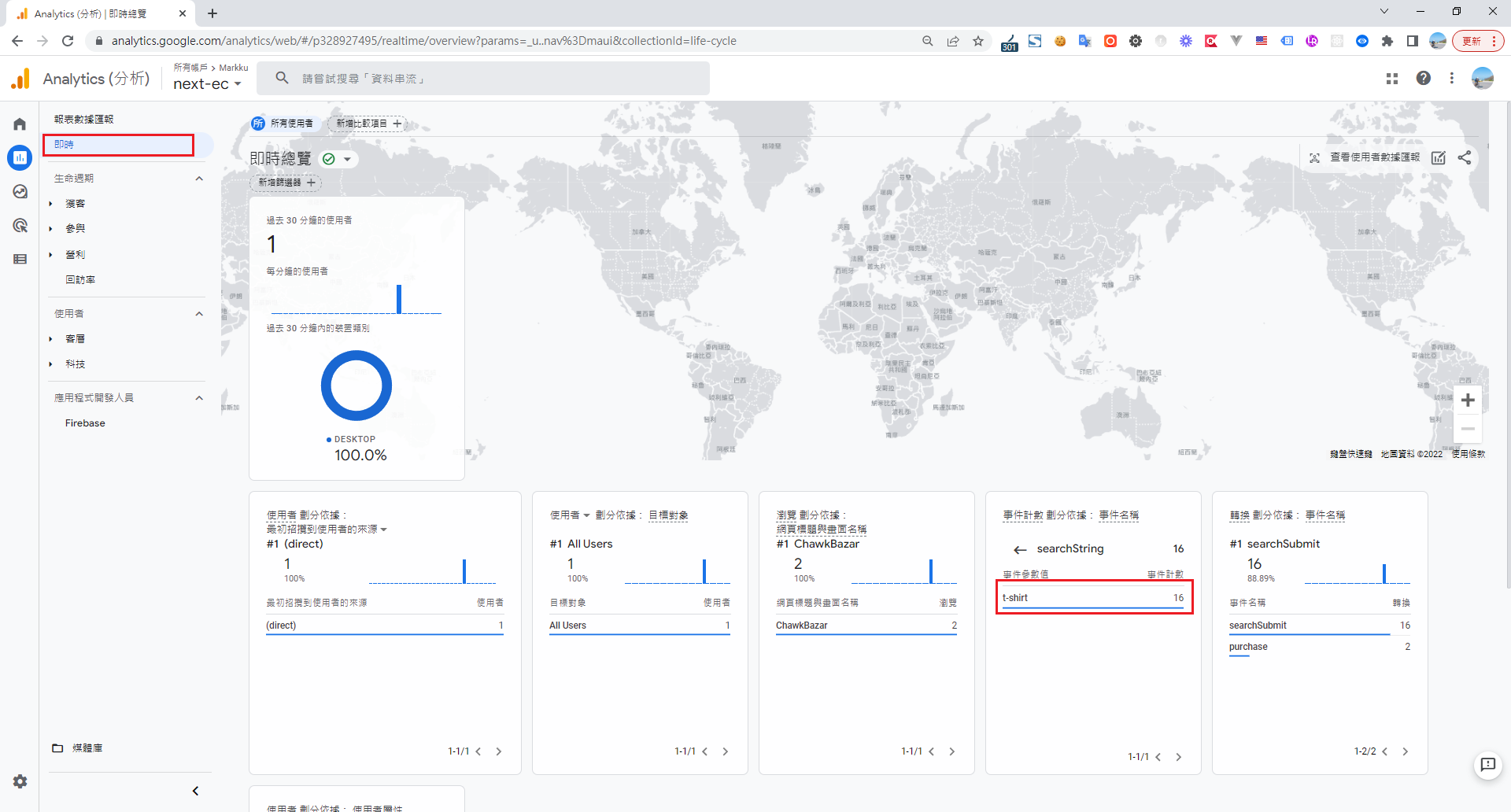
Finally, go back to your GA reports > Realtime > Event count > and click on searchString. You will now be able to see statistics on the keywords users have searched for.


Comments