Mark Ku's Blog

The Problem to Solve

My manager asked me to evaluate a CMS solution so the product team could maintain an FAQ and product knowledge base. Backend development capacity was limited, so the goal was to find something with a friendly UI that could quickly generate admin maintenance pages and frontend APIs — reducing the burden on frontend developers who would consume those APIs.

Why Strapi?
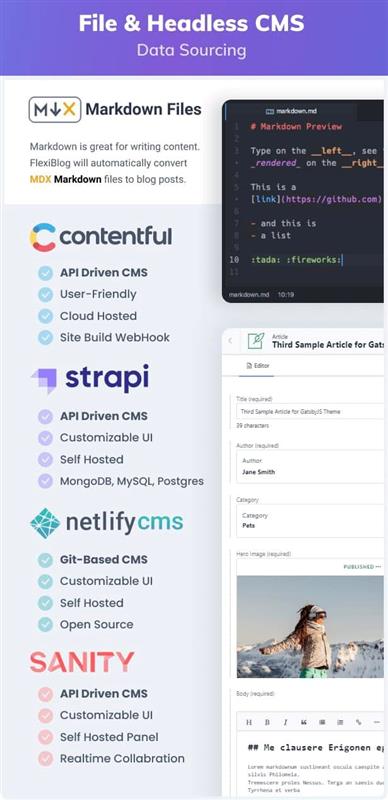
Headless CMS feature comparison with Markdown and article editor examples

After trialing several mainstream CMS options, I landed on Strapi for the following reasons. It's flexible and lightweight, well-suited for long-term enterprise use, and can be repurposed for other needs down the road.

  • End users: friendly UI, draggable field layout.
  • Admins: field validation, permission management, workflow control.
  • Developers: open source, developer-friendly API integration, built-in Swagger docs, extensibility via plugin marketplace, rich endpoints, and the project itself is built with React and Node.js — very approachable for frontend developers.

How It Works

Strapi uses a friendly admin UI to generate code from configuration.
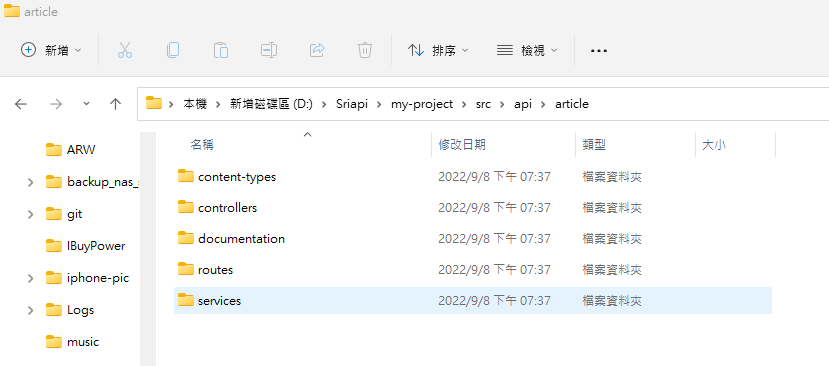
Windows File Explorer showing Strapi project API folders

Installation Constraints

  • Node version: >=10.16.0 <=14.x.x (use nvm to manage multiple Node versions)
  • Cloud-hosted version is paid; self-hosted is open source and permanently free

Install Strapi

npx create-strapi-app@latest my-project --quickstart

Install Swagger

cd my-project
npm run strapi install documentation
npm run build // 裝完一定要按 build 才會跑出按鈕

Common Issues After Installation

API Doesn't Return Images

By default, Strapi API responses don't include image fields. You need to add a populate query parameter to explicitly request the image fields you want returned.
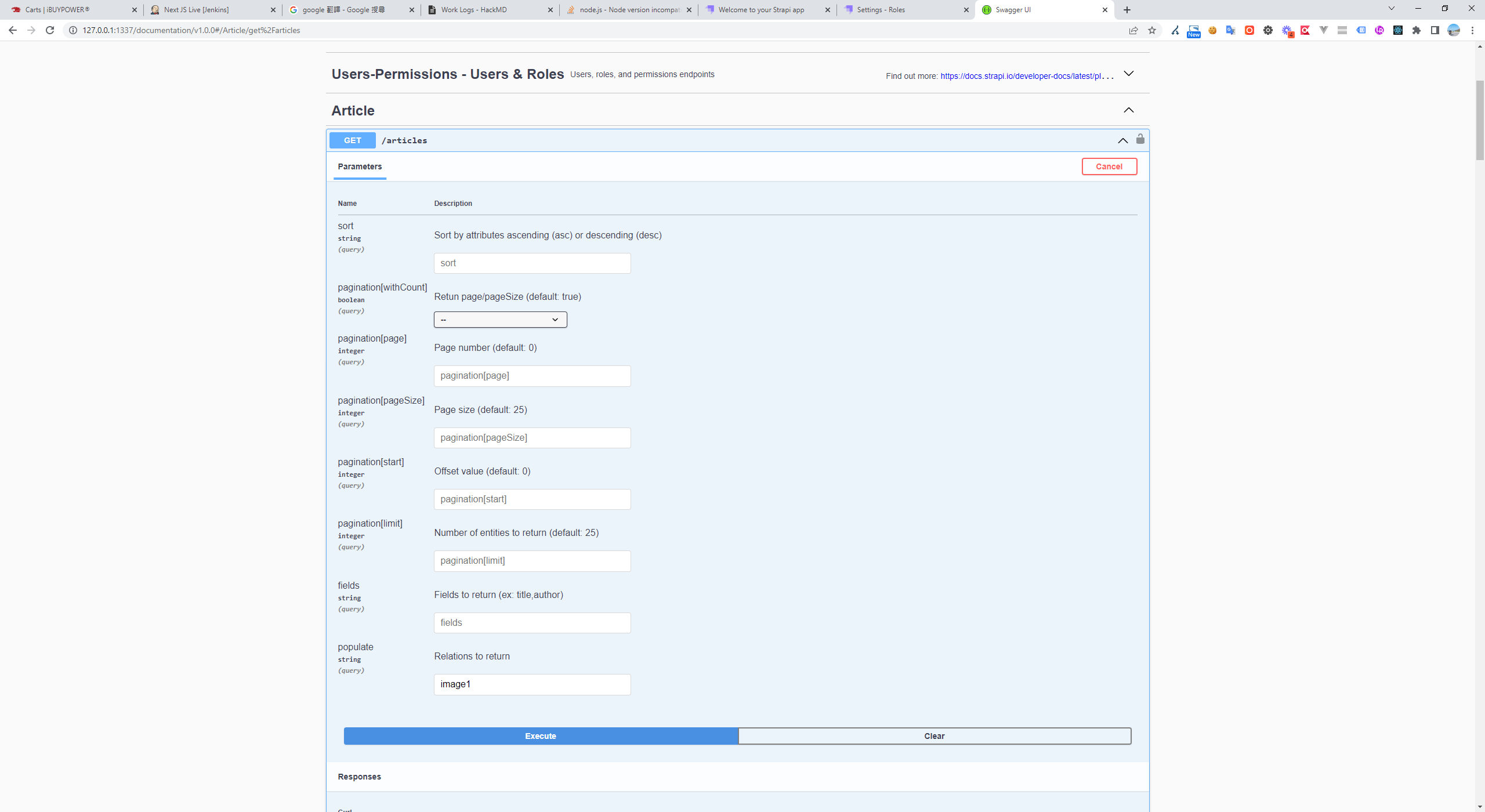
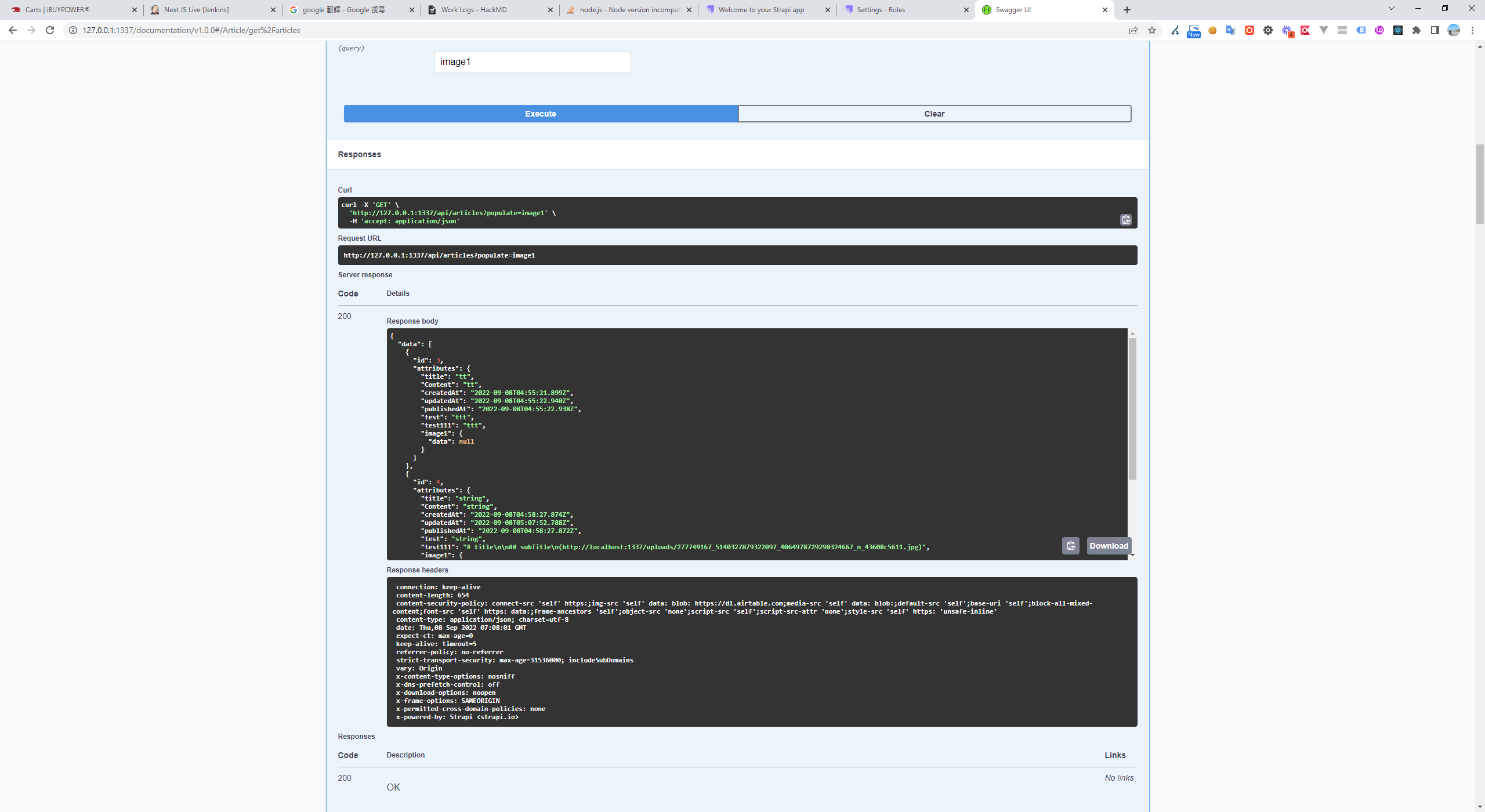
Strapi API endpoint parameters with populate set to image1 Swagger UI demonstrating Strapi API image field population

API Permissions

By default, all API access requires a token. If you don't need authentication for a particular collection, go to Settings > USERS & PERMISSIONS PLUGIN > Roles, find your collection, and grant find and findOne permissions.
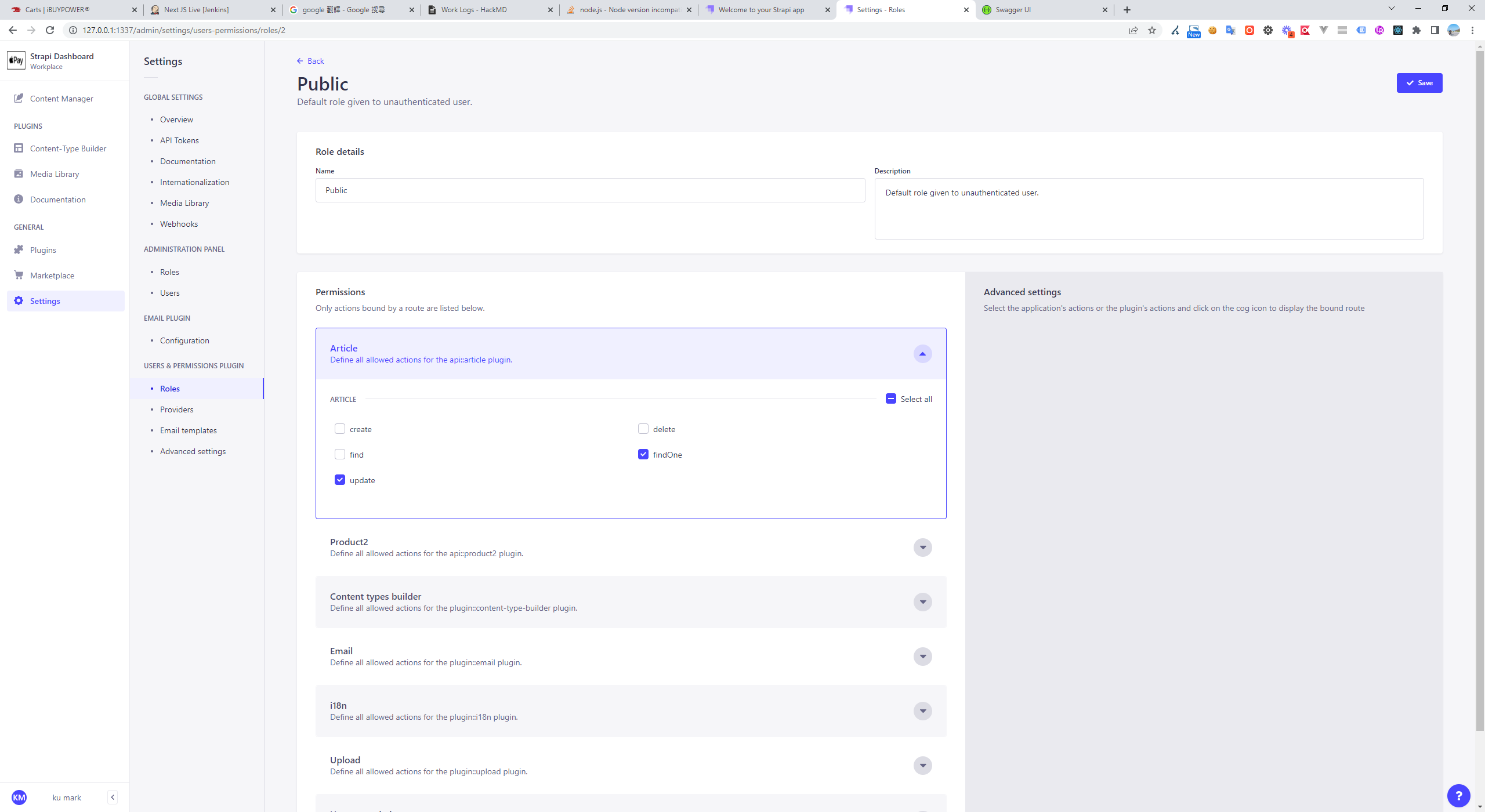
Strapi Public role permissions for Article collection with findOne and update

Rich Text Images Can't Be Previewed in Real Time

.env

HOST=0.0.0.0
PORT=1337
APP_KEYS=p285lmxQN6bZ90Dh870eIg,twHIadFFnSgVKyGgzcpnIQ,jgn83CaVHIPPnpSqsZPWGw,s2lTboydFrhkPRHJp4omQw
API_TOKEN_SALT=9LGnsz1zt4UpaKfCCQxEZQ==
ADMIN_JWT_SECRET=l7gG6CTUeK0502ns9FAKkw==
JWT_SECRET=mJg/1OqVkOeCiZcxiQfG5w==
WEBSITE=http://127.0.0.1:1337/

config/server.js

module.exports = ({ env }) => ({
  host: env('HOST', '0.0.0.0'),
  port: env.int('PORT', 1337),
  ------
  url: env('WEBSITE', 'http://127.0.0.1'), 
  ------
  app: {
    keys: env.array('APP_KEYS'),
  },  
});

Data Backup

  • Database: defaults to SQLite, located at .tmp/data.db (also supports MySQL and MongoDB).
  • Static files: uploaded files are stored in /public/uploads.

Feature Walkthrough

Dynamically Generated Admin Panel
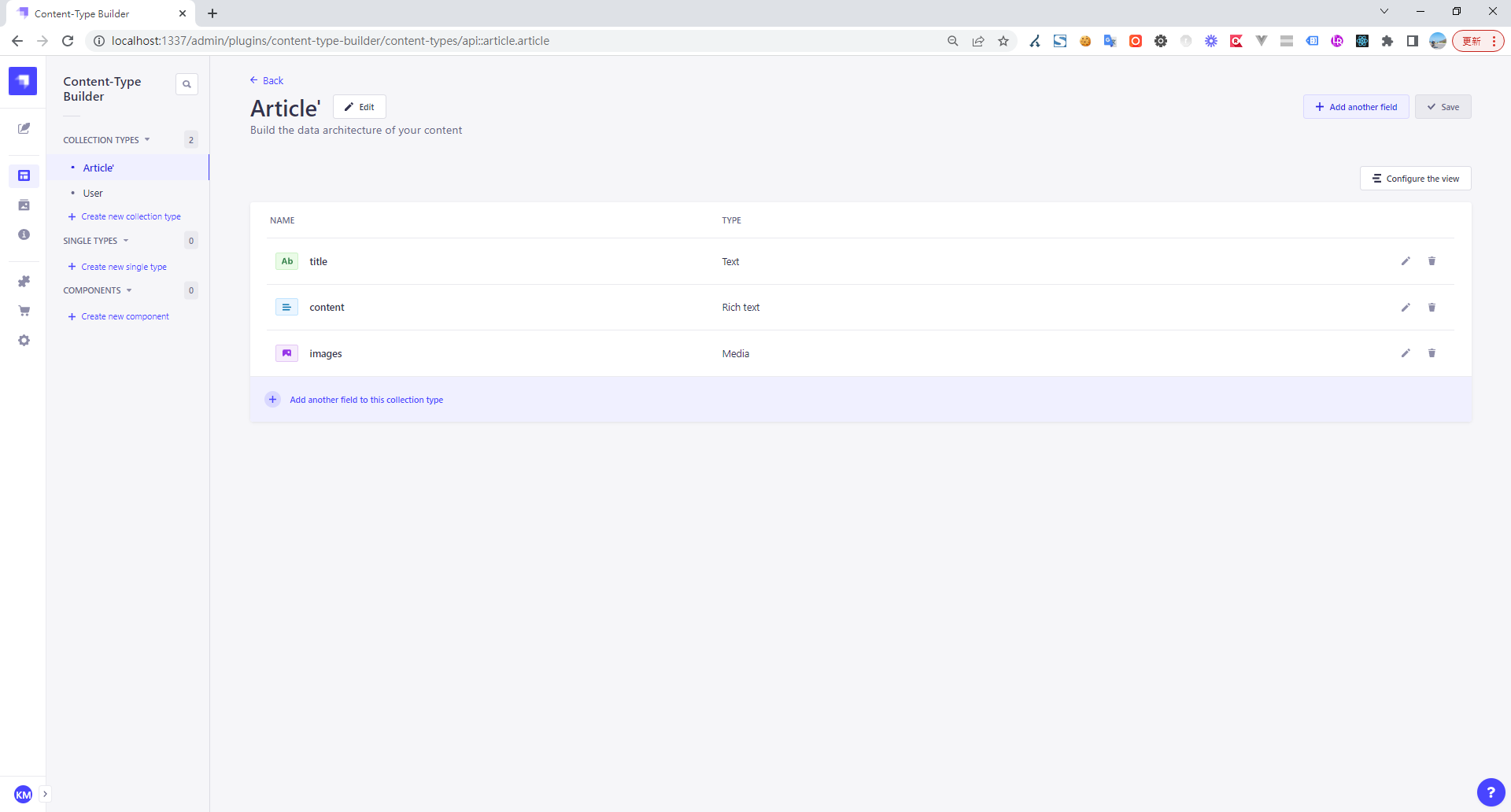
Strapi Content-Type Builder defining Article fields: title, content, images

Multi-image Upload

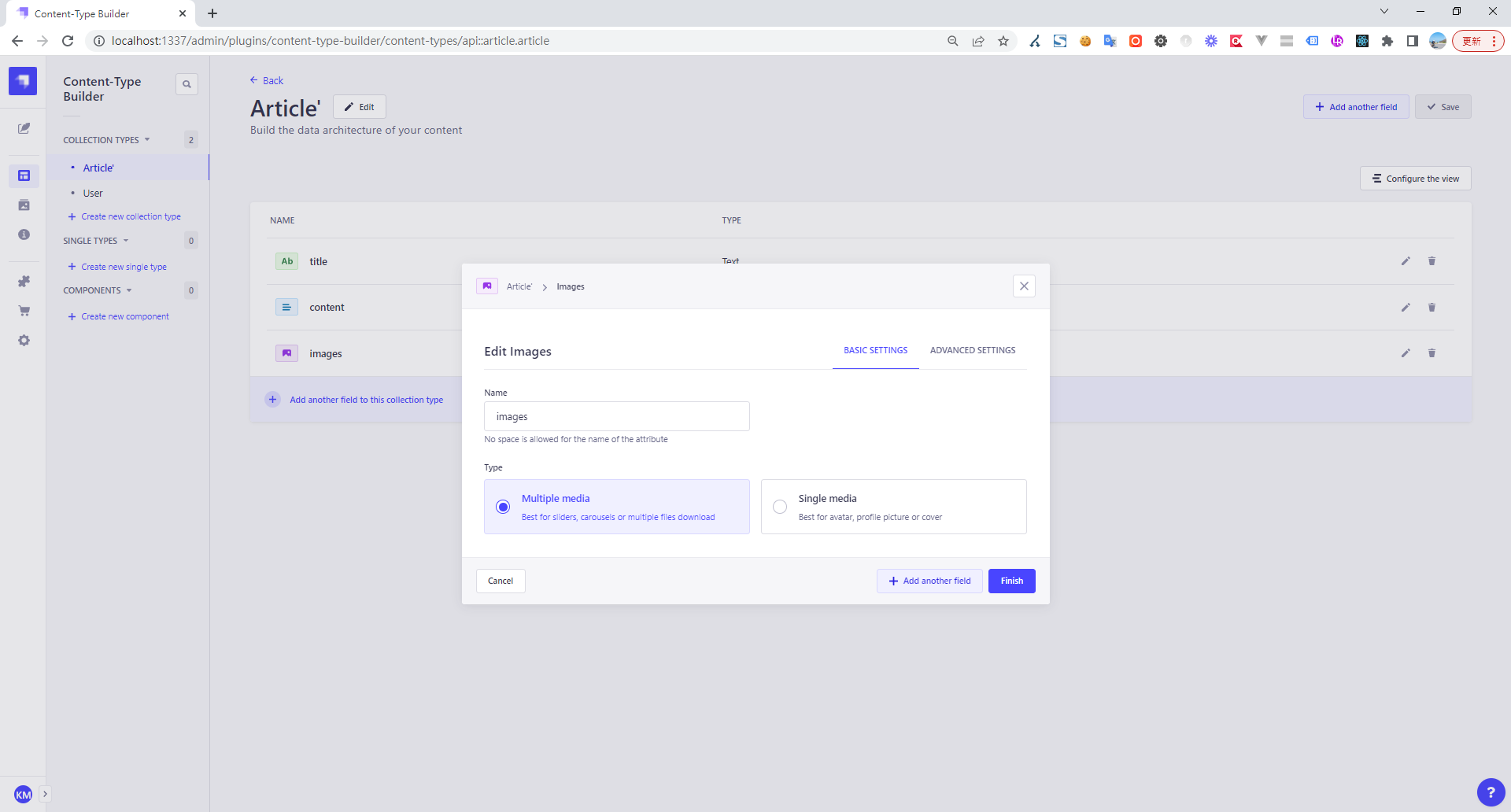
Strapi Content-Type Builder editing 'images' field, multiple media option

Upload Format Restrictions

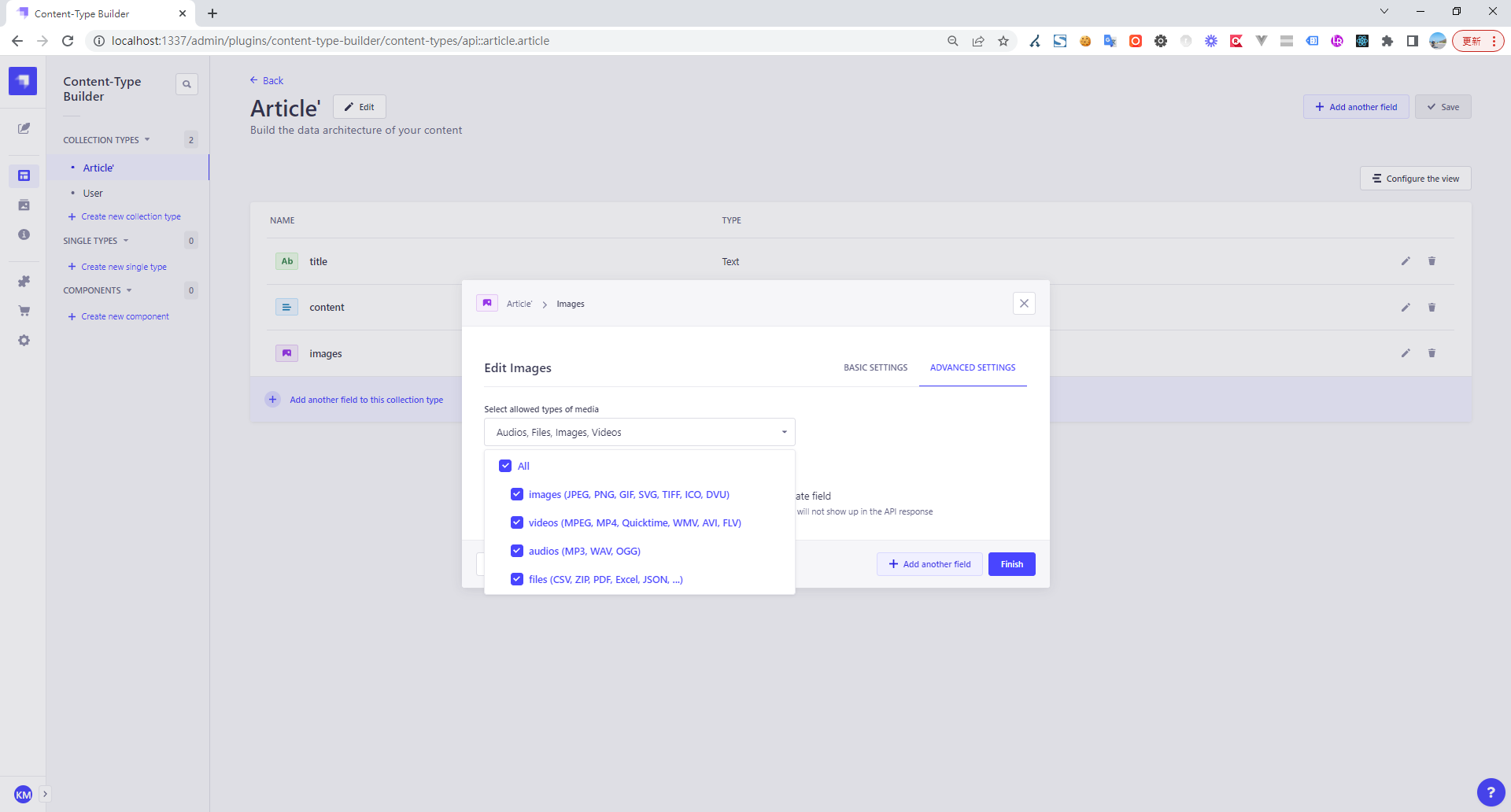
Strapi Content-Type Builder editing Article, configuring allowed media types

Data Entry Screen

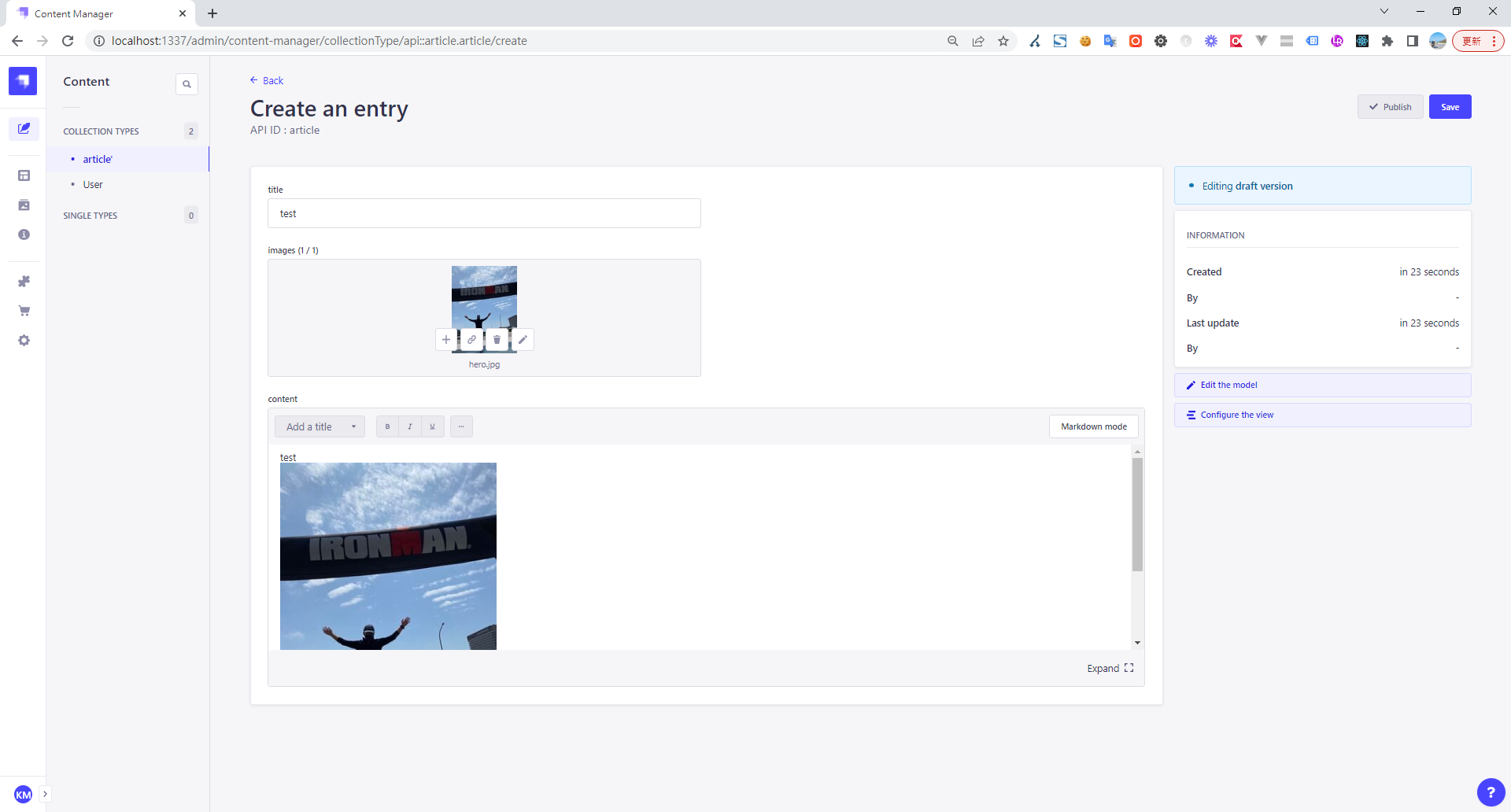
Strapi admin panel creating an article entry with image upload

Dynamic Layout Adjustment

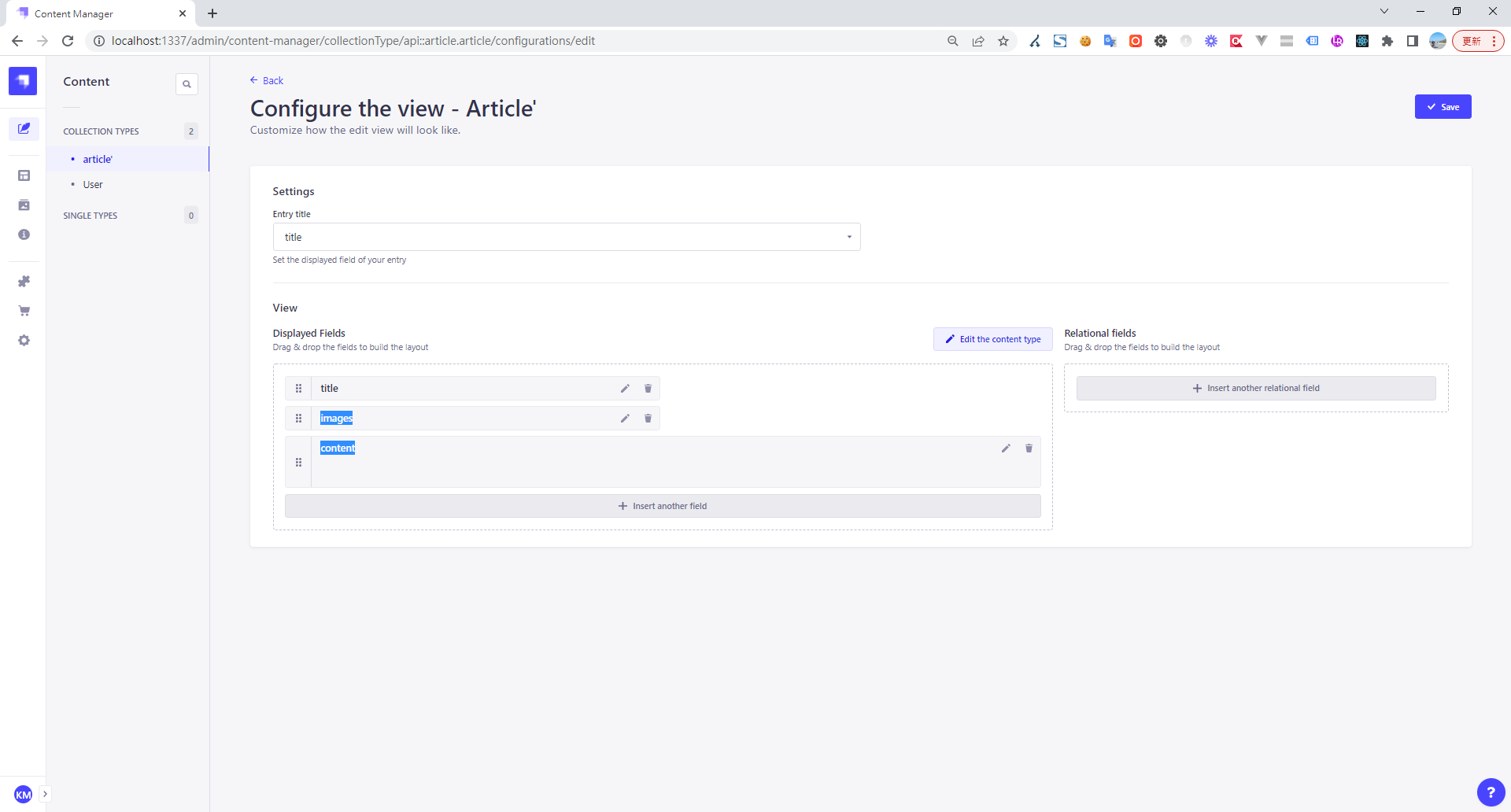
Strapi admin panel configuring article content type displayed fields

Webhooks

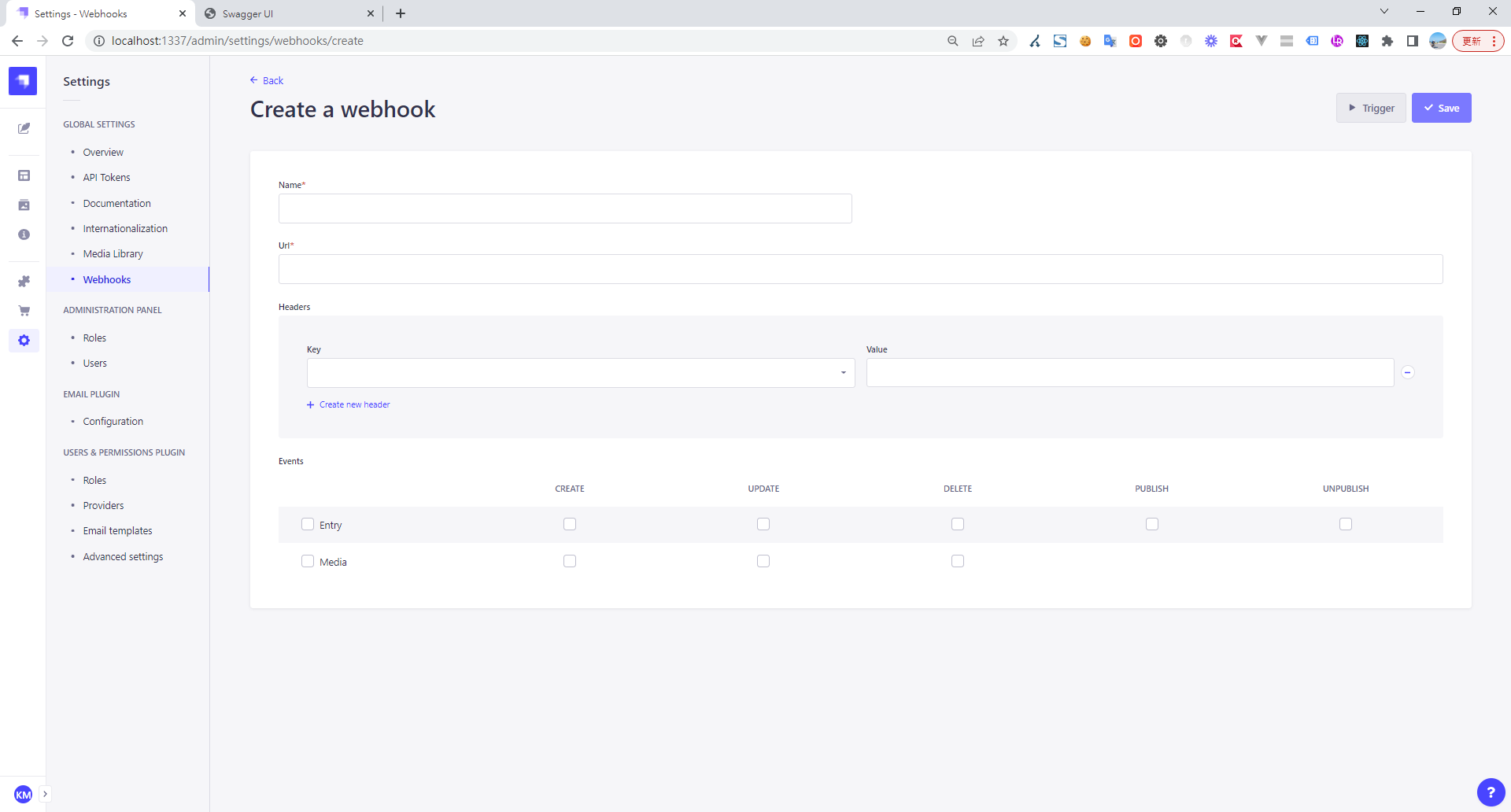
Strapi UI showing the Create a webhook form with event options

Roles

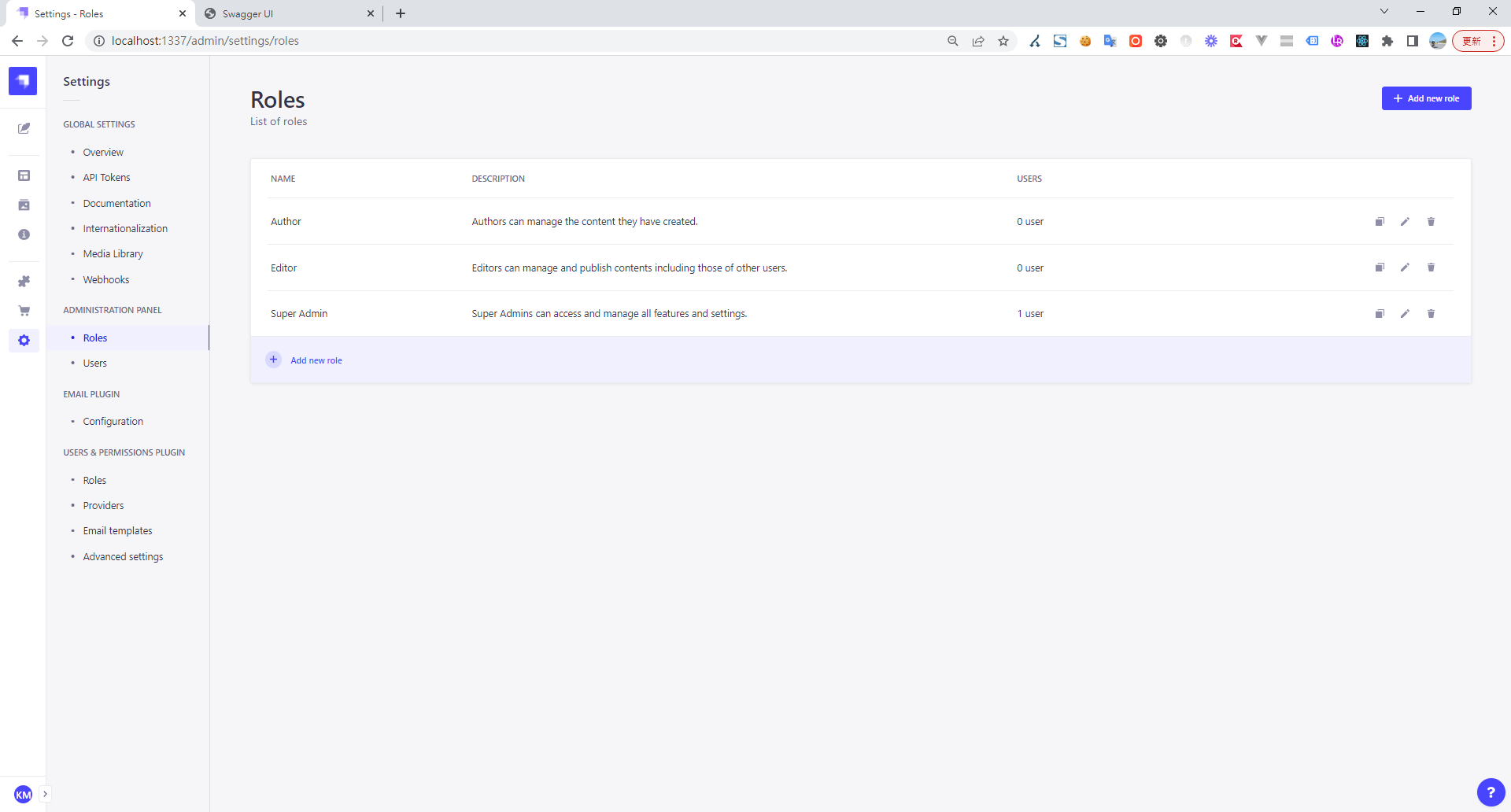
Strapi admin panel displaying user roles, descriptions, and assigned users

Permissions

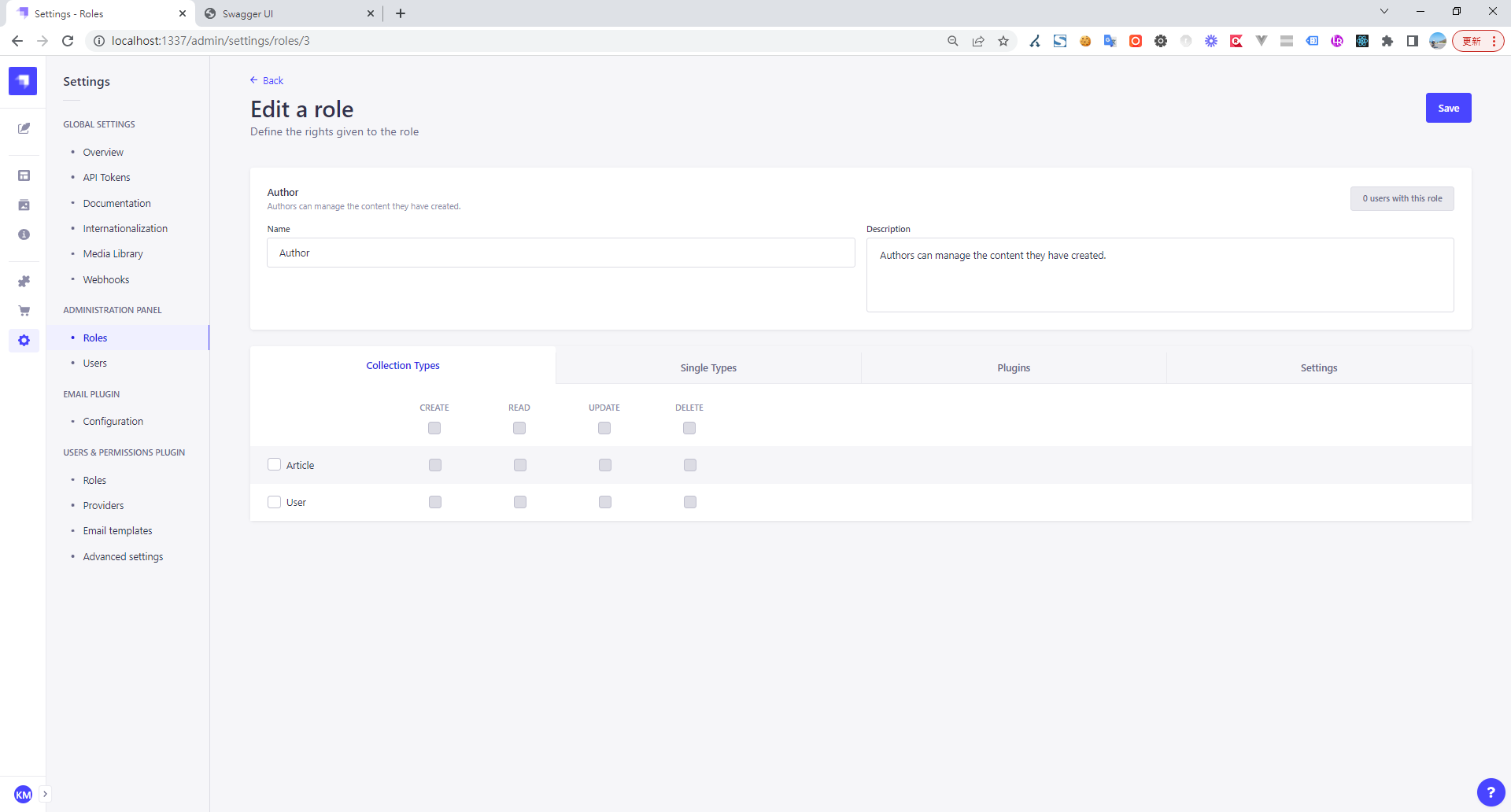
Strapi UI for editing author role permissions

ckeditor strapi provider upload ftp v2

Author

Mark Ku

擁有 10+ 年經驗的資深軟體工程師,現為 AI 應用 Builder,專注於大型平台架構與簡化複雜系統設計,從電商系統到訂閱與收費平台,結合 AI Agent、AI 整合與自動化開發,打造高效率且可持續演進的產品技術基礎。Read More

Found this useful?

The author's free tools, daily podcasts and newsletter are all here.

Mark Ku · This article is licensed under CC BY 4.0. Credit the author and link back to the original when reusing it.

Comments

Subscribe to Newsletter

Subscribe to get new posts delivered instantly — never miss a tech share.

By submitting, you agree to receive emails. You can anytime.

Popular Posts

View all
Mark Ku
··602

Oracle Cloud Always Free Tier: Linux Host and Static IP for a $0 Cloud Solution

Oracle Cloud Always Free Tier: Linux Host and Static IP for a $0 Cloud Solution
Mark Ku
··490

Say Goodbye to Postman's Fee Trap! A Hands-on Guide to Bruno, the Open-Source Git-Native API Testing Powerhouse.

Say Goodbye to Postman's Fee Trap! A Hands-on Guide to Bruno, the Open-Source Git-Native API Testing Powerhouse.
Mark Ku
··333

A Free, Open-Source, Notion-like Knowledge Base — A Complete Guide to Deploying and Backing Up Outline Wiki

A Free, Open-Source, Notion-like Knowledge Base — A Complete Guide to Deploying and Backing Up Outline Wiki
Mark Ku
··264

Training Your Own AI Voice: Hardware Requirements, Open-Source Model Comparison, and LoRA Fine-Tuning

Training Your Own AI Voice: Hardware Requirements, Open-Source Model Comparison, and LoRA Fine-Tuning
Mark Ku
··221

Building an Efficient API Management Platform: Deploying Kong Gateway from Scratch - Part 1

Building an Efficient API Management Platform: Deploying Kong Gateway from Scratch - Part 1
Mark Ku
··215

Setting Up Samba on Ubuntu to Share Folders with Windows 11

Setting Up Samba on Ubuntu to Share Folders with Windows 11