
ai-security-monitor
A defensive security agent (asa) plus Security Hub. It catches unusual outbound and inbound connections, rates each one safe, unknown, suspicious or dangerous using public threat intel with every source cited, checks firewalls, vulnerabilities and system settings, and hands it to Claude Code or Codex to explain what to do in plain words.
Questions it answers
AI makes finding weaknesses easy, and attackers use it too. Defenders should be able to answer these first.
Where is this computer connecting?
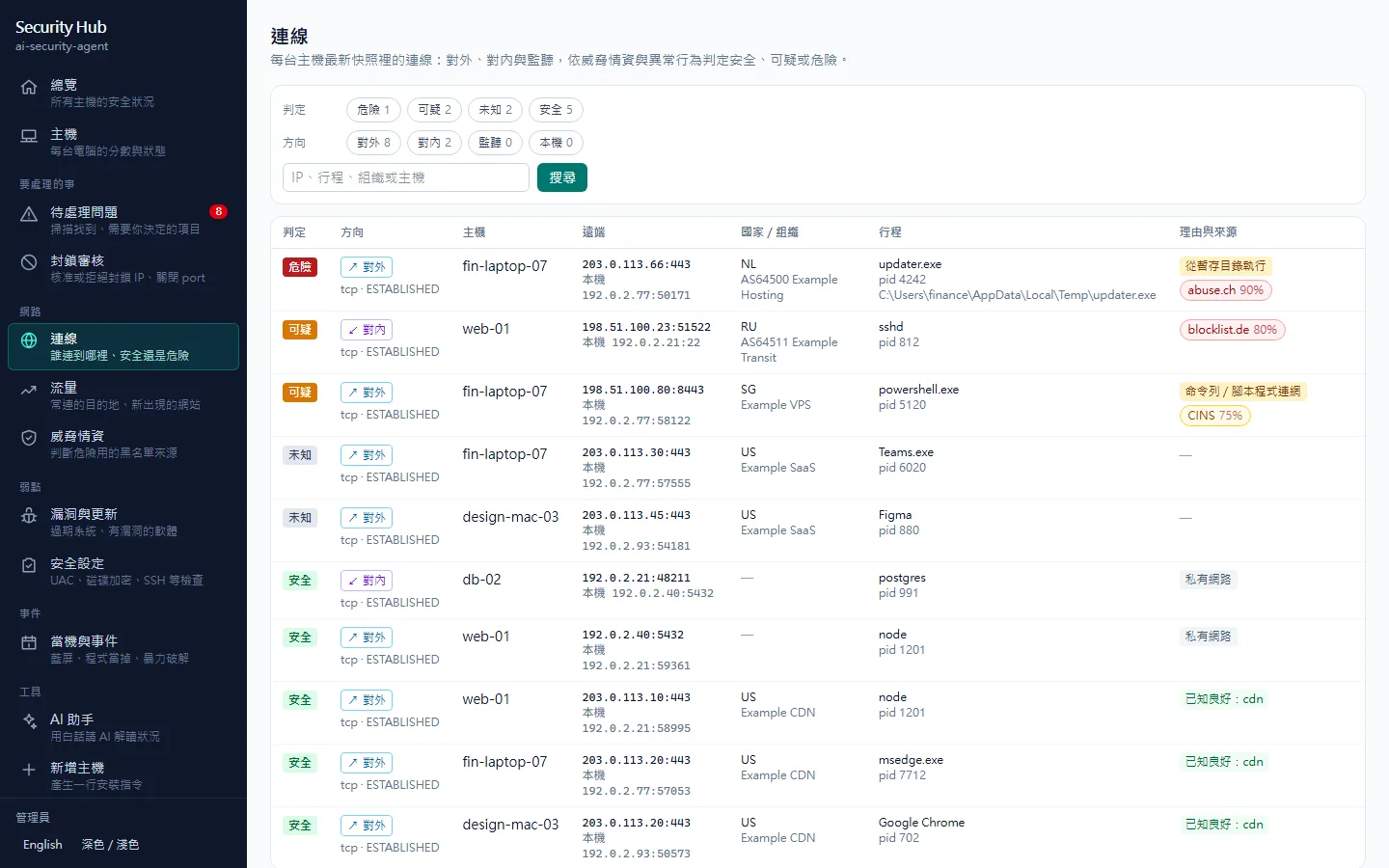
Every connection is labelled outbound, inbound, listening or local, with the process, country and organization. One table instead of netstat.
Which connections are a problem?
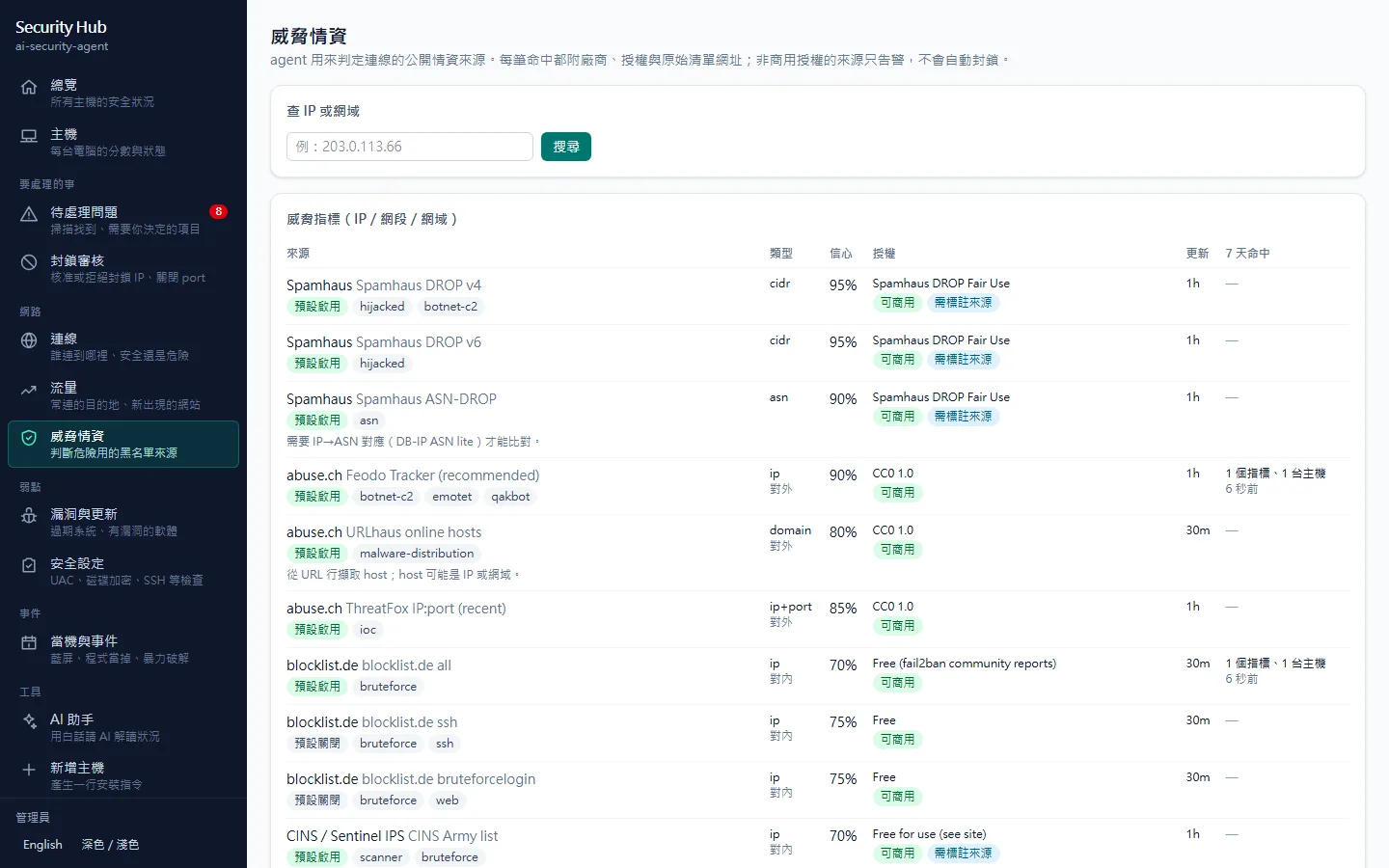
It matches public blocklists such as Spamhaus, abuse.ch and blocklist.de, plus behaviour like running from a temp folder, scripts calling out and periodic beacons, then rates each one.
Are the doors closed?
It reads the firewall rules and works out whether each listening port can really be reached from the network, not just whether it is open.
Is everything patched?
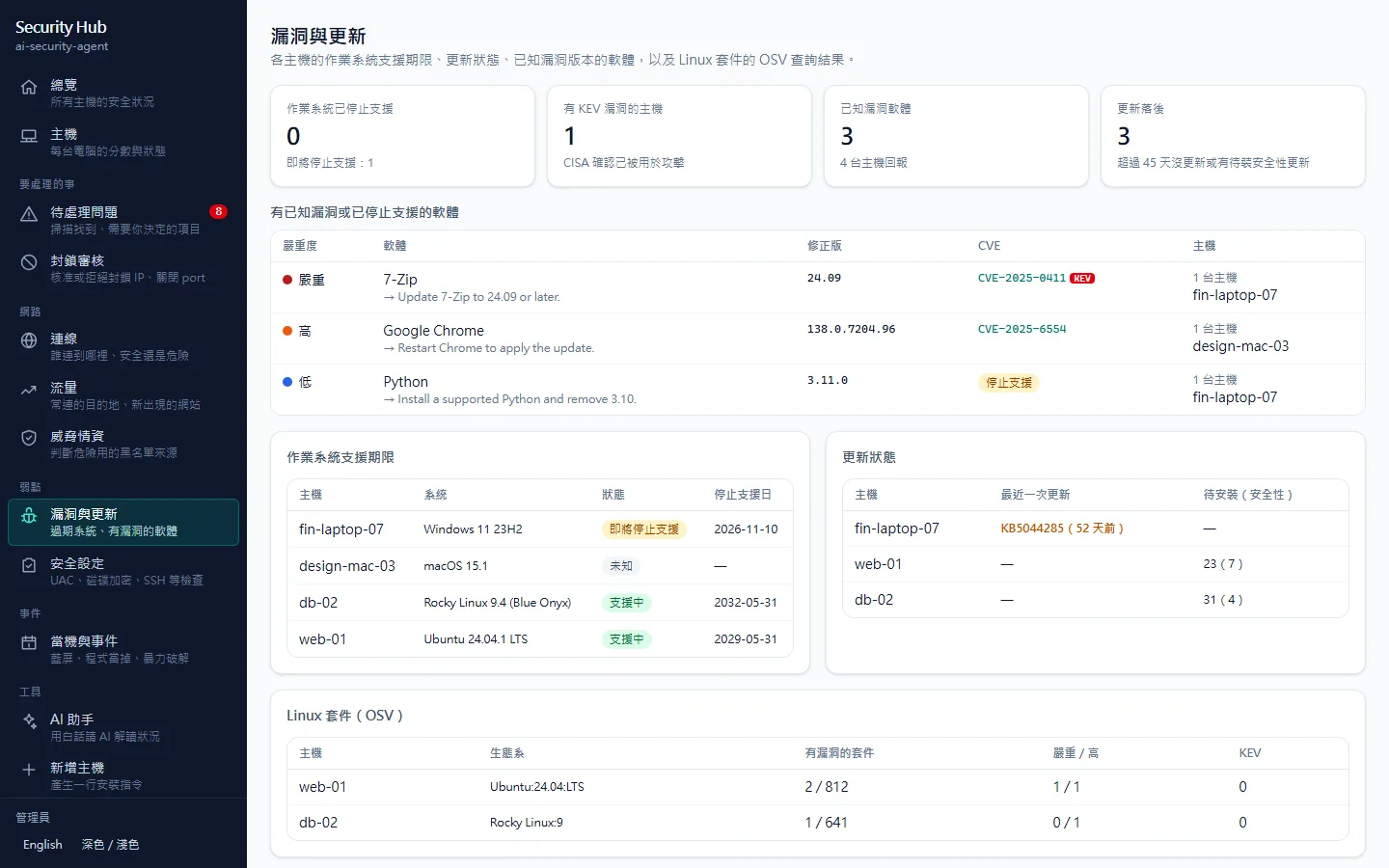
OS support dates, days since the last update and software versions with known vulnerabilities. A CISA KEV match (actively exploited) is raised to critical.
Why did it just crash?
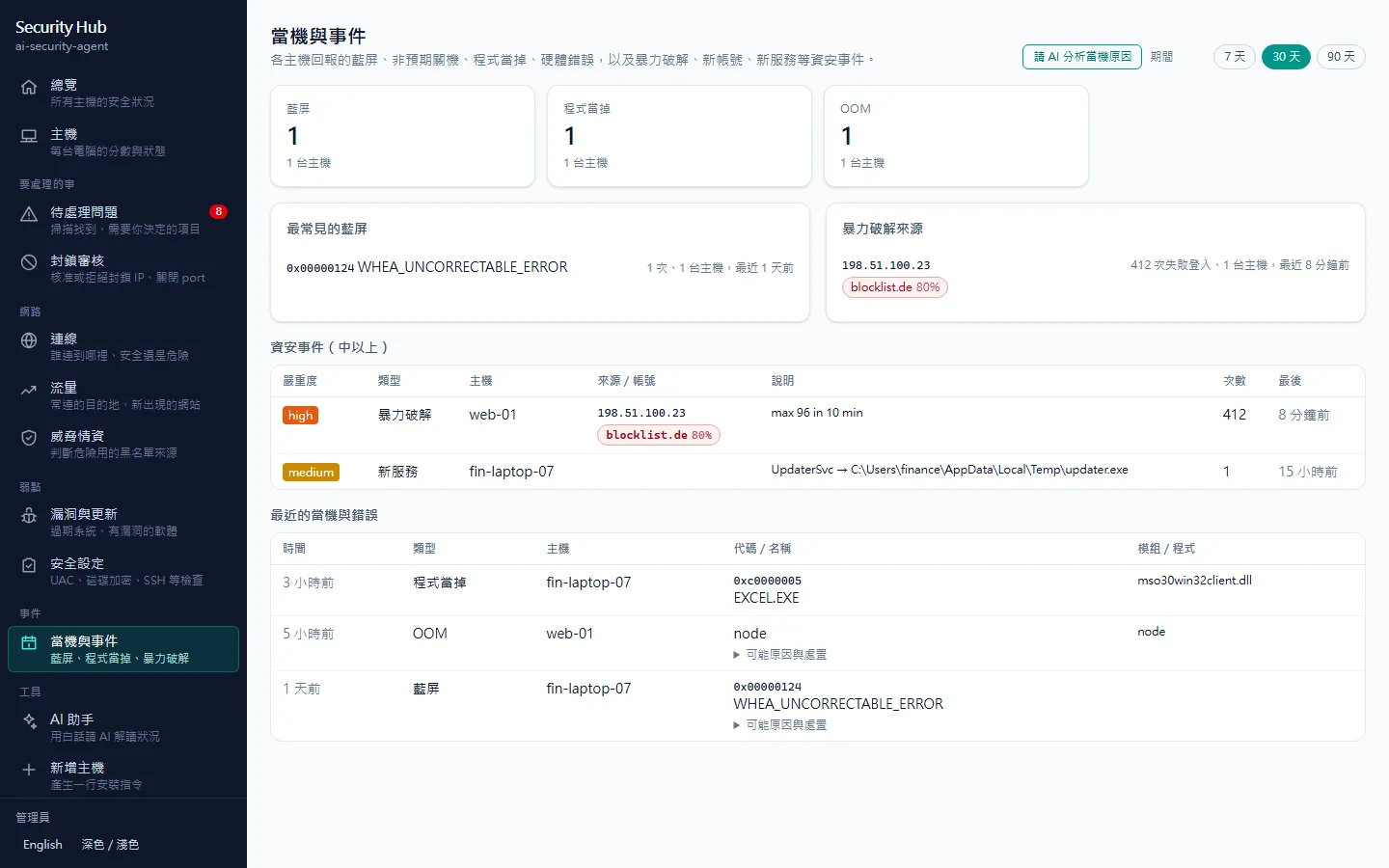
It reads Windows event logs, blue-screen codes, the Linux journal and macOS crash reports, lists likely causes and fixes, and flags brute force and new accounts.
Is every machine in the company OK?
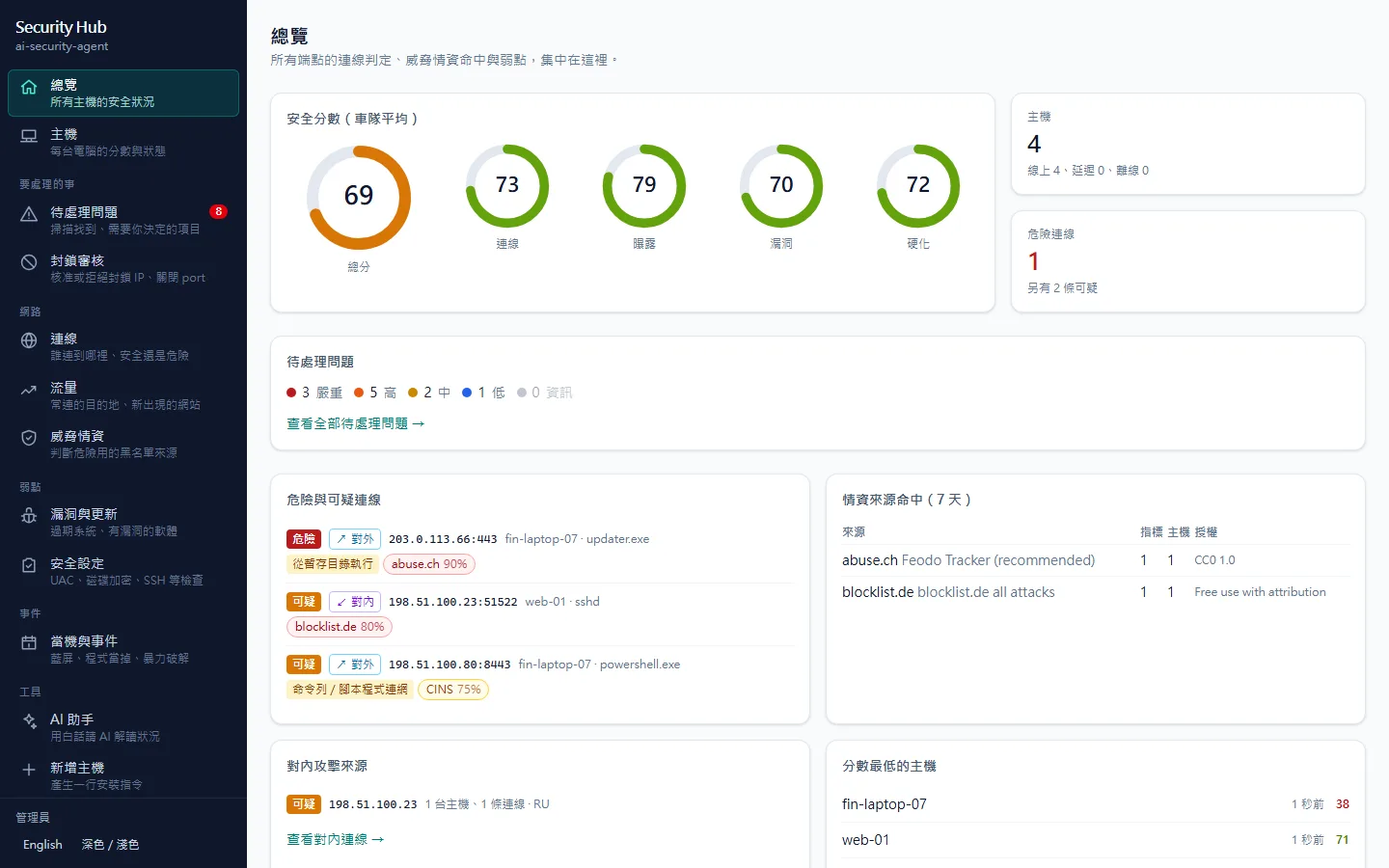
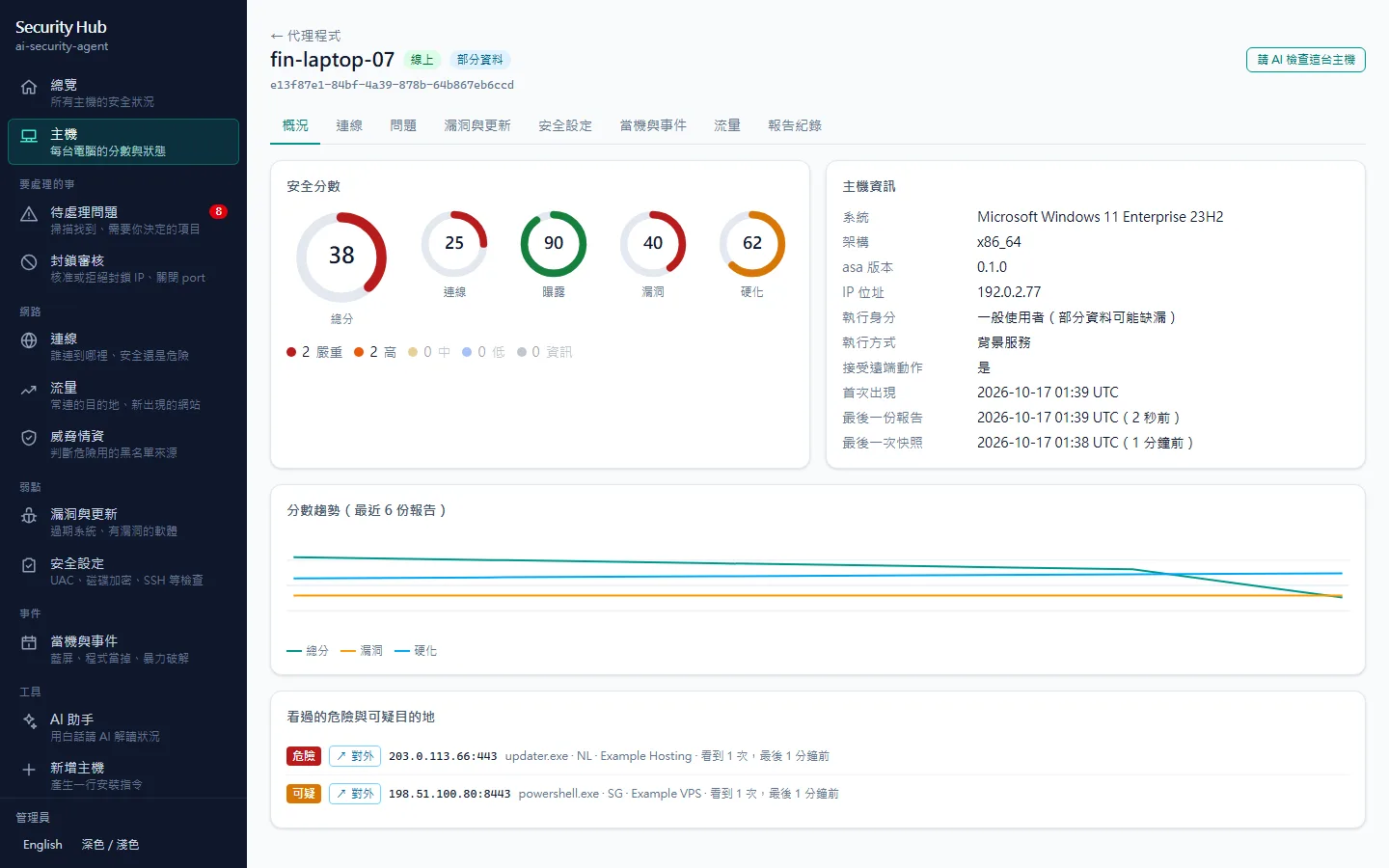
Each host enrolls into your self-hosted Security Hub: overview, score trends, open findings and remote block approvals in one place.
Three parts
The agent works on its own; add the Hub when you need a central view. Both can hand their data to AI.
asa (agent)
agent/ · single Rust binary
- Runs on the computers and servers you protect: Windows, macOS and Linux
- Scans connections, intel, firewall, ports, vulnerabilities, hardening, events and traffic
- Use the CLI on its own, or enroll into the Hub to report on a schedule
- Starts at boot (system service or at login); asa self-update verifies SHA256SUMS
Security Hub
hub/ · Next.js + PostgreSQL
- Overview, hosts, connections, findings, vulnerabilities, hardening, traffic, events and intel
- Remote blocks need approval; actions are HMAC-signed and pinned to the host identity
- Enrollment keys, read-only API tokens, audit log, CSV export
- Standalone (localhost only) or server mode for a fleet; English and Chinese, dark mode, mobile layout
AI and MCP
asa ai · asa mcp · Hub /ai
- asa ai ask / analyze hands off to Claude Code or Codex CLI with read-only tools
- asa mcp lets Claude Code, Codex, Cursor and VS Code query this computer directly
- The Hub is an MCP server too, for questions about the whole fleet
- The AI assistant in the Hub explains current risks in plain words
Design choices worth knowing
Security tools fail when they cry wolf or change settings carelessly, so these parts get extra care.
Every verdict cites its source
The matching feed, vendor, confidence, license and source URL are all shown. No black-box scores.
Preview by default
Commands that change the system (blocking IPs, closing ports, installing services, updating) only show what they would do unless you pass --yes.
Blocks can be undone
fw sync-blocklist only syncs high-confidence intel, runs a dry run first, asks to confirm, and every rule can be removed.
Respects feed licenses
Non-commercial feeds such as DShield only alert by default and are never used for blocking. The full list is in THIRD_PARTY_NOTICES.
Reserved ranges filtered
Blocklist sync drops reserved ranges like 0/8, 10/8 and 192.168/16 and checks overlap with your own IPs, so you never lock yourself out.
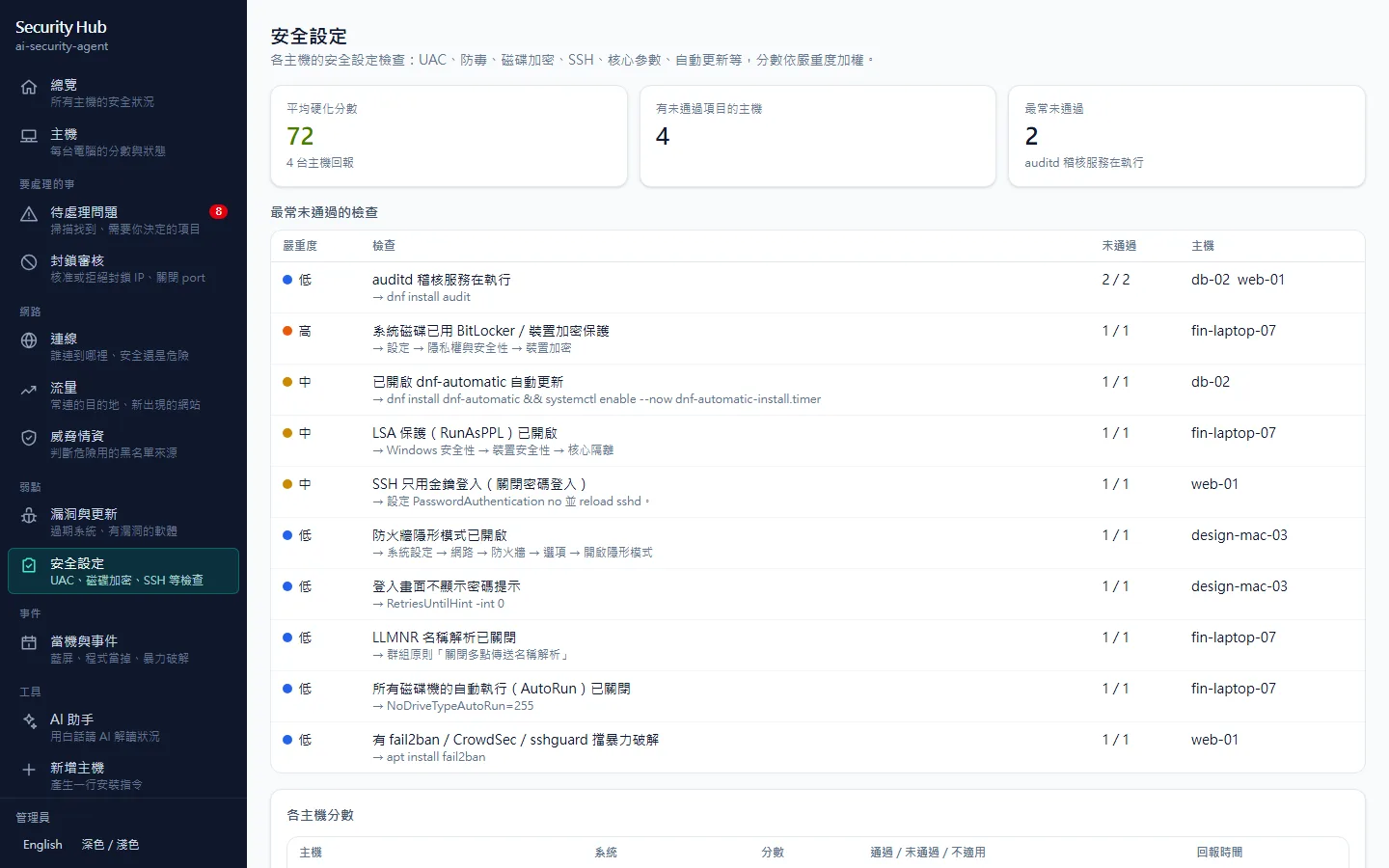
60 hardening checks
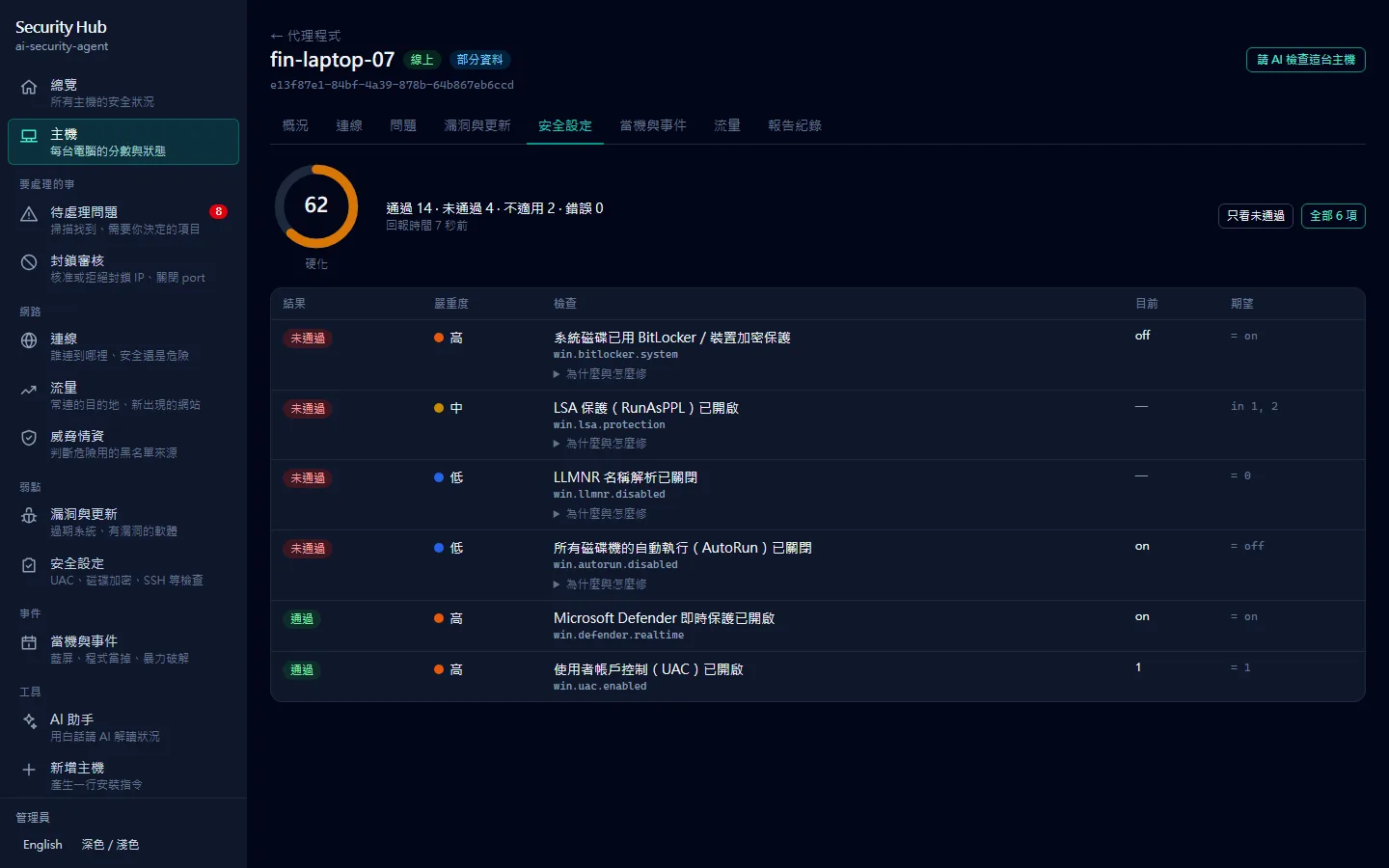
UAC, Defender, BitLocker, SMBv1, RDP NLA, SSH, kernel settings, FileVault, Gatekeeper and more, with severity-weighted scores and YAML overrides.
Traffic without packet capture
flow-lite shows where each process connects; with a pcap it also analyses DNS, TLS SNI, cleartext protocols, large uploads and periodic connections.
AI gets read-only access
When Claude Code or Codex analyses your system it only gets read-only tools. It can look, not touch.
Built-in threat-intel sources (excerpt)
26 sources in total. AbuseIPDB, GreyNoise and CrowdSec lookups work with your own keys, and outbound lookups can be turned off completely.
What it looks like
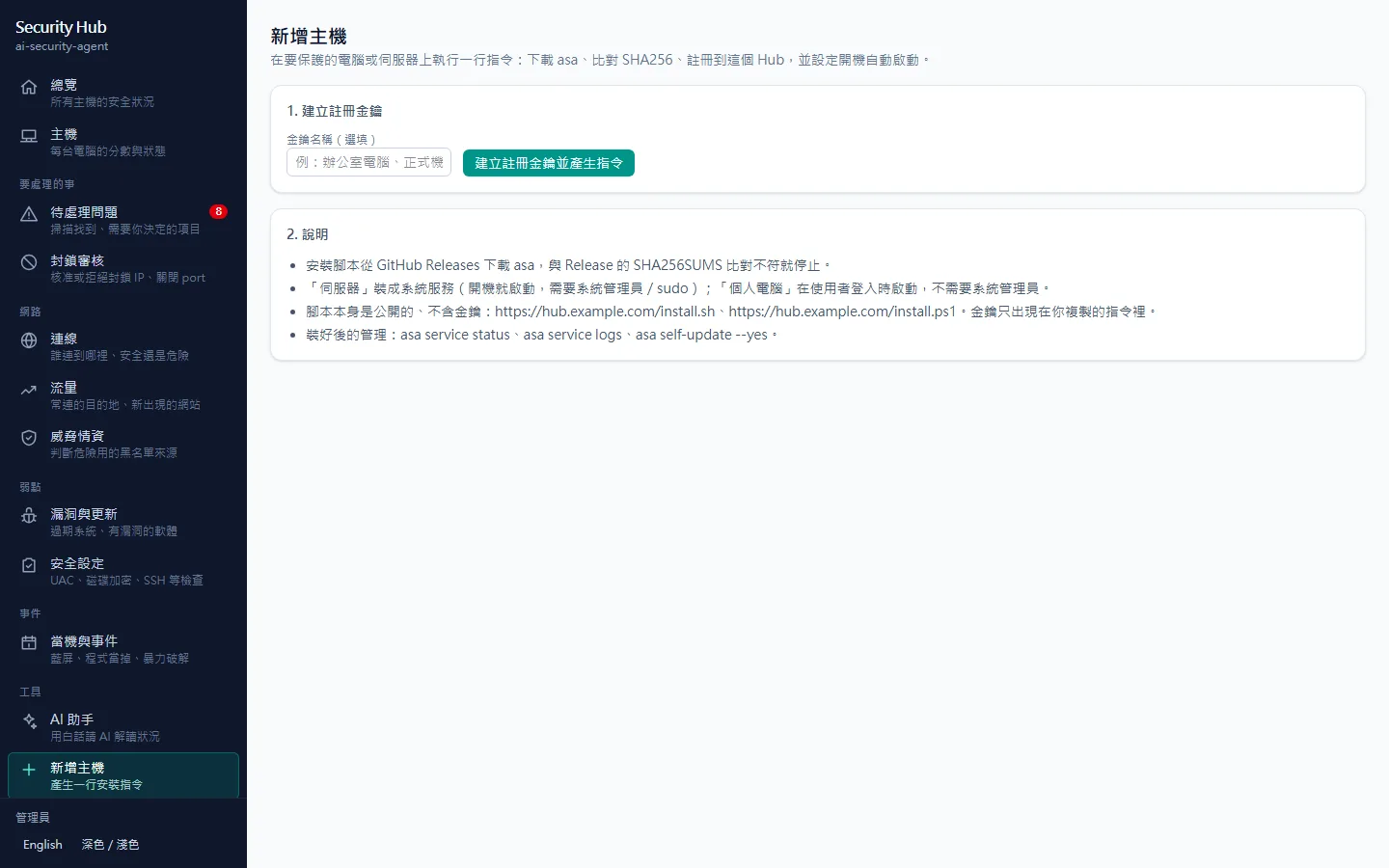
Screenshots use the repo's demo data (fictional hosts, documentation IP ranges). Run scripts/demo-seed.mjs to reproduce them. The Hub UI is shown in Chinese; it also has an English mode.
Five things to know first
Better to state the limits up front than explain them later.
- 1
It defends; it does not scan others
asa only looks at its own computer's connections, settings and logs. It never scans or attacks other hosts.
- 2
Some checks need admin rights
Reading firewall rules and event logs, or installing a system service, needs admin or root. Without them those checks are skipped and asa doctor explains why.
- 3
Intel verdicts are evidence, not proof
Public blocklists have false positives (CDN domains, for example), so every hit cites its source. Domain-level matches are downgraded to suspicious.
- 4
The Hub needs Docker and PostgreSQL
The compose files include PostgreSQL. For a single computer, use the standalone mode, which binds only to 127.0.0.1.
- 5
AI analysis needs Claude Code or Codex
asa calls the CLI you are already signed in to. The Hub's latest image includes both CLIs; the slim image does not. Everything else works without AI.
Install asa
One command downloads the latest release and verifies it against SHA256SUMS, stopping on any mismatch.
Linux / macOS
Windows (PowerShell)
You can also download the binaries from GitHub Releases. After installing, run asa doctor to check permissions, intel freshness and the Hub connection. To report automatically at boot, run asa service install --yes (add --system on servers).
Run Security Hub
- 1
Get Docker. The Hub image ghcr.io/markku636/ai-security-agent-hub supports amd64 and arm64 and can be pulled directly.
- 2
Copy .env.example to .env and set ASA_HUB_ADMIN_SECRET and ASA_HUB_DB_PASSWORD (openssl rand -hex 32 works).
- 3
Standalone: docker/compose.standalone.yml, then open http://127.0.0.1:8088. Server: docker/compose.yml, ideally behind a TLS reverse proxy.
- 4
Sign in with the admin key, open Add host, create an enrollment key and run the one-line command on each computer you want to protect.
Start the standalone Hub in one go (fill in .env first):
Common commands
Commands that change the system only preview without --yes. Use --lang en for English and --json for scripts.
asa doctorEnvironment check: permissions, intel freshness, external tools, Hub connection.
asa intel updateDownload threat intel; asa watch keeps it fresh afterwards.
asa connections --intelAll current connections and their verdicts.
asa scanFull scan: connections, intel, firewall, ports, events, vulnerabilities, hardening.
asa fw sync-blocklist --dry-runPreview which high-confidence intel IPs would be blocked.
asa ai ask "Is this computer talking to anything dangerous?"Let Claude Code or Codex explain it in plain words.
asa enroll https://hub.example.com --key asa_ek_…Enroll into Security Hub and report on a schedule.
Tech stack
The agent is one binary with no runtime dependencies; Docker brings everything the Hub needs.
License and data sources
Released under the MIT license: commercial use, modification and redistribution are all fine. Threat intel, vulnerability and geo data come from their own providers under their own licenses (DShield is non-commercial, DB-IP requires attribution), and every hit links to its source.
Know where you connect before you defend
Free, MIT open source, cross-platform. If it helps, star the repo or open an issue on GitHub to tell me what is missing.
Every tool here is free and open source
No paywall, no sign-up, and the source is public on GitHub. If one of them saved you time, buy me a coffee so the updates and the next tool keep coming.