
open-pos
A local-first restaurant POS. Ordering, checkout, printing and day-close all run on the machine in your shop, so a dead internet connection never stops you taking money, and your data stays yours.
What it actually solves
Every one of these is a real cost small restaurants pay today, not a bullet on a feature list.
Subscriptions and lock-in
Commercial POS systems often mean a three-year contract, a monthly fee, and no way to get your data out. open-pos costs nothing and your data is one SQLite file on your own disk.
No internet, no sales
A cloud POS that loses its connection stops the business. Here the host sits in the shop; the network is only there to connect tablets and phones, not to take money.
Printers locked behind drivers
Vendor SDKs are frequently Windows-only DLLs with nothing for Linux. This opens a TCP connection on port 9100 and sends ESC/POS bytes, identical on every OS and with no driver to install.
Amounts off by one dollar
Money is always integer dollars. Tax is computed first by the statutory formula and the net sales figure derived by subtraction, so sales + tax = total always holds, which is exactly what the tax authority checks.
Books that do not reconcile
Every operation that touches money is written to an append-only audit log and journal. Who changed which order, when, and to what is answerable, including voiding an order after it was settled.
Losing everything
Backups use SQLite's online consistent snapshot rather than copying files (which yields a torn database), and can be restored in place. If a backup has not run for too long, the health panel says so.
What works today
The goal for v1.0 is not a long feature list. It is: one computer and one printer are enough to open, and you never lose data.
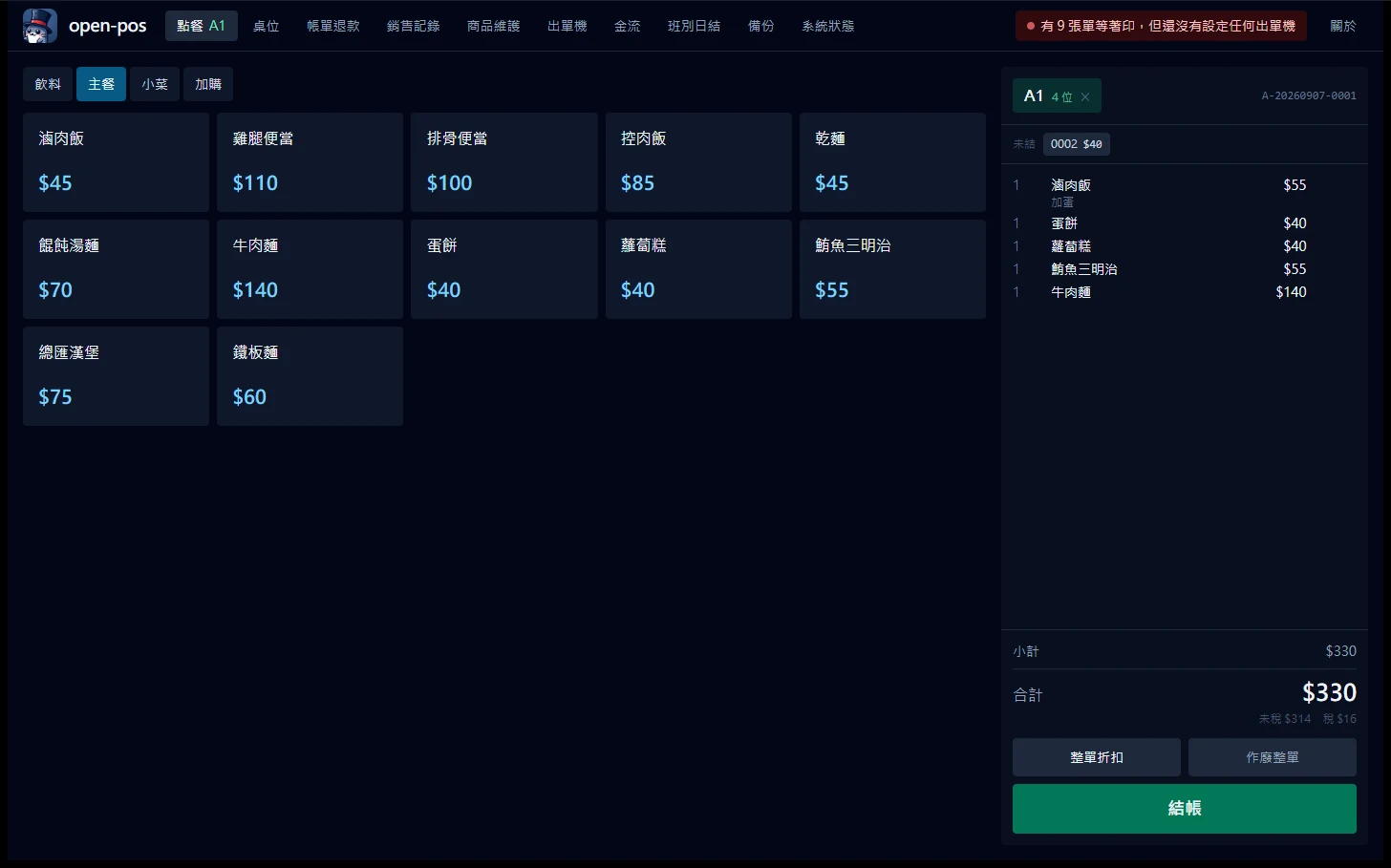
Touch ordering
Menu on the left, cart on the right, so the cashier's motion runs one way and never doubles back. Tiles are deliberately large, because at peak hours people are standing and poking with one finger.
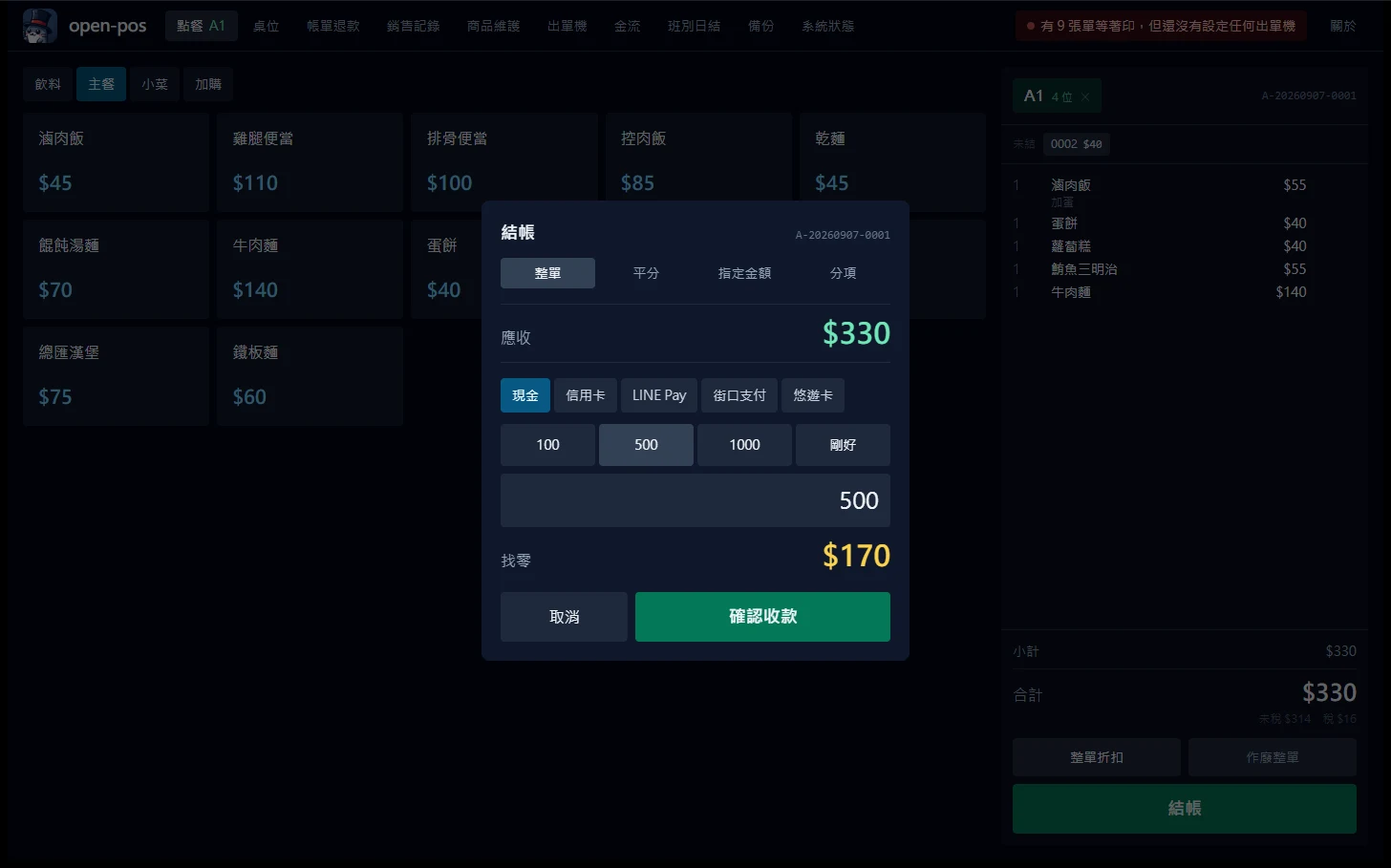
Checkout and change
Cash gets quick note buttons, and the change due stays on screen so it can be counted out. The amount is computed once, on the backend, so the screen and the database can never disagree.
Menu management
Categories, items and variants are edited in the app, never in the database. Price changes leave an audit trail, and order lines keep a snapshot of the name and price at the time of sale.
Local network terminals
The same binary serves the local network. The upcoming kitchen display and QR ordering share this backend, while the cashier UI is deliberately not served over the LAN, so nobody on the shop Wi-Fi can load it.
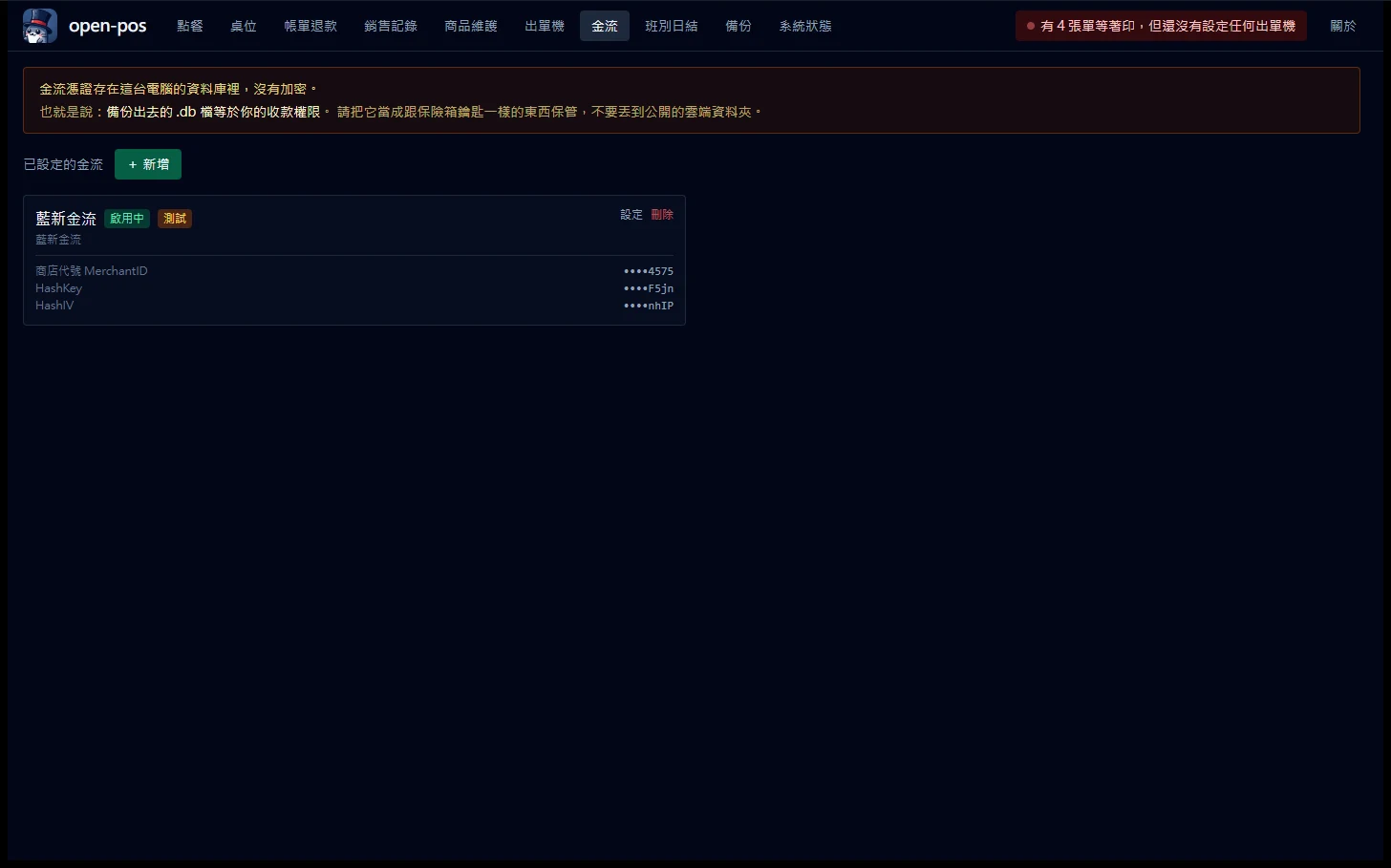
Payments that tell "failed" from "unknown"
A declined card is harmless: the cashier sees it and swipes again. What hurts is the network dropping after the request goes out but before the reply comes back, the customer is charged and the POS has no idea. So a pending row is written and committed before the call, and a timeout is recorded as unknown rather than failed. Unknown means reconcile it, not that nothing happened.
Buffet, a la carte and drinks shops
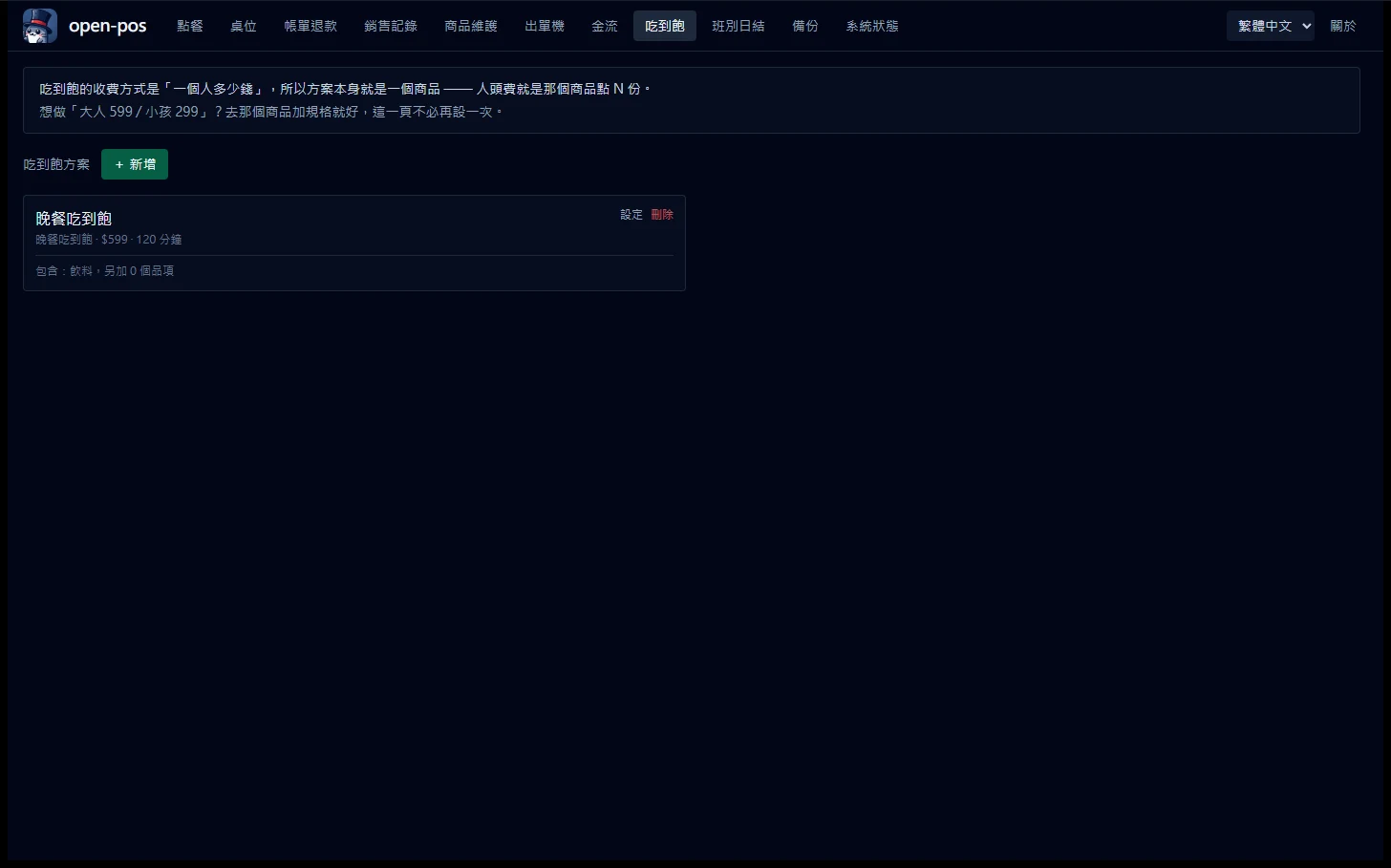
A buffet is priced per person, so the plan itself is just an item and the per-head charge is that item rung once per guest. Ringing it puts the table on the buffet with no mode to switch first, which is where "staff forgot, every drink charged full price" comes from. Designed after surveying 25 commercial products, including the two designs that survey overturned.
What it looks like
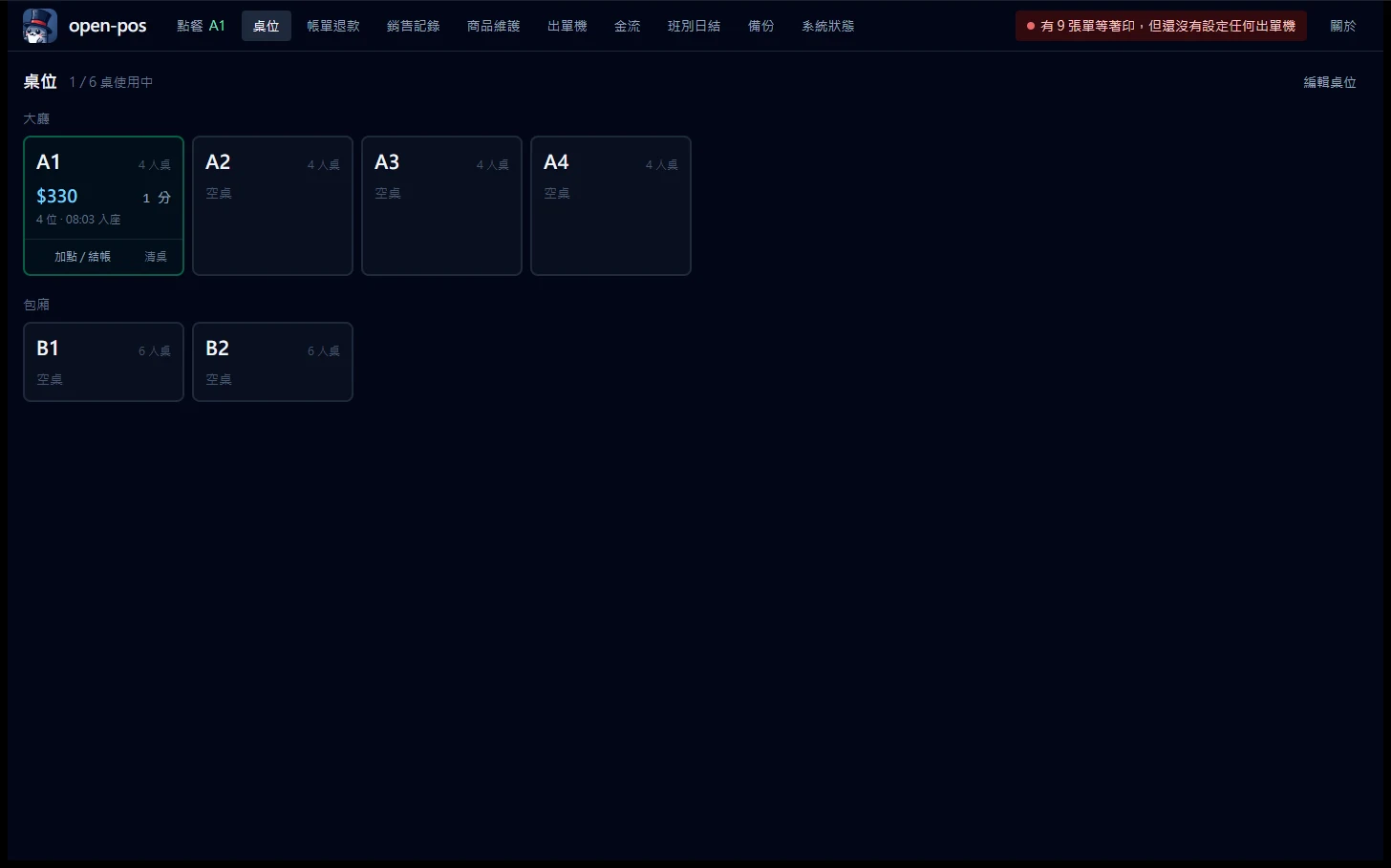
The interface is dark on purpose: restaurants are brightly lit and this screen is on all day.
Four things to know first
Stating the limits up front is more honest than explaining them afterwards.
- 1
There is no installer yet
v1.0 is still in development, so for now you build from source. Installers will be published to GitHub Releases when v1.0 ships, and this page will be updated.
- 2
Single machine, with a cold standby
One host, one SQLite file, one writer, which is the same topology as the largest commercial POS in Taiwan. A second machine runs the same build but stays off; if the host dies you restore a backup on it and carry on, roughly ten minutes. There is no multi-master sync.
- 3
The data must not sit on a network drive or a sync folder
SQLite's WAL corrupts silently on SMB shares, and OneDrive or Dropbox will each copy the three database files independently. The app refuses to start on those paths and tells you where to put the data instead.
- 4
Taiwan e-invoicing is not implemented
It is scheduled for v1.4, starting with the government's free self-hosted Turnkey. Until then this system does not issue electronic invoices.
Technology choices
Every dependency is pure Rust, with no C libraries, so you clone it and the tests run. That is the first impression an open-source project gets to make.
Install: one codebase, seven installers
One source tree, built by GitHub Actions into seven installers at once: exe and msi for Windows, one each for Apple silicon and Intel on macOS, and deb / rpm / AppImage for Linux. Nothing to reconfigure when you switch platform, and the database file moves across as-is.
Windows 10 / 11
x64-setup.exe (NSIS) - x64_en-US.msi
The primary target, because nearly every till in a Taiwanese restaurant runs Windows. Take either installer and follow the wizard.
macOS
aarch64.dmg (Apple silicon) - x64.dmg (Intel)
A separate build per chip, so download the one that matches. Fine for development and evaluation, rarer on an actual counter.
Linux
amd64.deb - x86_64.rpm - amd64.AppImage
deb and rpm go through your package manager; the AppImage just needs chmod +x and no installation. There is also open-posd, a headless build that serves only the local network: the backend behind KDS and QR ordering.
Signed installers land on GitHub Releases with v1.0. Until then the build command below is the quickest way to try it, and it is the same command on all three platforms. Add --demo when you run it and you get a sample menu instead of typing in products first.
Build from source
- 1
Install Rust (stable) and Node.js 20 or newer. On Windows you also need the Microsoft C++ build tools.
- 2
Clone the repository and run npm install for the frontend dependencies.
- 3
npm run tauri dev starts the frontend and the Rust backend together and opens the development window.
- 4
To just look around: cargo run --bin open-posd -- --demo creates a 38-item sample menu and serves the local network. Seeding is idempotent, so it will never pollute a menu you built yourself.
The first Rust build takes a few minutes; after that it is fast.
What comes next
Ordered by how much of the critical path is actually in my hands: e-invoicing waits on each shop's own government registration, and QR ordering waits on customers' phones.
- v1.0Ordering, tables, split bills, printing, day close, payment settings, backupFeature complete
- v1.1Kitchen display system (with offline queue)Done
- v1.2Richer reports, audit search, Excel exportDone
- v1.3Customer QR self-orderingPlanned
- v1.4Taiwan e-invoicing (self-hosted Turnkey)Planned
- v2.0PostgreSQL supportPlanned
License and boundaries
MIT, fully open, with no community-versus-commercial split. So you can judge whether it fits: cloud multi-store and loyalty points are not on the roadmap yet; for credit cards the suggested path is the terminal your bank already gave you, with the POS recording only the authorisation code and never touching card numbers (LINE Pay and NewebPay can be configured today); hardware compatibility grows from what the community reports back. It is maintained by one person for now, and being clear about the scope is what keeps the finished parts well cared for.
Read the licenseYour shop, your data
If you also think opening a restaurant should not start with signing a three-year contract, come read the code, report the printer model you own, or just open an issue.
Every tool here is free and open source
No paywall, no sign-up, and the source is public on GitHub. If one of them saved you time, buy me a coffee so the updates and the next tool keep coming.