
Creating Lottie Animations with Adobe After Effects and JavaScript Interaction Part 2 - Advanced Techniques
Background
In Part 1, we learned that Adobe After Effects allows you to name layers with a # suffix, which causes those characters after # to be converted into element IDs in the exported file. JavaScript can then communicate with the animation by manipulating the DOM. This post focuses on more advanced JS-to-animation interaction features.
Understanding Frame Rate Before Controlling Frames Programmatically
Frame rate is the unit of animation playback — simply put, it's how many frames are displayed per second. [More about frame rates]
Dynamically Changing Text
As covered in Part 1, you can use the Lottie API's setText method to update text within an animation.
Loading an Animation and Setting Playback Speed
this.lottieAnimation = lottie.loadAnimation({
        container: this.$refs.monkey, // 掛在到對應的 DOM 節點
        loop: true,
        animationData: require('@/assets/lottie/monkey.json'),
        autoplay: true
      })
that.lottieAnimation.setSpeed(0.1);
Callback Events on Animation Completion
this.lottieAnimation.onComplete = function() { // loop = false 才會被觸發
  console.log('complete')
}

this.lottieAnimation.onLoopComplete = function() {
  console.log('loopComplete')
}
Getting the Current Playback Frame
this.lottieAnimation.addEventListener('enterFrame', () => { // 現在在幀
 console.log('現在幀數', that.lottieAnimation.currentFrame)
})
Playing a Specific Frame Range
that.lottieAnimation.playSegments([11, 30], true) // 播放,第11到30幀的動畫
Binding Click Events
that.lottieAnimation.addEventListener('DOMLoaded', () => {
    document.getElementById('banana').addEventListener('click', function() {
     alert('click')
    })
})
Hover Effects
Adobe After Effects doesn't have many built-in web interaction directives or scripts, so complex interactive features are better handled directly with CSS and JavaScript.
<style  lang="scss">
// 滑動事件
#banana:hover {
  filter: drop-shadow(0 0 30px rgb(0, 255, 255));
}
</style>
Use Case
Combining the techniques above, you can build a small game: lock the animation to a specific frame range on start to show a waiting animation, then play the second segment once the user clicks the banana.
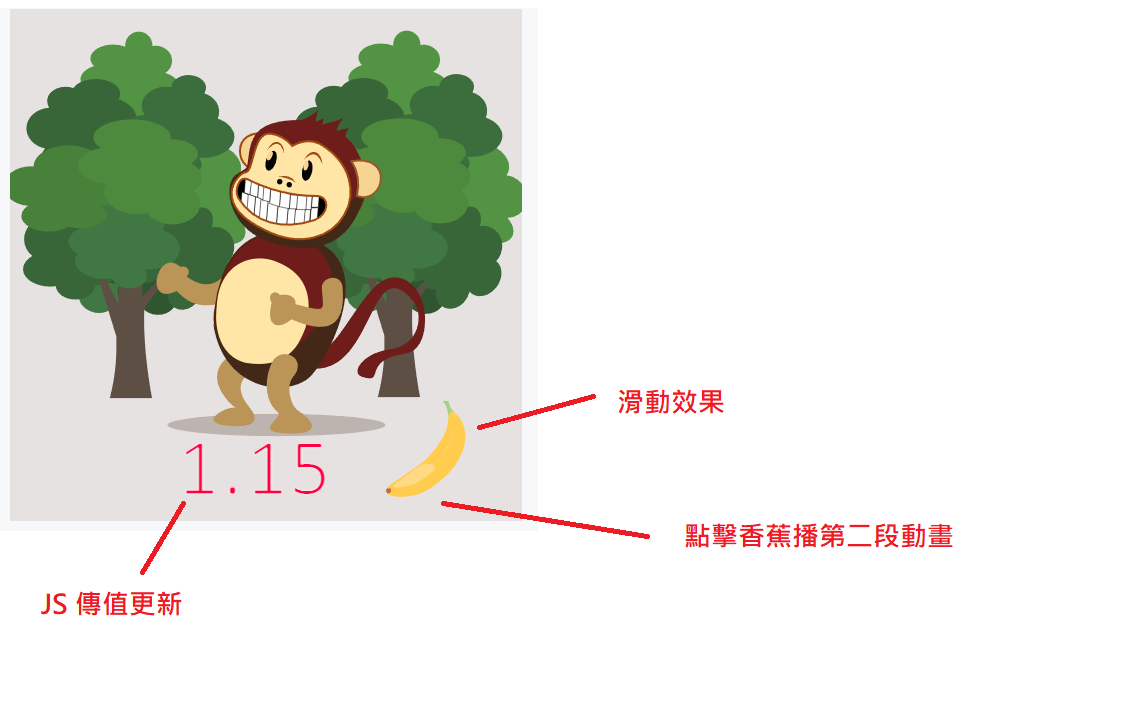
Example Code
<template>
  <div>
    <div class="flex">
      <div ref="monkey" />
    </div>
  </div>
</template>
<script>

import loApi from 'lottie-api'
import lottie from 'lottie-web'
import { numberFormat } from '@/utils'

export default {
  components: {

  },
  data() {
    return {
      lottieAnimation: null
    }
  },
  created() {

  },
  mounted() {
    const that = this
    that.lottieAnimation = this.loadLottieAnimation()
    that.lottieAnimation.playSegments([0, 10], true) // 開場動畫
    that.lottieAnimation.addEventListener('enterFrame', () => { // 現在在幀
      console.log('enterFrame', that.lottieAnimation.currentFrame)
    })

    that.lottieAnimation.addEventListener('DOMLoaded', () => {
      document.getElementById('banana').addEventListener('click', function() {
        that.lottieAnimation.playSegments([11, 30], true) // 播放 11到30幀的動化 香蕉
      })
    })

    let count = 1

    // 每兩秒去修改 rate 裡面的值
    setInterval(() => {
      count = count + 0.01
      var api = loApi.createAnimationApi(that.lottieAnimation)
      var elements = api.getKeyPath('test#rate').getElements() // 查找對象
      var ele = elements[0]
      const result = '' + numberFormat(count, 2) // 修改改傳入的值必須是字元串不能是數字,否則會失敗
      ele.setText(result)
    }, 2000)
  },
  methods: {
    loadLottieAnimation() {
      const that = this
      return lottie.loadAnimation({
        container: this.$refs.monkey, // 掛在到對應的 DOM 節點
        loop: true,
        animationData: require('@/assets/lottie/monkey.json'),
        autoplay: true
      })
    }
  }
}
</script>

<style  lang="scss">
// 滑動事件
#banana:hover {
  filter: drop-shadow(0 0 30px rgb(0, 255, 255));
}
</style>
Solutions for Oversized Lottie Animation Files
1. Animation File Too Large
- Certain effects that use masks can produce very large files when exported for the web.
- Overly complex layers should be converted to PNG; otherwise the animation file size can balloon.
- Assets that never appear within the animation frames should be removed, as they still get bundled into the output file.
2. Running Out of Memory During Playback
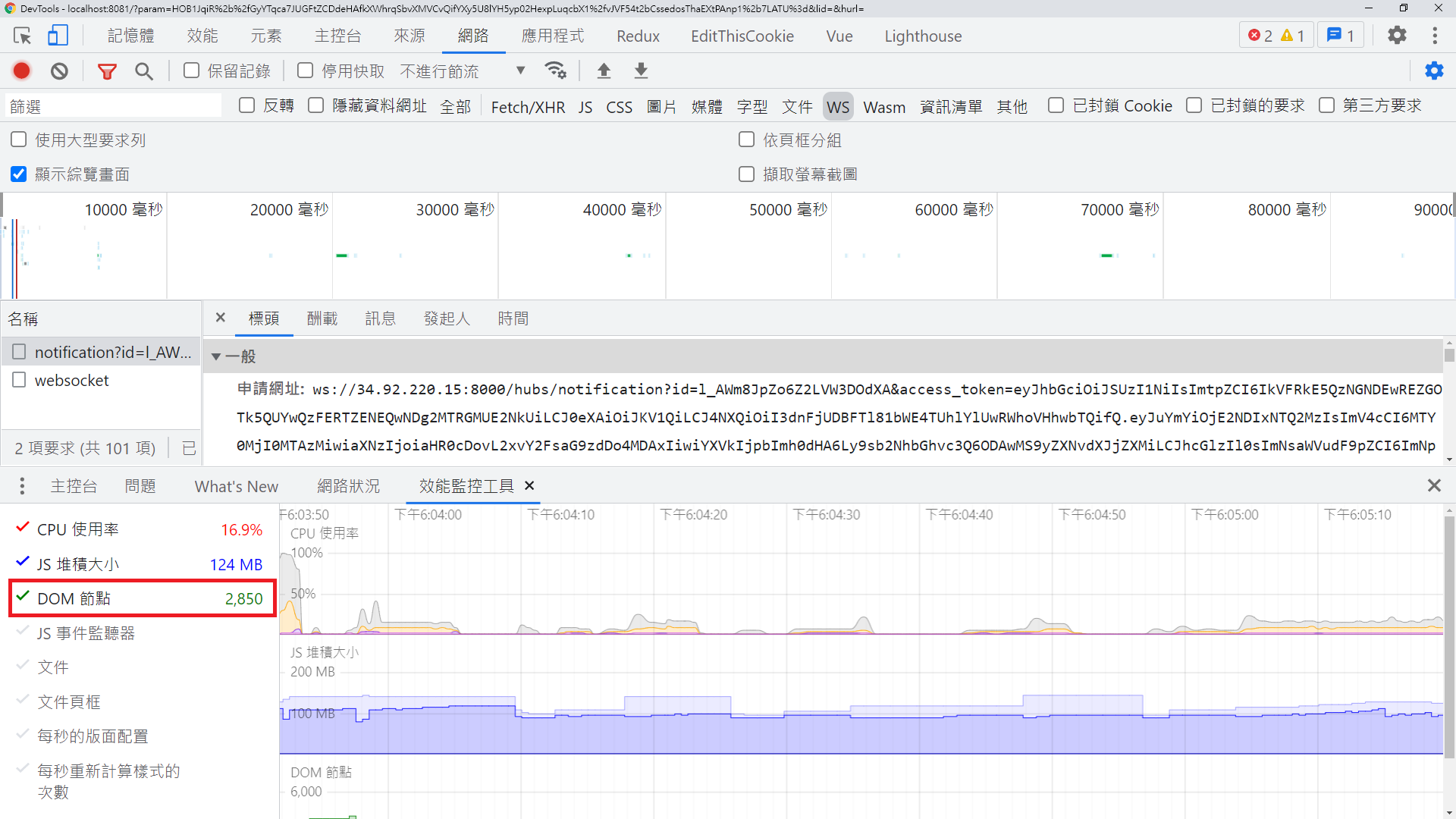
- When using
v-if, Lottie may not be properly released. Each Lottie instance must be destroyed by specifying itsname; otherwise the DOM node count will keep climbing.
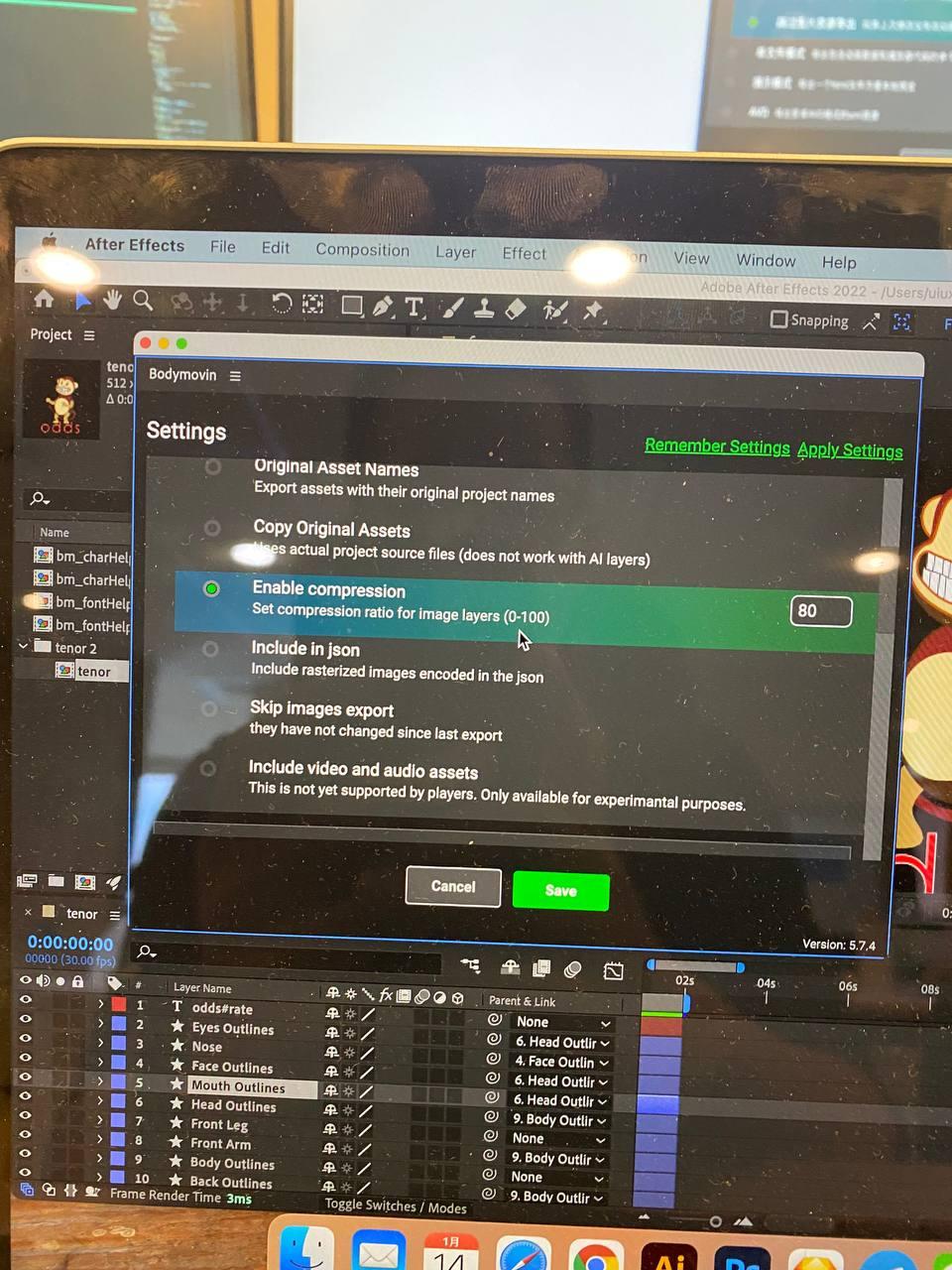
3. Choose Compression Quality (JPEG or PNG) When Exporting from AE
4. Compress Base64 Images and Strip Unnecessary Properties with lottie-compress
Summary
I think Adobe After Effects is well-suited for creating animations and lightweight mini-games. However, for highly interactive or complex games it's not the ideal tool — After Effects was designed for animation, and its integration with front-end code isn't particularly ergonomic.
Additional Tips
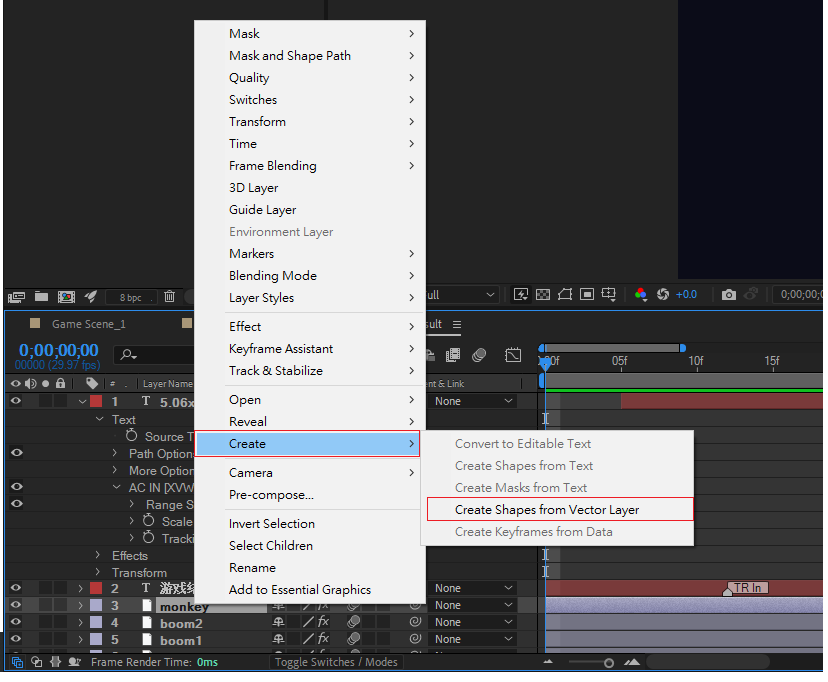
- If a designer uses AI (Illustrator) files in After Effects, the vector files must be converted to vector shape layers before exporting to Lottie.
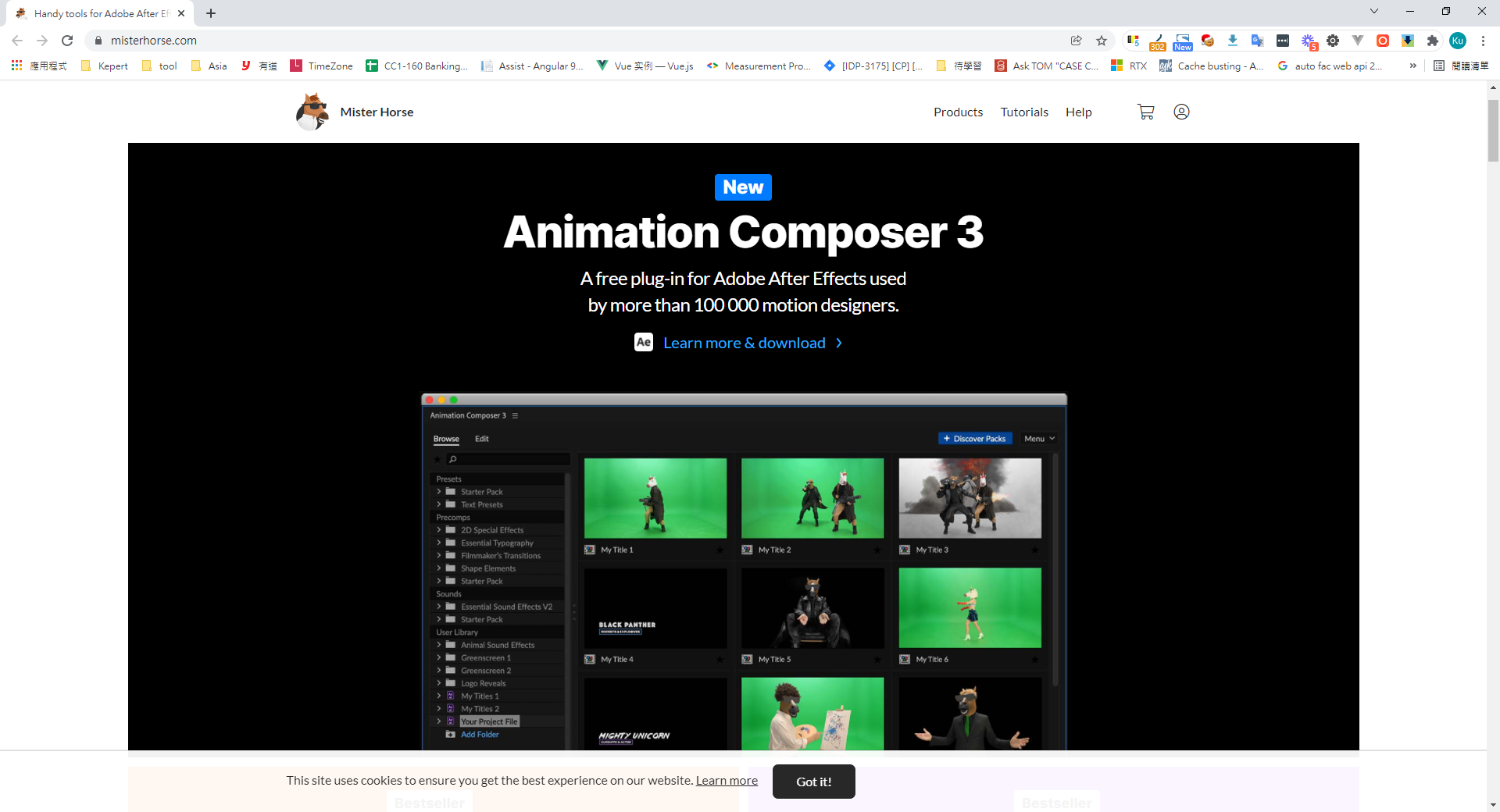
- A great After Effects plugin that helps beginners quickly apply effects: misterhorse
- BodyMovin pitfall guide
- Free online Lottie animation tool from Alibaba
- Free Lottie animation tool from Alibaba (SVG animations show the most significant gains; raster images see less benefit)
- Common Lottie gotchas
- Export pitfall guide


Comments