
Setting Up a Lightweight Log Storage / Query / Analysis Service (Seq Log Server) on QNAP Docker Station — Using .NET Core + NLog as an Example
The Problem
As the number of websites and distributed services grows, debugging gets harder when logs are scattered across servers and containers. Tracking issues becomes painful, and the root cause is often hard to find. This is why introducing a log aggregation service really matters.
Evaluation
Common log aggregation options include ELK, Exceptionless, Seq, and Splunk. We used ELK at my previous company. ELK is feature-rich, but for a small team it's overkill to maintain — it also demands a lot more system resources. Personally, after using all of them, I prefer Seq's query interface.
Let's Set Up the Seq Log Server
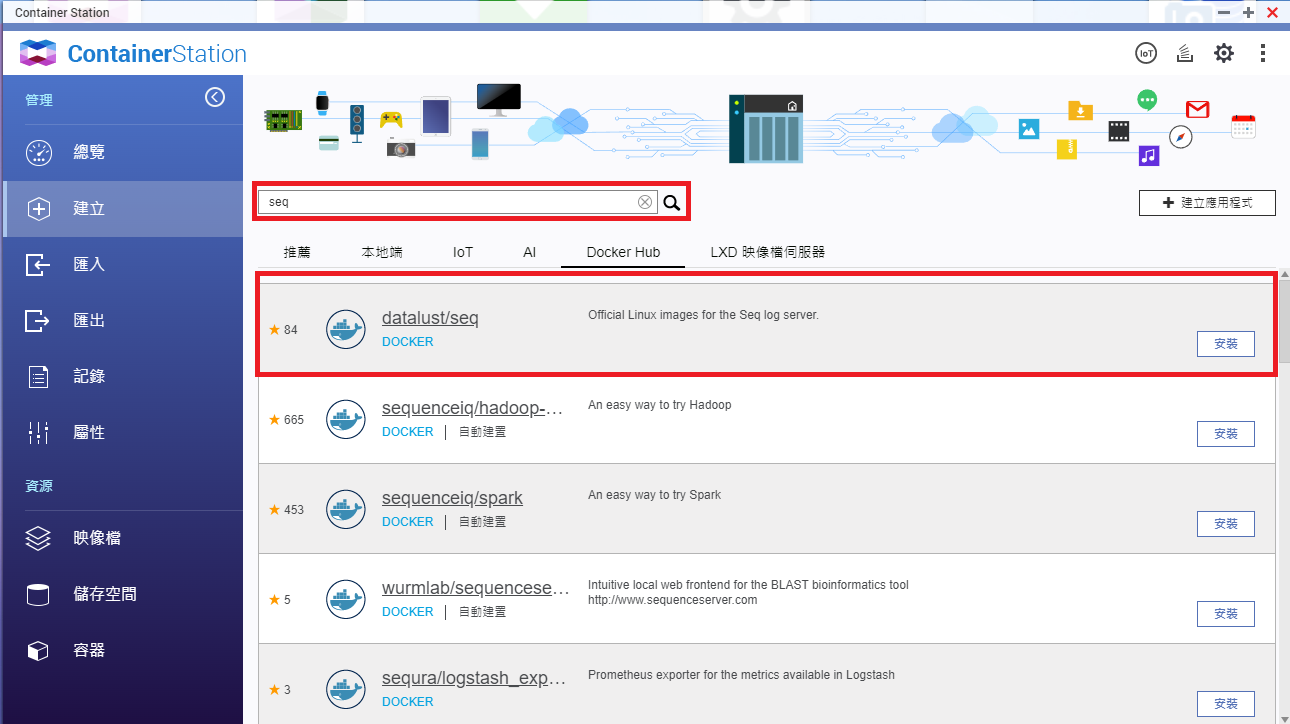
Create > Search > seq > Click "datalust\seq" > Install
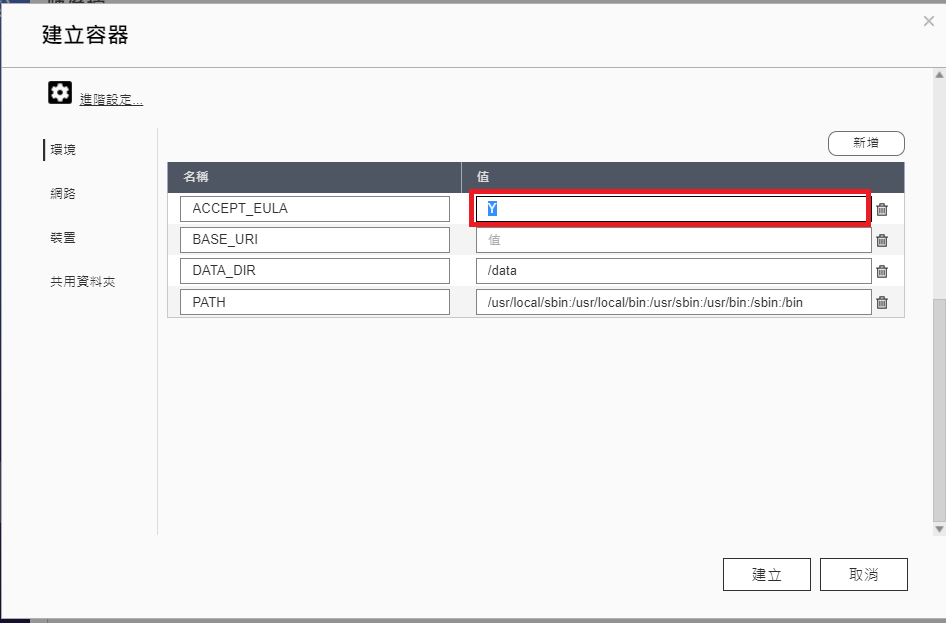
Set the environment variable to ACCEPT_EULA=Y
If you don't have a QNAP NAS, you can also install via Docker.
docker run --name seq -e ACCEPT_EULA=Y -p 8900:80 -p 5341:5341 datalust/seq
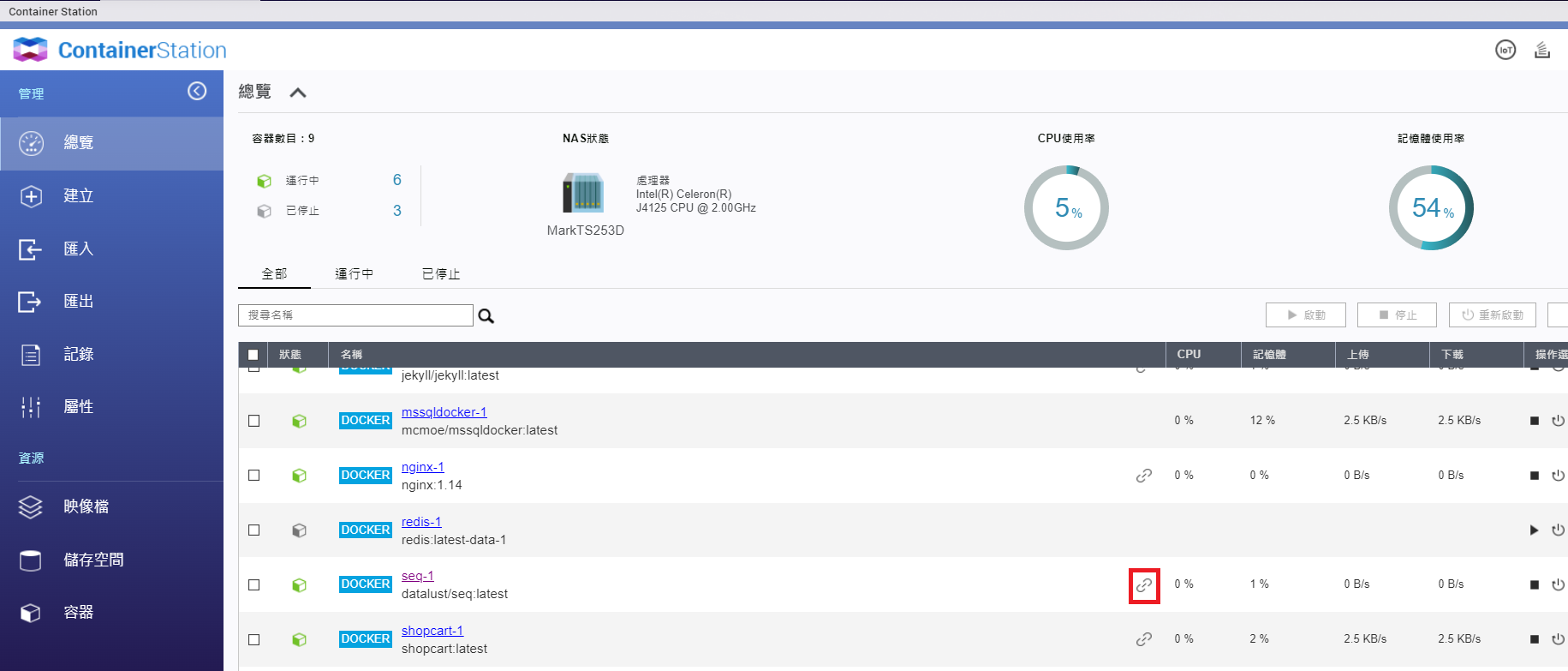
Once the SEQ container is running, click the link icon (highlighted in red) to enter the admin UI.
Next, create an API key for NLog to write logs
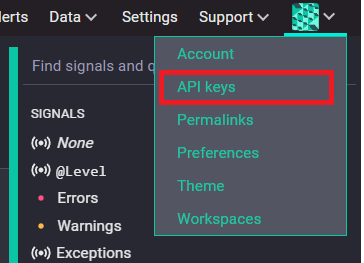
After entering the admin UI > click the account avatar > API KEYS
ADD API KEY > enter a name for the API key
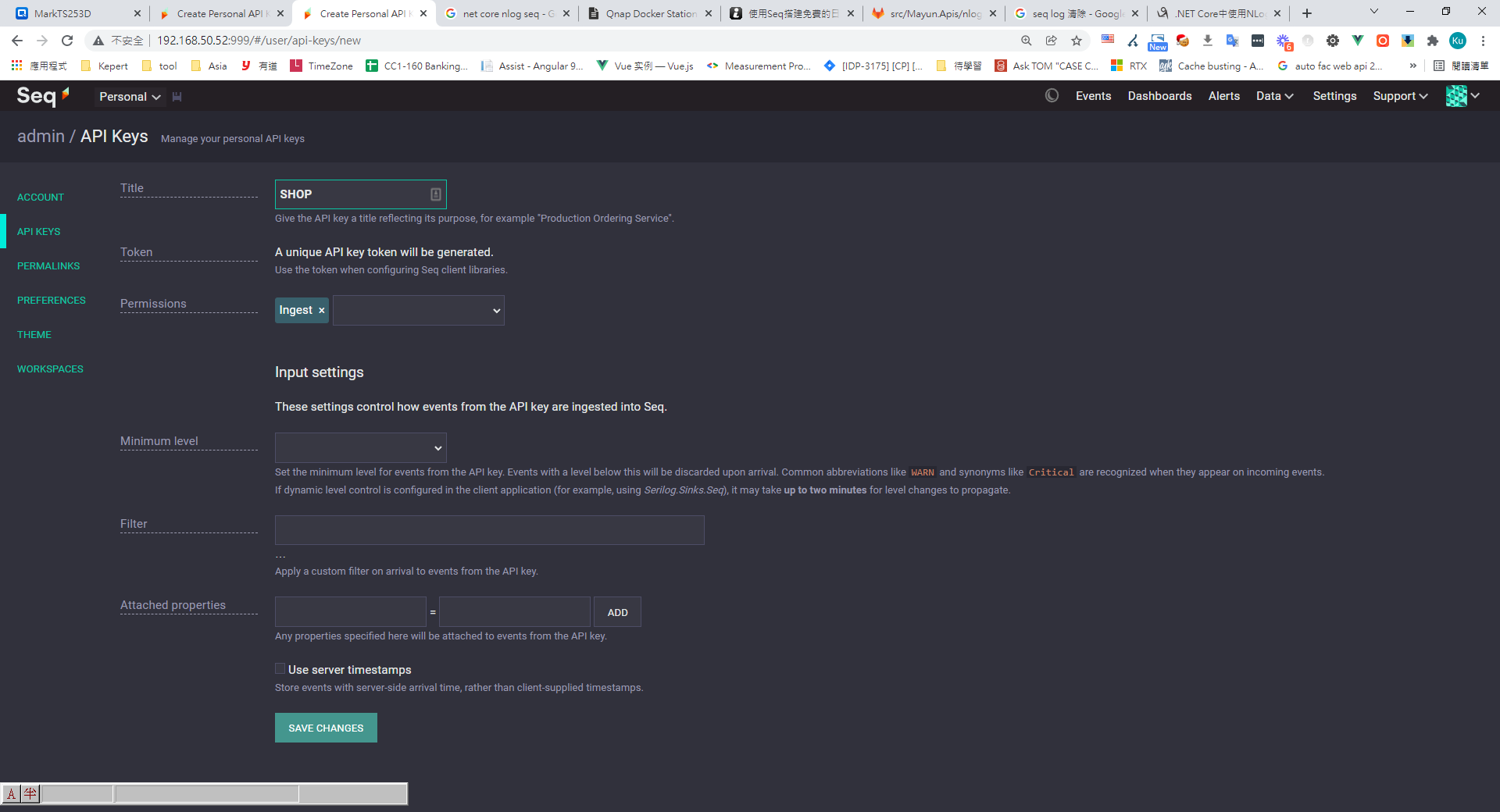
Copy the generated API key into NLog's config file
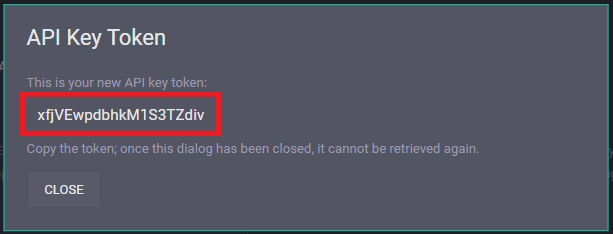 (This token has been revoked.)
Open your .NET Core project and install the NLog extensions
NLog.Extensions.Logging // Skip logging from all Microsoft components
NLog.Targets.Seq
nlog.config configuration
<?xml version="1.0" encoding="utf-8"?>

<nlog xmlns="http://www.nlog-project.org/schemas/NLog.xsd"
      xmlns:xsi="http://www.w3.org/2001/XMLSchema-instance"
      autoReload="true"
      throwConfigExceptions="true"
      internalLogToConsole="true"
      internalLogLevel="Info" internalLogFile="D:\temp\nlog-internal.log"
	  >

  <!--加載ASP.NET Core插件-->
  <extensions>
    <add assembly="NLog.Web.AspNetCore" />
    <add assembly="NLog.Extensions.Logging" />
    <add assembly="NLog.Targets.Seq" />
  </extensions>

  <variable name="log-root" value="Log" />
  <variable name="log-daily" value="${log-root}/${date:format=yyyy-MM}/${shortdate}" />
  <!-- the targets to write to -->
  <targets>
     <target name="seq" xsi:type="BufferingWrapper" bufferSize="1000" flushTimeout="2000">
      <target xsi:type="Seq" serverUrl="http://{your seq server url}/" apiKey="{api key}">
        <property name="ThreadId" value="${threadid}" as="number" />
        <property name="MachineName" value="${machinename}" />
        <property name="Environment" value="${aspnet-environment}" />
        <property name="Logger" value="${logger}" />
        <property name="IP" value="${aspnet-request-ip}" />
        <property name="Url" value="${aspnet-request-url:IncludeHost=true:IncludePort=true:IncludeQueryString=true:IncludeScheme=true}" />
        <property name="Code" value="${aspnet-response-statuscode}" />
        <property name="TraceId" value="${aspnet-TraceIdentifier:ignoreActivityId=true}" />
        <property name="ActivityId" value="${activityid}" />
        <property name="RequestHeaders" value="${aspnet-request-headers:HeaderNames=Host,Referer,Origin,Authorization}" />
        <property name="RequestQueryString" value="${aspnet-request-querystring}" />
        <property name="RequestBody" value="${aspnet-request-posted-body}" />
        <property name="ClientIP" value="${aspnet-request-ip}" />
		<property name="Custom" value="${gdc:item=Custom}" />
        <property name="CorrelationId" value="${aspnet-TraceIdentifier}" />
        <property name="AppName" value="Shop" />
      </target>
    </target>
  </targets>

  <!-- rules to map from logger name to target -->
  <rules>
    <!--跳過所有級別的Microsoft組件的日誌記錄-->
    <logger name="Microsoft.*" minlevel="Trace" final="true" />
	<!--跳过所有级别的CorrelationId组件的Info 層級下的 Log-->
    <logger name="CorrelationId.*" minlevel="Trace" maxlevel="Info" final="true" />
    <logger name="*" minlevel="Info" writeTo="seq" />
  </rules>
</nlog>
Once your sites and services start up, the log server will start receiving logs written by NLog from your .NET Core apps.
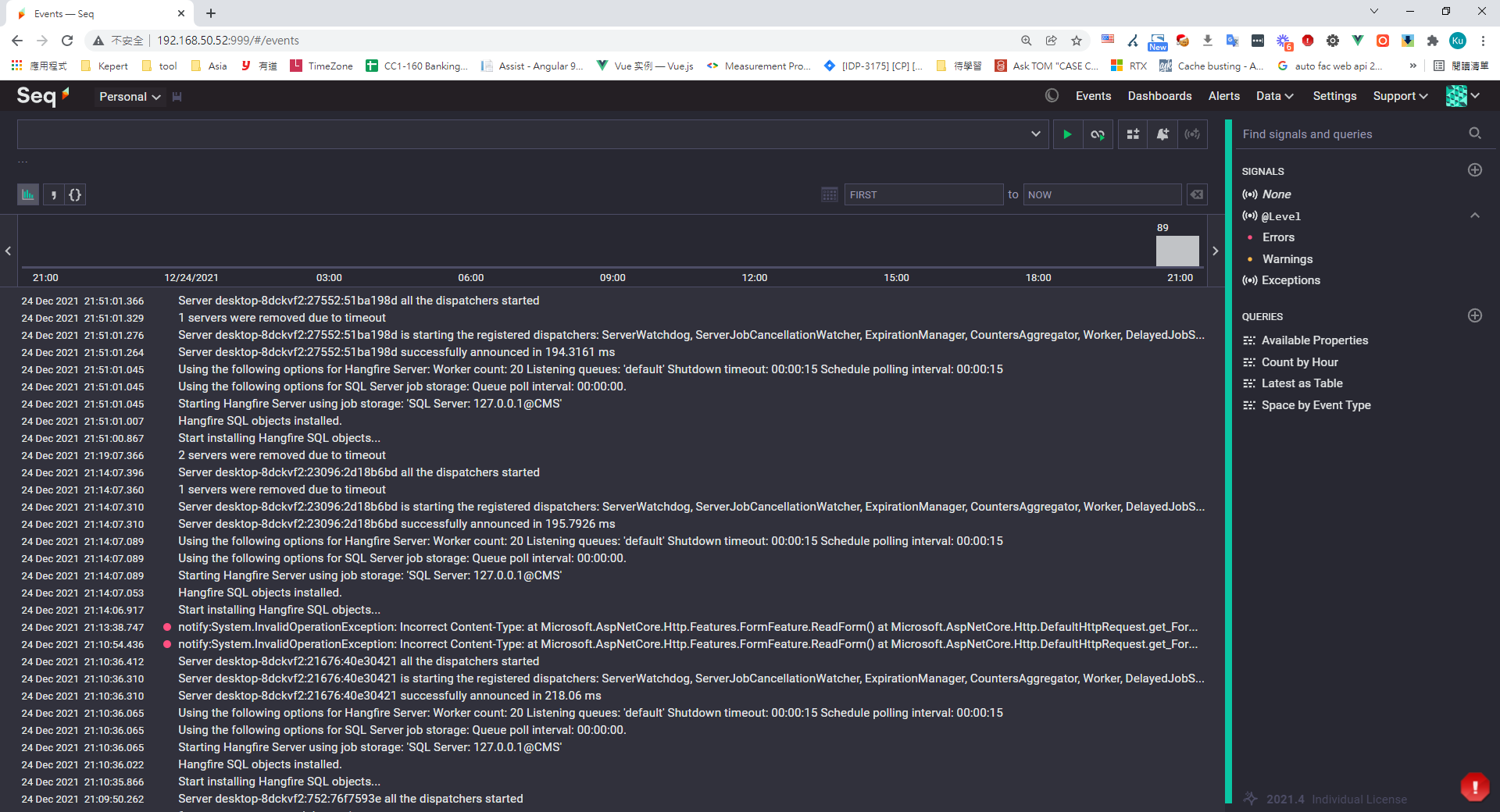
View error details
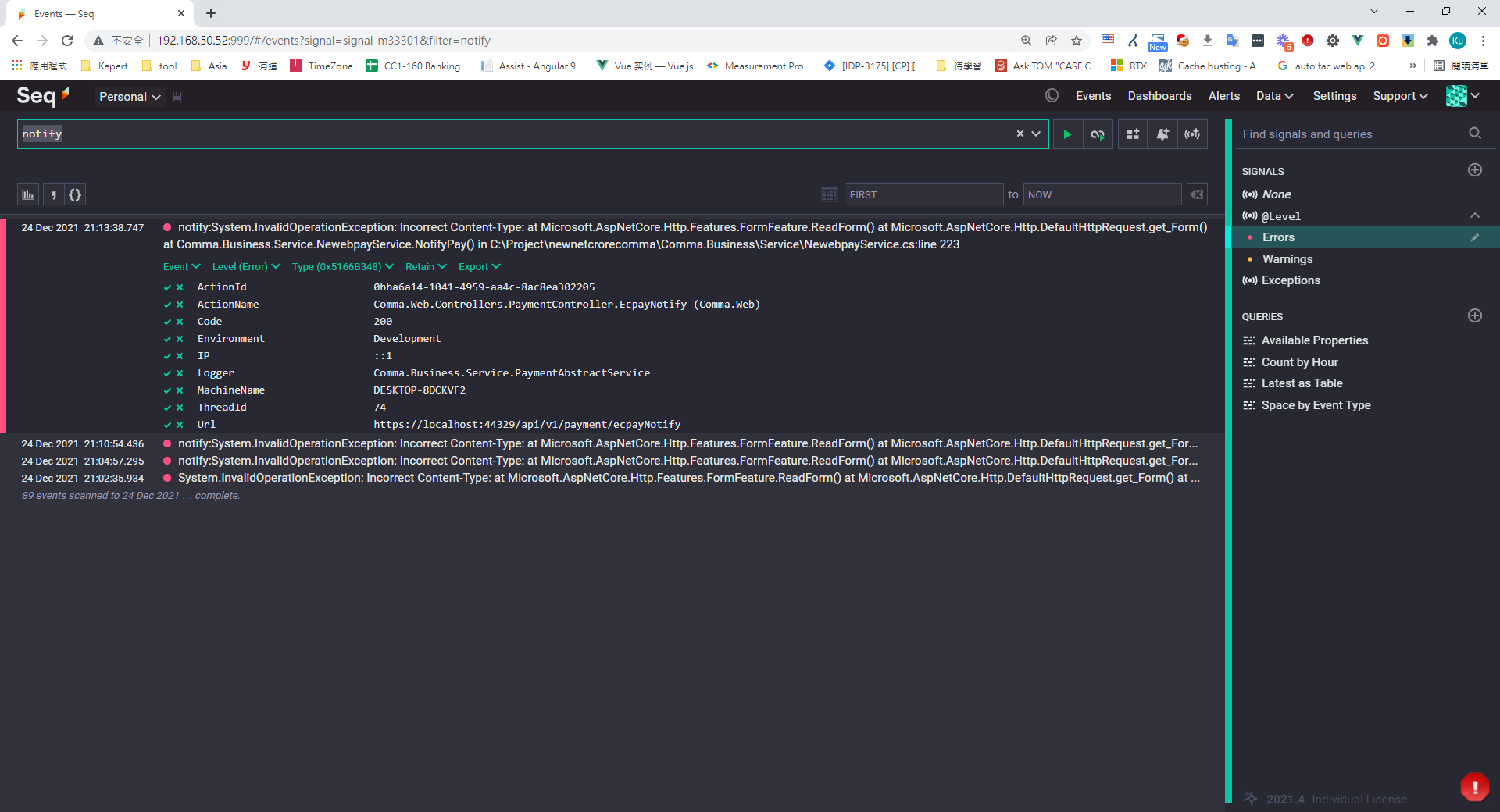
Filter by error level
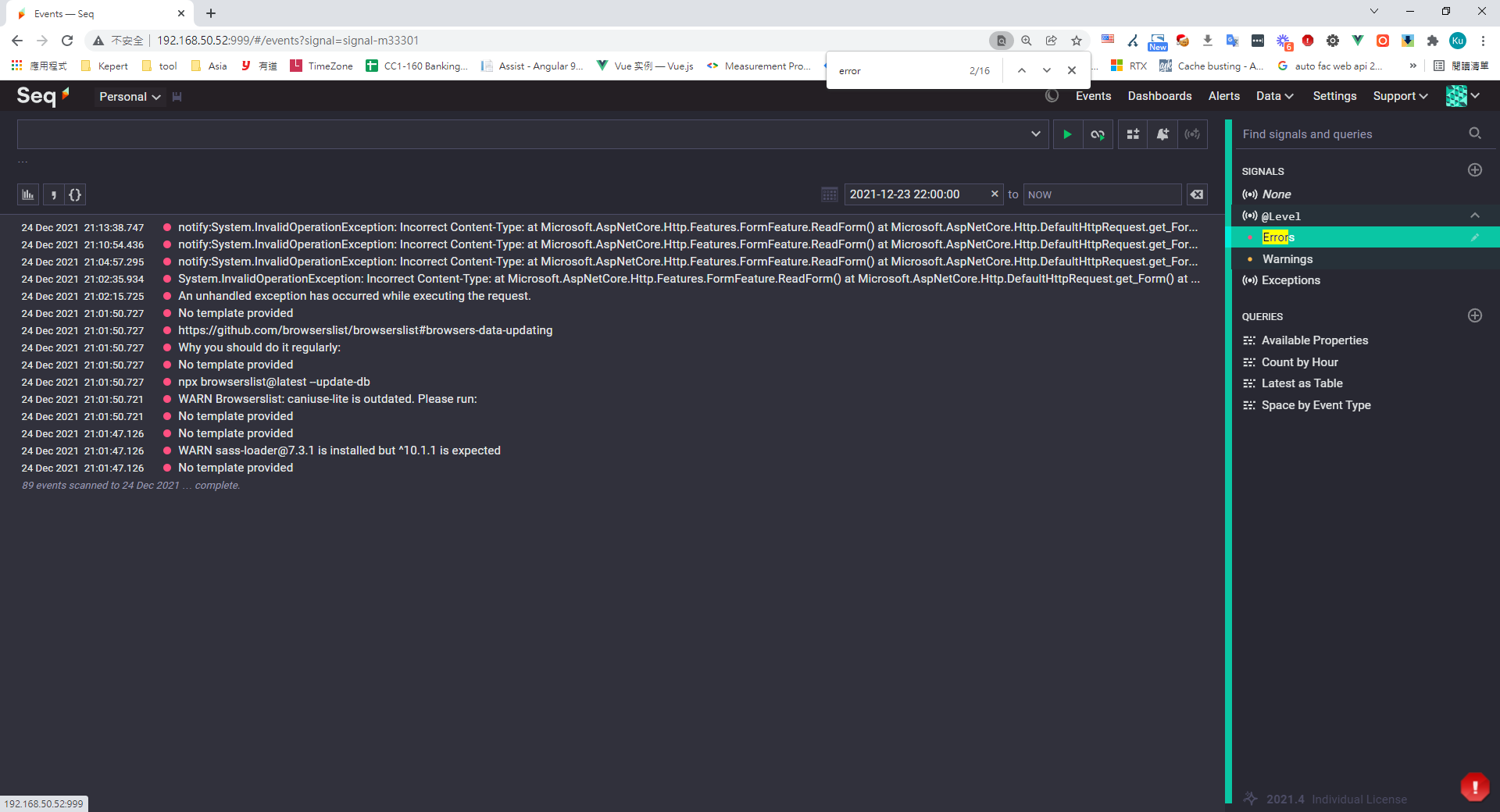
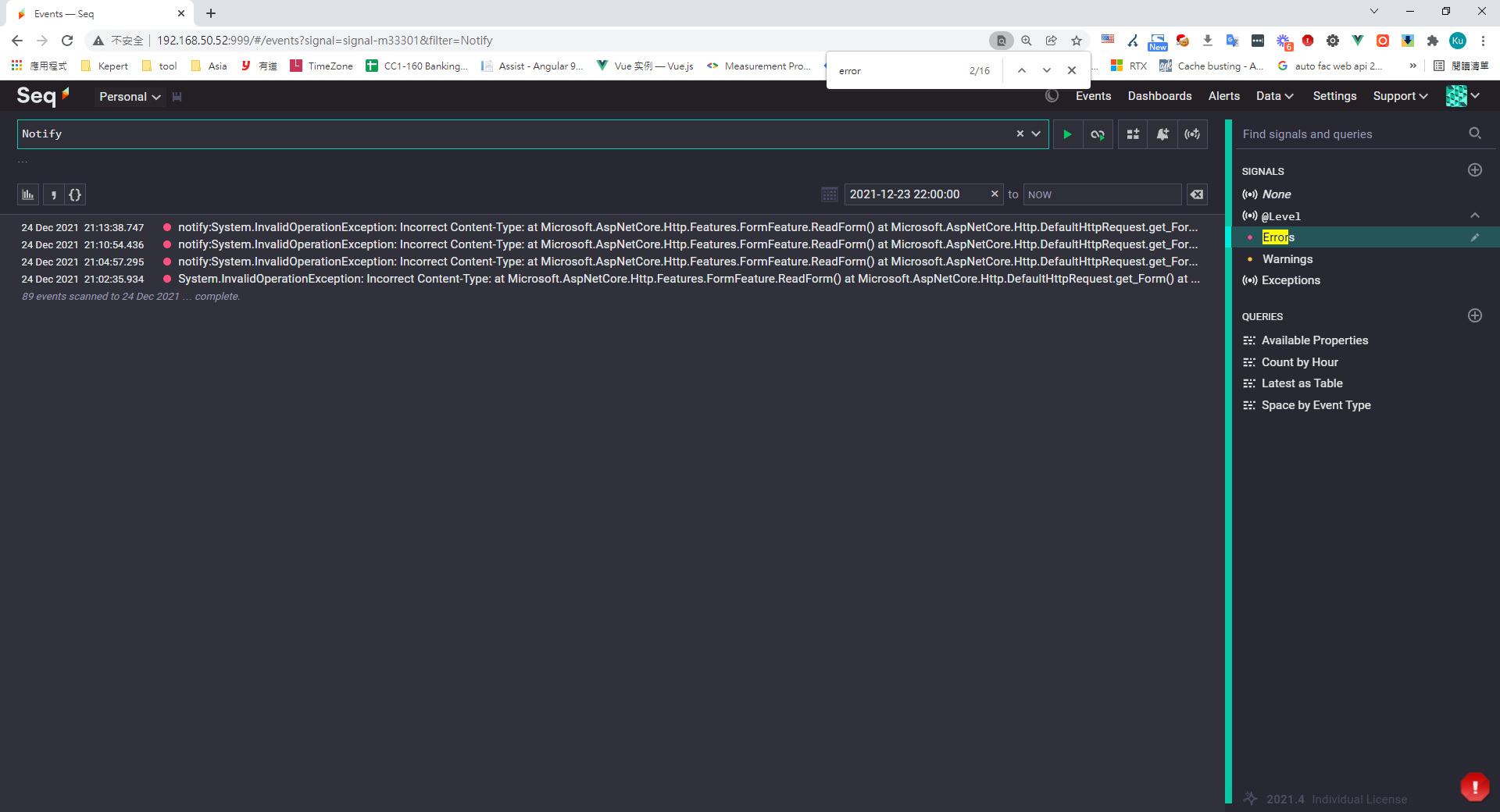
Keyword search
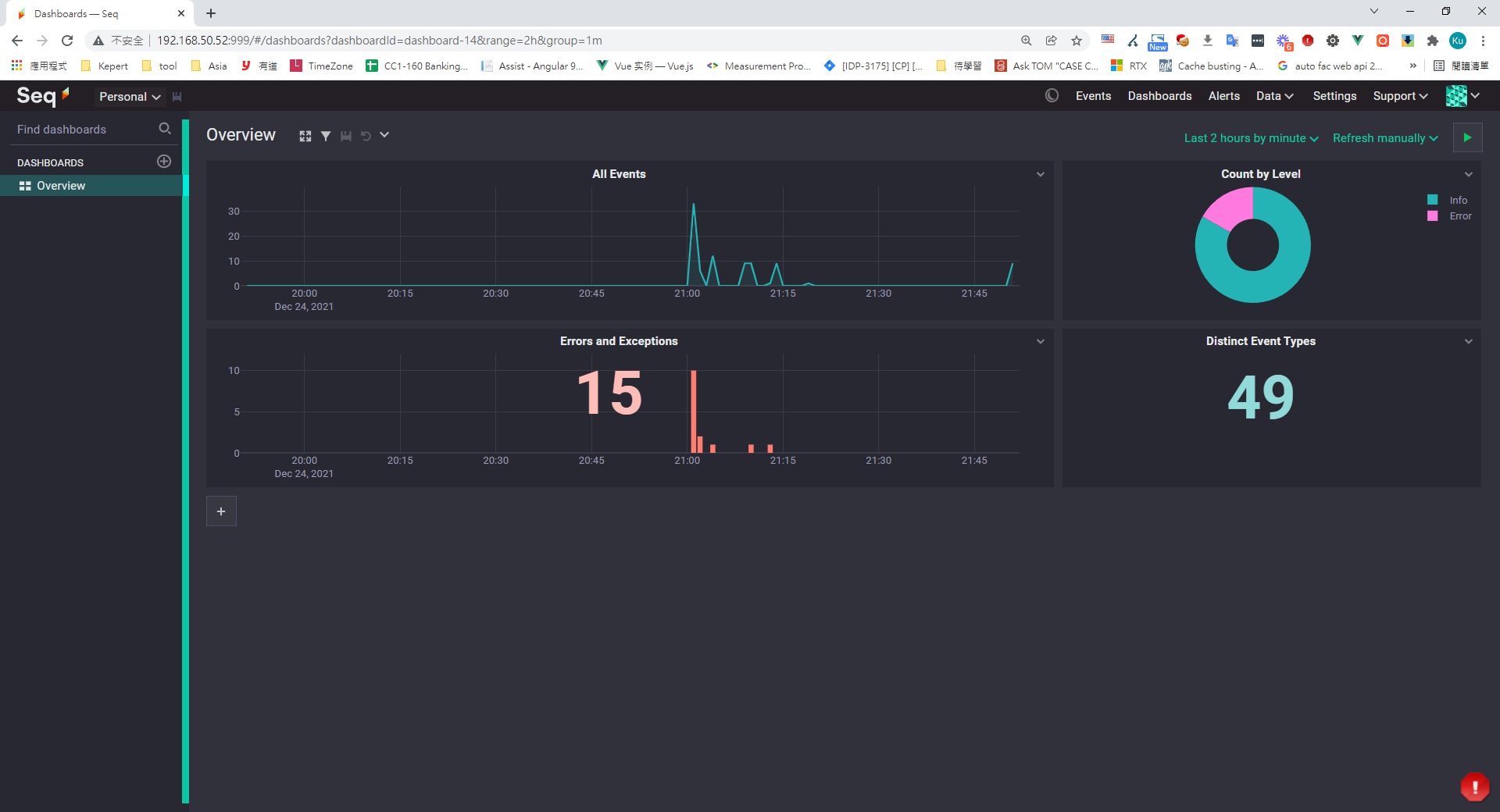
Stats / report logs
Even cooler — you can query logs with SQL
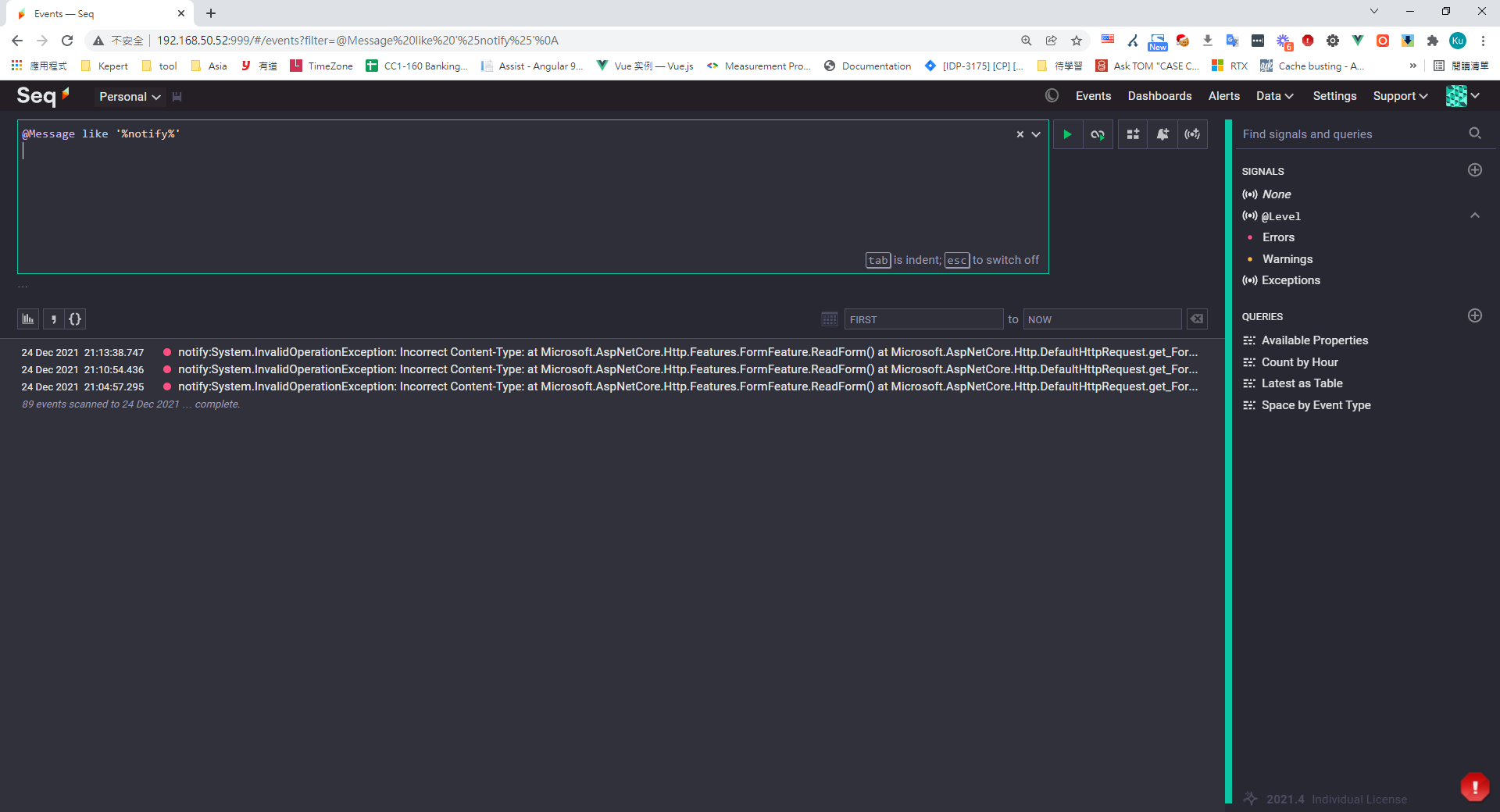
Common Seq query examples

LIKE query
@Message like '%notify%'

Query Error level logs
@Level = 'Error'

Find logs related to 'shop'
app = 'shop'

Count logs by level
select count(1) from stream group by @Level

Query notify-related logs
select datepart( @Timestamp,'day',8h) as GMT8_Day,datepart( @Timestamp,'hour',8h)  as GMT8_Hour,  datepart( @Timestamp,'minute',8h)  as GMT8_Minute,ToIsoString(@Timestamp) as GMT0,  @Level, ToHexString(@EventType) as EventType,  @Message, @Exception, @Properties
from stream where @Message like 'notify%'
order by GMT0 desc
Wrap-up
Seq log server packs in a lot of features while staying lightweight. It's easy to configure, has low maintenance overhead, and is a great fit for small teams.


Comments