
Building Lottie animations in Adobe After Effects with JavaScript interaction — Part 1: Dynamic text replacement
Foreword
The company wanted to build a "monkey climbing a tree" mini-game. The trigger was that the existing project already used Lottie animations and the smoothness and feel were great, so I dug deeper into how to build a Lottie mini-game with Adobe After Effects and integrate it with our Vue frontend.
Prerequisites
- Install Adobe After Effects
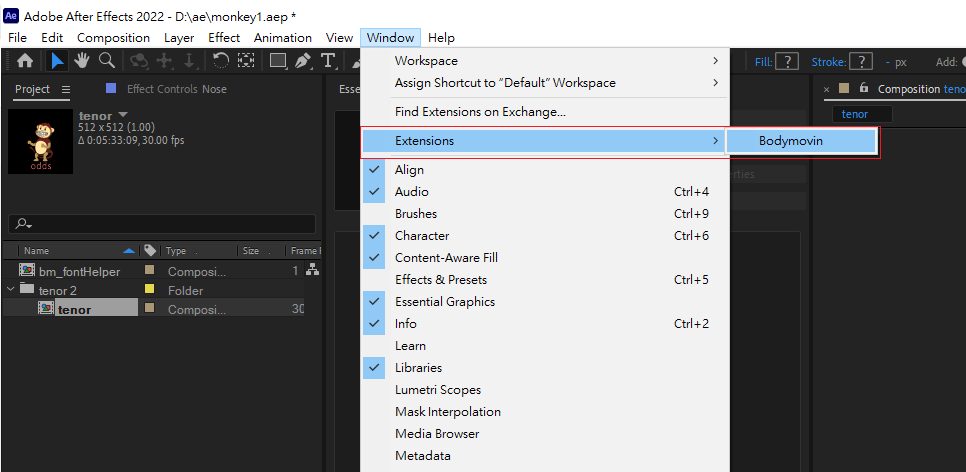
- Install the Bodymovin plugin (used to export the Lottie JSON)
- Enable "Allow Scripts to Write Files and Access Network"
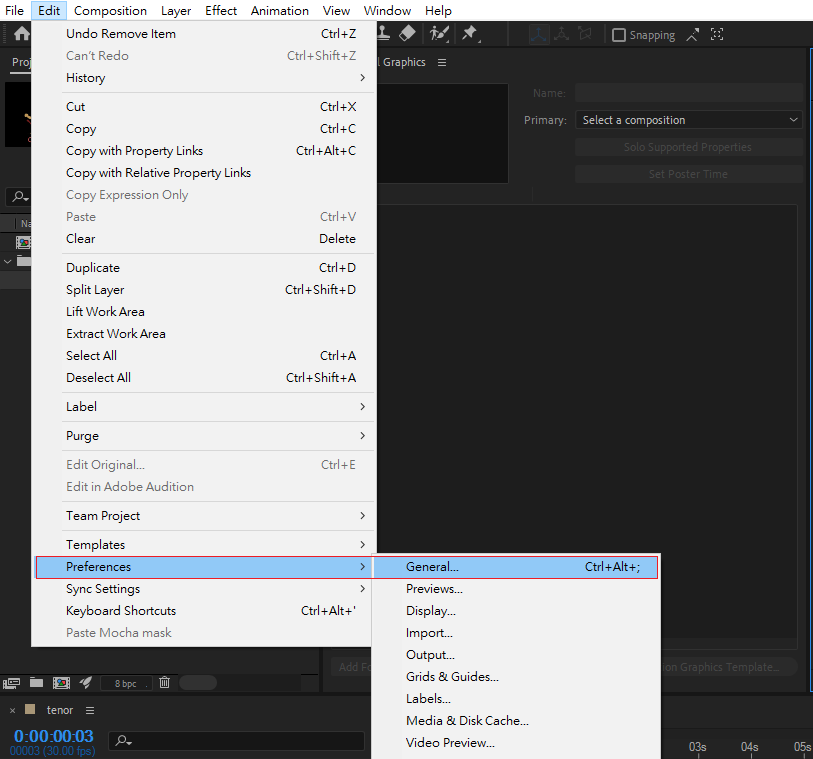 Tick "Allow Scripts to write file and network access".
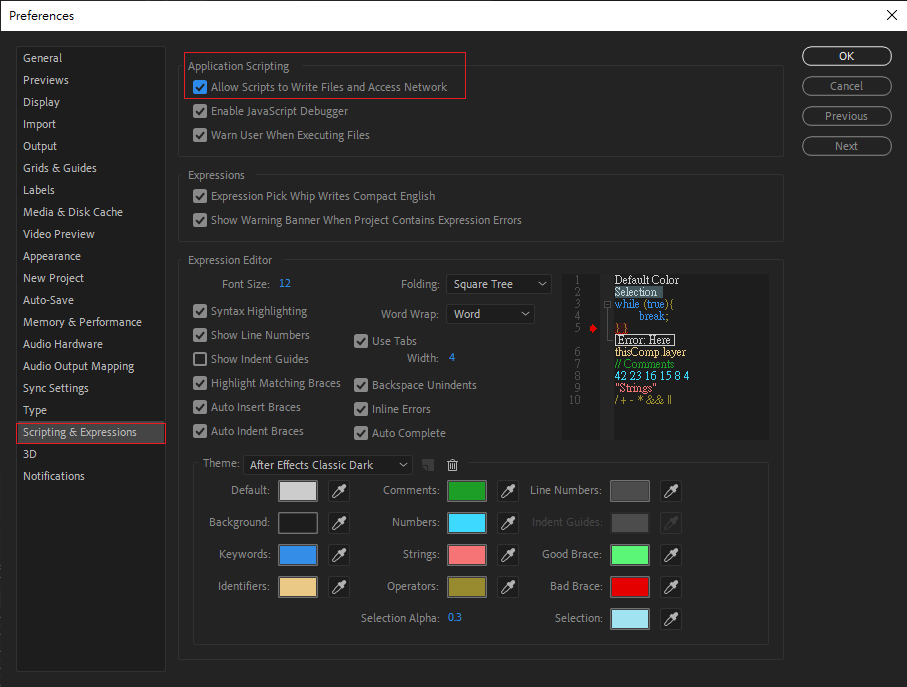
Let's start building
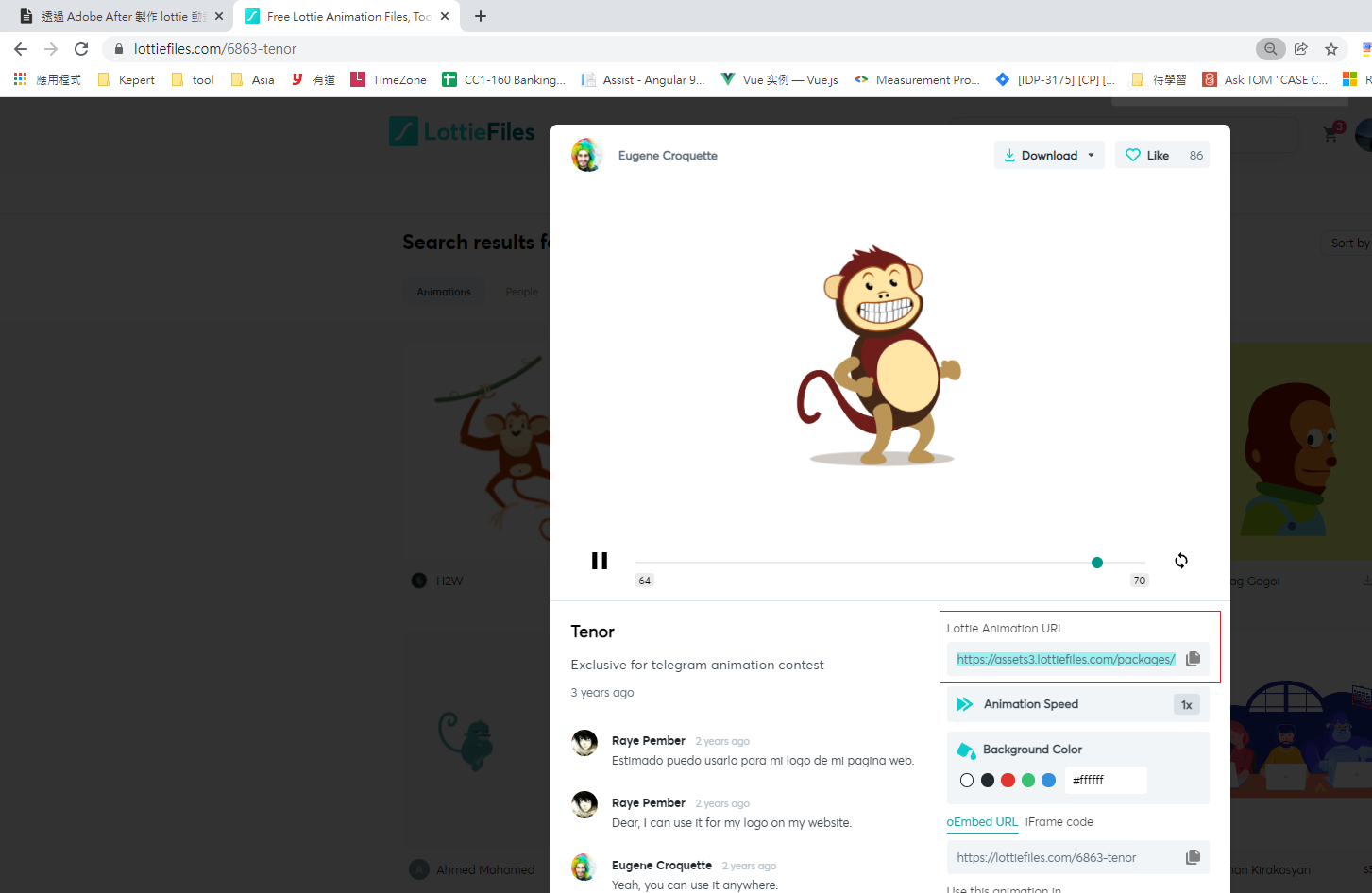
First, import a Lottie asset into Adobe After Effects
You can download free Lottie JSON files from lottiefiles.com.
Back in Adobe After Effects, choose Window > Extensions > Bodymovin.
Click Import Lottie Animation.
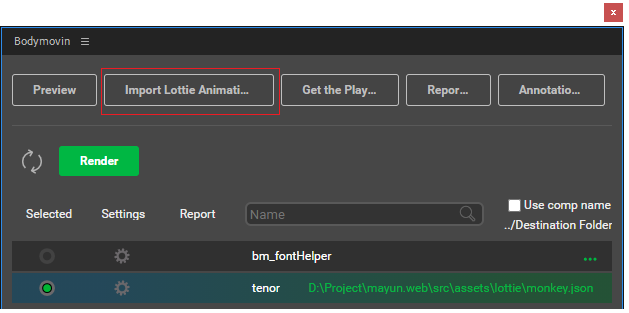
Import the JSON file you just downloaded.
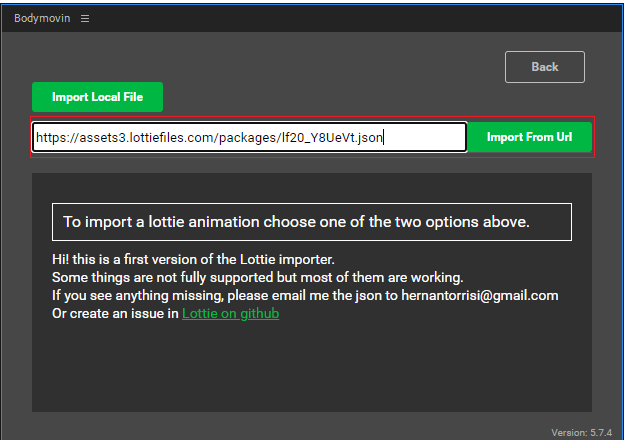
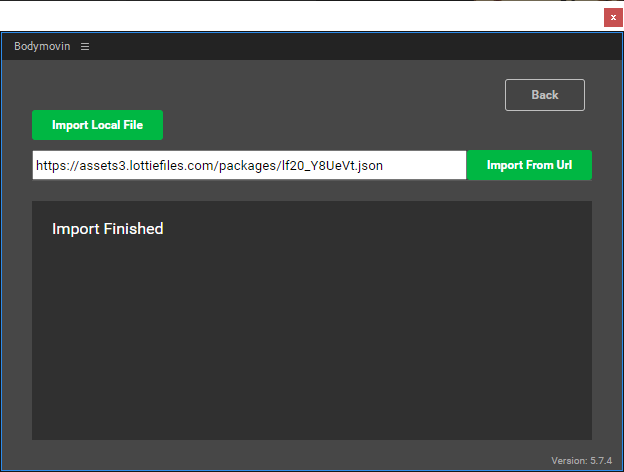
Successful import:
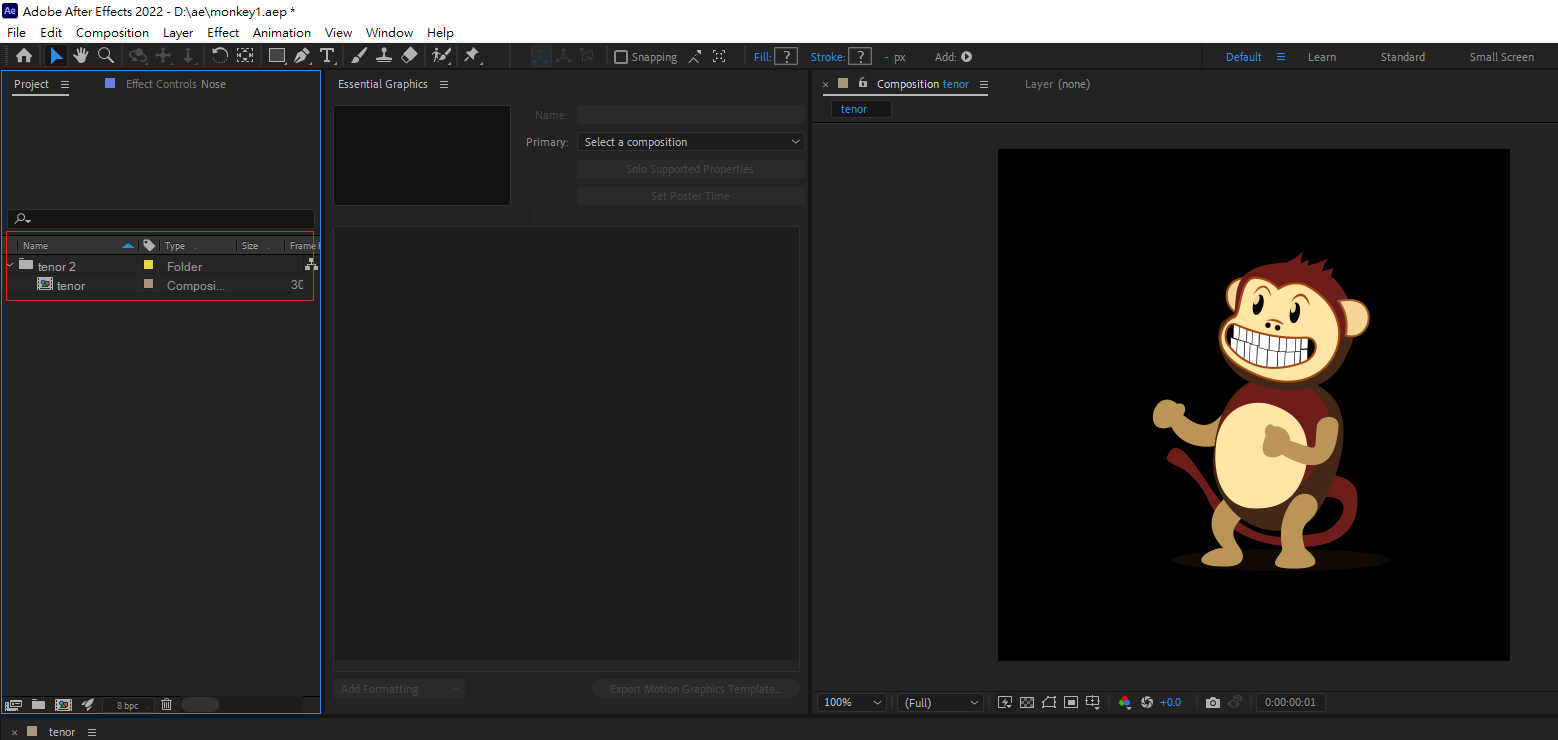
 The animation now appears in the asset library:
Embedding a text layer for JavaScript to control
Click the horizontal type tool > type some text > "test".

Right-click the text layer > Rename.
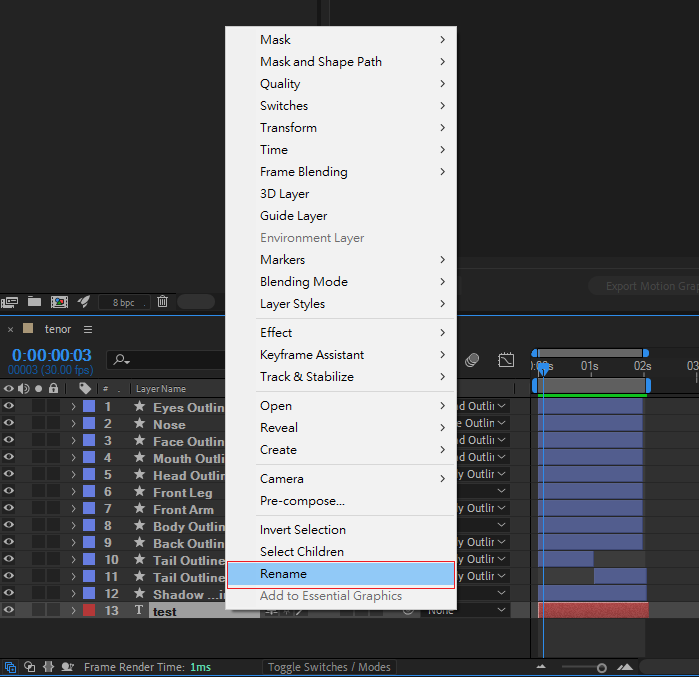
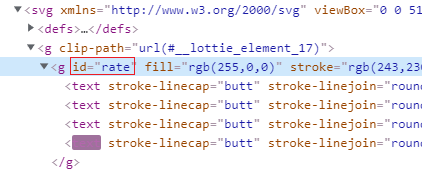
An important note: because we'll control this through JavaScript, we use # as a special suffix in the name — characters after # will be converted into an id. Example: test#rate.

When the animation is finally rendered to the page, the id is bound to the corresponding DOM element.
Exporting the Lottie JSON animation
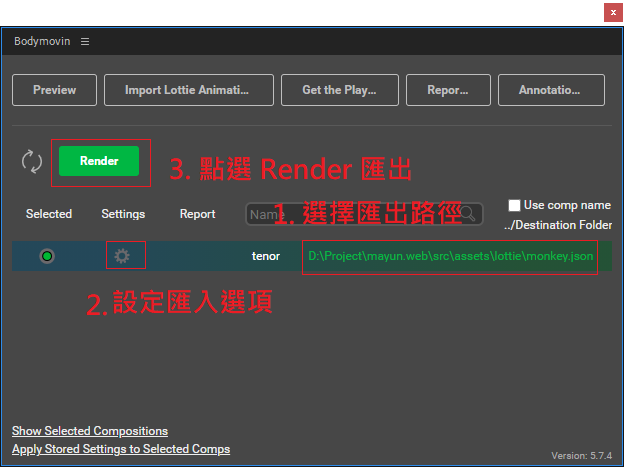
Open Bodymovin via Window > Extensions > Bodymovin and follow the steps below.
★★★★★ Important ★★★★★
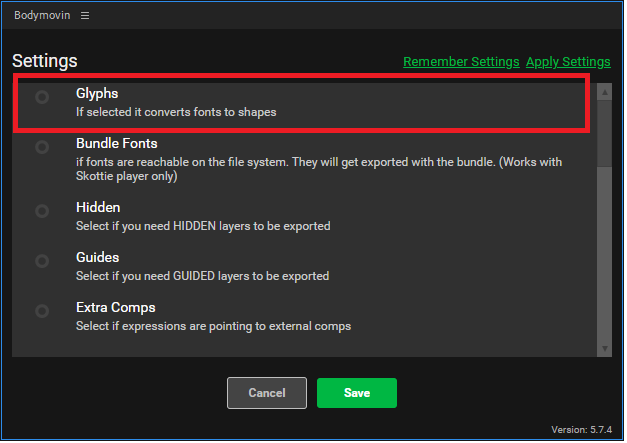
When exporting the Lottie animation, you must uncheck "Glyphs" — i.e. remove the embedded fonts. Otherwise the export keeps failing with "Character could not be created" and the text won't be exported as HTML.
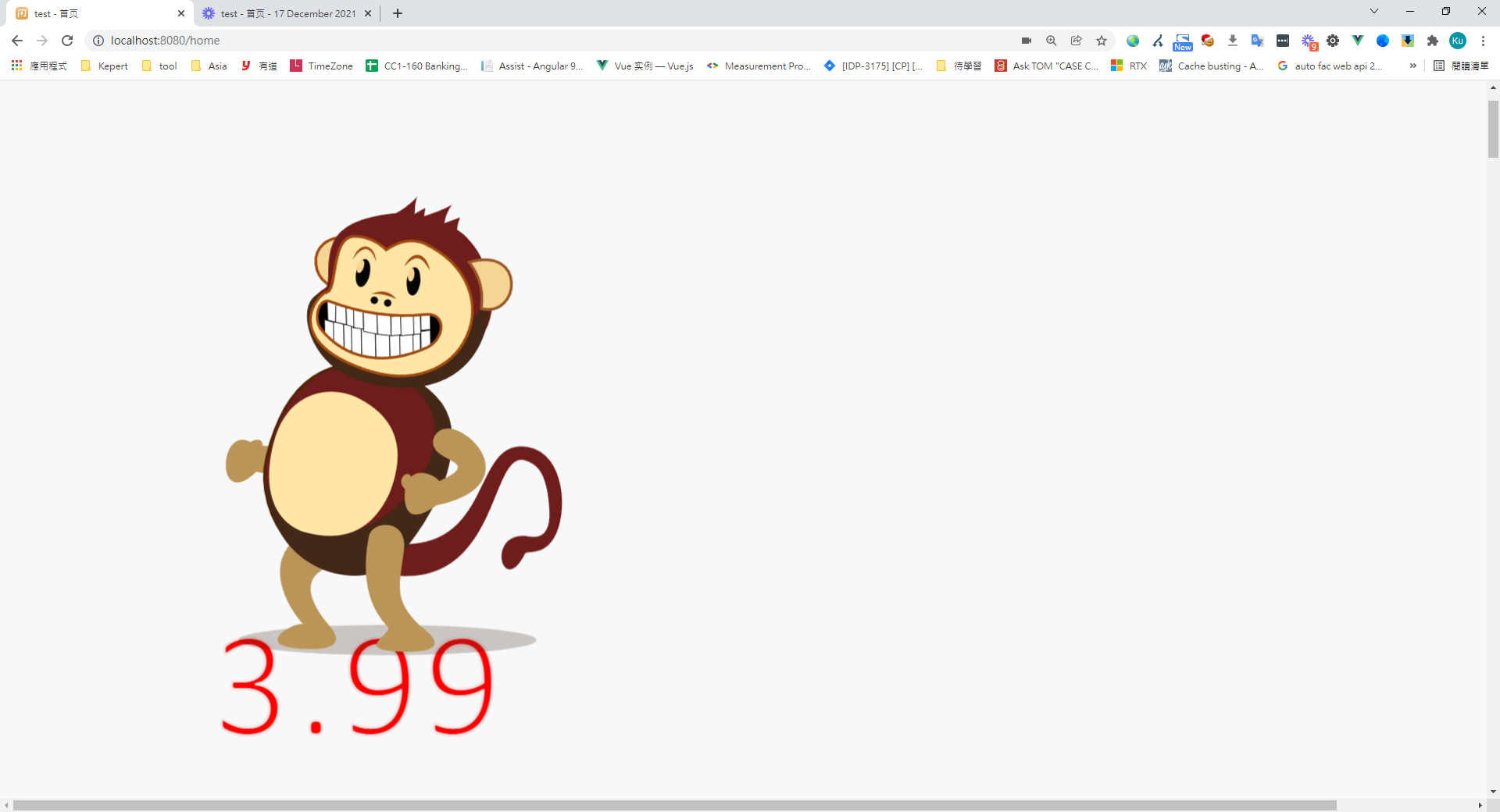
We expect to use JavaScript to dynamically replace the text on the layer with the previously assigned id. Here's a Vue example:
撰寫 Example.vue
<template>
  <div>
    <div class="flex">
      <div ref="monkey" />
    </div>
  </div>
</template>
<script>

import loApi from 'lottie-api'
import lottie from 'lottie-web'
import { numberFormat } from '@/utils'

export default {
  components: {

  },
  data() {
    return {
      lottieAnimation: null
    }
  },
  created() {

  },
  mounted() {
    this.lottieAnimation = this.loadLottieAnimation()
    let count = 1
    const that = this

    // 每兩秒去修改 rate 裡面的值
    setInterval(() => {
      count = count + 0.01
      var api = loApi.createAnimationApi(that.lottieAnimation)
      var elements = api.getKeyPath('test#rate').getElements() // 查找對象
      var ele = elements[0]
      const result = '' + numberFormat(count, 2) // 修改改傳入的值必須是字元串不能是數字,否則會失敗
      ele.setText(result)
    }, 2000)
  },
  methods: {
    loadLottieAnimation() {
      return lottie.loadAnimation({
        container: this.$refs.monkey, // 掛在到對應的 DOM 節點
        loop: true,
        animationData: require('@/assets/lottie/monkey.json'),
        autoplay: true
      })
    }
  }
}
</script>
Result
Wrap-up
Adobe After Effects, combined with the Lottie API, lets you build interactive frontend animations with ease. It's particularly handy for mini-games — you get a wide range of events and properties to tune, like playback speed, play count, looping, and completion callbacks.


Comments