
Building a personal frontend live player with Vue (using hls.js)
Foreword
In the previous post I covered setting up a live-streaming server on Alibaba Cloud. This time I want to talk about the frontend live player. The two most common live-streaming protocols on the web are HLS and DASH, and that's what this post focuses on.
Tech-company rivalry
Early streaming protocols brought to mind Flash (FLV). To replace Flash and RTMP, Apple introduced the HLS streaming protocol. It's proprietary to Apple and works natively across all Apple products.
DASH is the standard MPEG developed to compete head-on with Apple's HLS. It offers lower latency and is open source.
Because there are huge numbers of iOS users globally, many sites still lean toward HLS, while several tech giants have chosen the open DASH protocol.
Companies using HLS: foxsports, 17LIVE, Twitter, QiuHui Sports, LeiSu Sports
Companies using DASH: Netflix, Hulu, YouTube
What is HLS?
HTTP Live Streaming (HLS) is an HTTP-based streaming-media network protocol introduced by Apple. It is part of Apple's QuickTime X and iPhone software. The protocol works by breaking the stream into a series of small HTTP-based files and downloading them a few at a time. As the stream plays, the client can choose to download the same resource at different bitrates from many alternate sources, allowing the streaming session to adapt to different data rates. At the start of a session, the client downloads an extended M3U (m3u8) playlist file containing the metadata used to discover the available streams. (Wikipedia)
HLS browser-compatibility
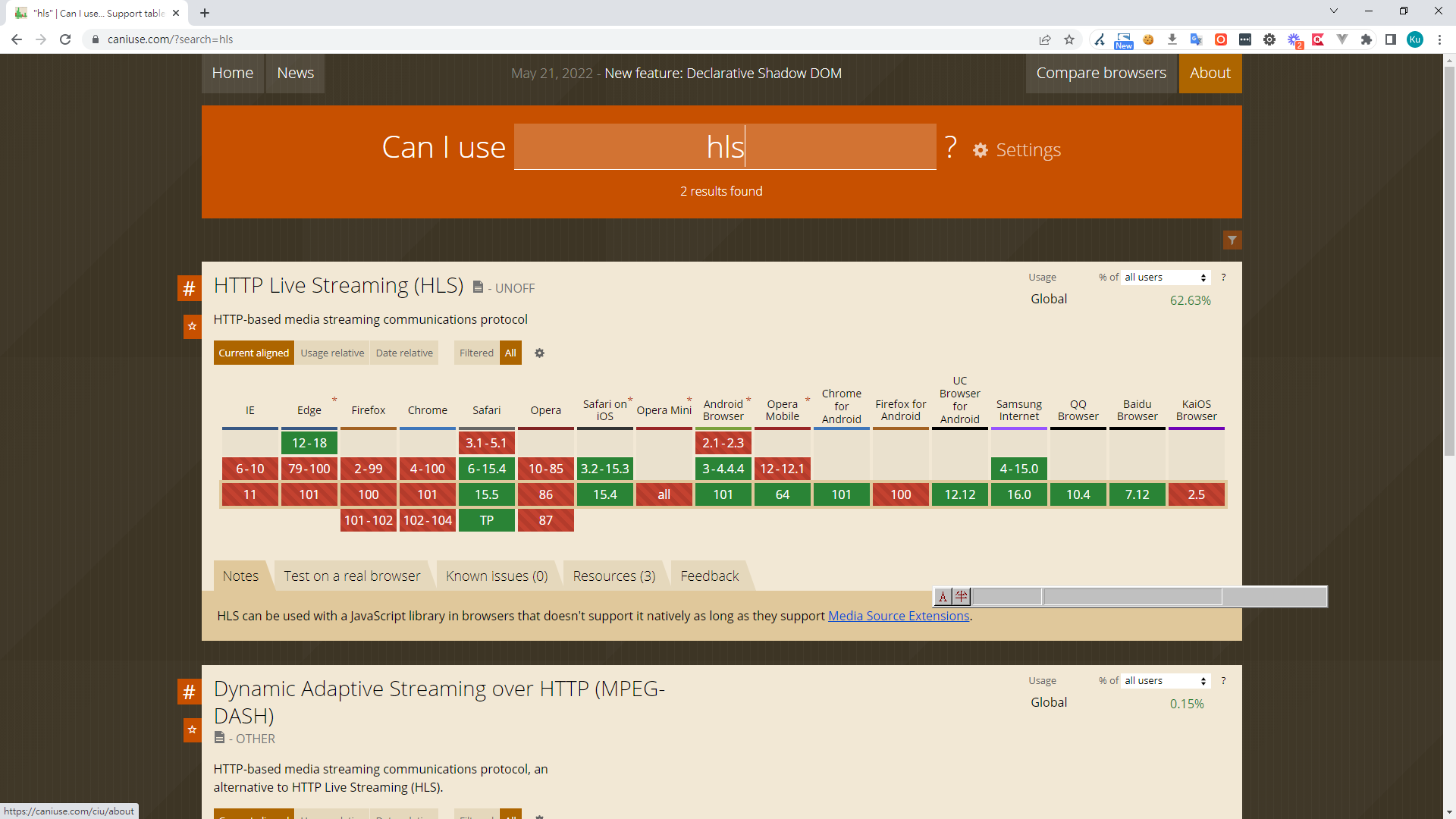
As mentioned, HTTP Live Streaming is Apple's protocol, so it plays directly in Safari but not in Chrome and other browsers.
The Dailymotion team open-sourced Hls.js to solve the cross-browser compatibility problem.
Project status
So as we've seen, you can't just play a stream directly with HTML <video>. Considering client compatibility and cloud support, this post adopts the HLS protocol.
Implementation
1. Install hls.js
npm i hls.js --save
2. Using hls.js
After importing Hls.js, we call Hls.isSupported() to check whether the browser supports it. If it does, we can plug it straight into the video element.
mounted() {
	let videoSrc = "https://storage.googleapis.com/shaka-demo-assets/angel-one-widevine-hls/hls.m3u8"

	const video = document.getElementById('live-player')
	this.player = video

	if (Hls.isSupported()) {
	const hls = new Hls()
	hls.loadSource(videoSrc)
	hls.attachMedia(video)
	} else {
	video.src = videoSrc
	}
}
3. Following the steps above, you can already play HLS live streams. But if you watch closely, when the user leaves the page the page keeps firing large requests in DevTools, eventually leading to a memory leak.
4. To avoid that, we have to stop and destroy the hls instance before the component is unmounted.
  beforeDestroy() {
      if (Object.keys(this.hls).length > 0) {
        this.hls.stopLoad()
        this.hls.destroy()
        this.hls = null
      }
  },
5. Real-world requirements are rarely that simple — users want volume controls, resolution switching, a floating mini-player when scrolling, danmaku (bullet comments), full-screen danmaku, and more.
6. Implementing volume control
On a mobile player you can't adjust volume through the <video> element — the user controls it via the device's hardware. On desktop, you can use a slider library to control the volume.
handleSound(e) {
this.player.volume = e / 100
},
7. Autoplay restrictions
Many browsers restrict autoplay to improve UX. To make autoplay work:
- The video must be muted.
<video controls muted> - The user must have interacted with the site before autoplay can fire.
8. Floating mini-player
8.1 The idea is simple — while the player is playing, listen to the main scroll position. Once it scrolls past the player's height, switch the player's position to fixed.
&.floating-video {
    position: fixed;
    right: 0;
    bottom: 240px;
    z-index: 10;
    border-radius: 16px 16px ;
    width: 420px !important;
    height: 282px !important;
    animation: popin 0.5s ease-in-out forwards;
    font-size: 16px

    @keyframes popin {
      to {
        bottom: 240px;
      }
    }
8.2 Listening to the scroll event
 document.addEventListener('scroll', function(e) {
 // 當播放器不是暫停,捲動才作用
if (!that.player.paused && document.scrollTop > videoHeight) {
	// 當不是浮動的狀態
   if (!that.isFloatingVideo) {
       that.isFloatingVideo = true  // 用來控制 class 是不是浮動的樣式
   } else {
     that.isFloatingVideo = false
     }
	 }
 })
9. Custom-player full-screen
9.1 A custom player has many features; on PC you can easily go full-screen with the browser API.
handleFull() {
       const ele = this.player
       if (ele.requestFullscreen) {
         ele.requestFullscreen()
       } else if (ele.mozRequestFullScreen) {
         ele.mozRequestFullScreen()
       } else if (ele.webkitRequestFullScreen) {
         ele.webkitRequestFullScreen()
       } else if (ele.webkitEnterFullscreen) {
         ele.webkitEnterFullscreen()
       } else if (ele.webkitRequestFullscreen) {
         ele.webkitRequestFullscreen()
       } else if (ele.msRequestFullscreen) {
         ele.msRequestFullscreen()
       }
},
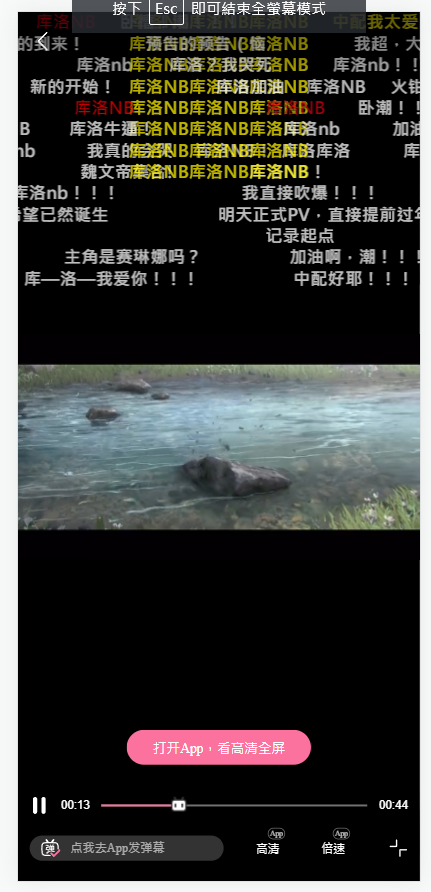
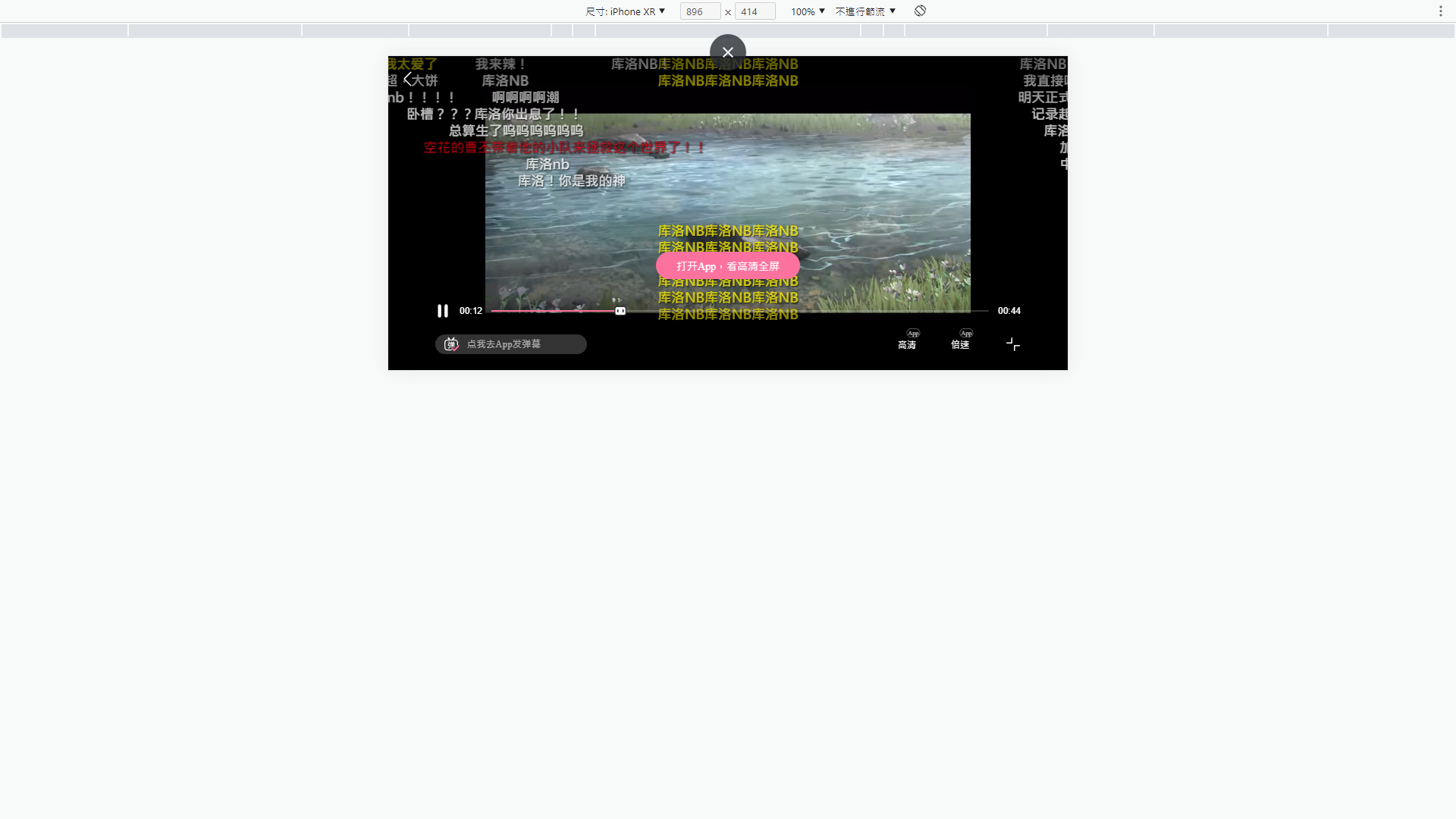
9.2 Mobile is a different story — you have to overlay an absolute-positioned div to simulate full-screen.
See Bilibili's custom player for reference.


Comments