
The Problem
Many people I know want a personal website like mine. However, setting one up can be expensive—cloud hosting alone can cost over 4,000 TWD per year. Not everyone has their own server, so today, I'm going to share an ultra low-cost method for building a website.
Setup Costs
Website Hosting: 4000+ / year
Domain Name: 680 / year
What is Jekyll
Jekyll is a simple, blog-aware, static site generator for personal, project, or organization sites. Written in Ruby by Tom Preston-Werner, GitHub's co-founder, it is distributed under the MIT license. (Wiki)
Prerequisites
* Register for a GitHub account
* Buy your own domain name (For Taiwanese domains, a local registrar is usually cheaper. For international domains, you can use GoDaddy.)
Setup Steps
1. First, choose a Jekyll template
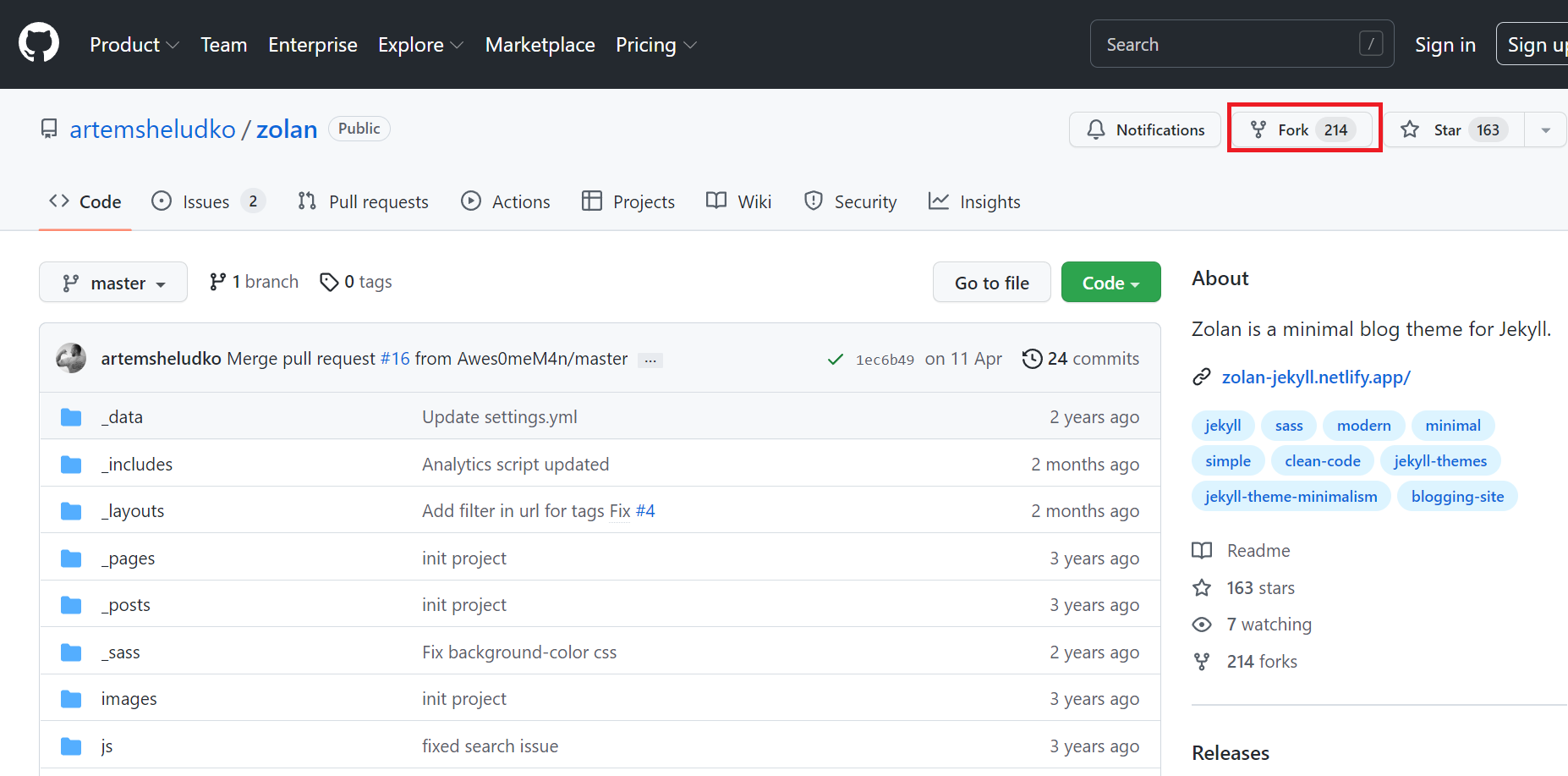
2. Fork the project. This tutorial uses the Zolan open-source theme as an example. Click Fork.
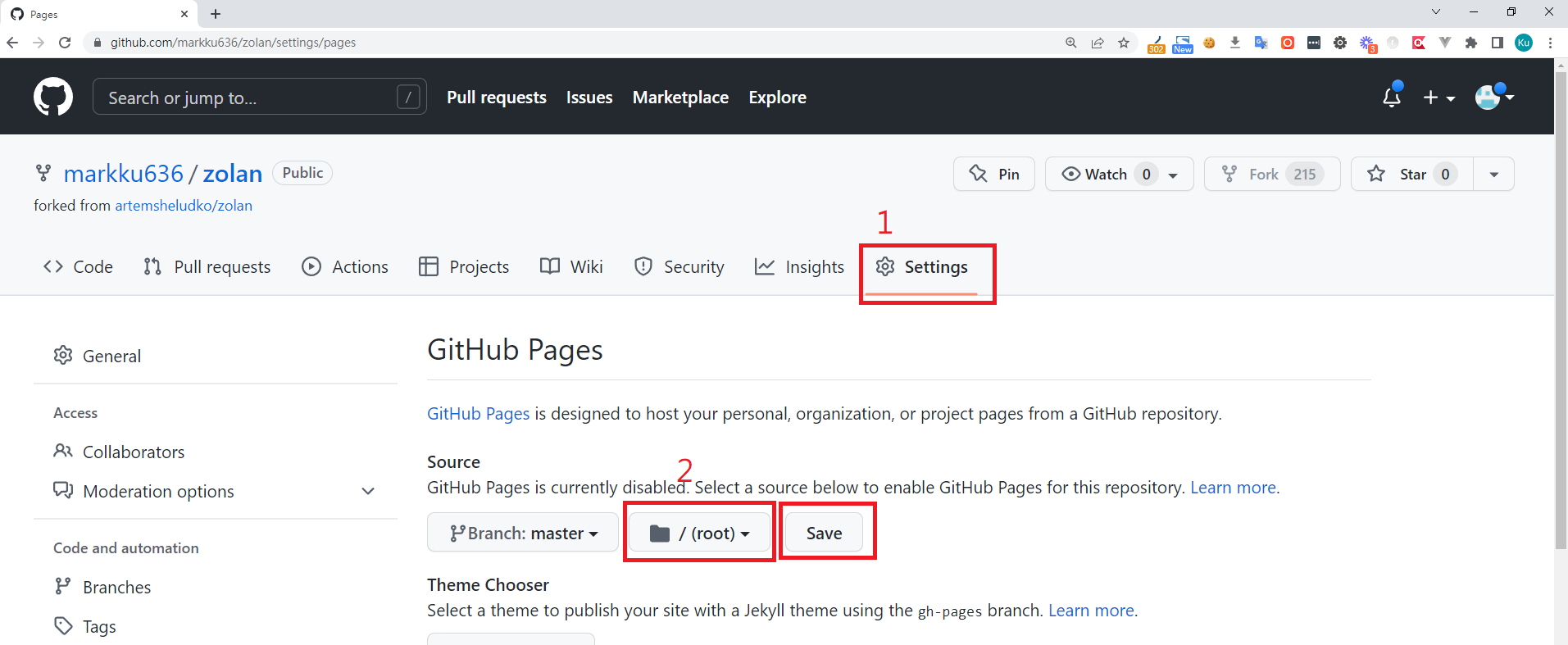
3. Once the fork is complete, we need to configure GitHub Pages. Go to Settings > Pages. Under Source, select your branch, set the folder to / (root), and click Save.
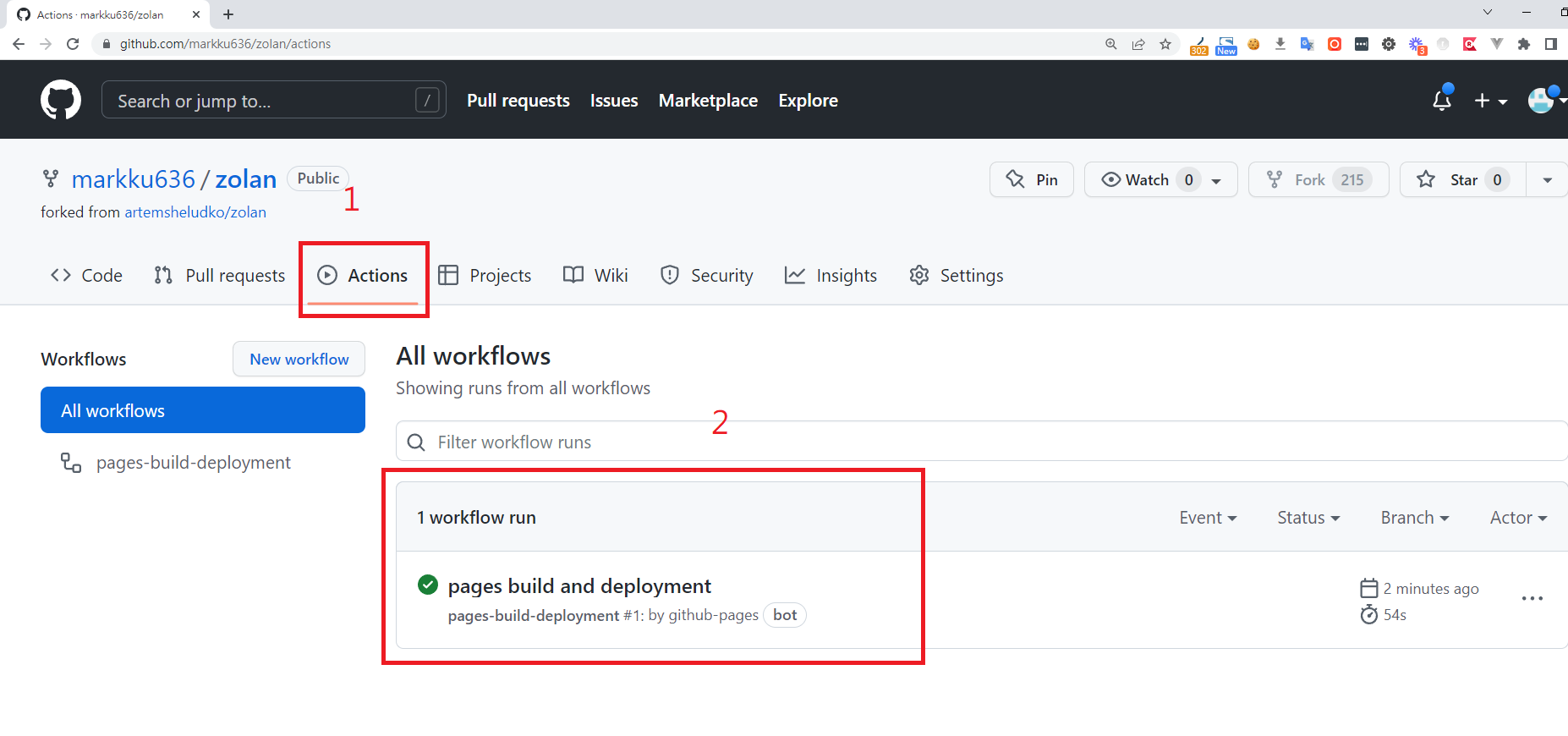
4. GitHub Actions will now start the build and deployment process for the website.
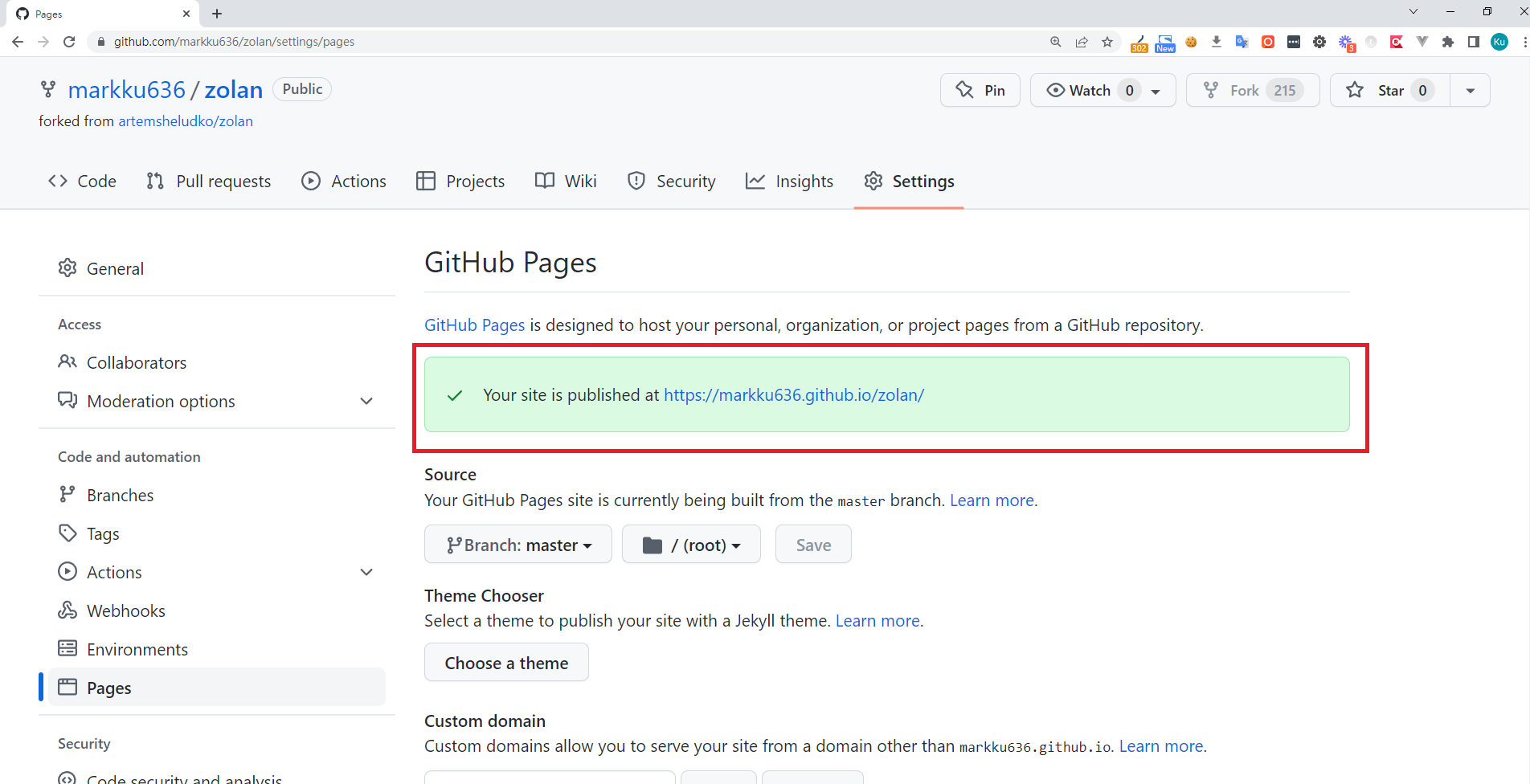
5. Once the build and deployment are finished, your website's URL will be displayed on the GitHub Pages tab.
6. Enter your custom domain and click Save.
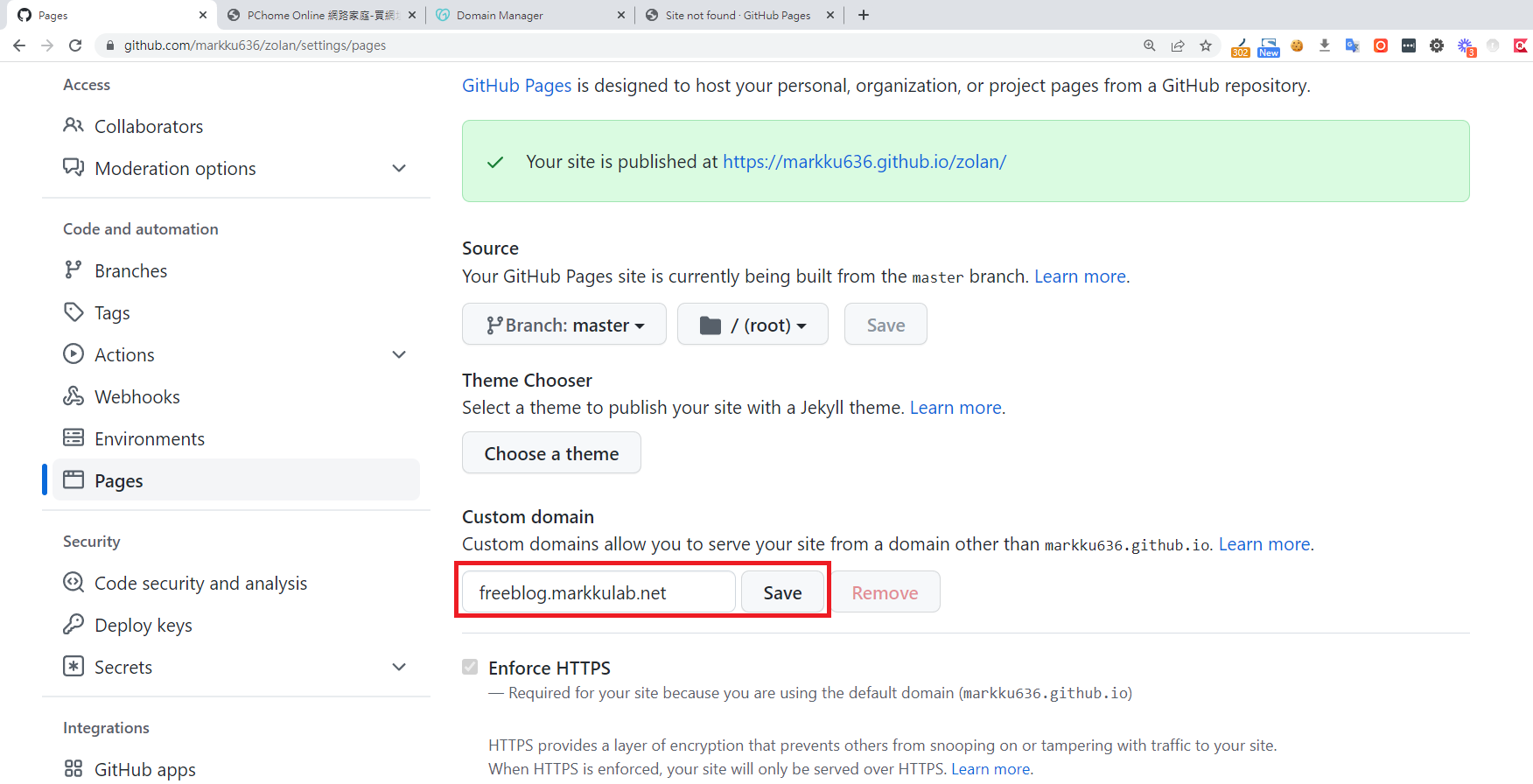
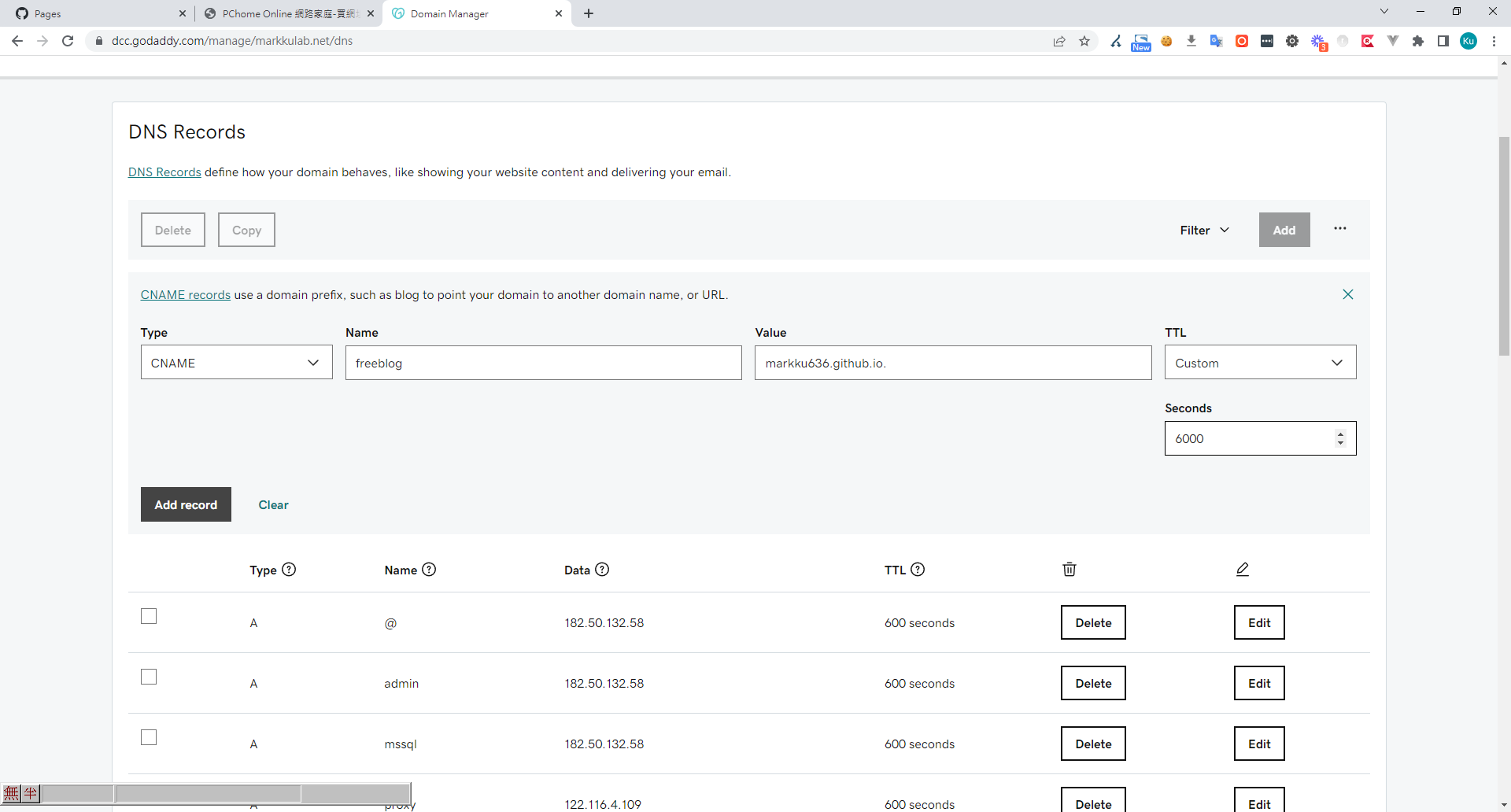
7. Go to your DNS provider and add a CNAME record for your domain, pointing it to the URL provided by GitHub.
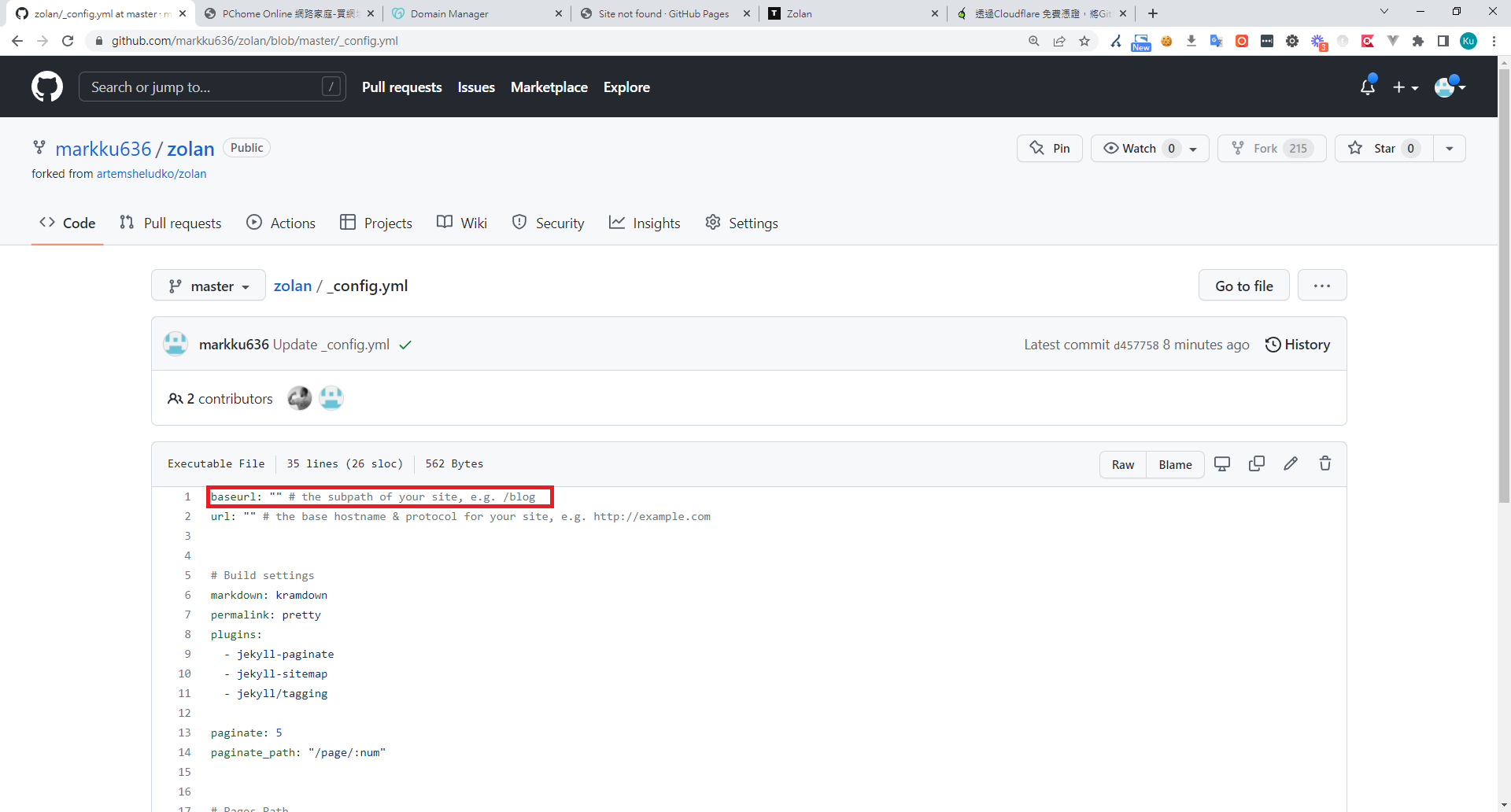
8. Edit the _config.yml file in your project, clear the baseurl value, and then Commit changes.
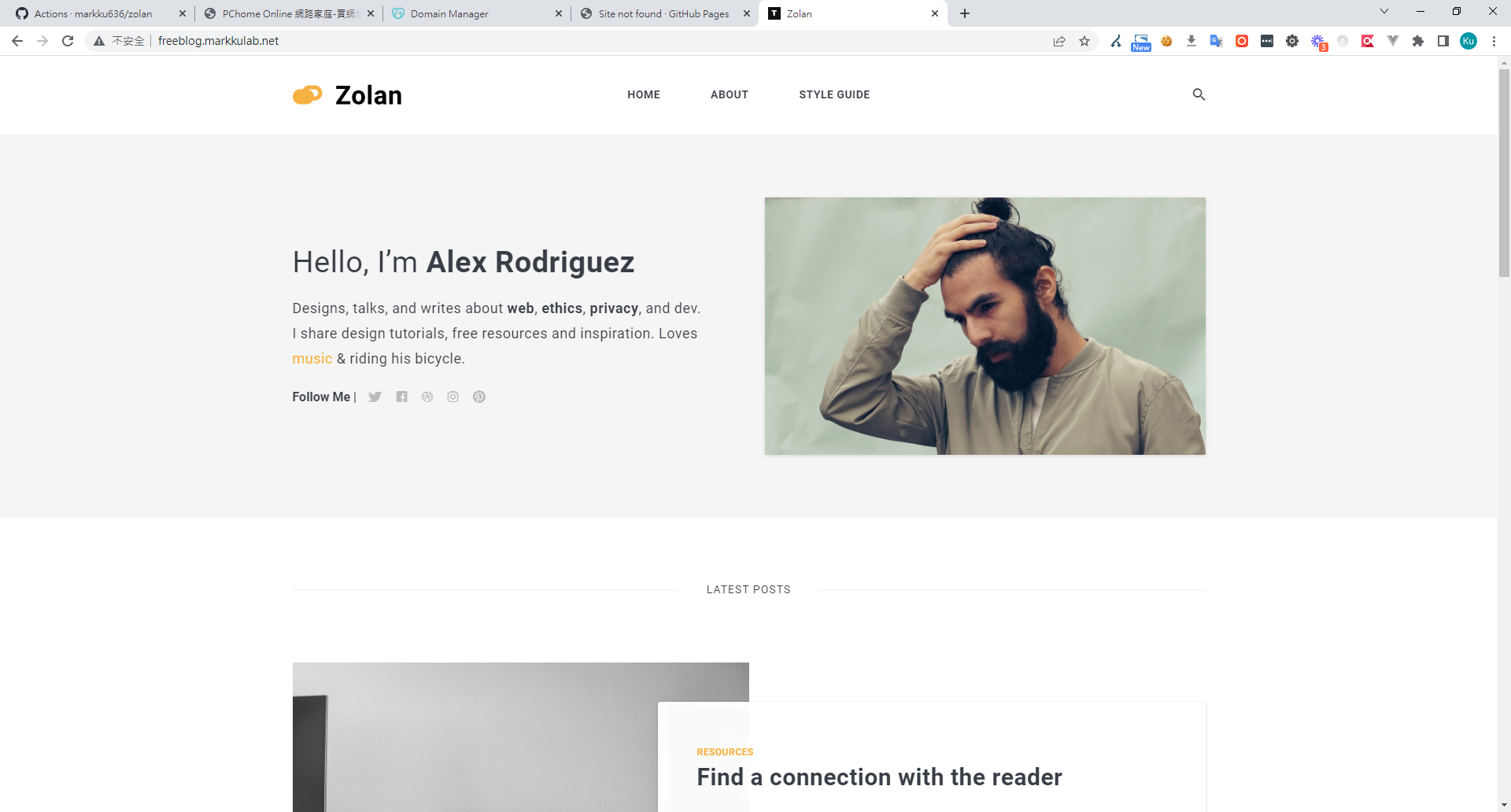
9. At this point, GitHub Actions will rebuild and redeploy. Once it's done, you can visit your blog.
10. If you want an HTTPS certificate, you can manage your domain's DNS with Cloudflare to get their free SSL service. See my previous post for reference.
Editing Website Posts
1. Go to the project's Code tab > zolan/_posts. This folder contains the blog posts. Click on any post to select it.
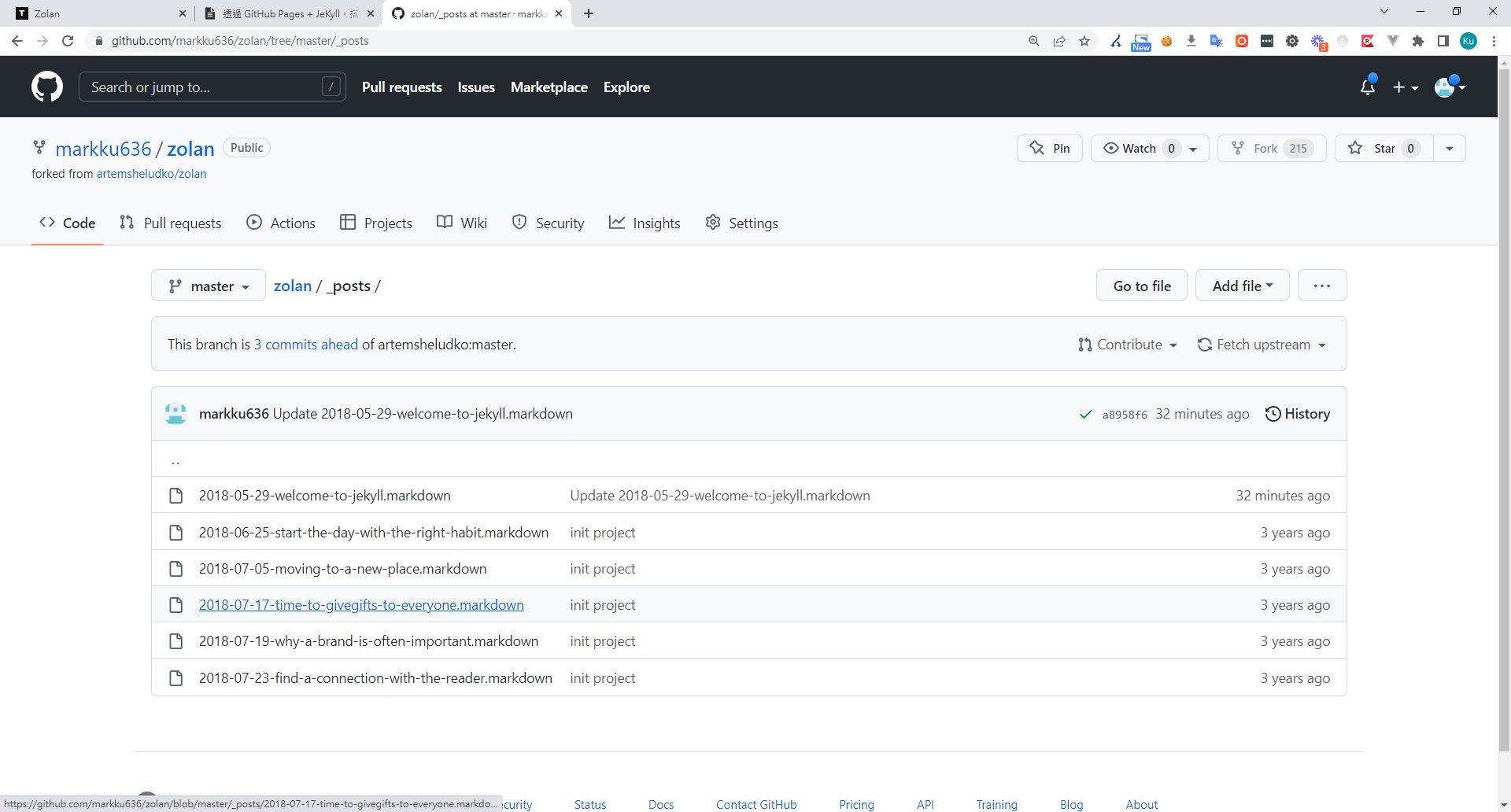
2. Click the edit icon.
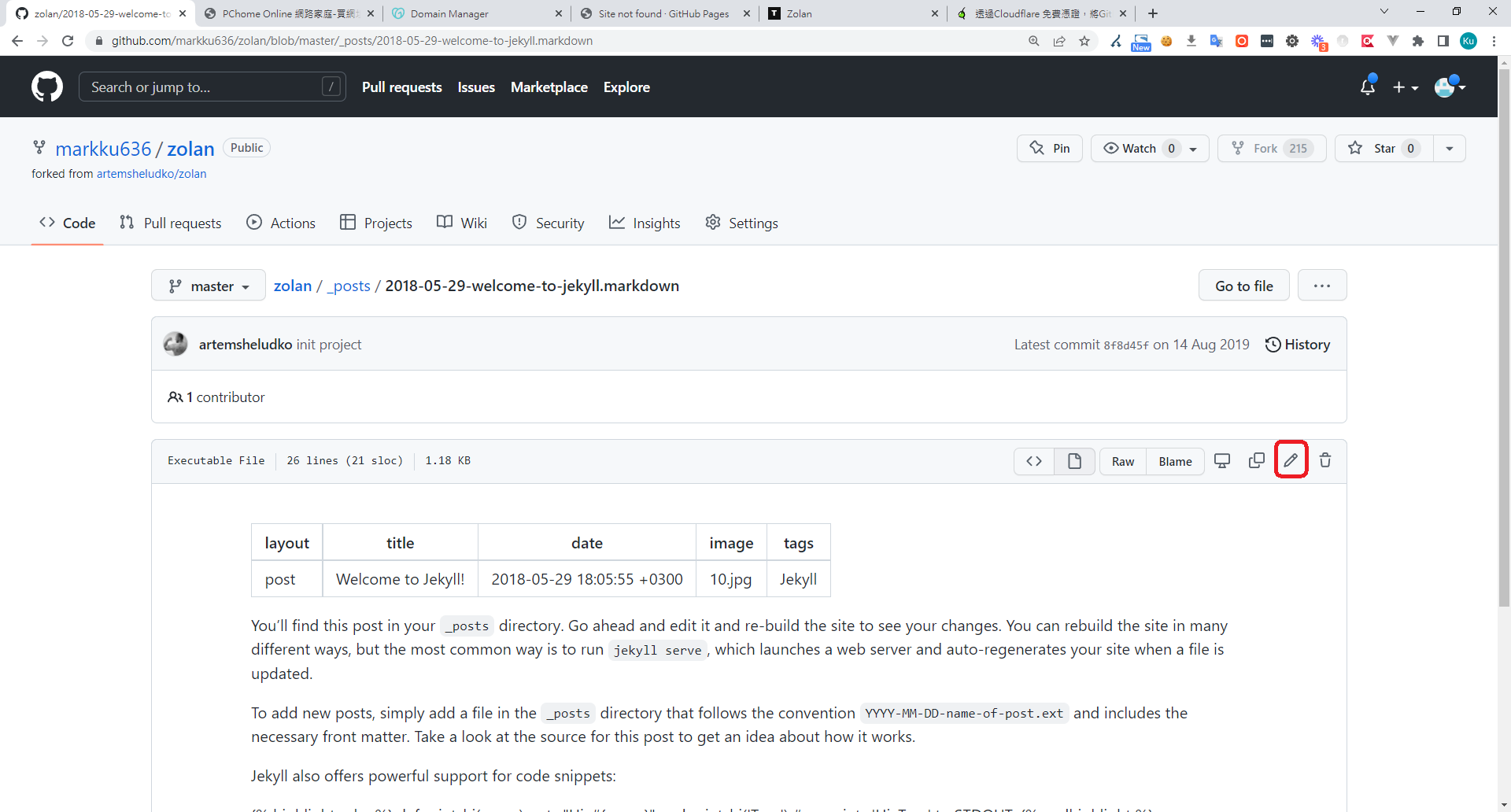
3. Try modifying the title and content, then Commit changes.
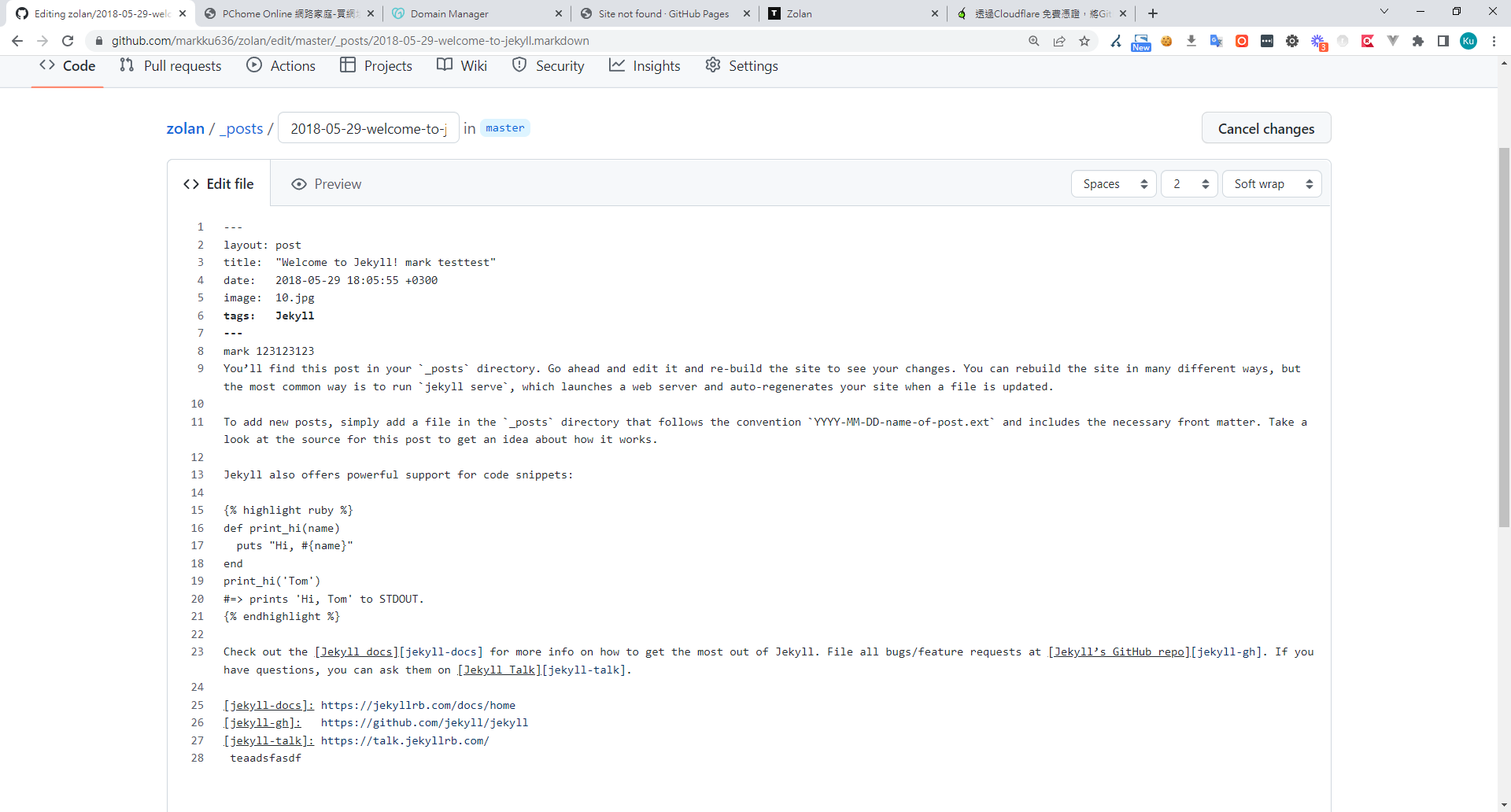
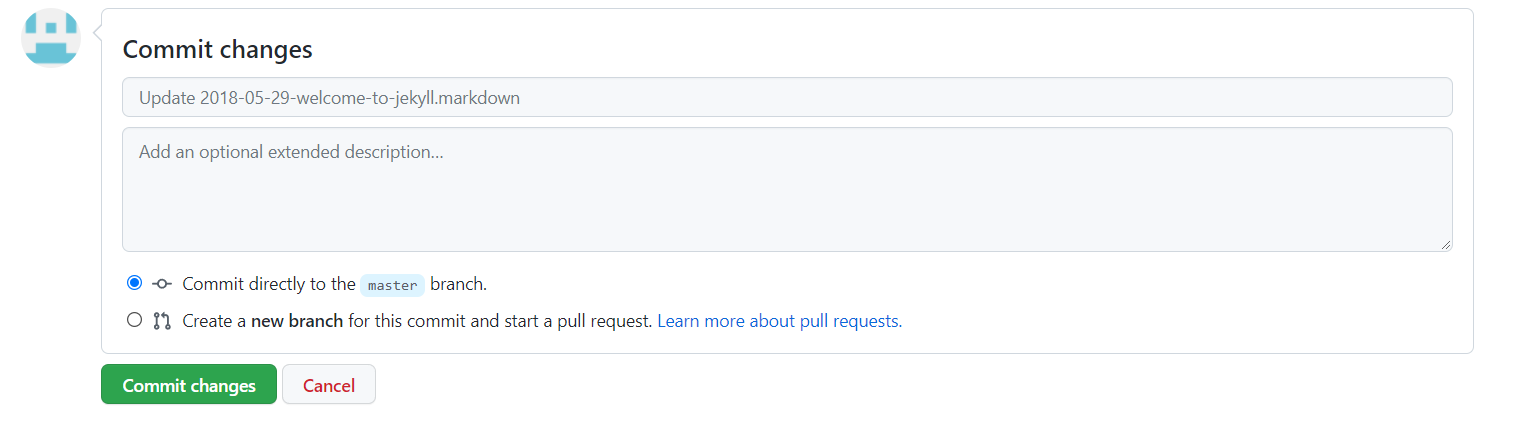
4. Wait for the GitHub Action to finish building and deploying. The content of the post you just modified will be updated.
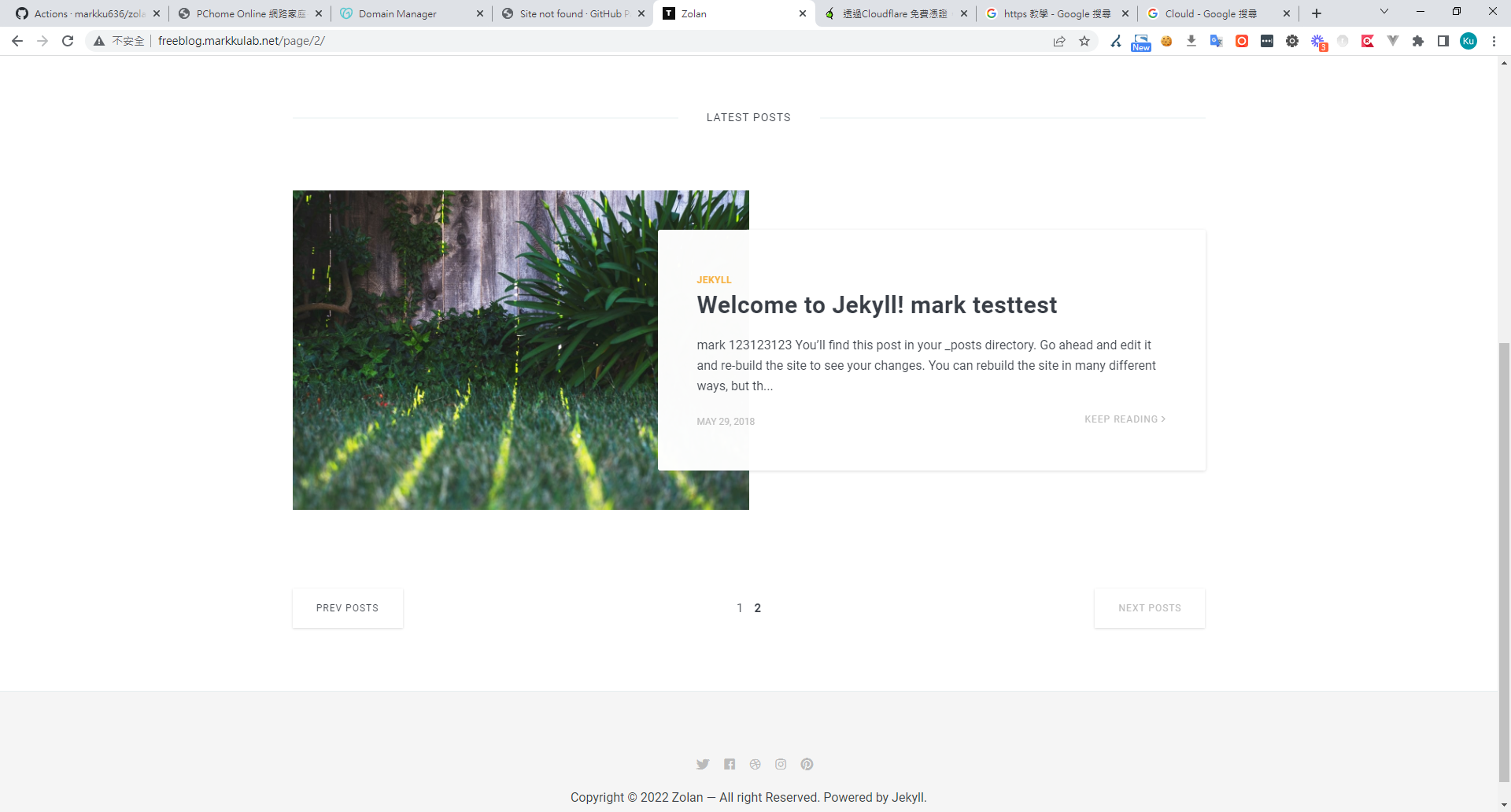
5. To add a new post, simply create a new file in the zolan/_posts/ folder, and a new article will appear.
Additional Information
I usually write out my ideas in HackMD first, then copy the content into a new file in that folder to publish.
Introduction to Relevant Files and Folders
zolan/_posts/ => Directory for posts
zolan/images => Path for images
zolan/_data/settings.yml => Used to set the site icon and content
zolan/_config.yml => Site configuration; you can adjust pagination size here
zolan/_layouts/ => If you know some HTML, you can modify the layouts here
Previous post: Setting up Jekyll in a container Link
For categories and tags, GitHub Pages does not support the jekyll-tagging plugin due to security reasons. Therefore, you'll have to implement them yourself Link.
If you want to optimize Jekyll for SEO, you can achieve this with the following two plugins:
jekyll-sitemap
jekyll-seo-tag


Comments