
Problem to Solve
Since I live in a rented apartment, I wanted to host a website but couldn't get access to the router. I tried third-party hosting providers, but they were all slow and expensive. ngrok also has bandwidth limits, and ngrok itself is essentially a reverse proxy application.
What is a Reverse Proxy
A reverse proxy is a "proxy server" that acts on behalf of the "target server" to exchange data with the "client". Its purposes include: hiding the server's real IP, load balancing, improving access speed, providing security (preventing DoS/DDoS), and allowing you to swap out the underlying application server.
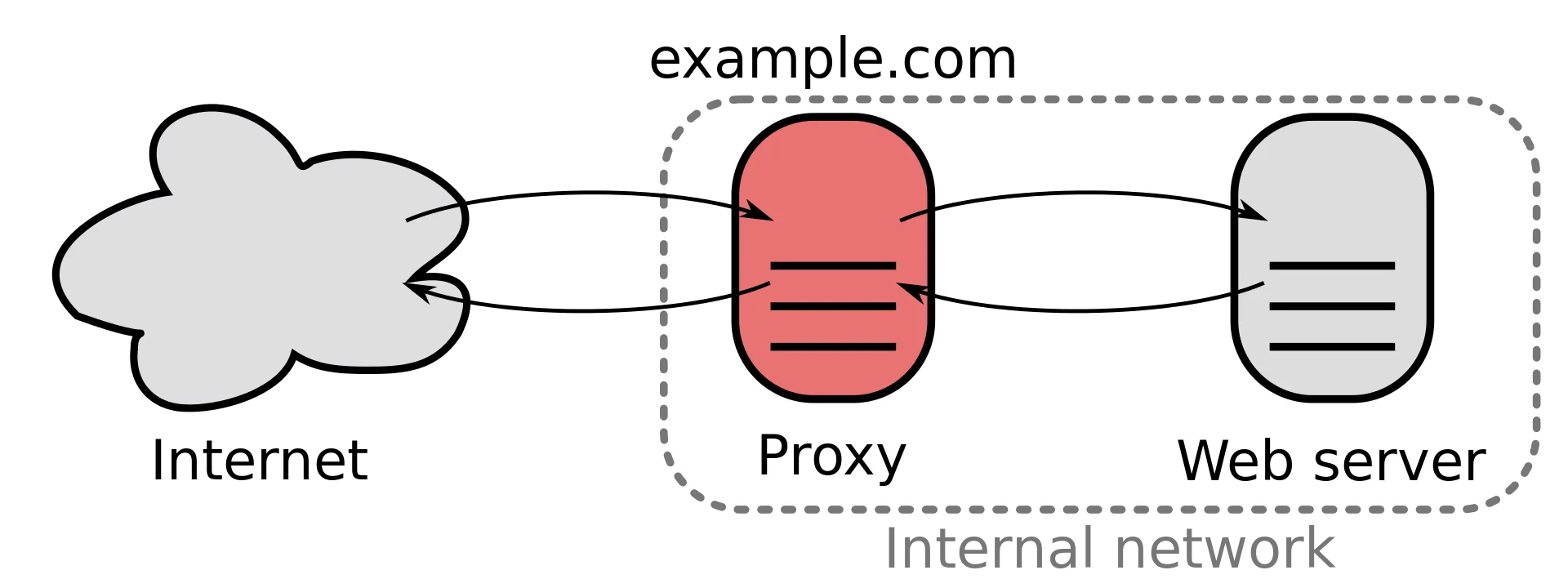
Frp Service
Frp is a popular reverse proxy service that can map internal services through a free reverse proxy service (Freefrp). freefrp is a well-known free frp service.
Environment
This article uses a QNAP NAS TS-253D to set up the container service.
First, log in to the NAS backend and create the frpc container service
-
Search for oldiy/frpc on Docker Hub
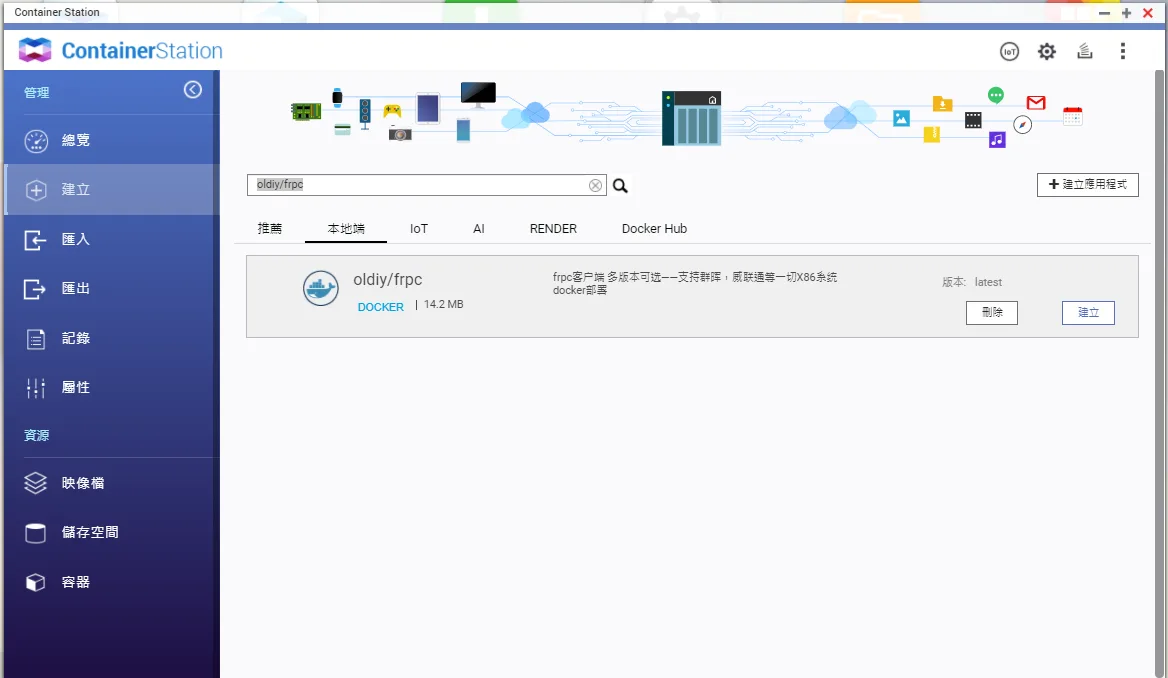
-
Create the container /bin/sh -c "/frpc -c Public/frpc.ini"
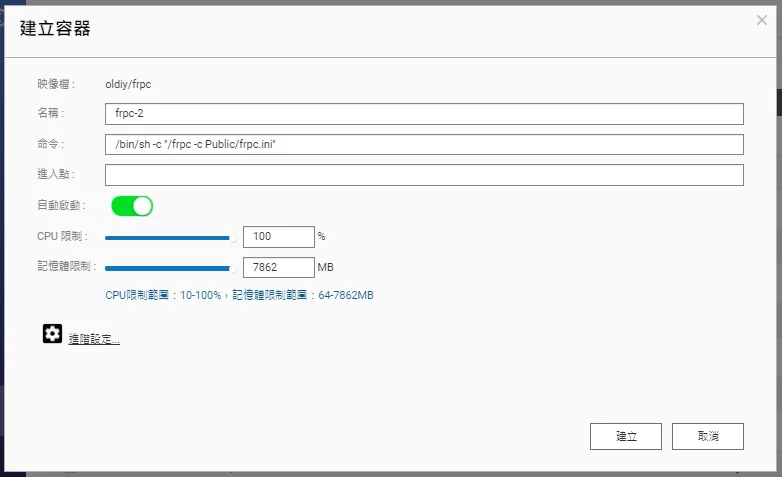
-
Mount a local folder for easier configuration management
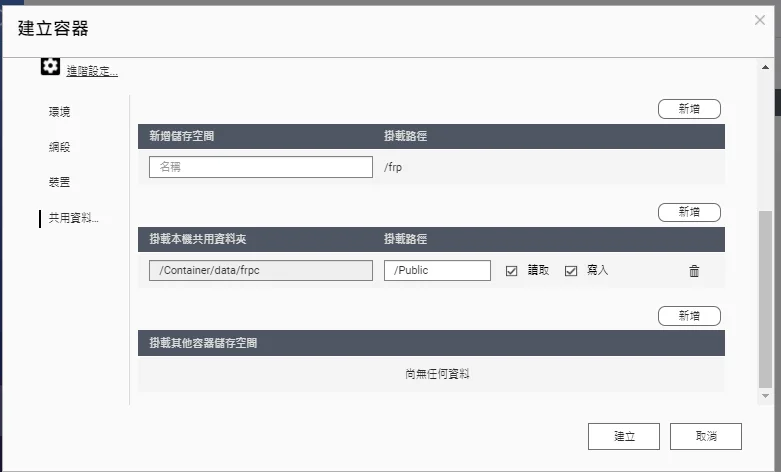
-
Set the container network mode to Host
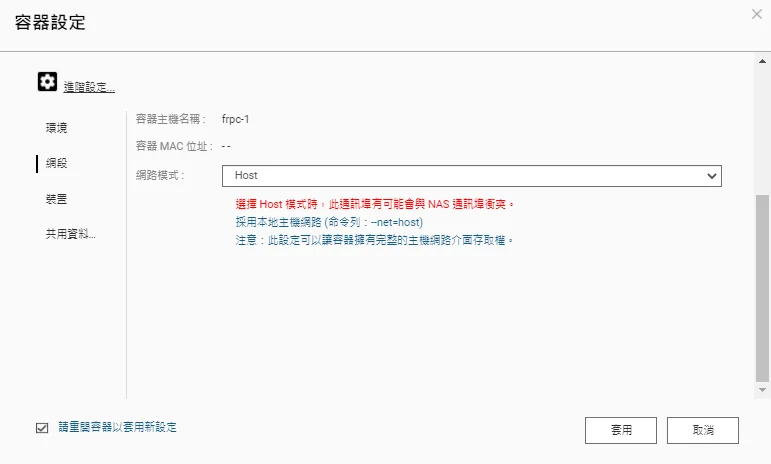
-
Configure the frpc config file (create frpc.toml under \qnapnas\Container\data\frpc)
serverAddr = "your server"
serverPort = 7000
auth.token = "your token"
transport.poolCount = 10000

[[proxies]]
name = "jks"
type = "https"
customDomains = ["jks.letgo.com.tw"]
[proxies.plugin]
type = "https2http"
localAddr = "127.0.0.1:8080"
crtPath = "/var/frpc/letgo/fullchain.crt"
keyPath = "/var/frpc/letgo/cert.key"
hostHeaderRewrite = "jks.letgo.com.tw"
requestHeaders.set.x-from-where = "frp"
- Now you can use this frpc to map services on your NAS
http://markku646.b.freefrp.net:49183/


Comments