
Building a Custom Load Balancer and Multi-purpose Gateway with Microsoft's Open-Source YARP Reverse Proxy
Introduction
If you've ever worked with load balancers, you've probably heard of F5 Networks and their well-known F5 load balancer. But a single unit costs roughly NT$200,000-300,000, which is a hefty bill for small and medium-sized businesses. If you want to bring in a load balancer but the budget is tight, Microsoft's open-source YARP is a solid option for rolling your own software load balancer.
Benefits of a software load balancer
- Horizontal scaling (Scale Up) of servers
- API gateway with dynamic API routing
- Rolling deployments
- Maintenance page during downtime
- Conditional rules to mitigate DDoS attacks
- Routing search engine bots directly to an SSR site
What is load balancing?
It's the practice of distributing workload across multiple machines to maximize throughput, minimize response time, and avoid overloading any single server (which would otherwise stop responding to clients) — making the best possible use of network connections, CPU, memory, disk I/O, and other resources.
In the cloud era, load balancing makes horizontal scaling (Scale Up) effortless. Suppose a small e-commerce site normally only needs a 6-core/12-thread CPU. During Double 11 or anniversary sales, the server is often overloaded and can't keep up with traffic. You can simply rent extra cloud VMs from Azure, GCP, or AWS, add them to the load balancer's pool, and elastically scale to serve more users.
My network topology
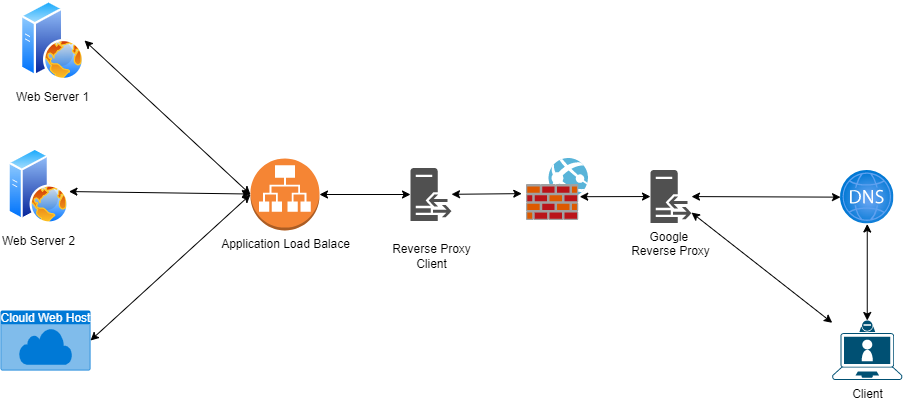
Sticky session mechanisms in load balancing
Most load balancers offer two ways to keep a client tied to the same backend: Sticky Cookie and Custom Header. YARP supports both.
Sticky Cookie
In a multi-server setup, to make sure a user stays on the same server, the load balancer (LTM) attaches a cookie to the response. On subsequent requests, the LTM reads that cookie and routes the user back to the original server.
Custom Header
With browsers tightening third-party cookie restrictions, more and more sites — especially those that may be embedded — can't rely on cookies. With this approach, the LTM passes a sticky-session token via a custom response header. The frontend stores it and sends it back on the next request, keeping the user pinned to the same backend server.
I mostly referenced this great post and forked the project, fixing a few bugs along the way
Download and run the project, log in to the admin panel with password "password" (requires .NET Core 6 SDK and runtime)
Next, here are some common rule configurations
1. Forward all traffic for a whole site
1. Server Groups > Add a new server group
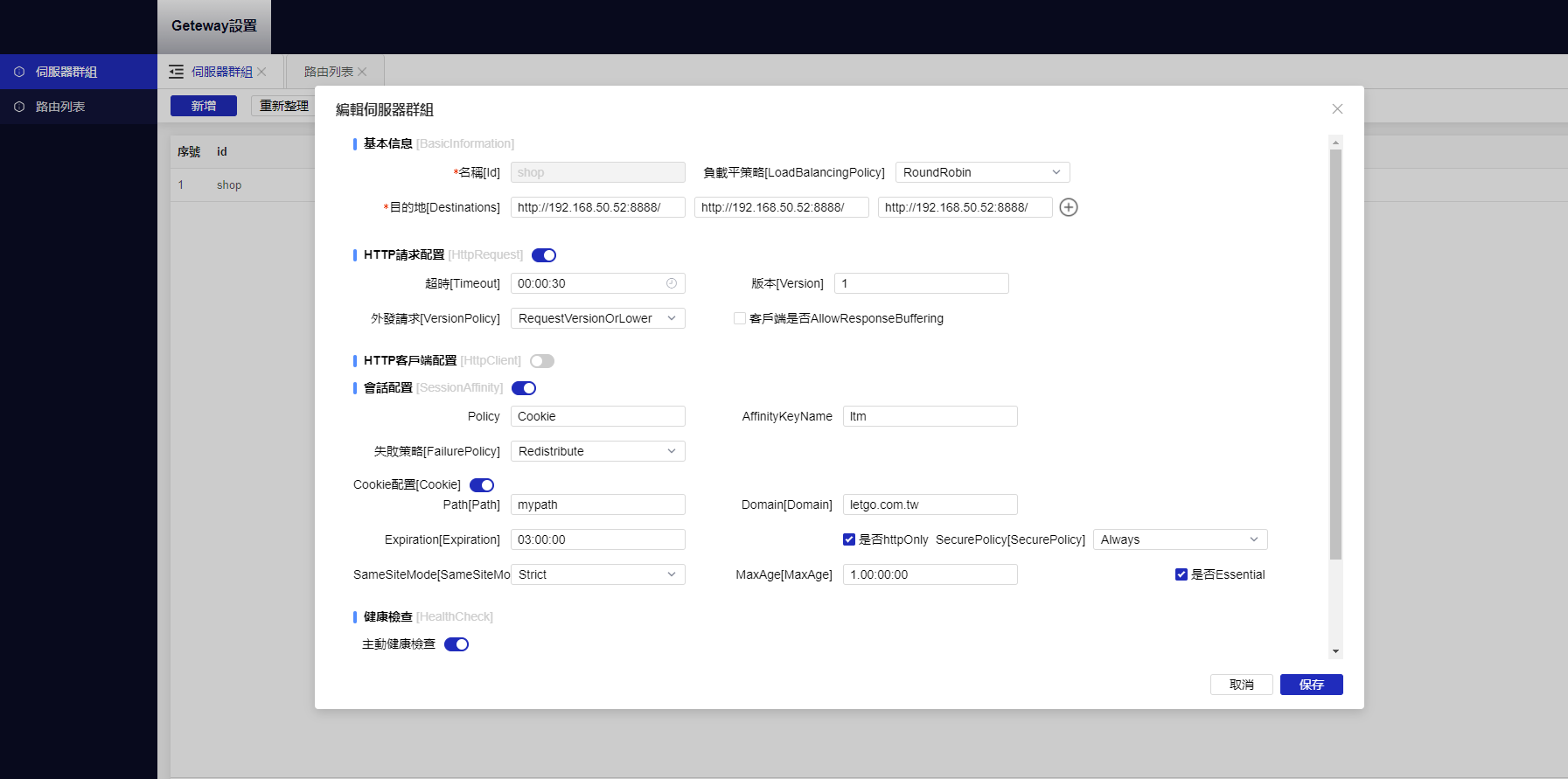
2. Routes > Add
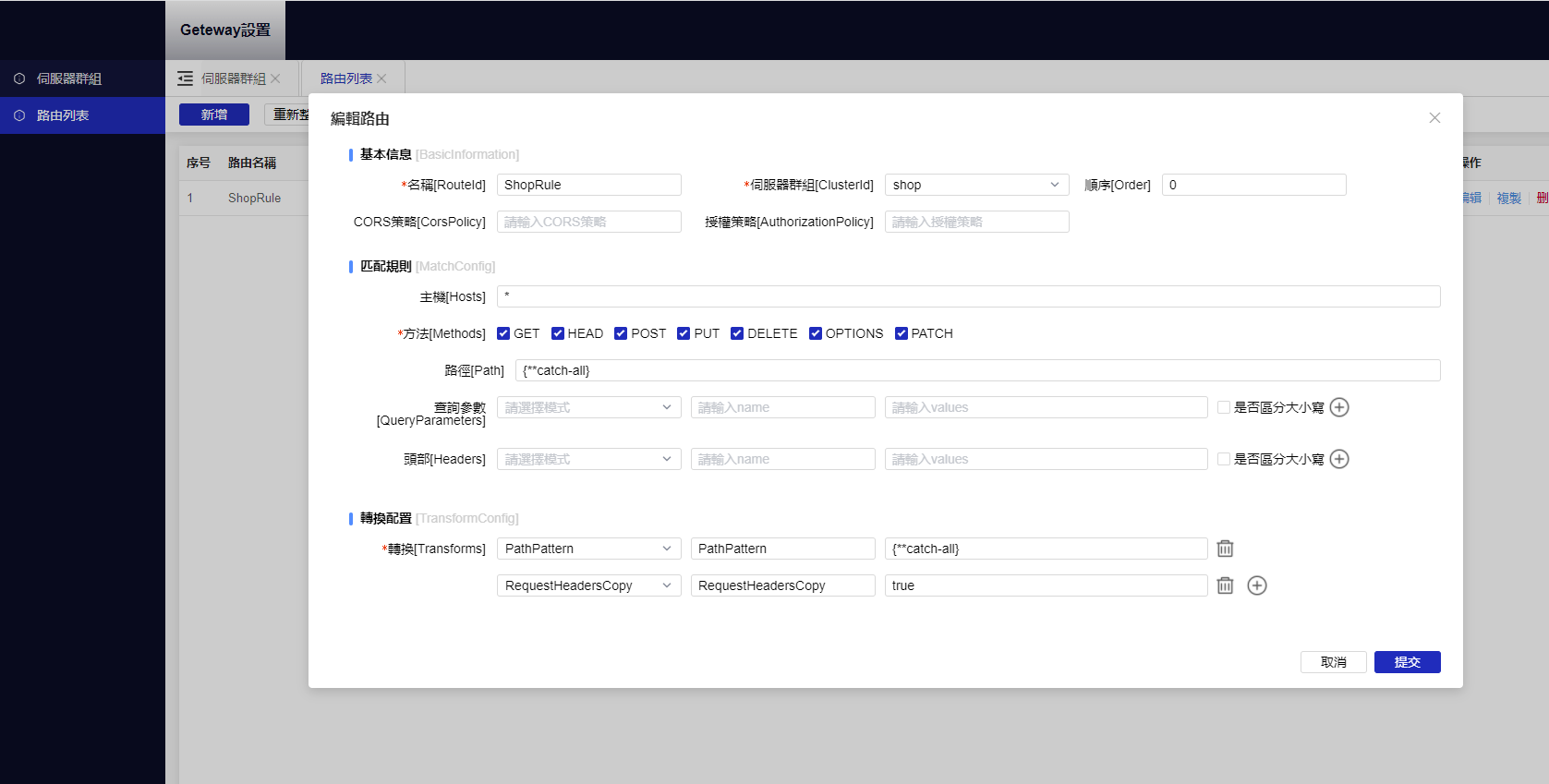 Pick the server group you just created and configure as shown:
Path = {**catch-all}
Transforms 1 PathPattern = {**catch-all}
Transforms 2 RequestHeadersCopy = true
Pick the server group you just created and configure as shown:
Path = {**catch-all}
Transforms 1 PathPattern = {**catch-all}
Transforms 2 RequestHeadersCopy = true
2. Forwarding a specific API route
1. Server Groups > Add a new server group
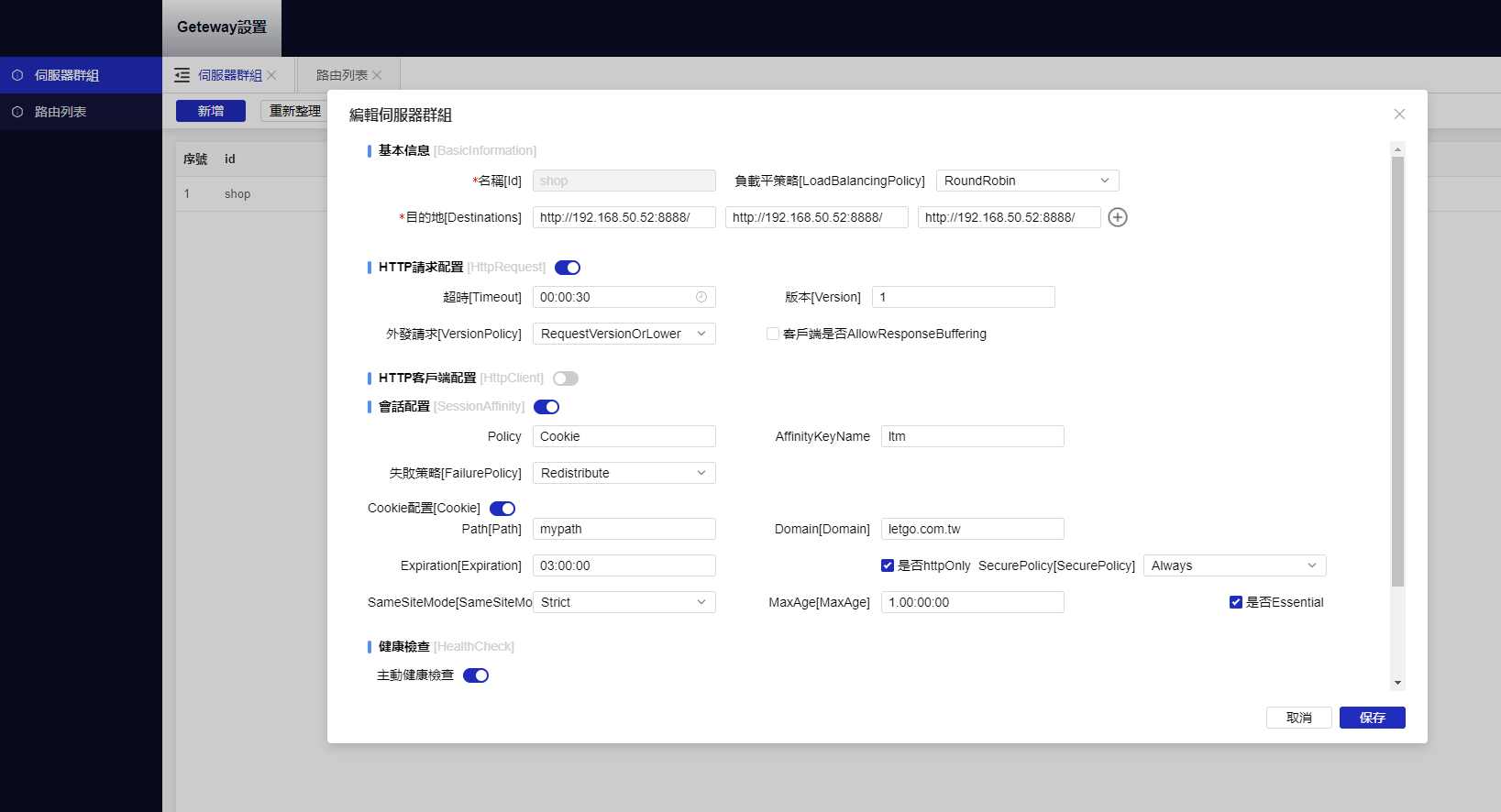
2. Routes > Add
Pick the server group you just created and configure as shown:
Path = /api/{**remider}
Transforms 1 PathPrefix = /api/v1/{**remider}
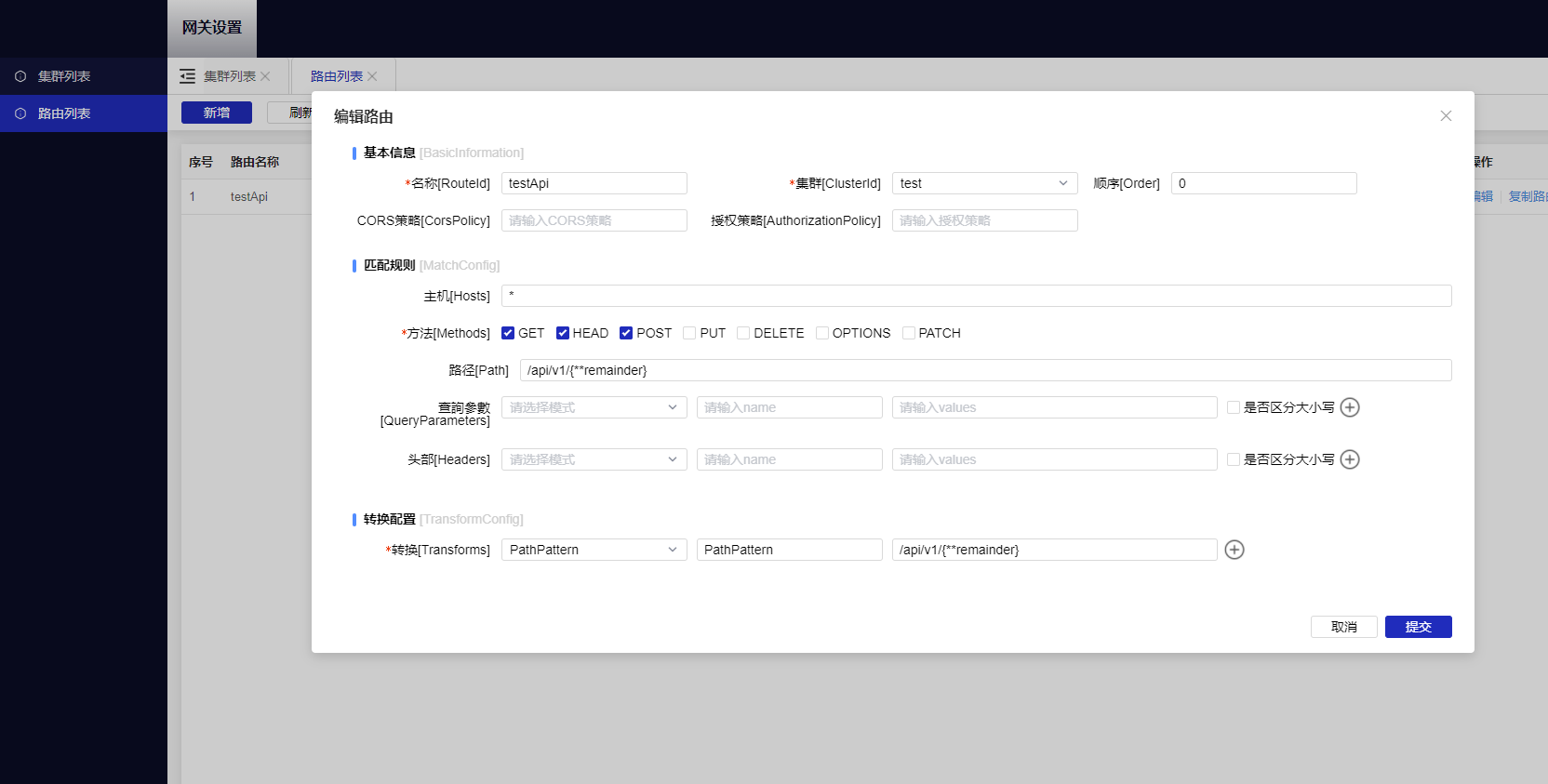
3. SignalR forwarding
See this article for the configuration.
4. LTM sticky session configuration
1. Cookie-based sticky sessions
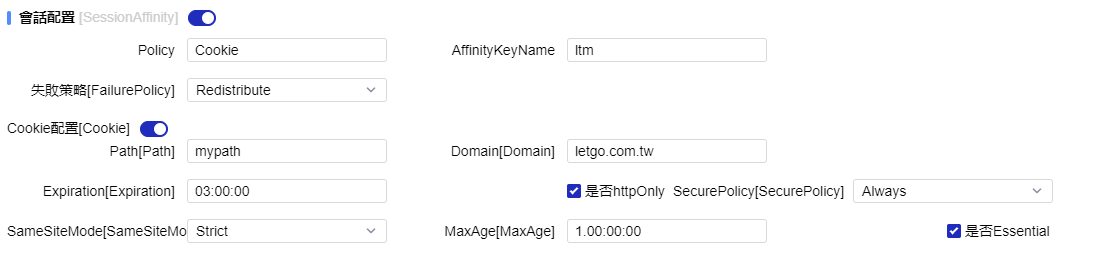
2. Custom Header sticky sessions
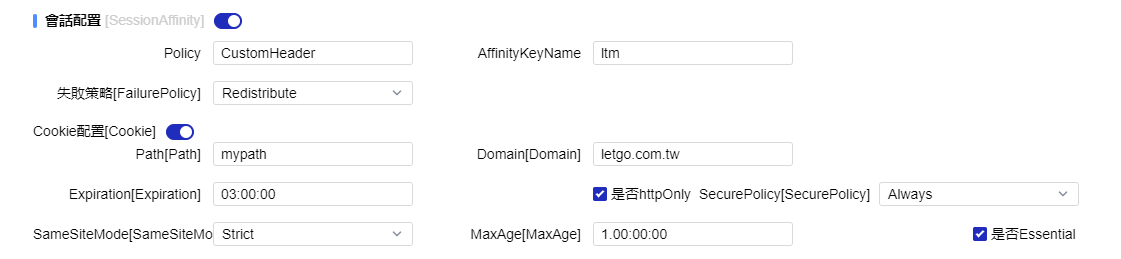
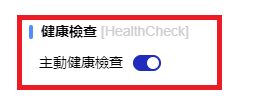
5. Make sure to enable active health checks. When YARP detects a downed instance, it will stop dispatching requests to that server.
Official documentation
All the admin-panel actions above map to YARP's configuration file. If you're interested, take a look at the docs for the full picture. Official documentation


Comments