
Problem
I previously used Windows Certbot to obtain a free HTTPS certificate, but it had to be renewed manually every three months — which was tedious. The nginx-certbot Docker container solves this by renewing the certificate automatically.
Environment
- QNAP TS-253D running Container Station
Installation
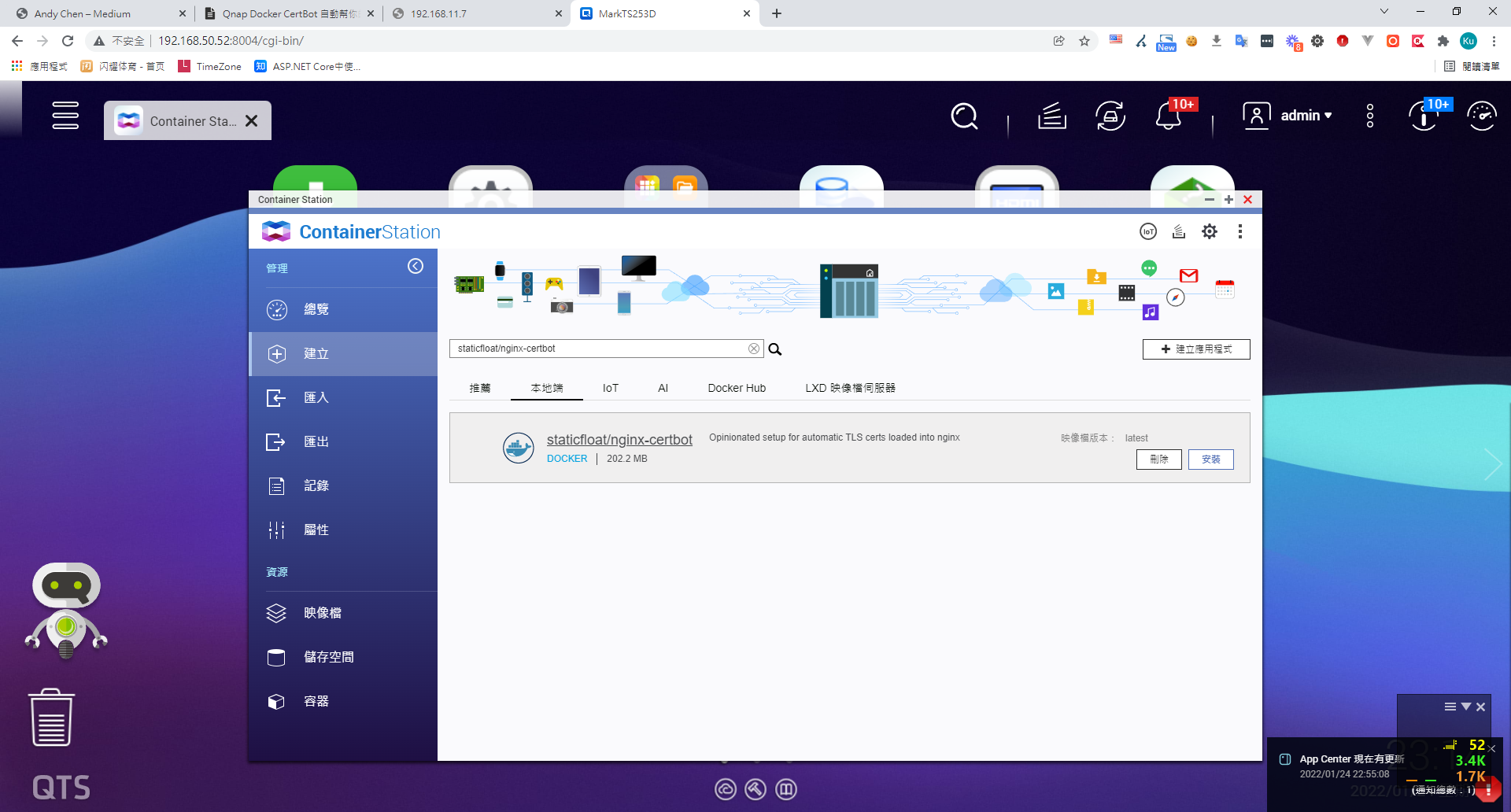
1. Create > Search for "staticfloat/nginx-certbot" on Docker Hub > Install
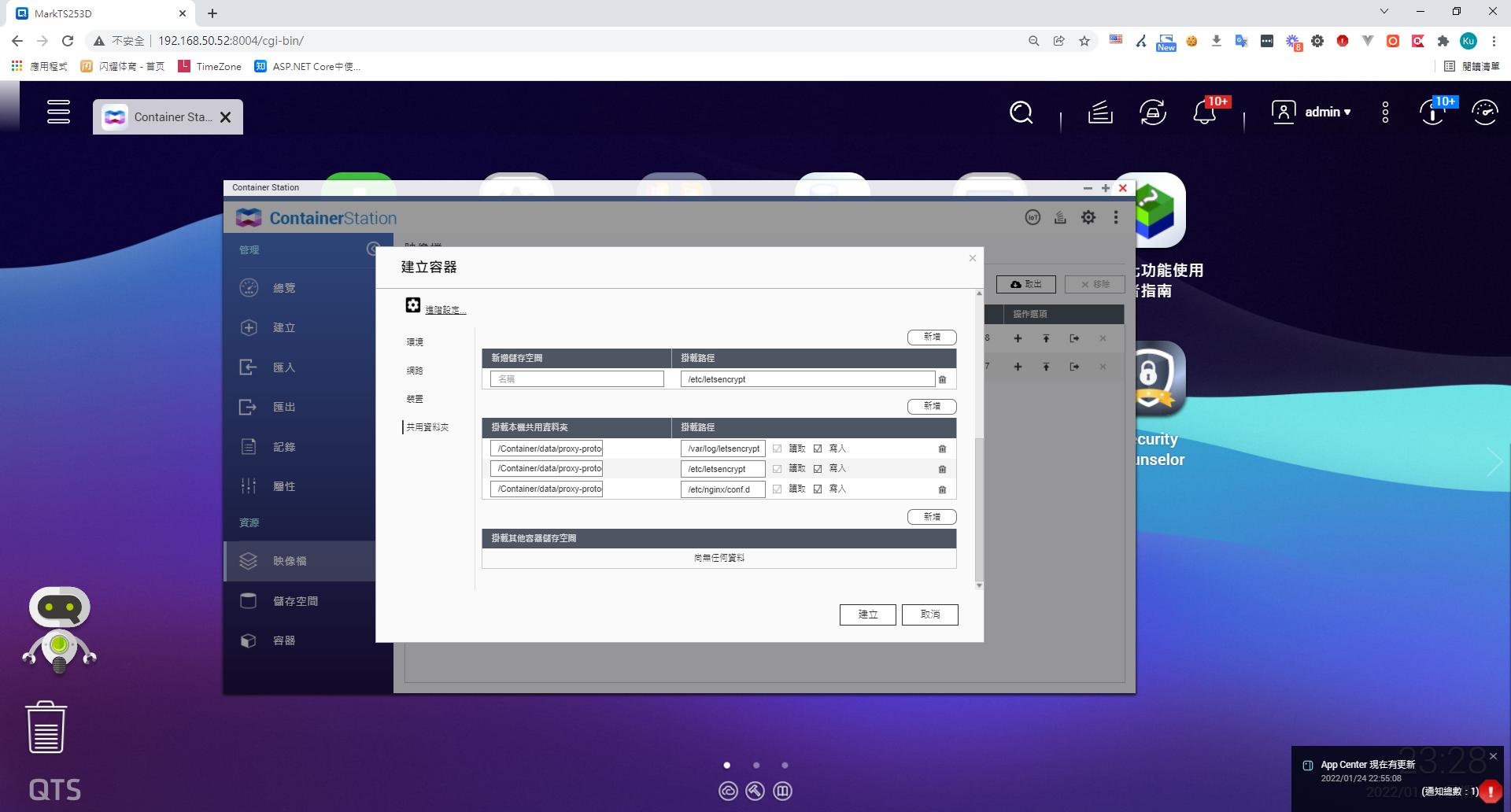
2. Mount the following folders (Docker Volumes)
| Purpose | NAS path | Container path |
|---|---|---|
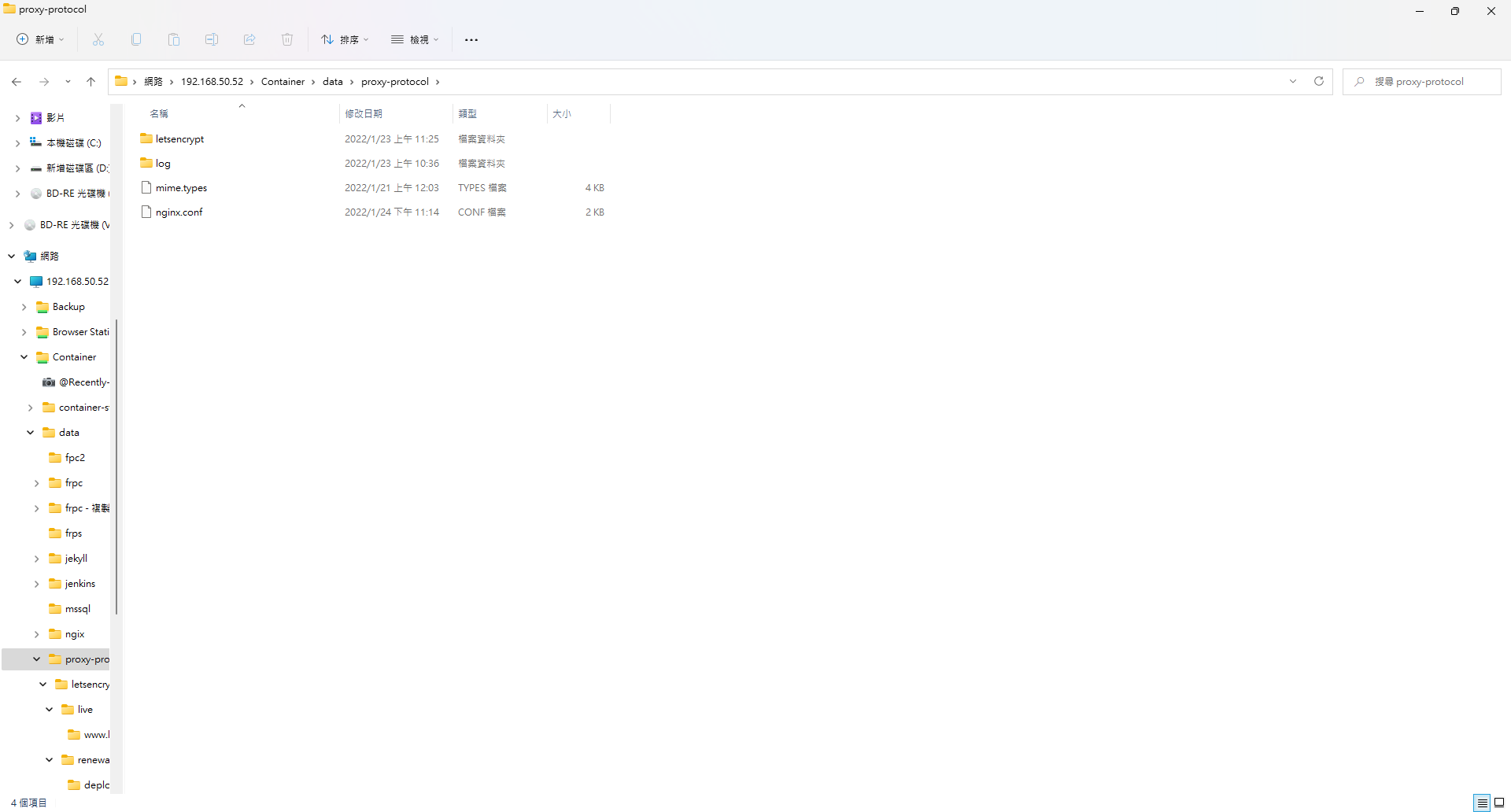
| nginx config files | /share/Container/data/proxy-protocol | /etc/nginx/conf.d |
| Let's Encrypt logs | /share/Container/data/proxy-protocol/log | /var/log/letsencrypt |
| Existing Let's Encrypt certificate directory | Container/data/proxy-protocol/letsencrypt | /etc/letsencrypt |
| nginx web root | /usr/share/nginx/html | Container/data/proxy-Container/data/proxy-protocol/web |
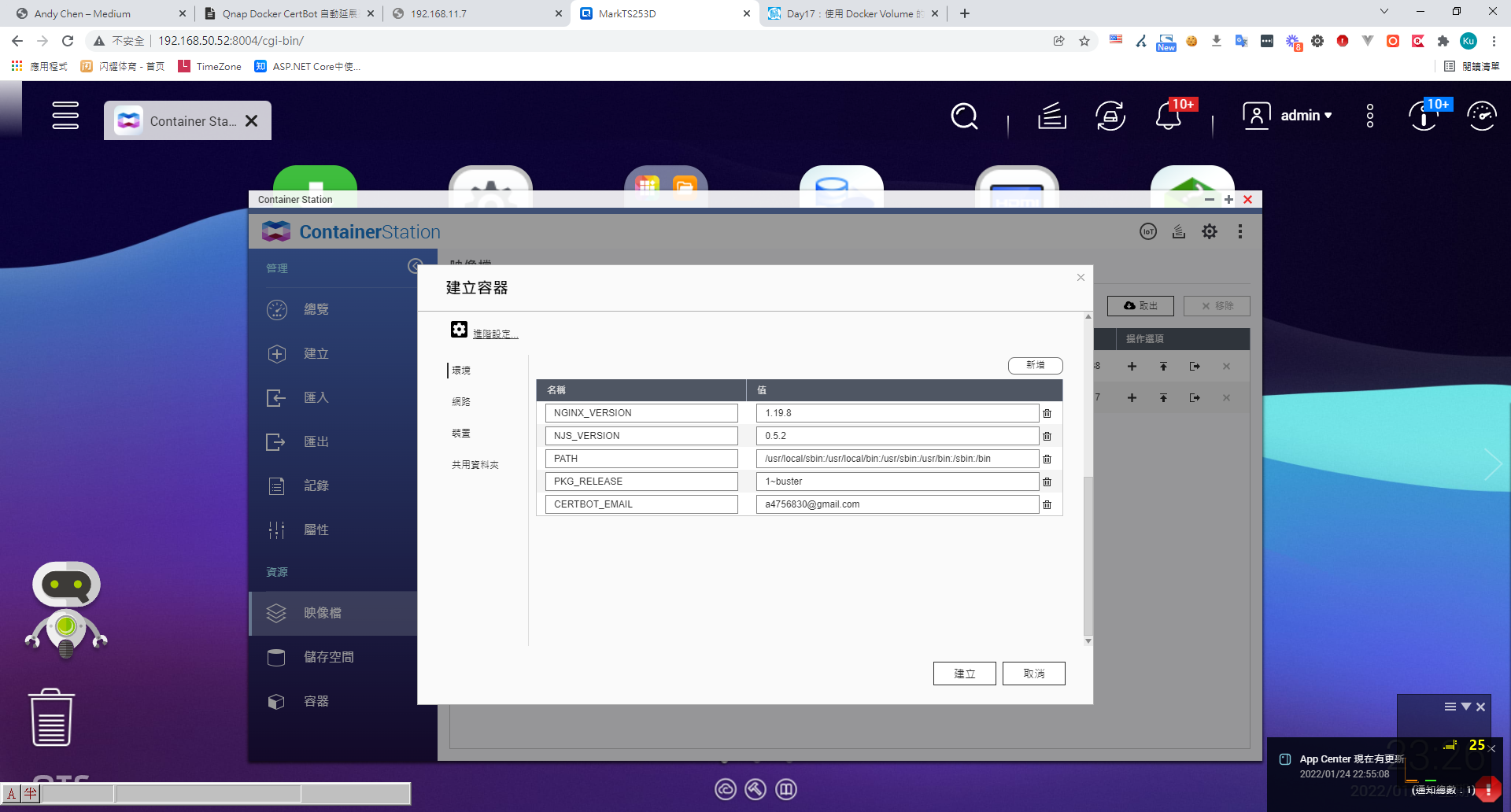
3. Set environment variables
CERTBOT_EMAIL — the email address you used when originally requesting the HTTPS certificate.
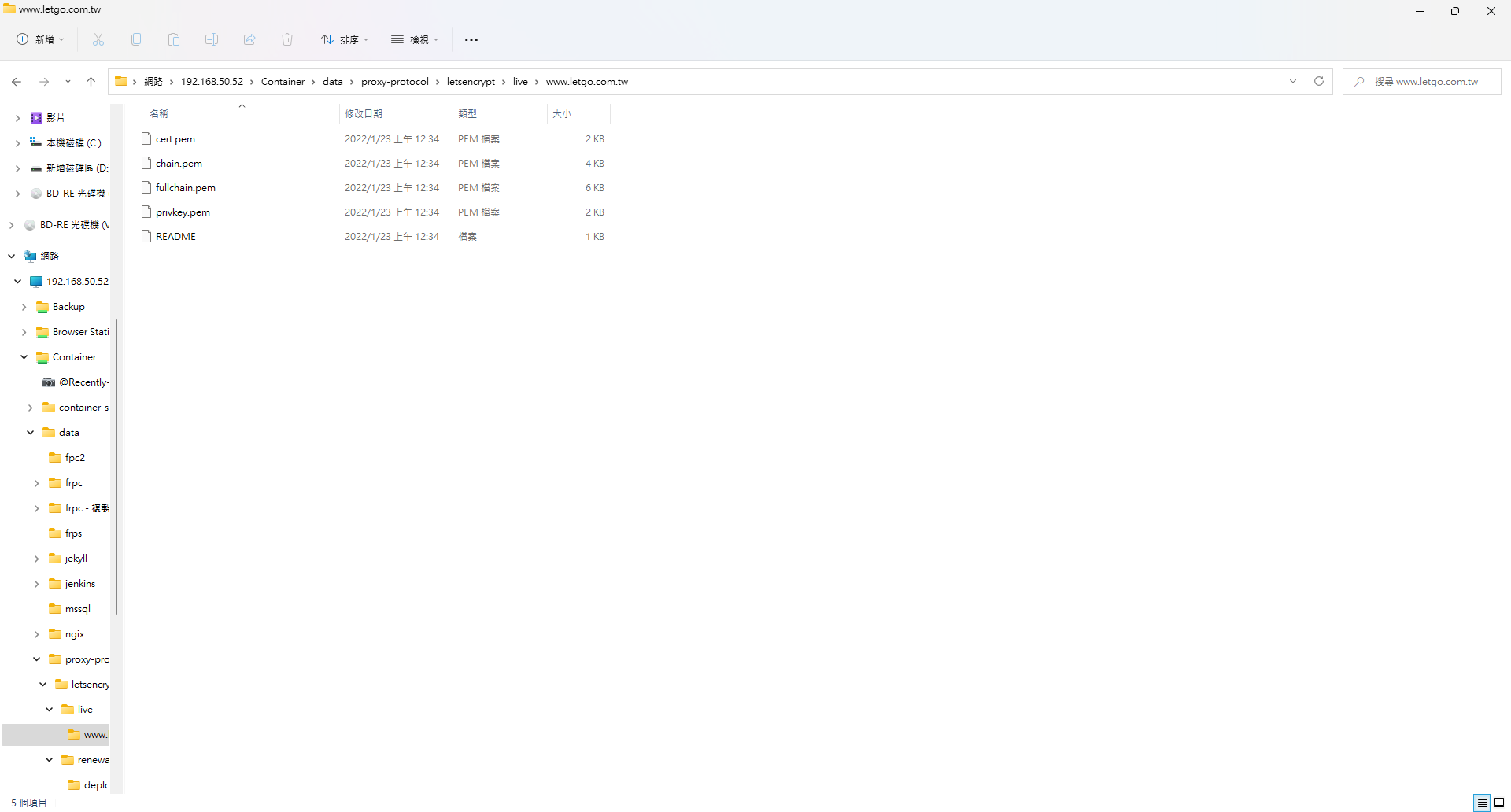
4. Copy your existing certificate to the designated path
5. Write the nginx config file
upstream frp {
	server 34.80.106.95:80;  # 这个是frp_server的内网ip和http监听端口
}

server
	{

	listen 443 ssl http2 proxy_protocol;
	listen [::]:443 ssl http2;
	server_name www.letgo.com.tw; # local server ip

	set_real_ip_from 172.31.0.1; # frp client ip
	real_ip_recursive on;
	real_ip_header  proxy_protocol;


	    ssl_certificate     /etc/letsencrypt/live/www.letgo.com.tw/fullchain.pem;
    ssl_certificate_key /etc/letsencrypt/live/www.letgo.com.tw/privkey.pem;

	ssl_protocols TLSv1.1 TLSv1.2 TLSv1.3;

	ssl_ciphers EECDH+CHACHA20:EECDH+CHACHA20-draft:EECDH+AES128:RSA+AES128:EECDH+AES256:RSA+AES256:EECDH+3DES:RSA+3DES:!MD5;
	ssl_prefer_server_ciphers on;
	ssl_session_cache shared:SSL:10m;
	ssl_session_timeout 10m;
	add_header Strict-Transport-Security "max-age=31536000";

	location / {
		proxy_set_header Host $host;
		proxy_set_header X-Real-IP $remote_addr;
		proxy_set_header X-Forwarded-For $proxy_protocol_addr;
		proxy_set_header X-Forwarded-Proto $scheme;
		proxy_pass http://192.168.50.52:8890/; # your local application ip
	}
}
6. Start the container — it will check weekly and automatically renew your free HTTPS certificate.
Notes
- Do not delete the
letsencryptfolder; doing so will cause the next renewal to fail. - My network setup uses frp. Since frp cannot distinguish between HTTP and HTTPS and automatically upgrades to HTTPS, I handled the initial HTTP-01 challenge by temporarily routing traffic through IIS for verification.


Comments