Mark Ku's Blog

Uptime Kuma Monitoring Tool
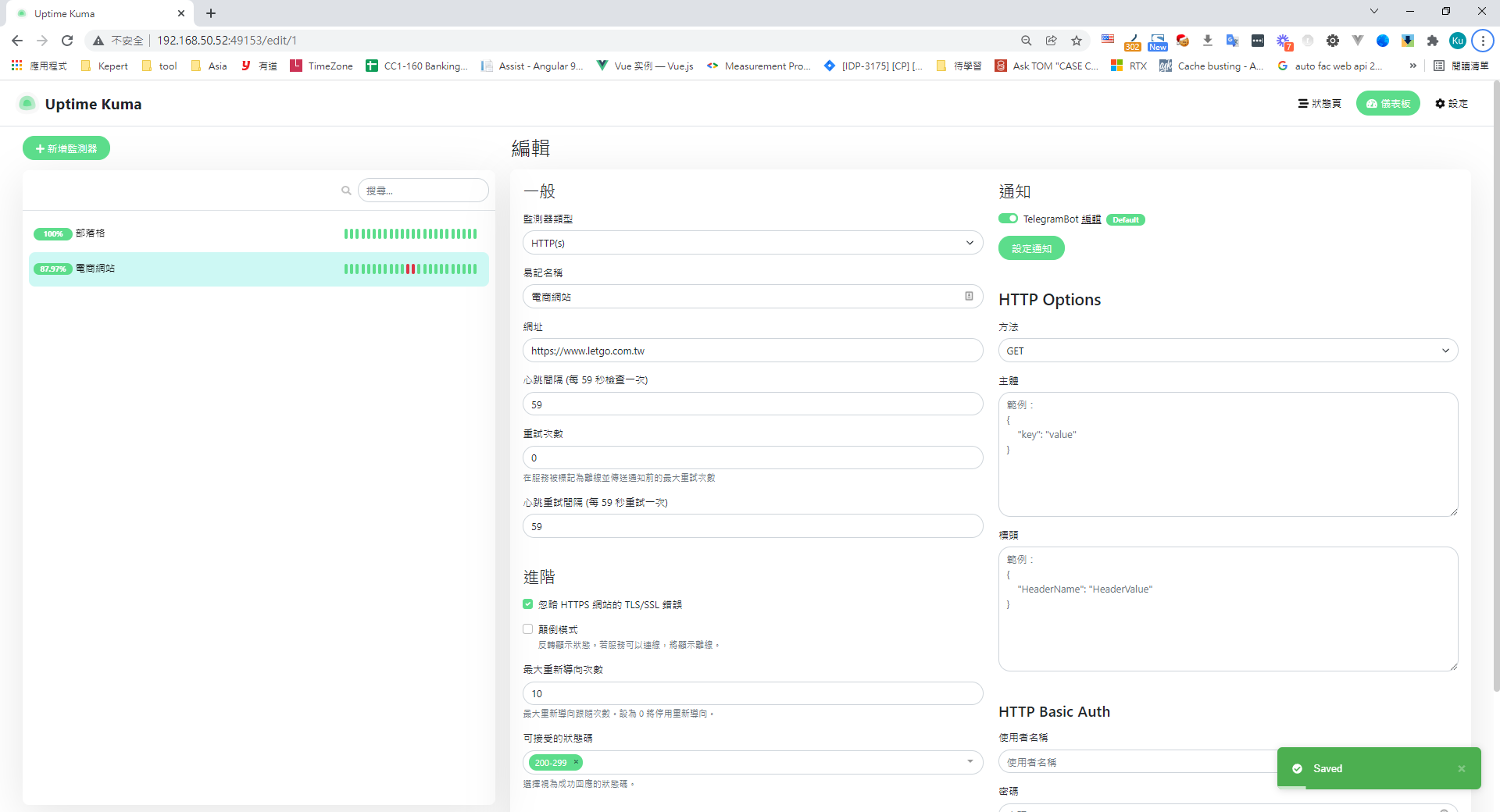
Uptime Kuma web UI configuring a website uptime monitor Uptime Kuma is a monitoring web app built with Node.js and Vue, similar to "Uptime Robot." It offers the following:

Pros

  • Simple, easy-to-use UI
  • Can monitor HTTP(s)/TCP/Ping/DNS
  • Supports mainstream chat notifications: Telegram, Discord, Gotify, Slack, Pushover, email, and more
  • Multi-language support
  • Open-source and easy to extend

Cons

  • Doesn't support repeated notifications out of the box (but you can extend it yourself)

Github

Installation Steps

1. First, spin up the Uptime Kuma container

docker pull louislam/uptime-kuma
docker run -d --restart=always -p 3001:3001 -v uptime-kuma:/app/data --name uptime-kuma louislam/uptime-kuma:1

2. Enter the dashboard, add a monitor, and enter the URL of the service you want to track

Uptime Kuma interface for configuring an HTTP monitor with URL and notifications

3. Configure notifications (supports many mainstream notify channels)
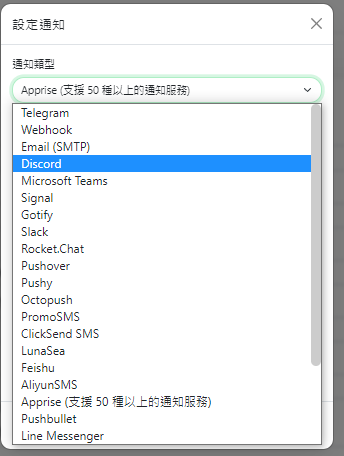
Uptime Kuma notification channels dropdown with Discord selected

4. Create a Telegram bot — refer to the article below to set one up, then fill in the token and chat ID
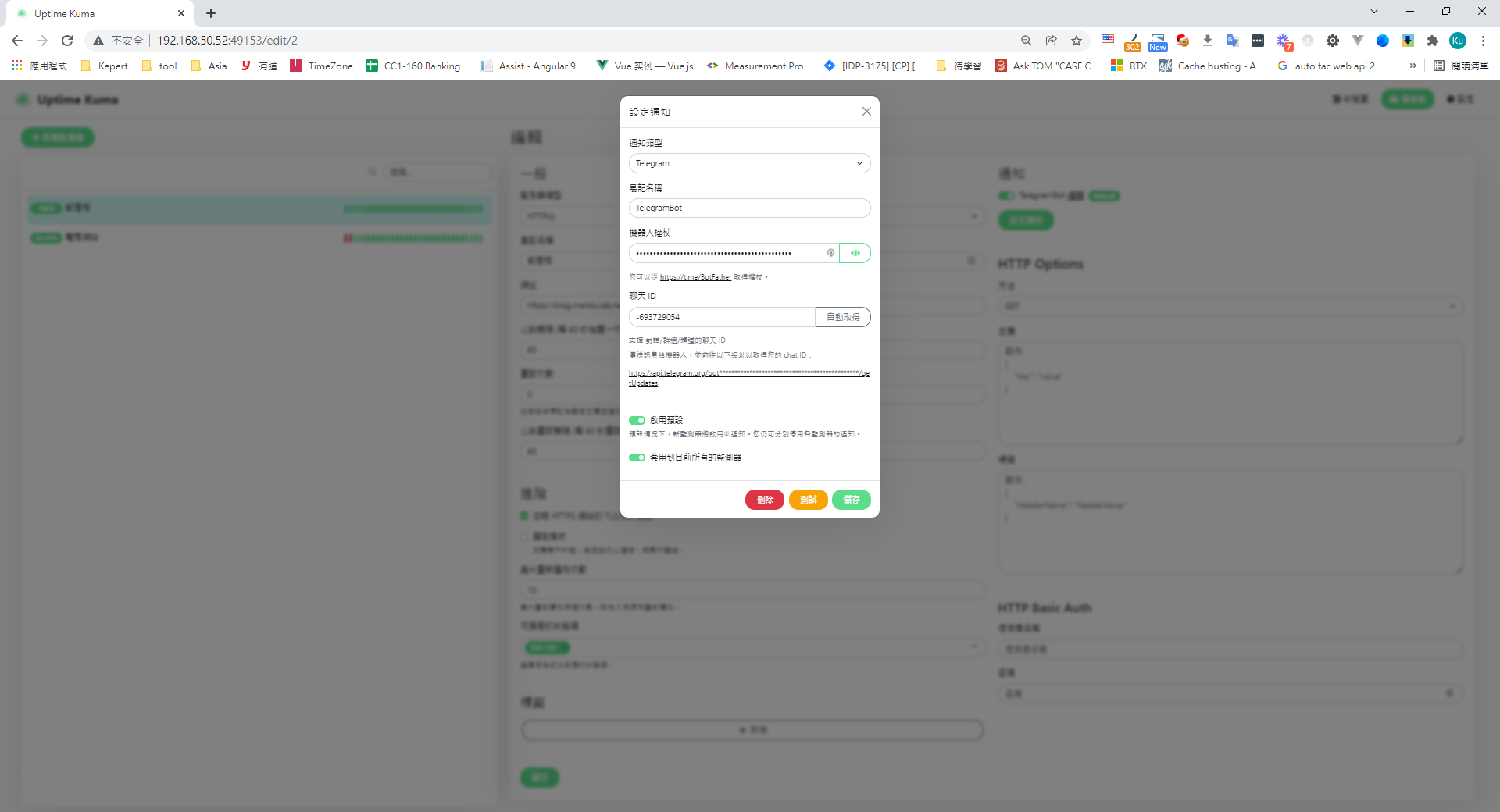
Bot setup tutorial Uptime Kuma Telegram bot notification setup window

5. Submit the form, and your site monitoring is now in place
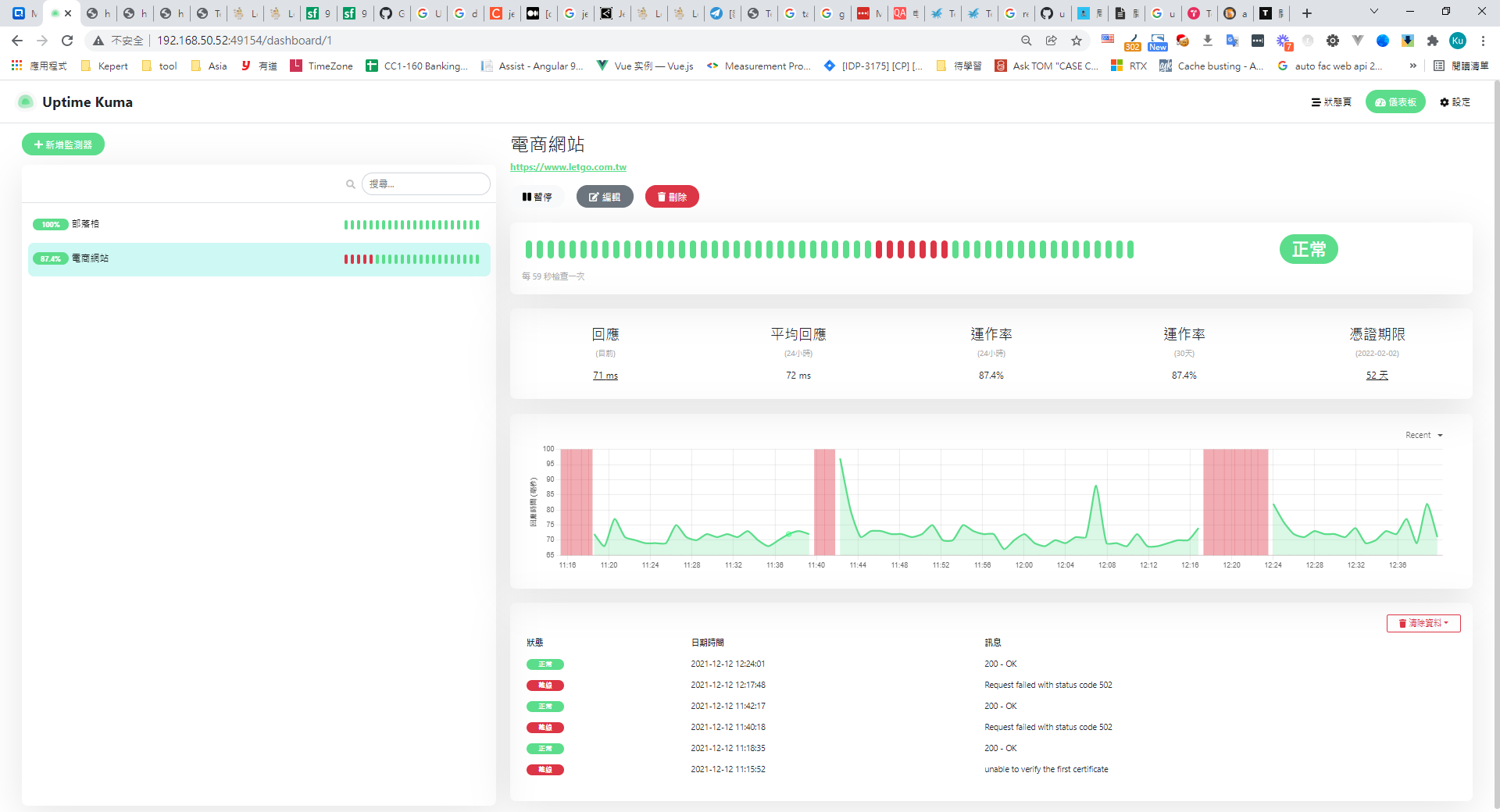
Uptime Kuma dashboard displaying website uptime, response times, and status hist

6. When a site goes down, the Telegram bot will alert the team
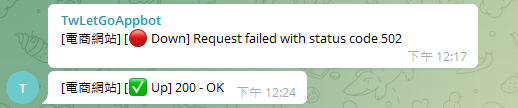
Telegram bot notifications for website down 502 and up 200

7. While simulating a downed site, I noticed it only notifies once and doesn't support repeated alerts. Looking at the source (Node.js + Vue), it should be easy to extend on your own.

Bonus — Telegram's message API is convenient and has no CORS restrictions; you can send messages by URL parameters

Get the Telegram bot channel ID

https://api.telegram.org/bot{api token}/getUpdates

Send a Telegram message via API

https://api.telegram.org/bot{api token}/sendMessage?chat_id={botChannelId}&text='test'

Author

Mark Ku

擁有 10+ 年經驗的資深軟體工程師,現為 AI 應用 Builder,專注於大型平台架構與簡化複雜系統設計,從電商系統到訂閱與收費平台,結合 AI Agent、AI 整合與自動化開發,打造高效率且可持續演進的產品技術基礎。Read More

Found this useful?

The author's free tools, daily podcasts and newsletter are all here.

Mark Ku · This article is licensed under CC BY 4.0. Credit the author and link back to the original when reusing it.

Comments

Subscribe to Newsletter

Subscribe to get new posts delivered instantly — never miss a tech share.

By submitting, you agree to receive emails. You can anytime.

Popular Posts

View all
Mark Ku
··602

Oracle Cloud Always Free Tier: Linux Host and Static IP for a $0 Cloud Solution

Oracle Cloud Always Free Tier: Linux Host and Static IP for a $0 Cloud Solution
Mark Ku
··492

Say Goodbye to Postman's Fee Trap! A Hands-on Guide to Bruno, the Open-Source Git-Native API Testing Powerhouse.

Say Goodbye to Postman's Fee Trap! A Hands-on Guide to Bruno, the Open-Source Git-Native API Testing Powerhouse.
Mark Ku
··334

A Free, Open-Source, Notion-like Knowledge Base — A Complete Guide to Deploying and Backing Up Outline Wiki

A Free, Open-Source, Notion-like Knowledge Base — A Complete Guide to Deploying and Backing Up Outline Wiki
Mark Ku
··268

Training Your Own AI Voice: Hardware Requirements, Open-Source Model Comparison, and LoRA Fine-Tuning

Training Your Own AI Voice: Hardware Requirements, Open-Source Model Comparison, and LoRA Fine-Tuning
Mark Ku
··218

Building an Efficient API Management Platform: Deploying Kong Gateway from Scratch - Part 1

Building an Efficient API Management Platform: Deploying Kong Gateway from Scratch - Part 1
Mark Ku
··217

Setting Up Samba on Ubuntu to Share Folders with Windows 11

Setting Up Samba on Ubuntu to Share Folders with Windows 11