Mark Ku's Blog

Background

Earlier I wrote a note about SEQ. This post builds on that and uses Seq log server to monitor payment and order anomalies.

The Problem

In the past, when a payment or order error happened during a deployment, sometimes nobody noticed at the moment — and the issue would only surface much later.

Goal

When a payment or order anomaly occurs, monitor for the event and push a Teams notification to the relevant developers.

Install the Seq Plugin

SEQ doesn't ship with notifications out of the box, so we need to install a Teams notification plugin. SEQ-related packages

Under APPS, enter "Seq.App.Teams" in the Package field
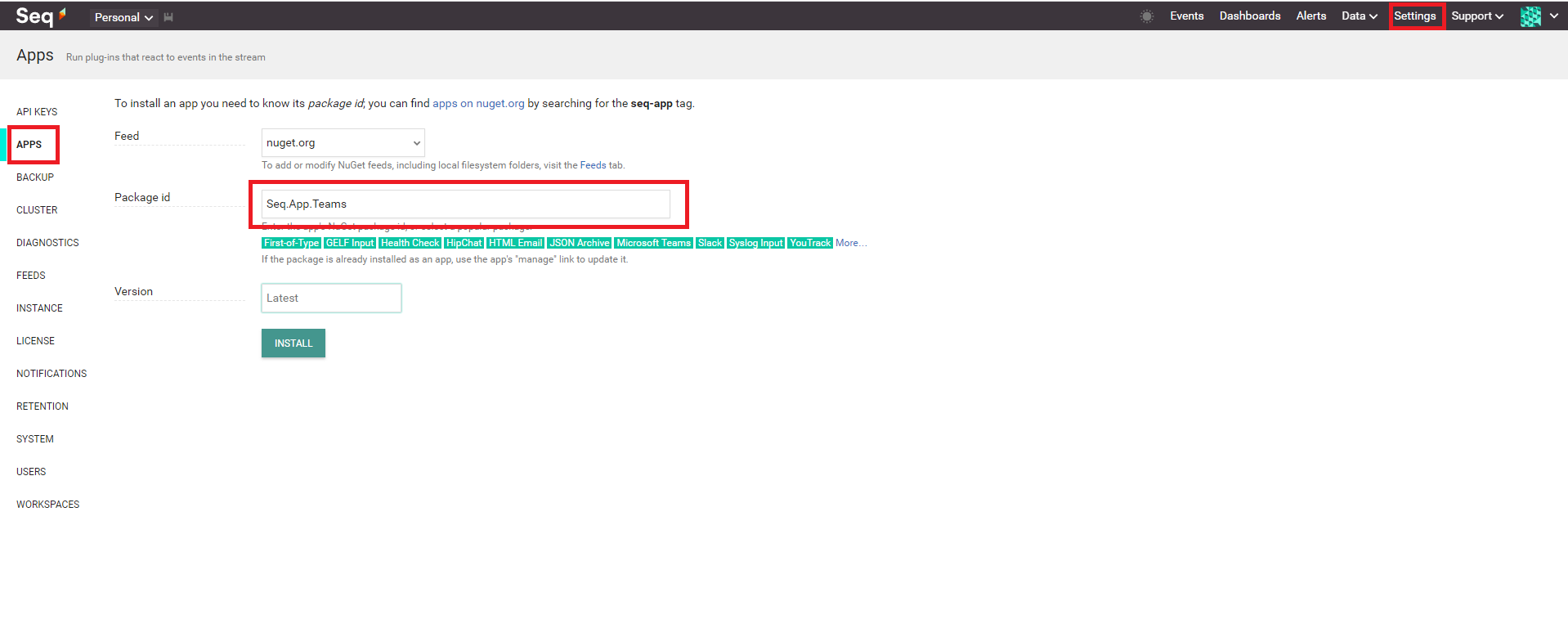
Seq Settings Apps page showing Seq.App.Teams package ID entered

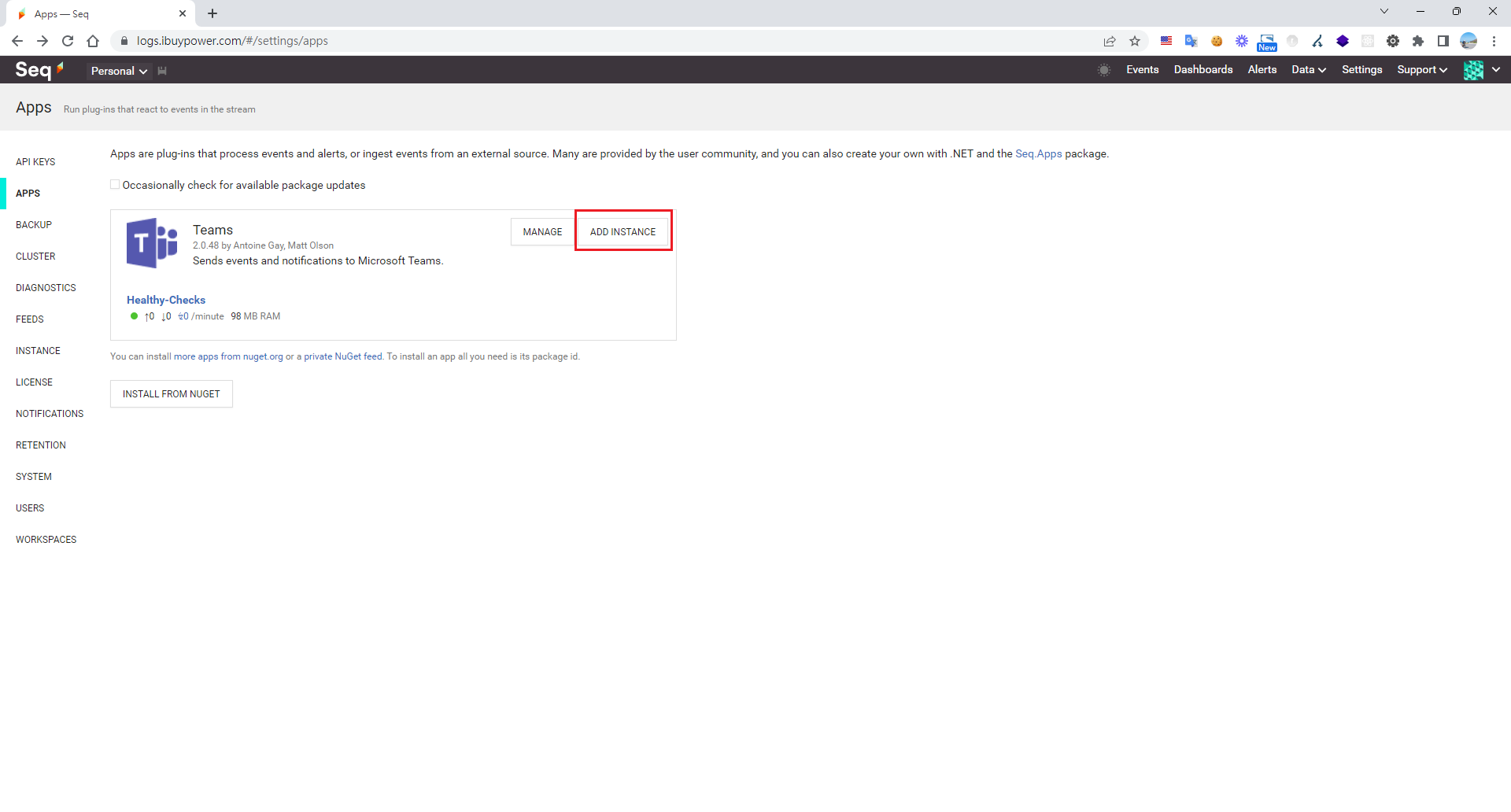
Click ADD INSTANCE

Seq UI showing Teams app with ADD INSTANCE button highlighted

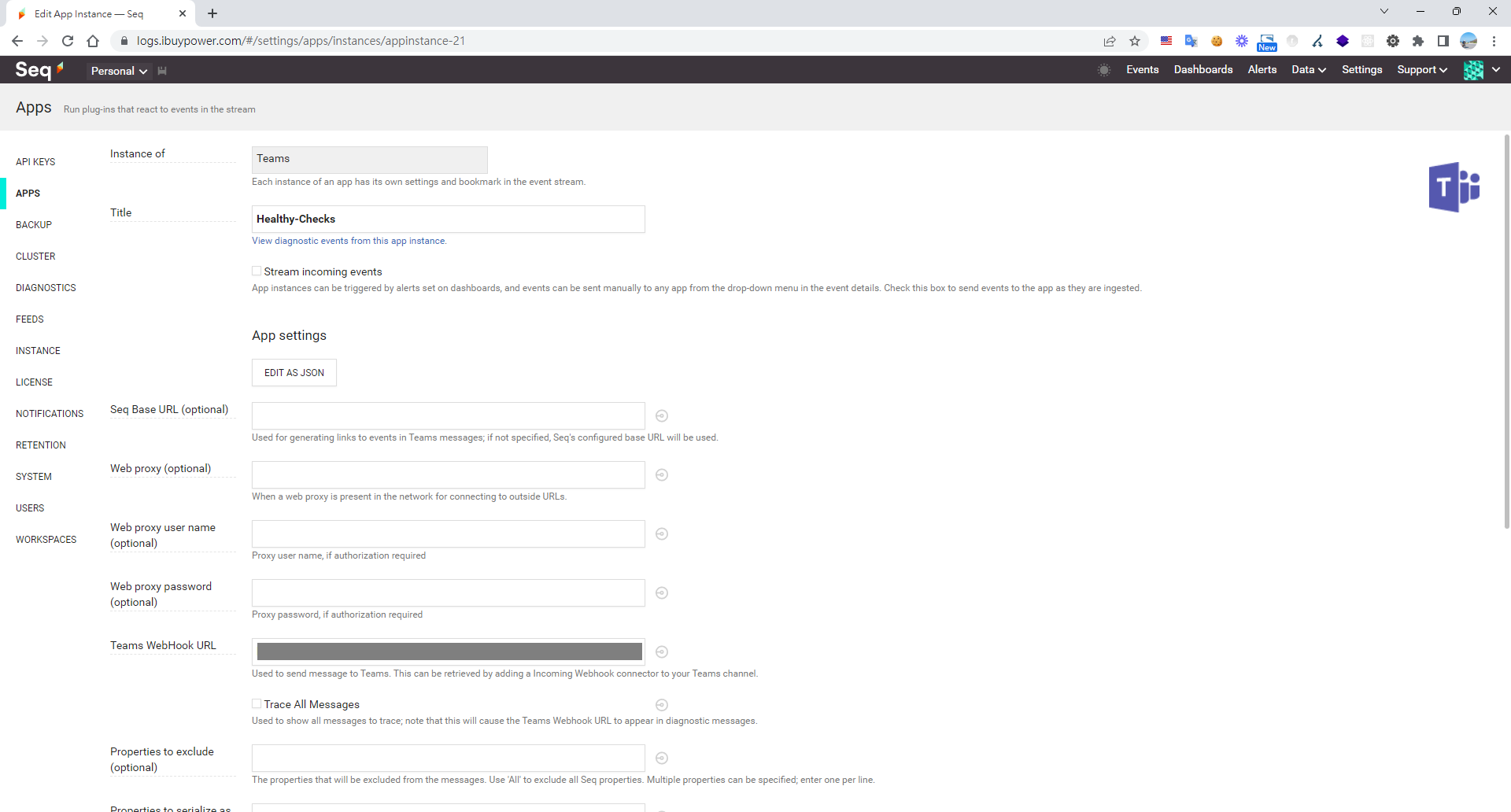
Enter your Teams webhook

Seq app instance configuration for Microsoft Teams webhook

Now add an Alert: Settings > Add ALERT
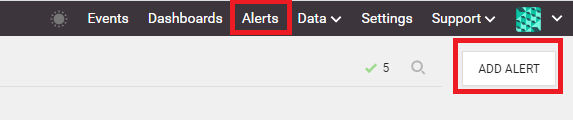
Seq UI showing selected Alerts tab and Add Alert button

Configure the conditions — the system triggers a notification based on time window and count
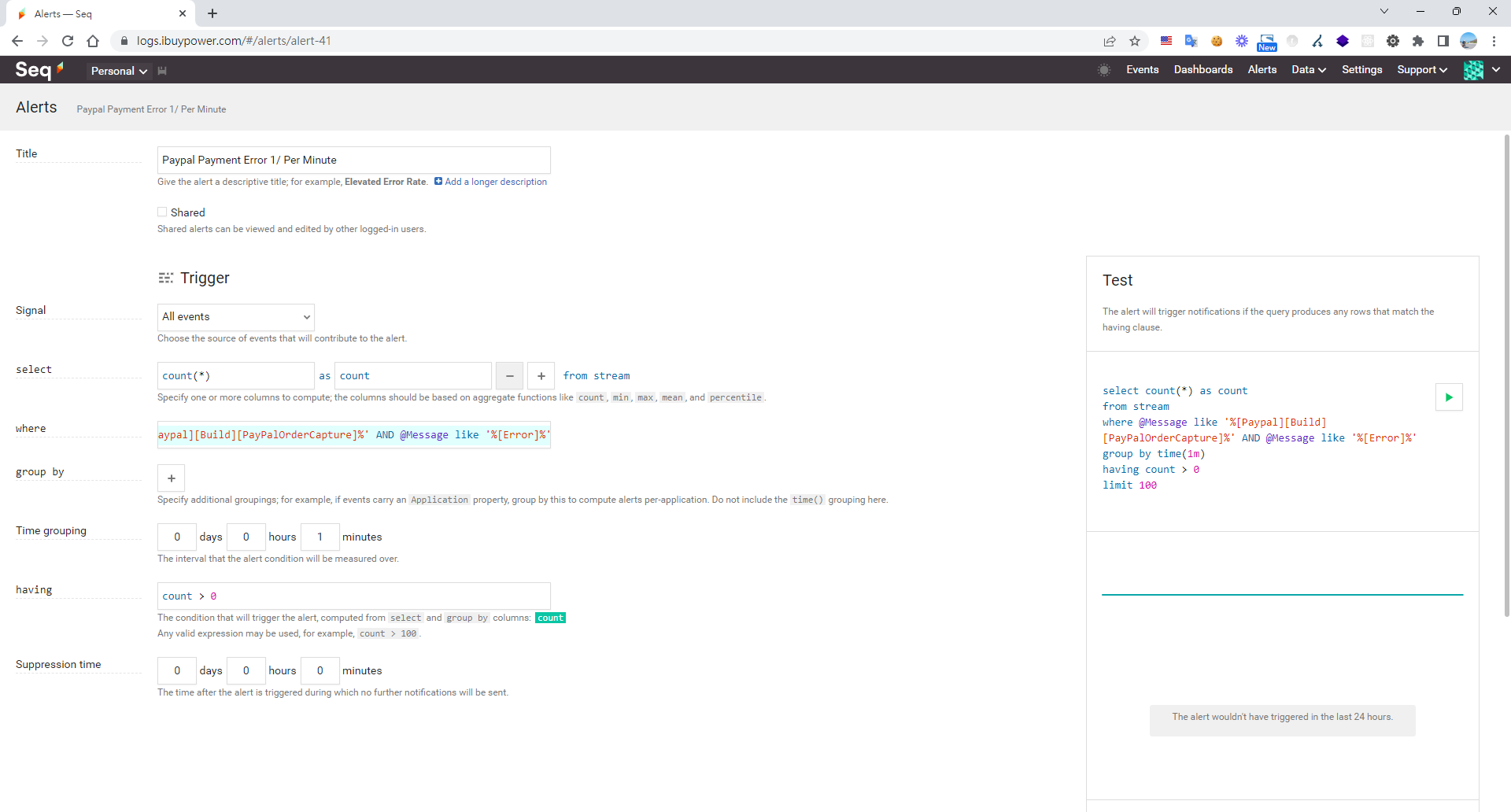
Seq alert configuration for PayPal payment error messages
@Message like '%[Paypal][Build]%' AND @Message like '%[Error]%'

Finally, embed the right keywords into your application logs. When a payment error fires, you'll get a Teams notification.
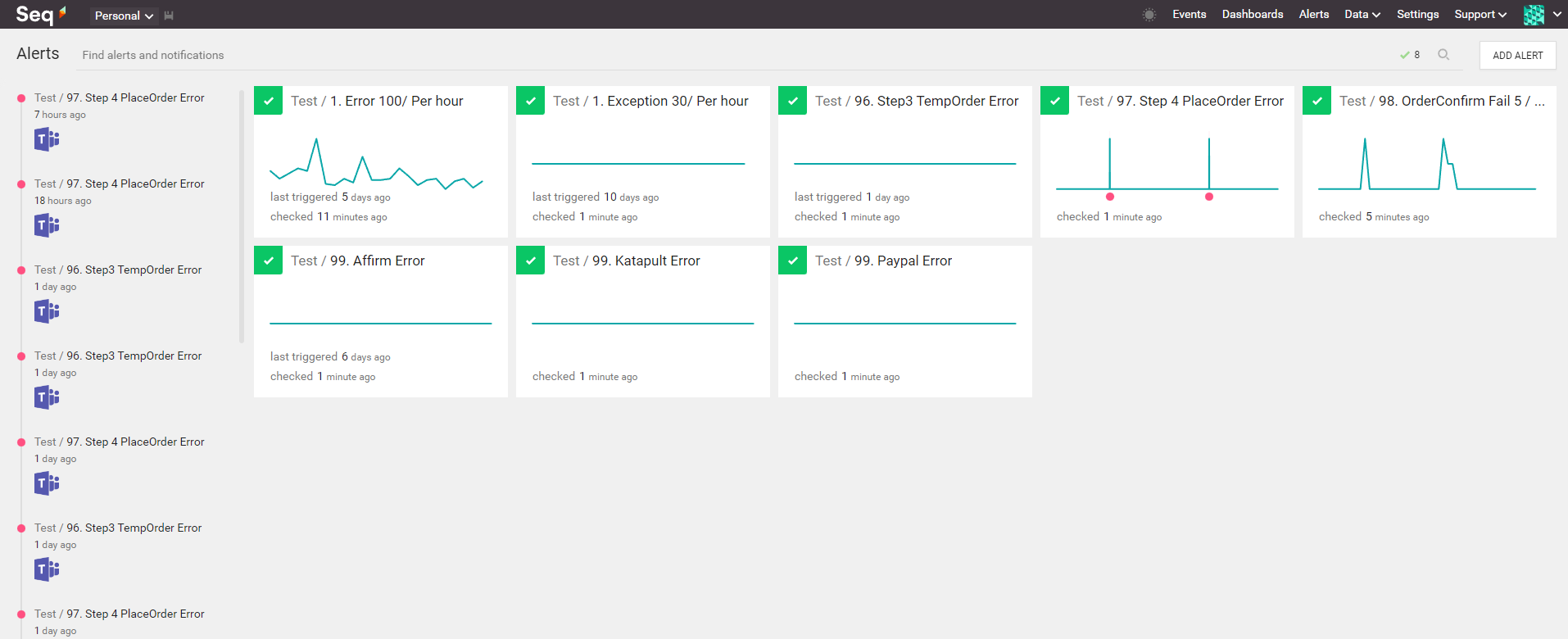
Seq alerts dashboard displaying payment and order error monitoring

Bonus — Seq makes it super easy to build dashboards too
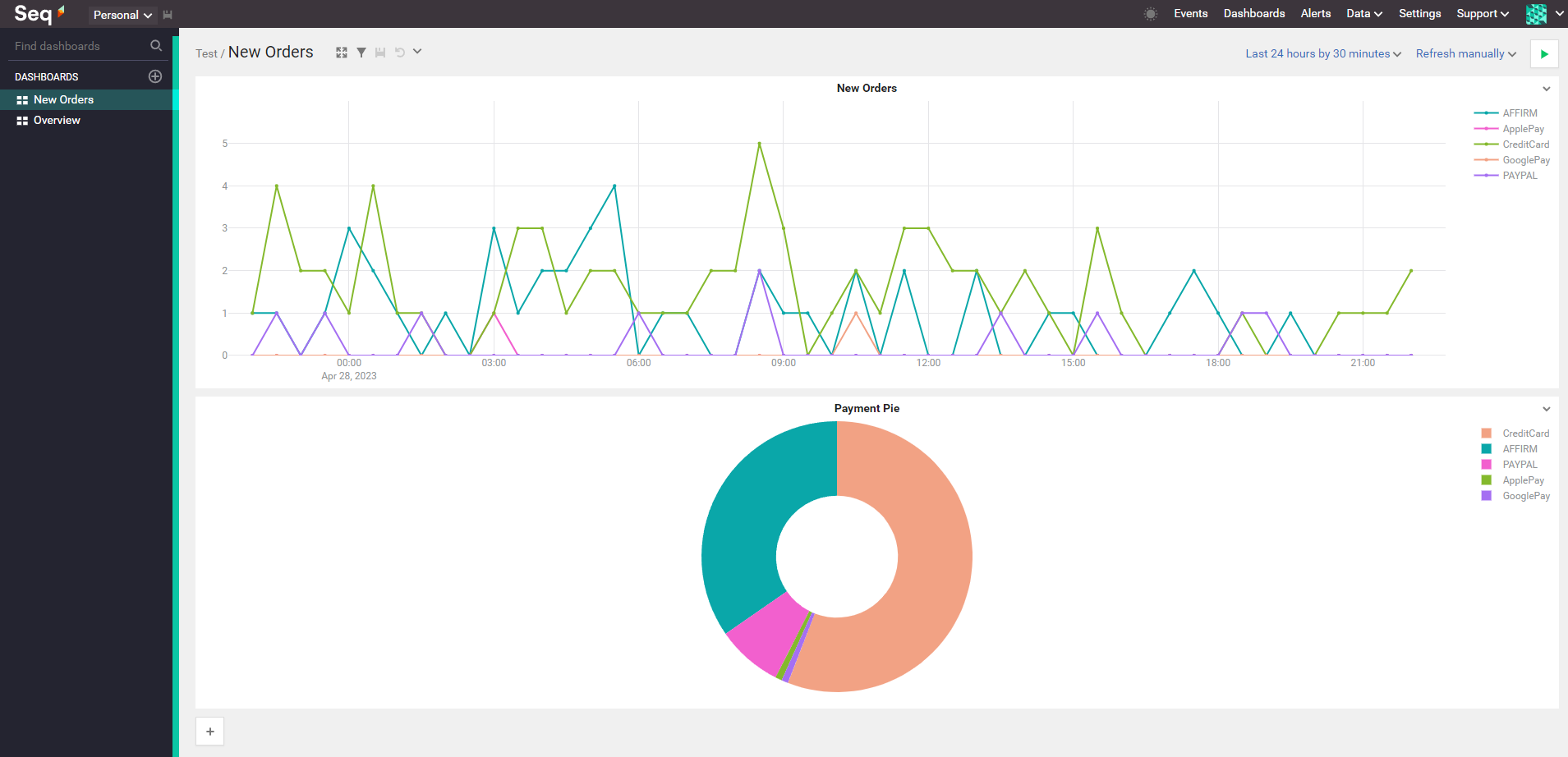
Seq dashboard with new orders line graph and payment method donut chart

Author

Mark Ku

擁有 10+ 年經驗的資深軟體工程師,現為 AI 應用 Builder,專注於大型平台架構與簡化複雜系統設計,從電商系統到訂閱與收費平台,結合 AI Agent、AI 整合與自動化開發,打造高效率且可持續演進的產品技術基礎。Read More

Found this useful?

The author's free tools, daily podcasts and newsletter are all here.

Mark Ku · This article is licensed under CC BY 4.0. Credit the author and link back to the original when reusing it.

Comments

Subscribe to Newsletter

Subscribe to get new posts delivered instantly — never miss a tech share.

By submitting, you agree to receive emails. You can anytime.

Popular Posts

View all
Mark Ku
··602

Oracle Cloud Always Free Tier: Linux Host and Static IP for a $0 Cloud Solution

Oracle Cloud Always Free Tier: Linux Host and Static IP for a $0 Cloud Solution
Mark Ku
··492

Say Goodbye to Postman's Fee Trap! A Hands-on Guide to Bruno, the Open-Source Git-Native API Testing Powerhouse.

Say Goodbye to Postman's Fee Trap! A Hands-on Guide to Bruno, the Open-Source Git-Native API Testing Powerhouse.
Mark Ku
··334

A Free, Open-Source, Notion-like Knowledge Base — A Complete Guide to Deploying and Backing Up Outline Wiki

A Free, Open-Source, Notion-like Knowledge Base — A Complete Guide to Deploying and Backing Up Outline Wiki
Mark Ku
··268

Training Your Own AI Voice: Hardware Requirements, Open-Source Model Comparison, and LoRA Fine-Tuning

Training Your Own AI Voice: Hardware Requirements, Open-Source Model Comparison, and LoRA Fine-Tuning
Mark Ku
··218

Building an Efficient API Management Platform: Deploying Kong Gateway from Scratch - Part 1

Building an Efficient API Management Platform: Deploying Kong Gateway from Scratch - Part 1
Mark Ku
··217

Setting Up Samba on Ubuntu to Share Folders with Windows 11

Setting Up Samba on Ubuntu to Share Folders with Windows 11