
Background
Earlier I wrote a note about SEQ. This post builds on that and uses Seq log server to monitor payment and order anomalies.
The Problem
In the past, when a payment or order error happened during a deployment, sometimes nobody noticed at the moment — and the issue would only surface much later.
Goal
When a payment or order anomaly occurs, monitor for the event and push a Teams notification to the relevant developers.
Install the Seq Plugin
SEQ doesn't ship with notifications out of the box, so we need to install a Teams notification plugin. SEQ-related packages
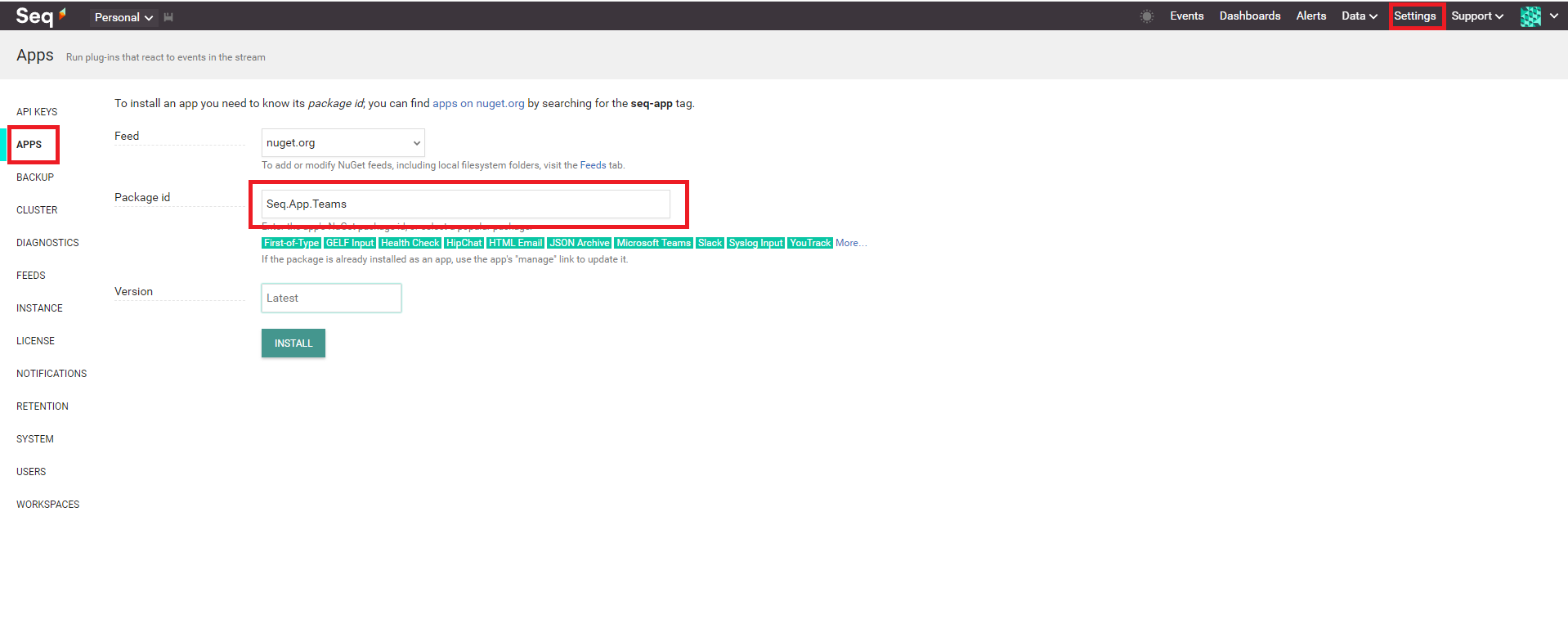
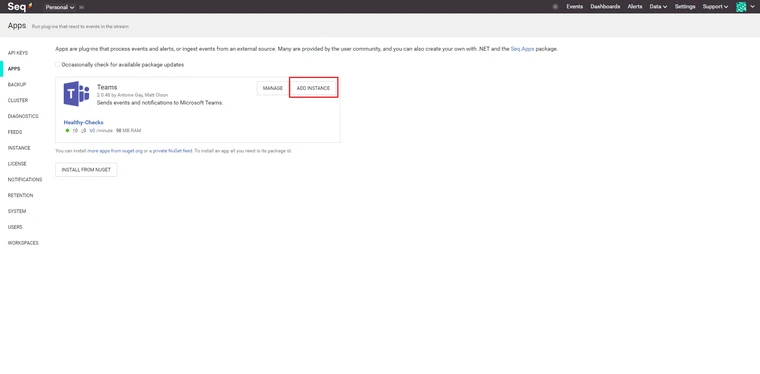
Under APPS, enter "Seq.App.Teams" in the Package field
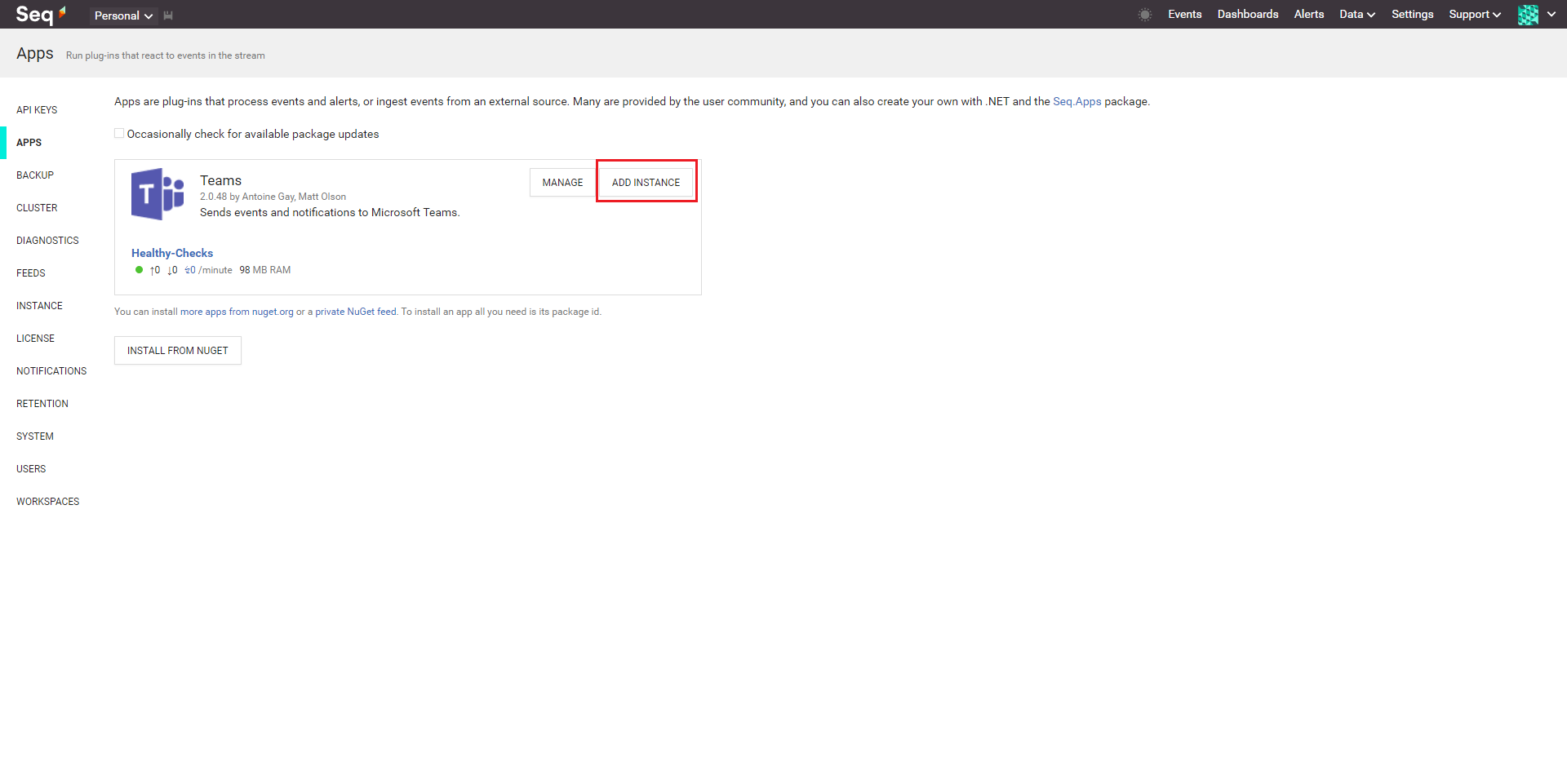
Click ADD INSTANCE
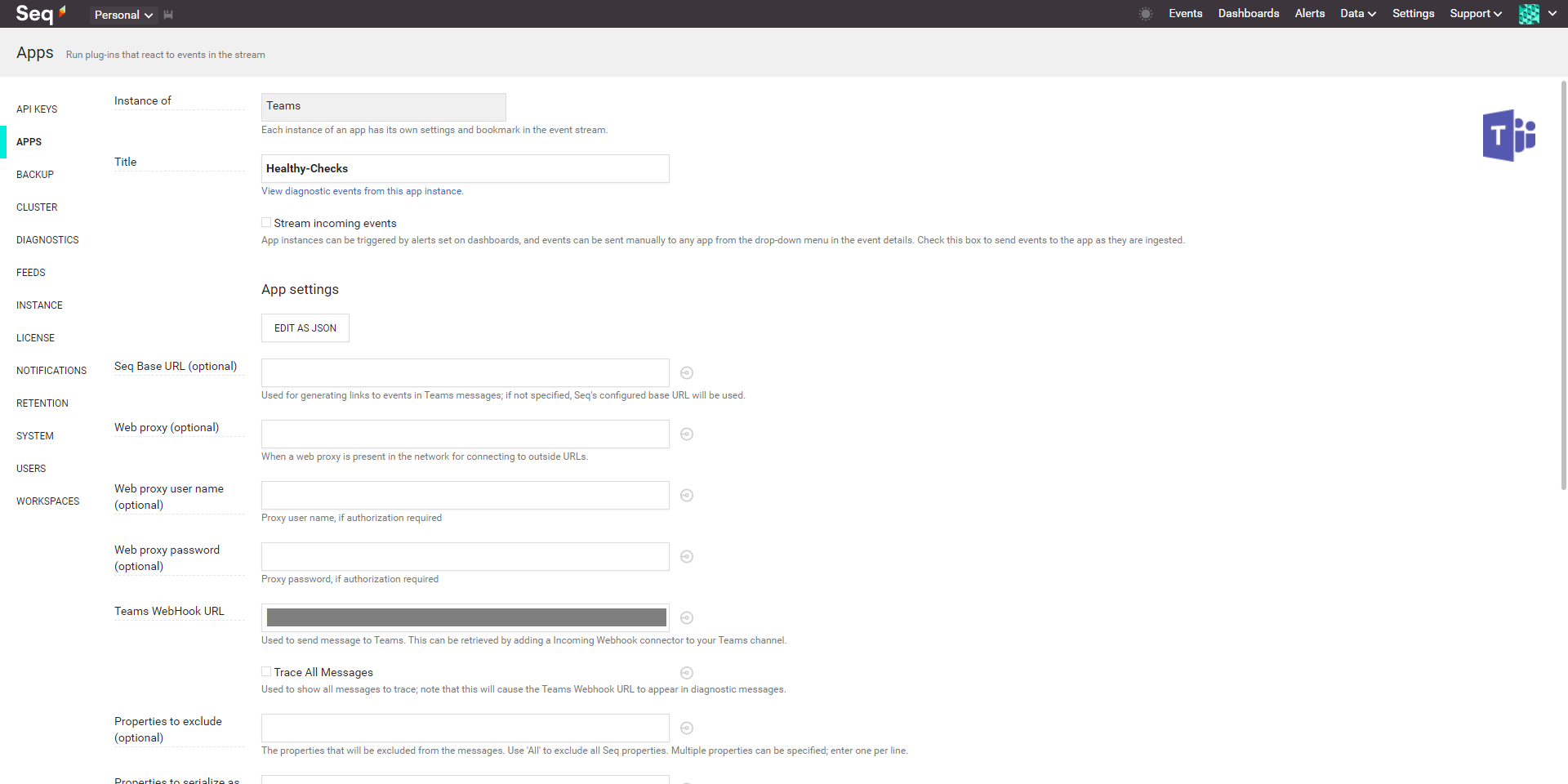
Enter your Teams webhook
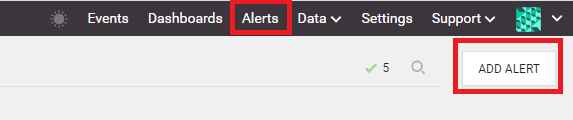
Now add an Alert: Settings > Add ALERT
Configure the conditions — the system triggers a notification based on time window and count
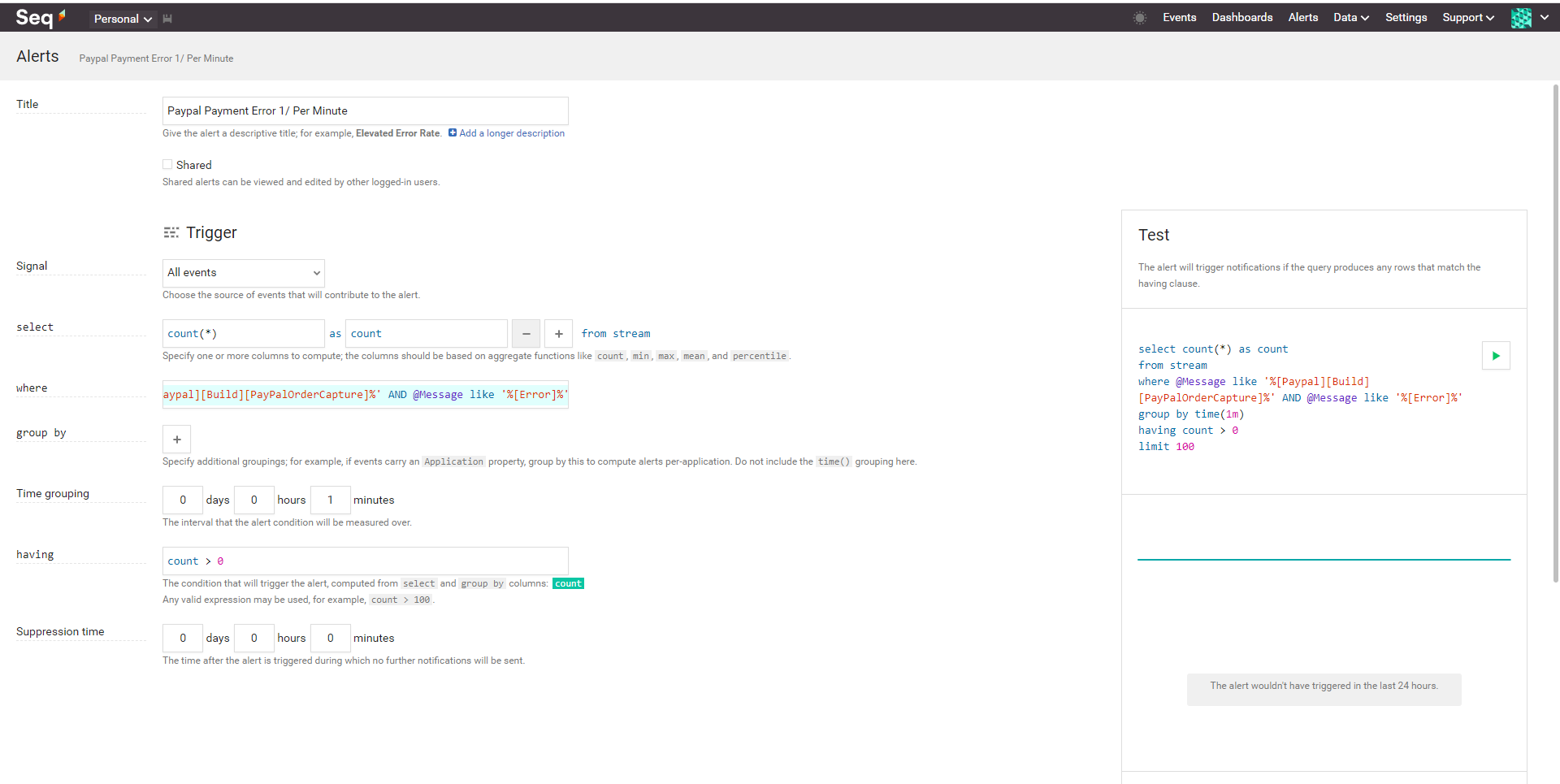
@Message like '%[Paypal][Build]%' AND @Message like '%[Error]%'
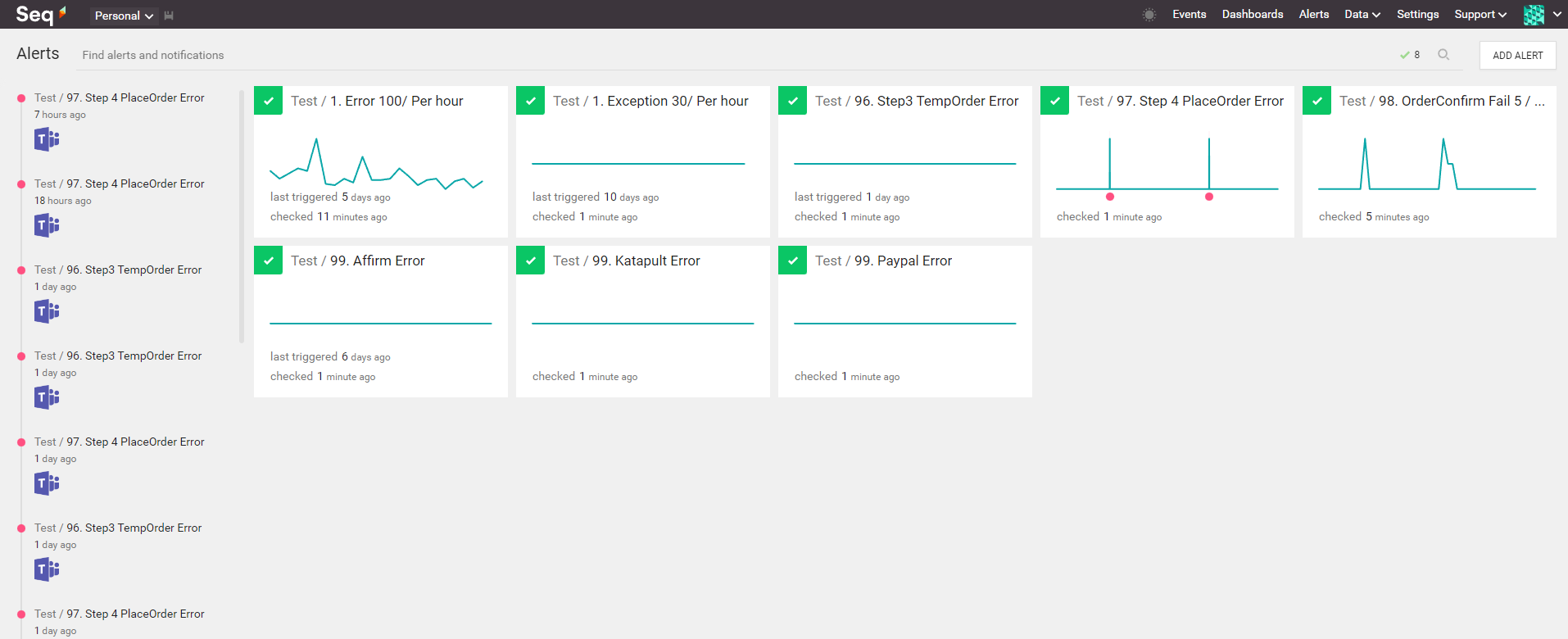
Finally, embed the right keywords into your application logs. When a payment error fires, you'll get a Teams notification.
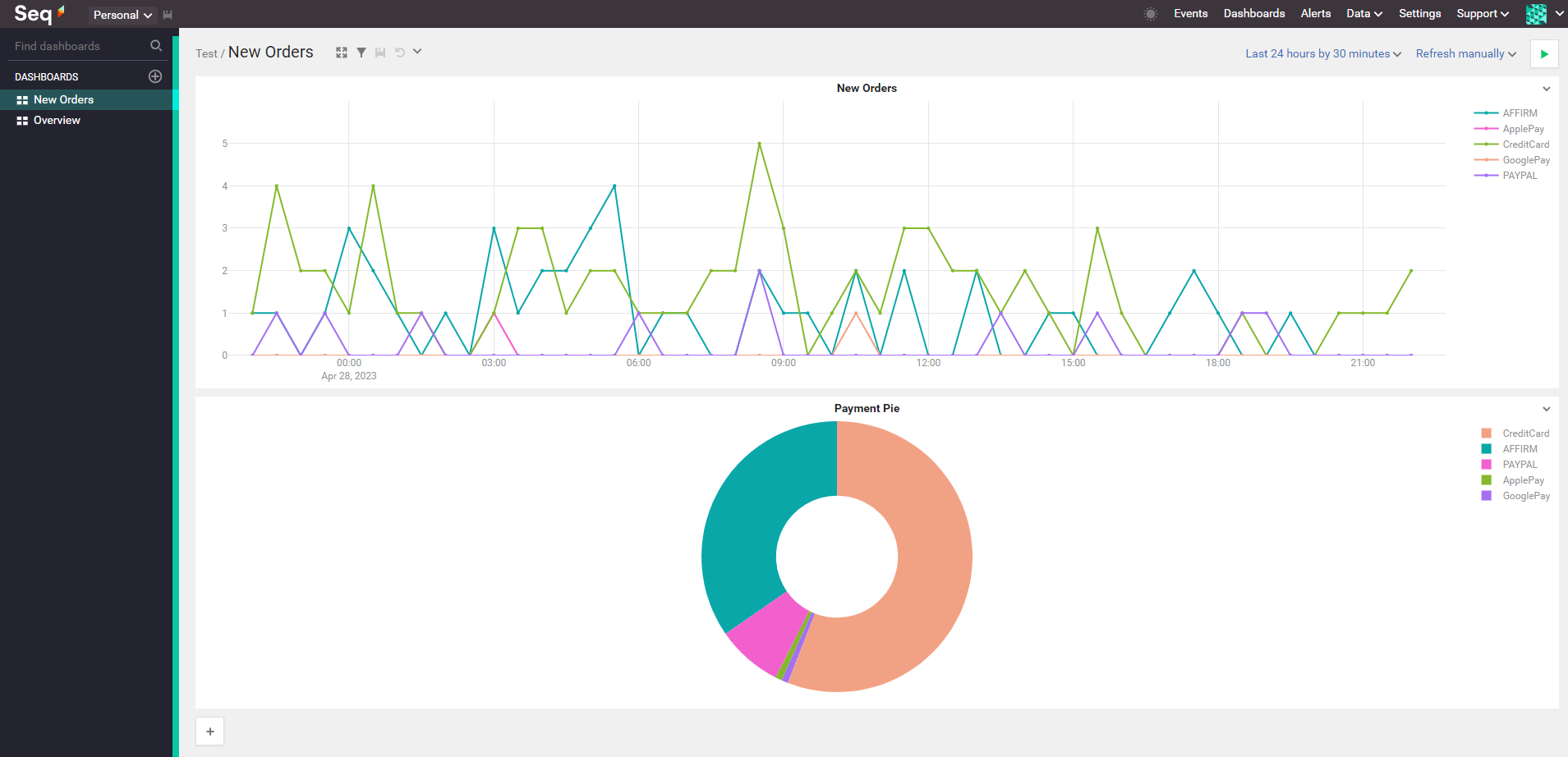
Bonus — Seq makes it super easy to build dashboards too


Comments