Mark Ku's Blog

Running a .NET Core Application on a Raspberry Pi to Control Thermal Receipt and Label Printers

Introduction

I've previously developed POS systems for the food and beverage industry. At that time, the backend was developed entirely on the Windows platform. Most vendors provided a Windows SDK, which allowed us to interact directly with their DLLs. This time, however, I'm working on a Raspberry Pi. The vendors didn't provide any SDKs, and I even encountered problems just trying to install the drivers. Ultimately, I had to resort to using sockets to send command sets to the network printers to get them to print.

Objective

To set up a .NET Core website on a Raspberry Pi and call the receipt and ticket printers to print.

Development Environment

Raspberry Pi 4B 8G * 1
Godex DT2X Label Printer * 1
HPRT TP805 Receipt Printer * 1
Thermal receipt paper * 1
Thermal label paper * 1

Command Sets for Receipt/Label Printers

Before developing for receipt or label printers, you first need to understand:

  • Most receipt printers use Epson's ESC/POS command set.
  • Most label printers use ZPL or a ZPL-extended command set.

Finally, I referenced the following open-source .NET Core projects

I ended up referencing the two packages below. By following their examples, I was able to directly use sockets to control the label and receipt printers, which quickly helped me achieve my goal.
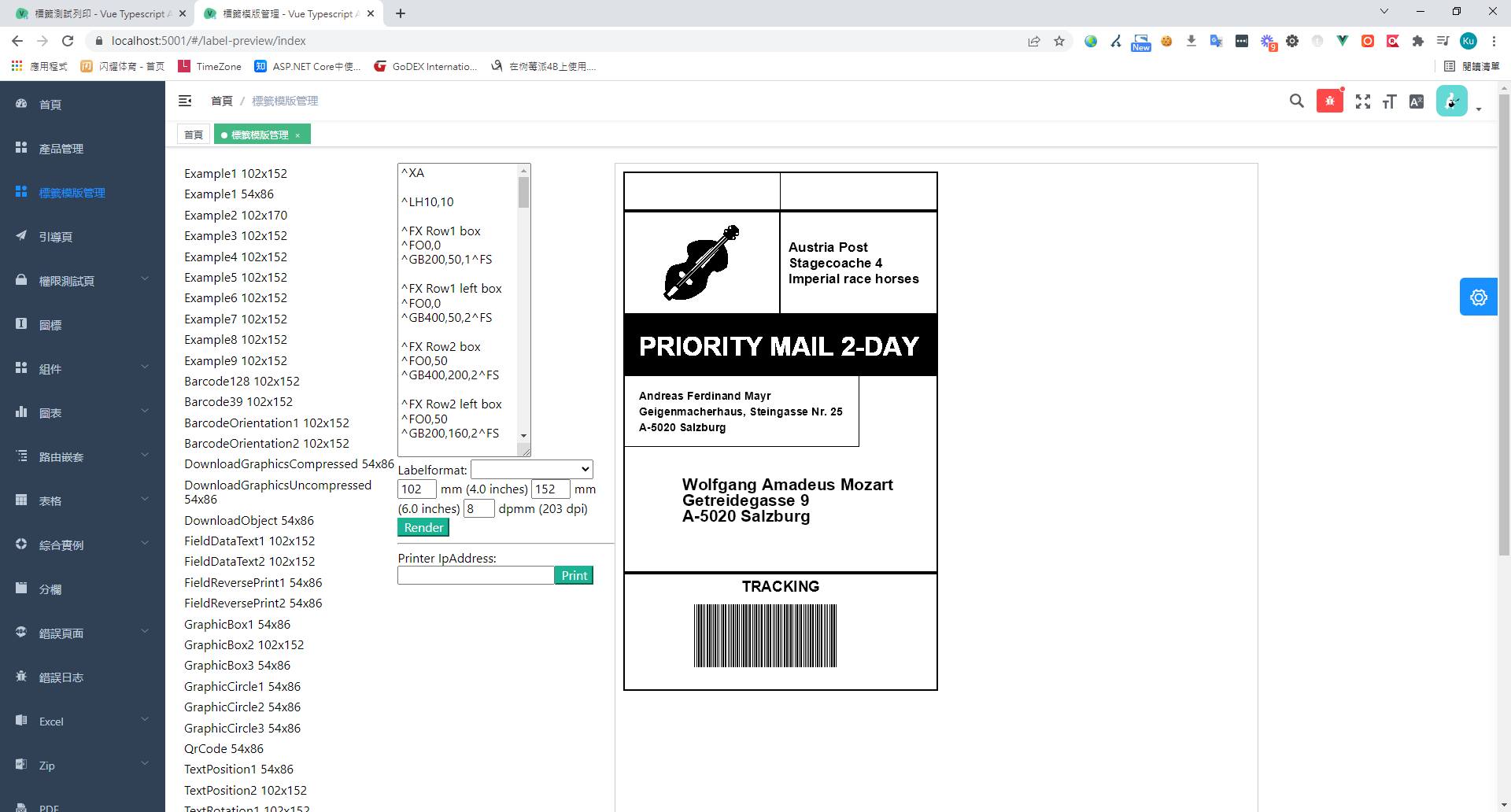
Browser displaying ZPL code and a shipping label preview

BinaryKits.Zpl(ZPL)
ESC-POS-.NET(ESCPOS)

Reference Command Sets

EZPL Command Set Documentation
ESC/POS Commands

Author

Mark Ku

擁有 10+ 年經驗的資深軟體工程師,現為 AI 應用 Builder,專注於大型平台架構與簡化複雜系統設計,從電商系統到訂閱與收費平台,結合 AI Agent、AI 整合與自動化開發,打造高效率且可持續演進的產品技術基礎。Read More

Found this useful?

The author's free tools, daily podcasts and newsletter are all here.

Mark Ku · This article is licensed under CC BY 4.0. Credit the author and link back to the original when reusing it.

Comments

Subscribe to Newsletter

Subscribe to get new posts delivered instantly — never miss a tech share.

By submitting, you agree to receive emails. You can anytime.

Popular Posts

View all
Mark Ku
··602

Oracle Cloud Always Free Tier: Linux Host and Static IP for a $0 Cloud Solution

Oracle Cloud Always Free Tier: Linux Host and Static IP for a $0 Cloud Solution
Mark Ku
··490

Say Goodbye to Postman's Fee Trap! A Hands-on Guide to Bruno, the Open-Source Git-Native API Testing Powerhouse.

Say Goodbye to Postman's Fee Trap! A Hands-on Guide to Bruno, the Open-Source Git-Native API Testing Powerhouse.
Mark Ku
··333

A Free, Open-Source, Notion-like Knowledge Base — A Complete Guide to Deploying and Backing Up Outline Wiki

A Free, Open-Source, Notion-like Knowledge Base — A Complete Guide to Deploying and Backing Up Outline Wiki
Mark Ku
··264

Training Your Own AI Voice: Hardware Requirements, Open-Source Model Comparison, and LoRA Fine-Tuning

Training Your Own AI Voice: Hardware Requirements, Open-Source Model Comparison, and LoRA Fine-Tuning
Mark Ku
··221

Building an Efficient API Management Platform: Deploying Kong Gateway from Scratch - Part 1

Building an Efficient API Management Platform: Deploying Kong Gateway from Scratch - Part 1
Mark Ku
··215

Setting Up Samba on Ubuntu to Share Folders with Windows 11

Setting Up Samba on Ubuntu to Share Folders with Windows 11