
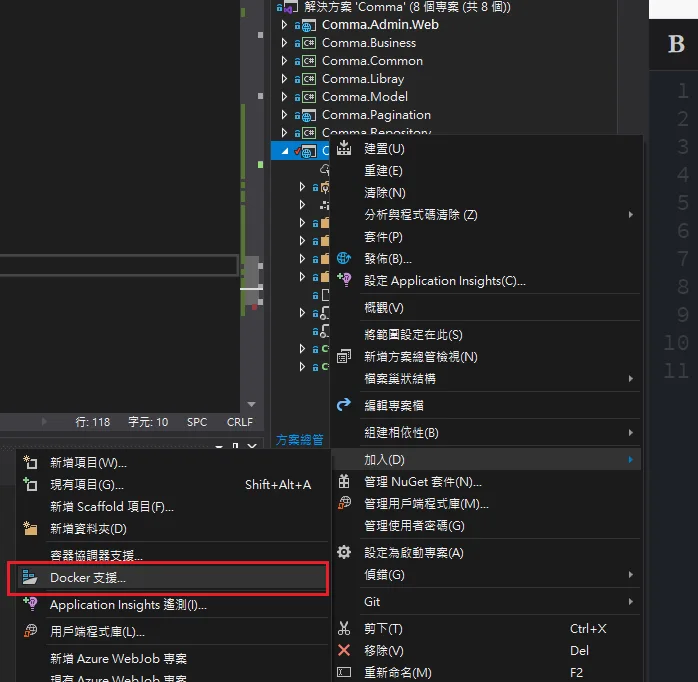
Step 1: Open Visual Studio, right-click the project you want to deploy > Add > Docker Support (this generates a Dockerfile in the project directory)
Node.js must be installed during the build stage, otherwise the build will fail
Add the following snippet after the FROM mcr.microsoft.com/dotnet/core/sdk:3.1-buster AS build line:
# Install NodeJs
RUN apt-get update && \
apt-get install -y wget && \
apt-get install -y gnupg2 && \
wget -qO- https://deb.nodesource.com/setup_12.x | bash - && \
apt-get install -y build-essential nodejs
# End Install
Final Dockerfile after the changes
#See https://aka.ms/containerfastmode to understand how Visual Studio uses this Dockerfile to build your images for faster debugging.

FROM mcr.microsoft.com/dotnet/core/aspnet:3.1-buster-slim AS base
WORKDIR /app
EXPOSE 80
EXPOSE 443

FROM mcr.microsoft.com/dotnet/core/sdk:3.1-buster AS build
# Install NodeJs
RUN apt-get update && \
apt-get install -y wget && \
apt-get install -y gnupg2 && \
wget -qO- https://deb.nodesource.com/setup_12.x | bash - && \
apt-get install -y build-essential nodejs
# End Install
WORKDIR /
COPY ["Comma.Web/Comma.Web.csproj", "Comma.Web/"]
COPY ["Comma.Business/Comma.Business.csproj", "Comma.Business/"]
COPY ["Comma.Libray/Comma.Libray.csproj", "Comma.Libray/"]
COPY ["Comma.Common/Comma.Common.csproj", "Comma.Common/"]
COPY ["Comma.Repository/Comma.Repository.csproj", "Comma.Repository/"]
COPY ["Comma.Model/Comma.Model.csproj", "Comma.Model/"]
COPY ["Comma.Pagination/Comma.Pagination.csproj", "Comma.Pagination/"]
RUN dotnet restore "Comma.Web/Comma.Web.csproj"
COPY . .
WORKDIR "/Comma.Web"
RUN dotnet build "Comma.Web.csproj" -c Release -o /app/build

FROM build AS publish
RUN dotnet publish "Comma.Web.csproj" -c Release -o /app/publish

FROM base AS final
WORKDIR /app
COPY --from=publish /app/publish .
ENTRYPOINT ["dotnet", "Comma.Web.dll"]
Build the Docker image
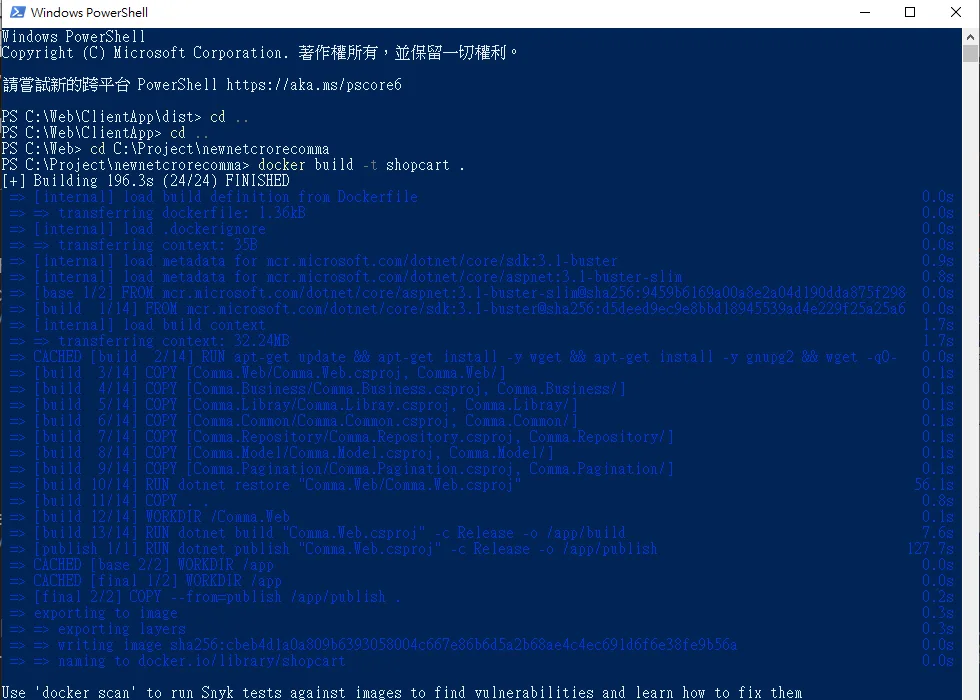
Because Docker's COPY instruction does not support parent directory paths (../), you need to run the build from the top-level directory and explicitly specify the Dockerfile path:
docker build -t shopcart . -f ./Comma.Web/Dockerfile
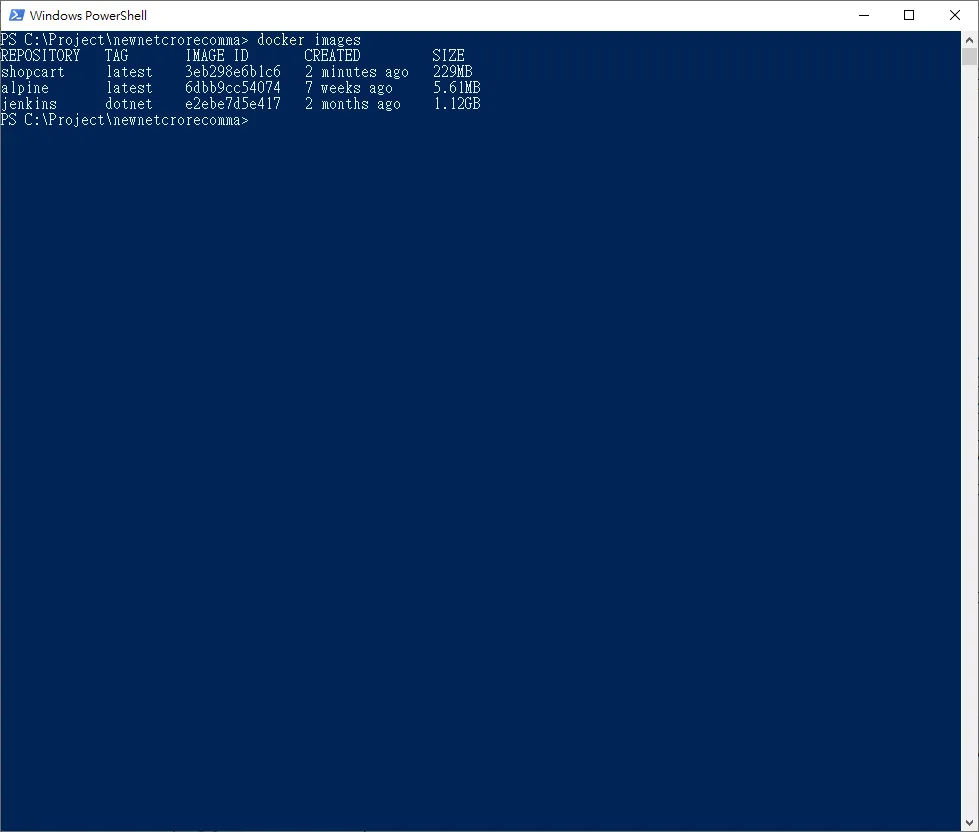
Verify the image
docker Images
Create a container from the image you just built
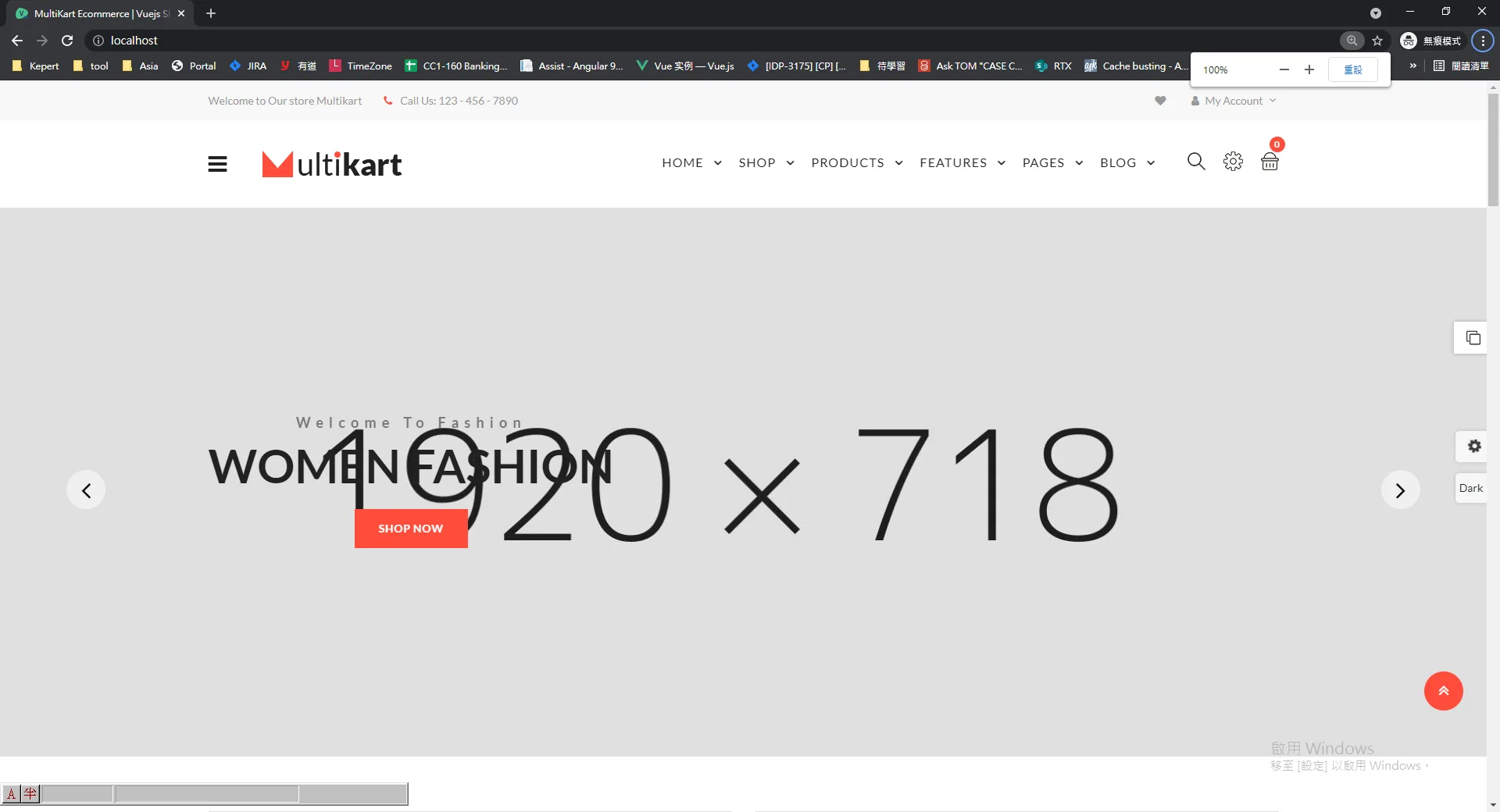
docker run -d --name newwebsite -p 80:80 shopcart
The site should now be accessible at localhost:80
If the site doesn't start, use docker logs to inspect errors inside the container
docker logs newwebsite
Export the image
docker save -o C:\Project\shopcart.tar shopcart


Comments