
Context
According to statistics, PayPal has over 22% market share in Germany and is also quite popular throughout the EU. However, due to severe e-commerce fraud in the past, the client decided to disable PayPal. With the rebuild of the German website, we are reintegrating PayPal, pairing it with the Riskified insurance service to mitigate the operational risks of online e-commerce fraud.
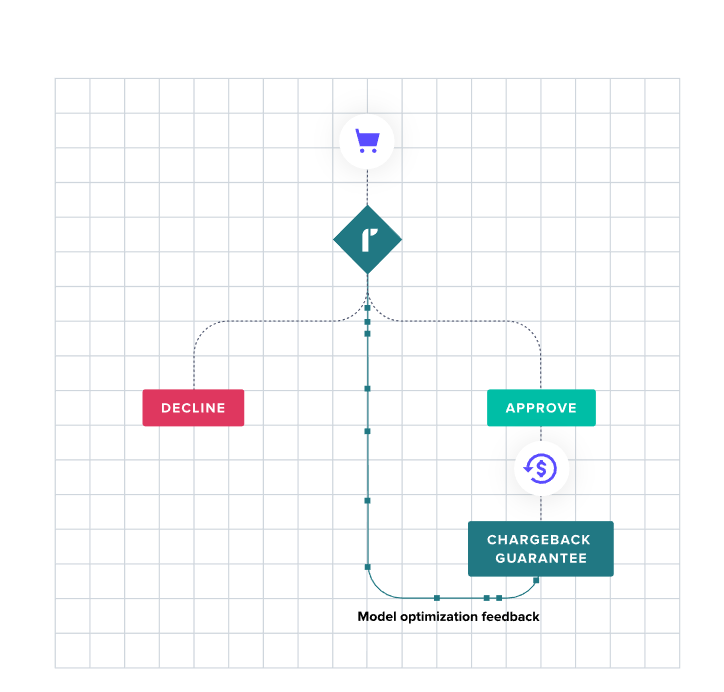
PayPal Integration
PayPal's API seems to have been upgraded, and the official recommendation is to integrate using the new REST API v2.
Relevant Documentation
- Frontend Integration Documentation
- Get API Access Token
- API Request Information
- APIs for Creating Orders, Authorization, and Capture
API Endpoint
Sandbox. https://api-m.sandbox.paypal.com
Live. https://api-m.paypal.com
Getting API Keys
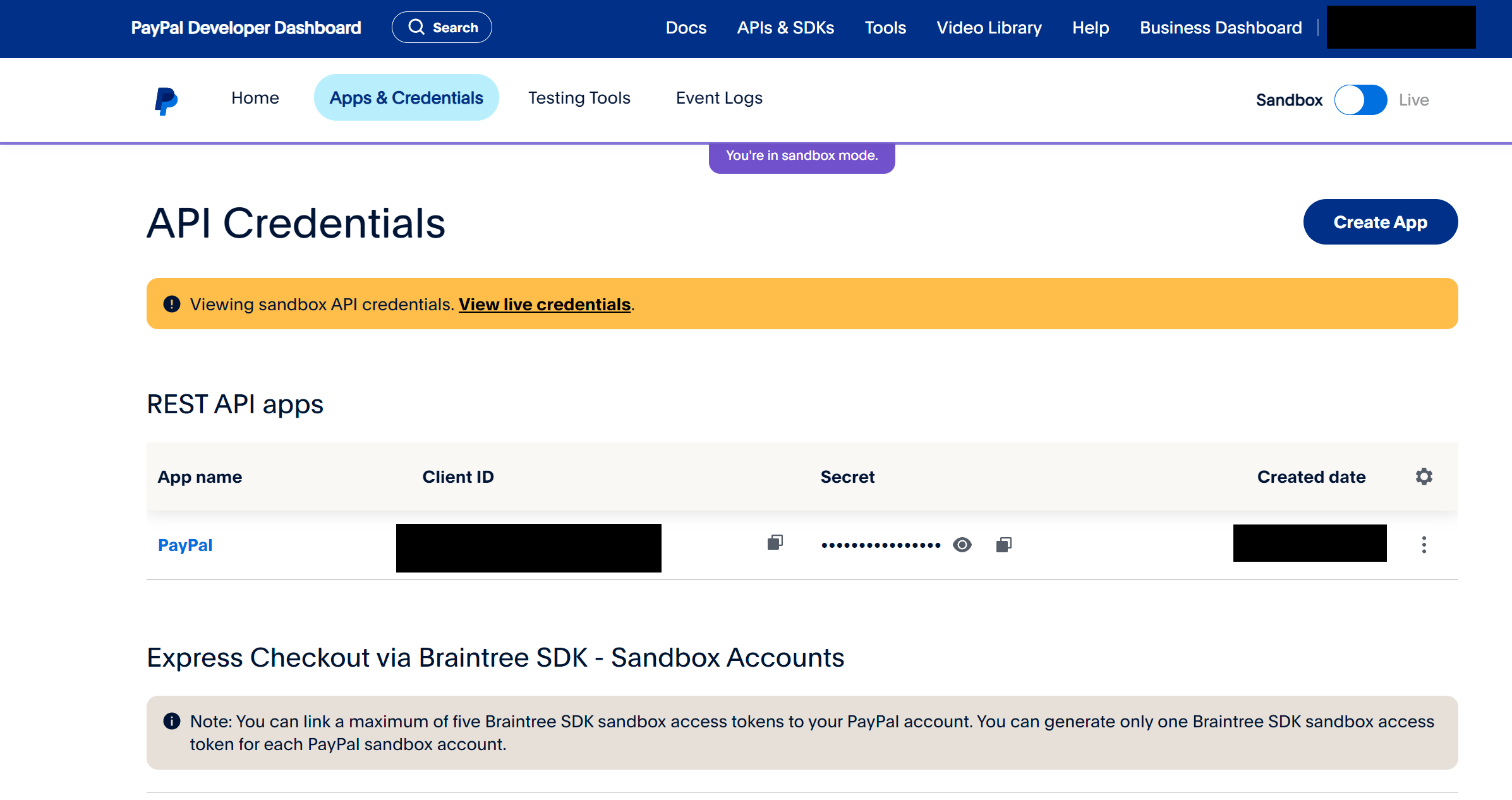
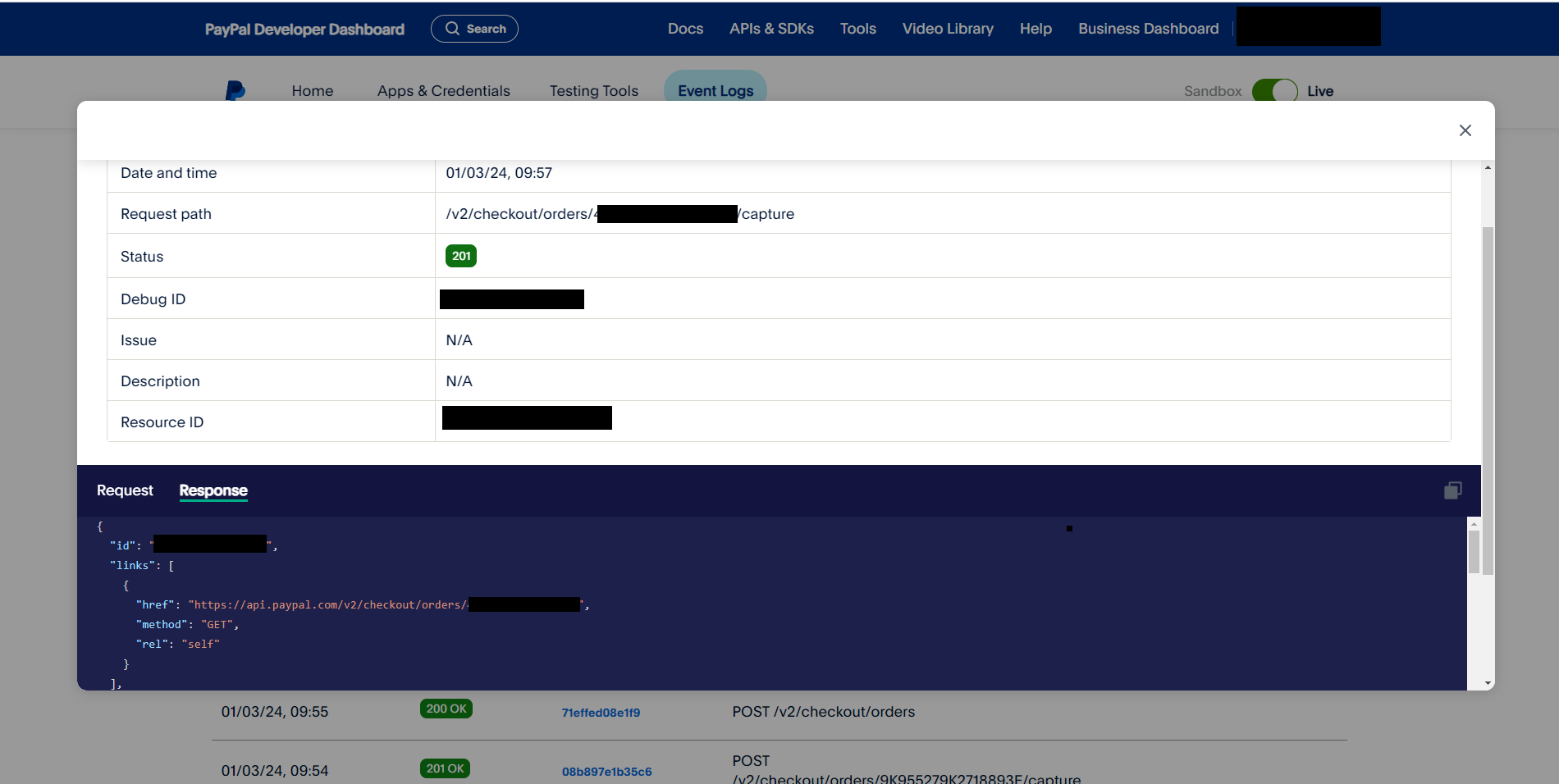
The new version is quite convenient, allowing debugging via Event Logs
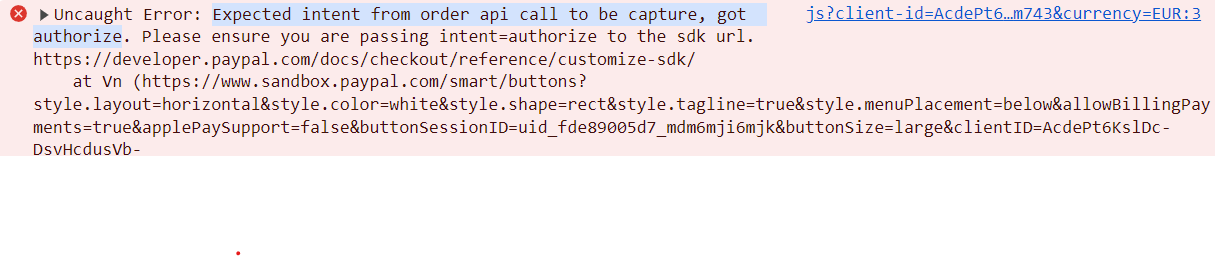
Frontend errors can also be debugged through the browser
Advanced Payment Features
The advanced mode adds Venmo (social payments), Debit or Credit Card, and PayPal Pay Later (buy now, pay later), but it requires applying for PayPal's Braintree payment gateway.
P.S. PayPal's Braintree is a comprehensive payment solution, similar to a payment gateway. It primarily helps merchants accept, process, and distribute payments, solving multiple issues related to accepting online payments by providing a secure, flexible, and easy-to-integrate platform.
Integration Flowchart
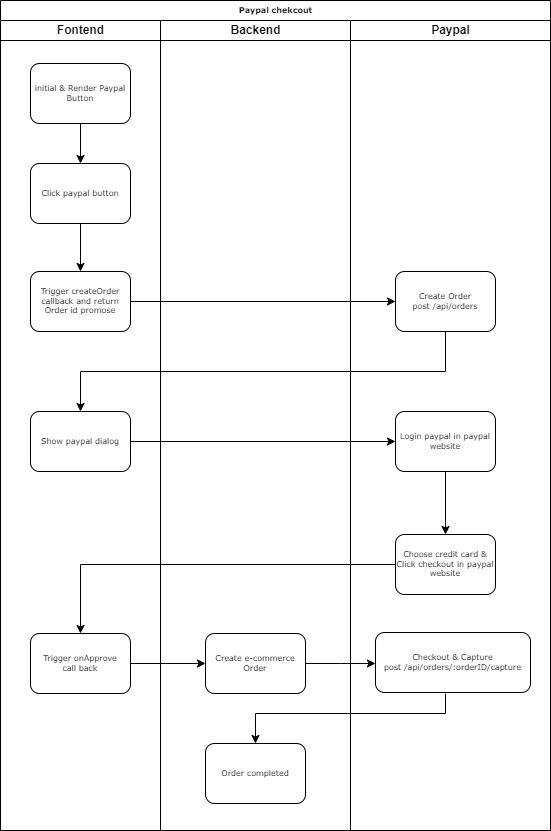
Starting the Integration
First, you can refer to the examples in the official Integration builder. They are actually quite well-written, and you can basically complete the integration by following them.
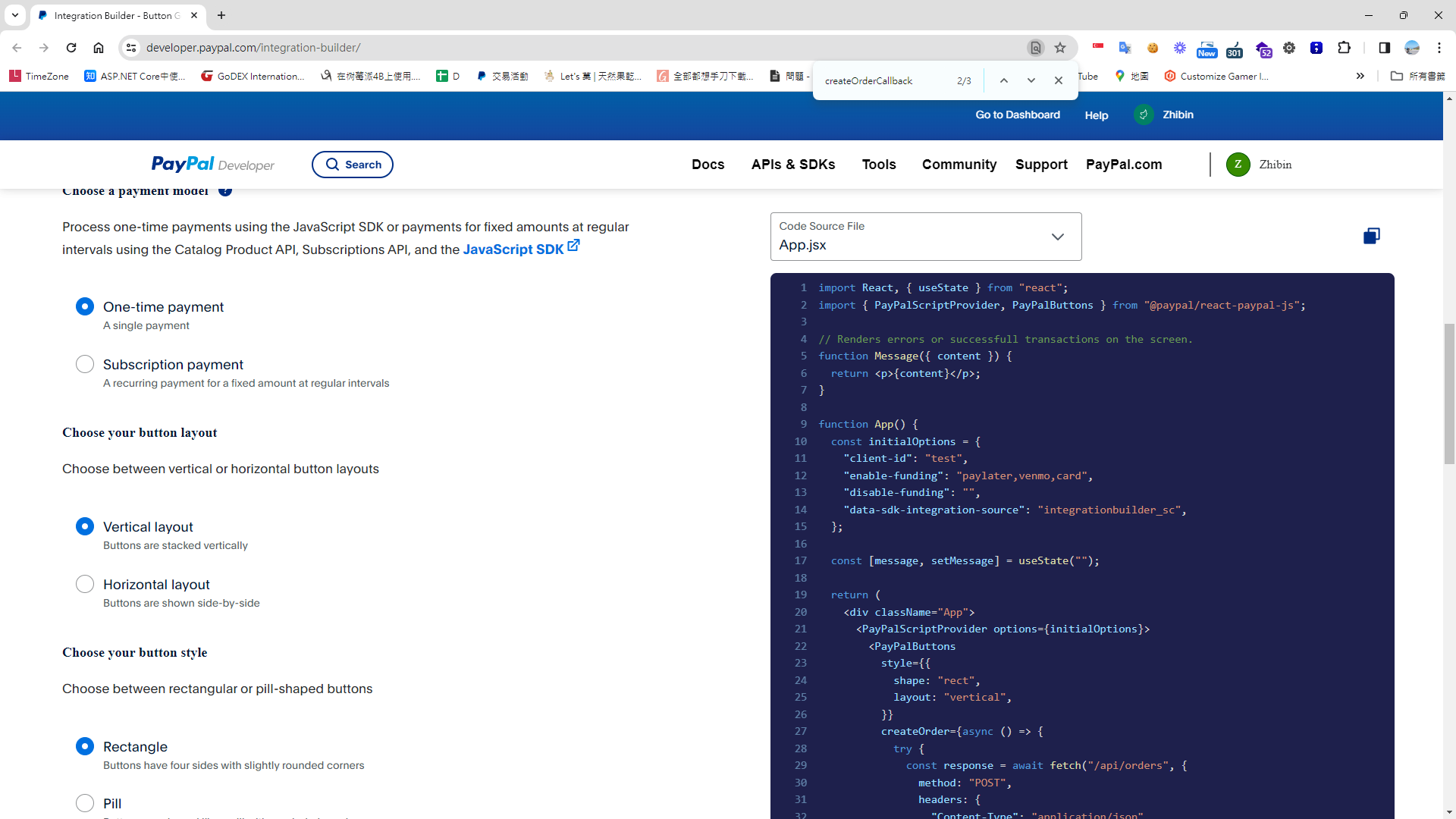
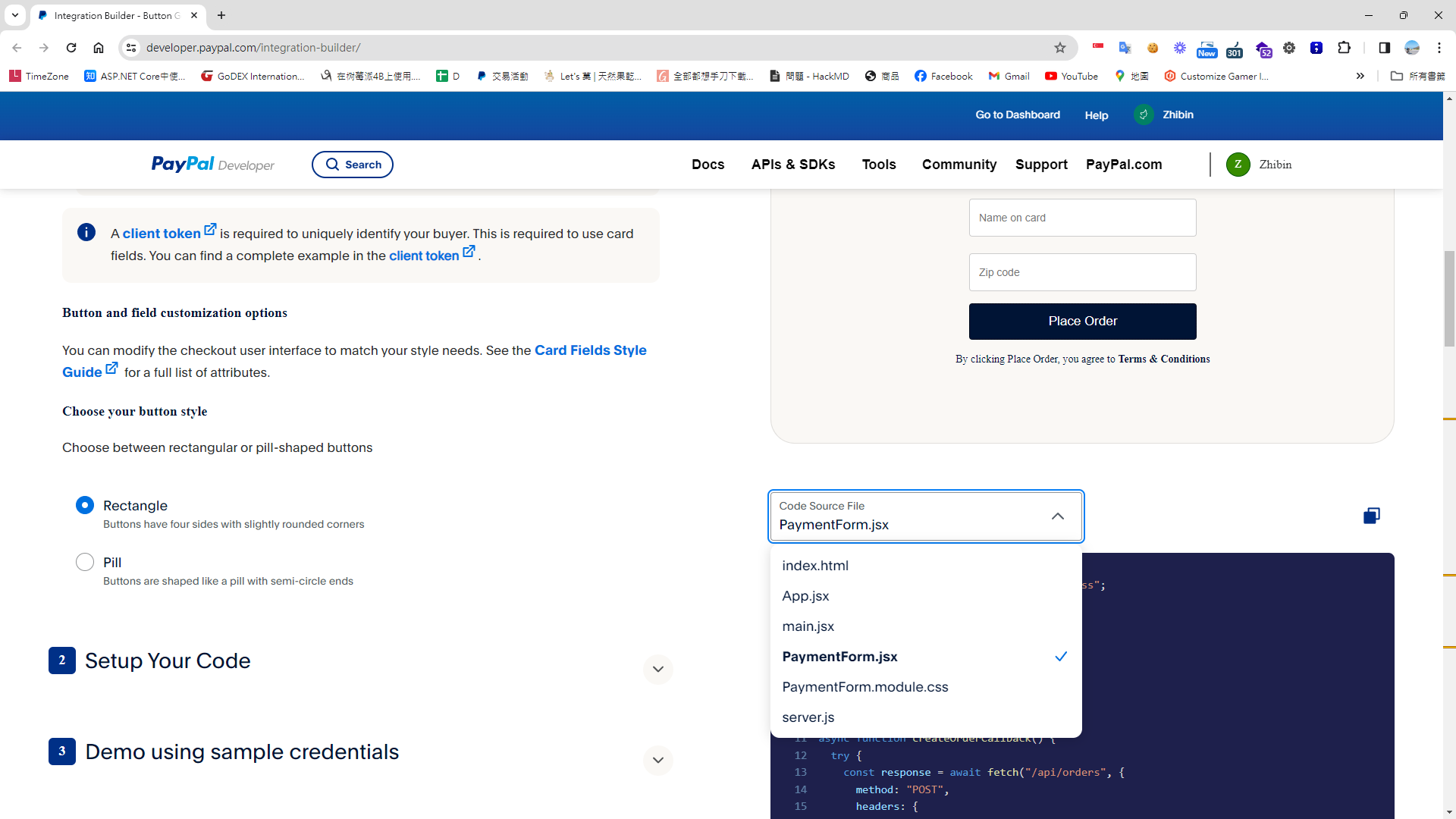
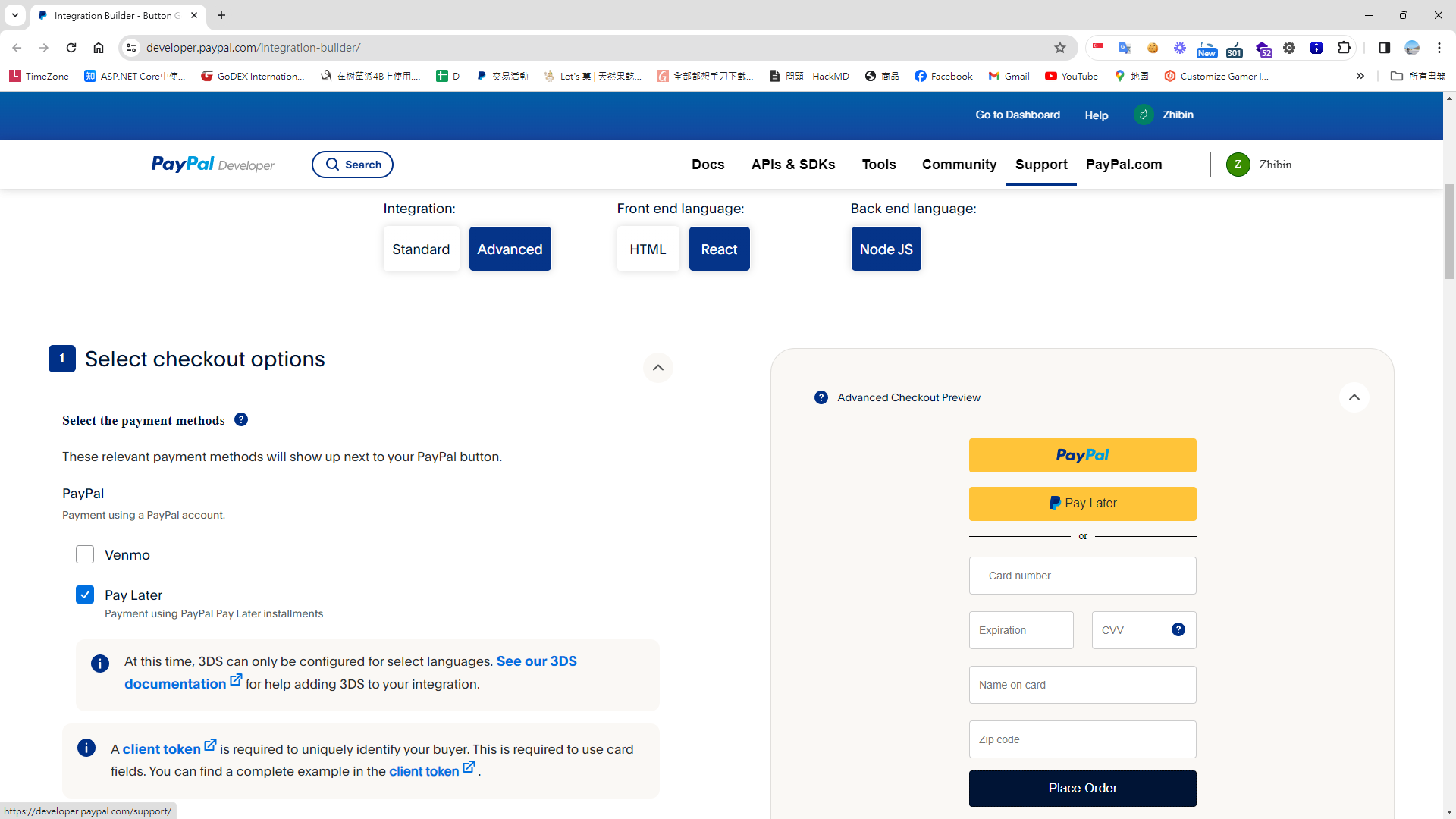
Frontend Example (Next.js App Router)
Install the SDK
npm install @paypal/react-paypal-js --save
Writing the Frontend Integration Code
'use client'; // next js client component
import { PaymentOptions } from '@/const/payment/payment-option';
import { useCaptureMutation, useGetConfigQuery, useProcessMutation } from '@/redux/api/test-payment-apiSlice';
import { IGernalPaymentParams } from '@/typing/cart';
import { PayPalButtons, PayPalScriptProvider } from '@paypal/react-paypal-js';
import { v4 as uuidv4 } from 'uuid';

export default function TestPaypal() {
    const { data: paymentInitOption, isLoading: isPaymentInitLoading } = useGetConfigQuery(); // rtk query 取得 payal sdk 前端初始化的參數

    const [Process] = useProcessMutation(); // rtk query 用來呼叫建立建立授權訂單的api

    const [Capture] = useCaptureMutation(); // rtk query 用來呼叫提取信用請款的api

    const gernalPaymentParams: IGernalPaymentParams = {
        paymentTypeCode: PaymentOptions[PaymentOptions.Paypal],
        orderNo: uuidv4(),
    } as IGernalPaymentParams;

    const createOrder = (): Promise<string> => {
        return Process(gernalPaymentParams)
            .unwrap()
            .then((res: ApiResponse<IGeneralPaymentResult>) => {
                if (res.isSuccess) {
                    const orderId = res.data.paymentReturnValue;

                    return orderId;
                }
                return '';
            });
    };

    const onApprove = (data: any) => {
        return Capture(gernalPaymentParams)
            .unwrap()
            .then((res: ApiResponse<IGeneralPaymentResult>) => {
                if (res.isSuccess) {
                    debugger;
                    paypalOrderId.current = res.data.paymentReturnValue;
                    alert('Payment success');
                }
            });
    };

    return (
        <>
            {!isPaymentInitLoading && (
                <PayPalScriptProvider options={paymentInitOption}>
                    <PayPalButtons
                        createOrder={createOrder}
                        onApprove={onApprove}
                        style={{ layout: 'horizontal', color: 'white', tagline: true }}
                    />
                </PayPalScriptProvider>
            )}
        </>
    );
}
Backend Example (C#)
Define Backend Environment Settings - Appsetting.json
  "Payment": {
    "PaymentOptions": [
      {
        "PaymentName": "Paypal",
        "IsSandbox": true,
        "ClientId": "Your paypal clientId",
        "Secret": "Your paypal secret",
        "EndPoint": "https://api-m.sandbox.paypal.com" // sandbox
      }]
  }
Construct SDK Initialization Parameters for the Frontend from Backend Environment Variables
     public async Task<Result<Dictionary<string, string>>> GetConfig()
     {
        var dic = new Dictionary<string, string>();
        dic.Add("client-id", GeneralPaymentConfig.ClientId);
        dic.Add("currency", HardCodeKey.BasedCurrency);
		// dic.Add("disable-funding", "credit,card"); // 關閉信用卡及借記卡

        var result = new Result<Dictionary<string, string>> { IsSuccess = true, Message = "", Data = dic };
        return result;
     }
PayPal API Request Authorization - PayPal supports two token types; here we use <client_id:secret> as the login token
According to the official documentation, we can either call the API to get an Access-Token or use client_id:secret as the token to call the PayPal API.
// To make REST API calls, include the bearer token in this header with the Bearer authentication scheme. The value is Bearer <Access-Token> or Basic <client_id:secret>

public async Task<string> Authorization()
   {
      return Convert.ToBase64String(Encoding.ASCII.GetBytes($"{GeneralPaymentConfig.ClientId}:{GeneralPaymentConfig.Secret}")); ;
}
Next, we implement /api/orders to create and authorize an order
public async Task<Result<GeneralPaymentResult>> ProcessAsync(GernalPaymentParameter paymentParameter)
{
   var result = new Result<GeneralPaymentResult>
   {
      IsSuccess = false,
      Message = "",
      Data = new GeneralPaymentResult
      {
         PaymentReturnType = PaymentReturnType.OrderId,
      }
   };

   try
   {
      var headers = new Dictionary<string, string>
    {
      { "Authorization", $"Basic  {Authorization()}" },
      { "PayPal-Request-Id",  HttpContext.Current.TraceIdentifier},
    };

      var paymentCapture = new PaymentCapture
      {
         Intent = "CAPTURE",
         PurchaseUnits = new List<PurchaseUnit>
   {
   new PurchaseUnit
   {
      ReferenceId = paymentParameter.OrderNo,
      Amount = new Model.ViewModels.Payment.Amount
      {
          CurrencyCode = "EUR",
          Value = "1.00"
      },
      Shipping = new PaypalShipping
      {
          Address =  new PaypalAddress
          {
              AddressLine1 = "2211 N First Street",
              AddressLine2 = "Building 17",
              AdminArea2 = "San Jose",
              AdminArea1 = "CA",
              PostalCode = "95131",
              CountryCode = "US"
          }
      }
      }
      },
         PaymentSource = new PaymentSource
         {
            PayPal = new PayPal
            {
               ExperienceContext = new ExperienceContext
               {
                  PaymentMethodPreference = "IMMEDIATE_PAYMENT_REQUIRED",
                  BrandName = "EXAMPLE INC",
                  Locale = "en-US",
                  LandingPage = "LOGIN",
                  ShippingPreference = "SET_PROVIDED_ADDRESS",
                  UserAction = "PAY_NOW",
                  ReturnUrl = "https://example.com/returnUrl",
                  CancelUrl = "https://example.com/cancelUrl"
               }
            }
         }
      };

      // Use Newtonsoft.Json to serialize the object to JSON (for demonstration)
      string body = JsonConvert.SerializeObject(paymentCapture, Formatting.Indented);

      var orderRsult = await HttpHelper.PostAsync<PaypalOrderResponse>(GeneralPaymentConfig.EndPoint + "/v2/checkout/orders", body, headers);
      result.Data.PaymentReturnValue = orderRsult.Id;
      result.Success();
   }
   catch (Exception ex)
   {
      result.Fail(ex.Message);
      NLogUtil.WriteSEQLog($"[Paypal][ProcessAsync]Error:{ex.Message},StackTrace:{ex.StackTrace}", NLog.LogLevel.Error);
   }

   return result;
}
Finally, we implement /api/orders for payment capture
public virtual async Task<Result<GeneralPaymentResult>> CaptureAsync(GernalPaymentParameter paymentParameter)
{
   // Sandbox have some issue.cannot use capture
   var result = new Result<GeneralPaymentResult>
   {
      IsSuccess = false,
      Message = "Capture fail!",
      Data = new GeneralPaymentResult
      {
      }
   };

   try
   {
      var url = GeneralPaymentConfig.EndPoint + $"/v2/checkout/orders/{paymentParameter.PaymentGatewayOrderId}/capture";
      var requestBody = "";

      var headers = new Dictionary<string, string>
    {
      { "Authorization", $"Basic  {Authorization()}" },
      { "PayPal-Request-Id",  HttpContext.Current.TraceIdentifier},
    };

      var response = await HttpHelper.PostAsync<PaypalOrderResponse>(url, requestBody, headers);

      if (response.Status == "COMPLETED")
      {
         result.IsSuccess = true;
         result.Message = "Capture success";
      }

   }
   catch (Exception ex)
   {
      result.Fail(ex.Message);
      NLogUtil.WriteSEQLog($"[Paypal][CaptureAsync]Error:{ex.Message},StackTrace:{ex.StackTrace}", NLog.LogLevel.Error);
   }

   return result;
}
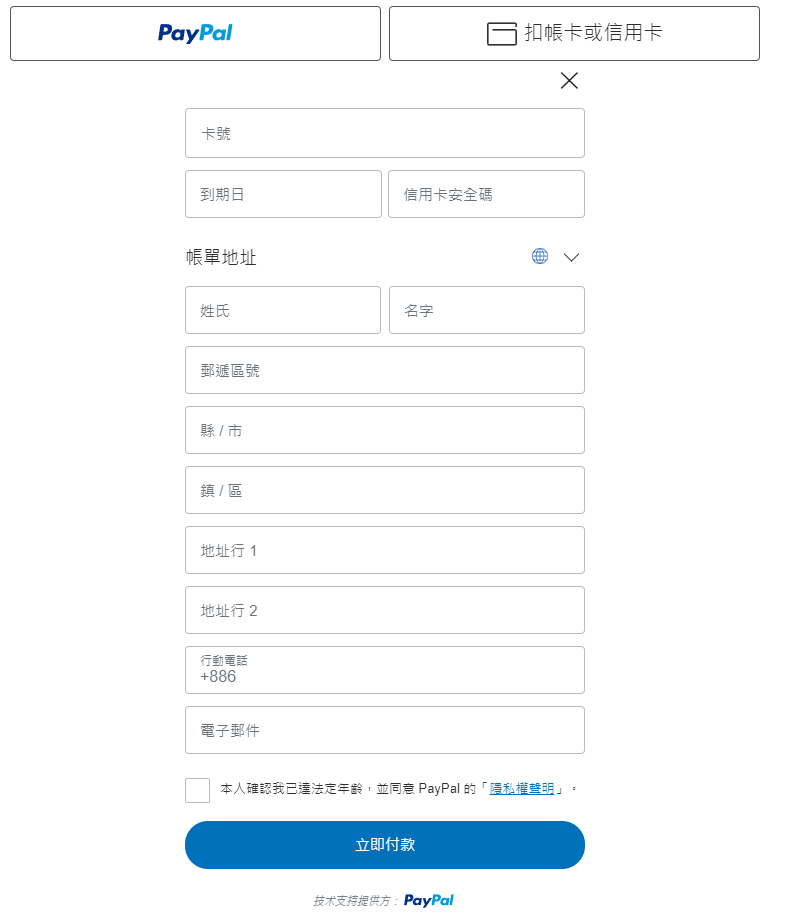
Use a Credit Card with PayPal Without Logging In
Addendum - Pay Upon Invoice
An interesting feature: a third-party payment method from PayPal where goods are shipped before payment is made. PayPal guarantees that the merchant will receive the money.


Comments