
The Challenges of Omnichannel Chat Integration
Today, customers expect to communicate with businesses in real-time through various channels. Website chat functionality, in particular, has become a necessity for almost every company. However, managing so many communication systems is a real hassle:
Inconsistent customer experiences, low customer service efficiency, fragmented data, high costs, and the difficulty of seamlessly integrating traditional chat tools with websites.
Why Choose Rocket.Chat Omnichannel?
Rocket.Chat's Omnichannel feature is designed to solve these problems. It provides a unified platform that allows businesses to manage all communication channels in one place, intelligently route conversations, maintain a complete record of customer interactions, and analyze customer service performance in real-time. Best of all, it's open-source and completely free to use.
Supported Communication Channels
It supports embedding live chat on your website and provides a mobile app for users to receive messages anytime. It also integrates with various social messaging tools, including WhatsApp, Facebook Messenger, Telegram, email, and SMS, and can be deeply integrated with other systems via its API.
Free Plan Features
Rocket.Chat offers a free Starter plan that includes advanced features like smart routing. The free version provides smart routing, multiple queues, read receipts, and unlimited push notifications, but is limited to 50 users and 100 monthly active contacts. It's ideal for small teams or individual use.
📱 Rocket.Chat App: Receive Messages Anytime, Anywhere
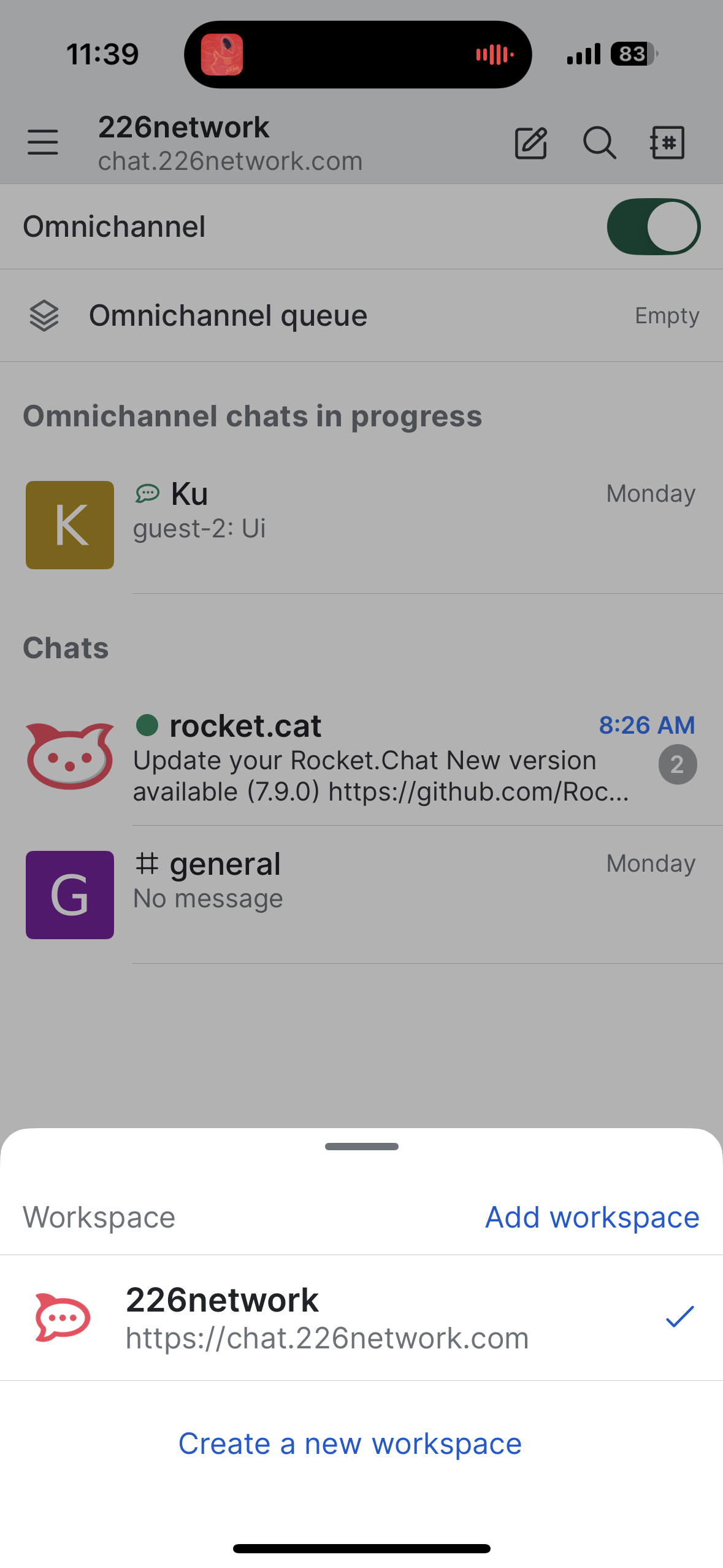
Rocket.Chat provides a full-featured mobile app, allowing customer service agents to receive and reply to messages anytime, anywhere:
🎯 App Features
The Rocket.Chat app offers complete real-time chat functionality, supporting text, images, and file sharing. It includes team collaboration tools and integrates with customer service systems, enabling team members to communicate from anywhere.
📲 How to Download
Android users can download it from the Google Play Store, and iOS users from the App Store. Desktop versions are available for Windows, macOS, and Linux, meeting the needs of users on different platforms.
🔧 Basic Setup
After installation, you'll need to connect to your server. You can adjust notification settings to suit your personal preferences. The app supports multiple themes and languages, allowing users to personalize their experience.
💼 Use Cases
It's especially suitable for customer service teams and also supports remote work environments. In emergencies, it can be used to send out quick notifications to ensure important messages are delivered promptly.
🔒 Security Features
It provides end-to-end encryption to protect message security and supports multi-factor authentication and permission management, ensuring enterprise-grade security standards.
Docker Deployment
Designed with a microservices architecture, it includes core components like the App Server, MongoDB database, chat components, and analytics tools to ensure stable system operation.
Docker Compose Configuration
Here is the complete docker-compose.yaml configuration file:
version: '3.8'

services:
  rocketchat:
    image: registry.rocket.chat/rocketchat/rocket.chat:latest
    restart: always
    volumes:
      - ./uploads:/app/uploads
      - ./custom:/app/custom
    environment:
      - PORT=3000
      - ROOT_URL=https://chat.226network.com
      - MONGO_URL=mongodb://mongodb:27017/rocketchat
      - DEPLOY_METHOD=docker
      - DEPLOY_PLATFORM=linux/amd64
      - ENABLE_OMNICHANNEL=true
      - ENABLE_LIVECHAT=true
      - ENABLE_LIVECHAT_ANALYTICS=true
      - CACHE_SIZE=100
      - CACHE_TTL=600
    ports:
      - 30047:3000

  mongodb:
    image: mongo:6.0
    restart: always
    volumes:
      - mongodb_data:/data/db
    environment:
      - MONGO_INITDB_ROOT_USERNAME=admin
      - MONGO_INITDB_ROOT_PASSWORD=password123
      - MONGO_INITDB_DATABASE=rocketchat
    ports:
      - "27017:27017"
    command: mongod --auth

  redis:
    image: redis:6-alpine
    restart: always
    volumes:
      - redis_data:/data
    command: redis-server --appendonly yes

volumes:
  mongodb_data:
  redis_data:
Deployment Steps
1. Prepare the Environment
mkdir rocket-chat
cd rocket-chat
mkdir uploads
mkdir custom
mkdir mongodb-data
2. Start the Services
docker-compose up -d
docker-compose ps
docker-compose logs -f rocketchat
3. Initial Setup
Visit http://localhost:30047 to create an administrator account and configure your organization's information.
Omnichannel Feature Configuration
1. Enable the Omnichannel Feature
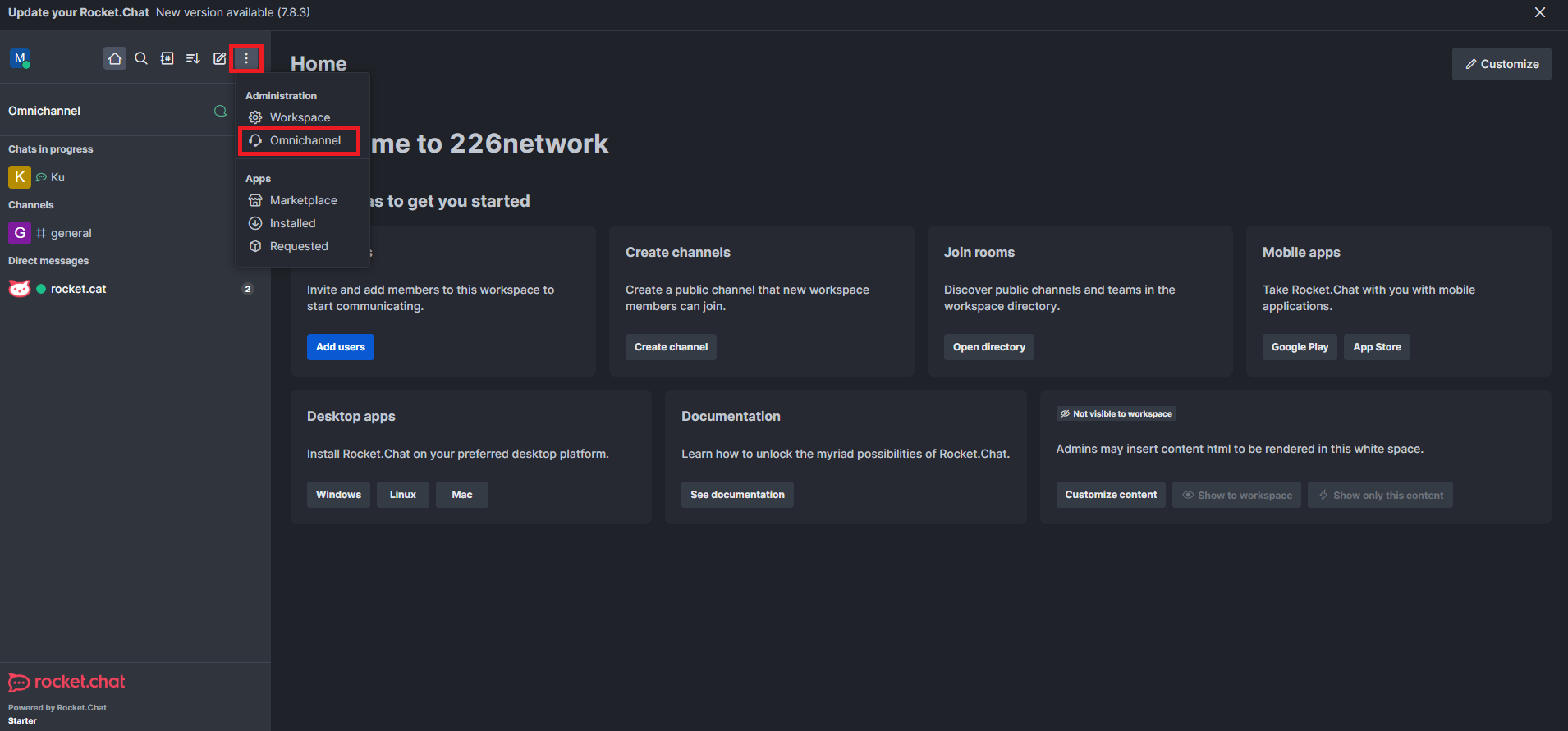
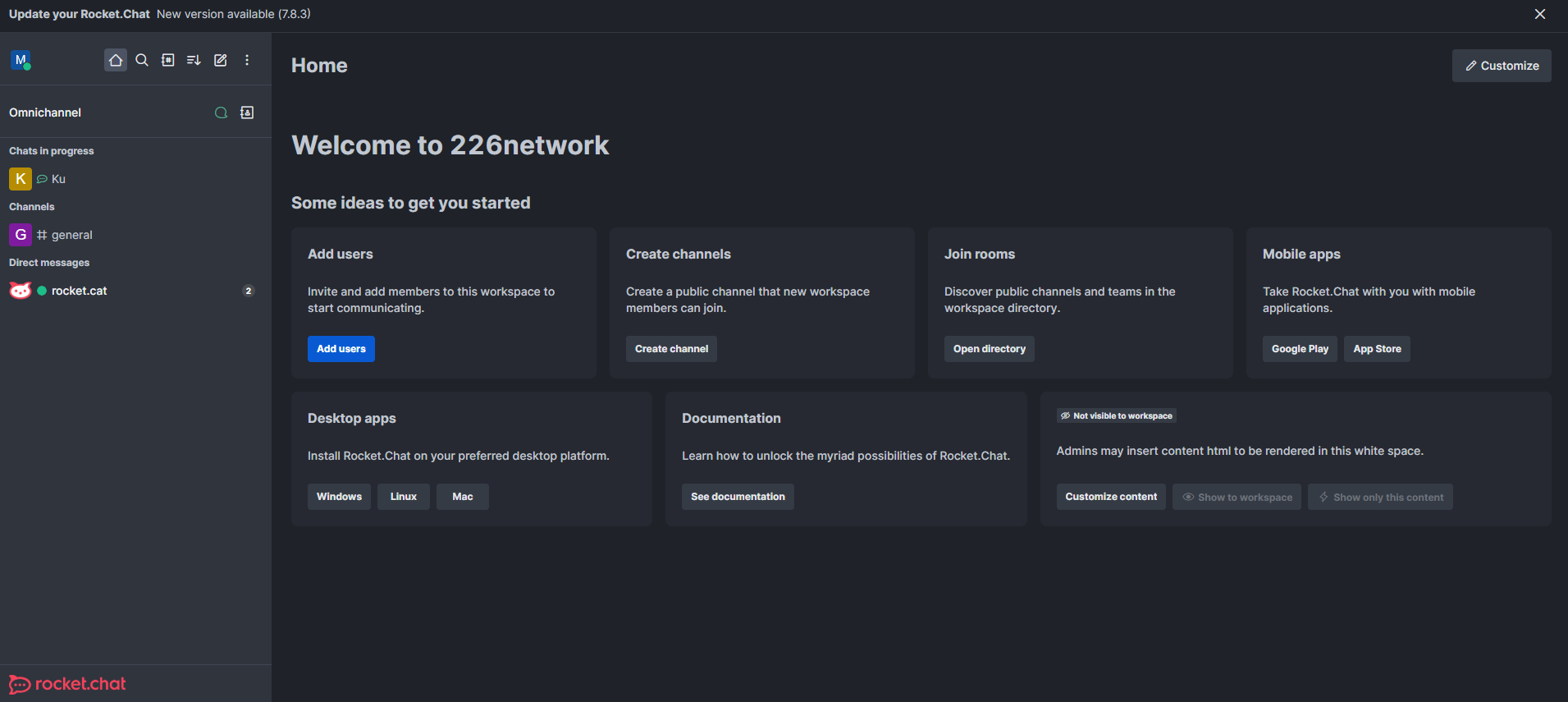
Go to the admin panel to configure Omnichannel, create agents and departments, and enable the Livechat feature.
🚀 Website Chat: Crafting the Perfect Customer Interaction Experience
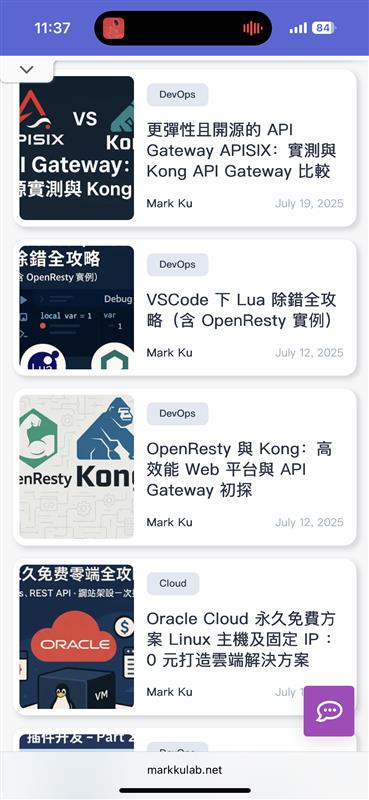
The website chat feature is a core component of Rocket.Chat Omnichannel, enabling website visitors to communicate with the customer service team in real-time, thereby boosting customer satisfaction and conversion rates.
🎯 The Importance of Website Chat
Website chat is crucial because it allows for instant responses, increases conversion rates, reduces bounce rates, captures leads, and provides 24/7 service. Its advantages include seamless integration, responsive design, multilingual support, smart routing, and complete conversation history.
2. Website Livechat Integration
React Component Embed Code
'use client';

import React, { useEffect } from 'react';

declare global {
  interface Window {
    RocketChat: any;
  }
}

const RocketChatLivechat: React.FC = () => {
  useEffect(() => {
    // 檢查是否已經載入過,避免重複載入
    if (window.RocketChat) {
      return;
    }

    // 初始化 RocketChat
    window.RocketChat = function(c: any) {
      window.RocketChat._.push(c);
    };
    window.RocketChat._ = [];
    window.RocketChat.url = 'https://chat.226network.com/livechat';

    // 動態載入 RocketChat livechat script
    const script = document.createElement('script');
    script.type = 'text/javascript';
    script.async = true;
    script.src = 'https://chat.226network.com/livechat/rocketchat-livechat.min.js?_=201903270000';

    // 腳本載入完成後的回調
    script.onload = () => {
      setTimeout(() => {
        addMobileStyles();
      }, 1200);
    };

    // 找到第一個 script 標籤並在其之前插入
    const firstScript = document.getElementsByTagName('script')[0];
    if (firstScript?.parentNode) {
      firstScript.parentNode.insertBefore(script, firstScript);
    } else {
      document.head.appendChild(script);
    }

    // 添加手機版樣式的函數
    const addMobileStyles = () => {
      const existingStyle = document.querySelector('#rocket-chat-mobile-styles');
      if (existingStyle) {
        existingStyle.remove();
      }

      const style = document.createElement('style');
      style.id = 'rocket-chat-mobile-styles';
      style.textContent = `
        @media (max-width: 768px) {
          #app > div[class*="screen__"]:not([class*="minimized"]) {
            bottom: 0px !important;
          }
          .rocketchat-widget[data-state="closed"] {
            bottom: 60px !important;
          }
        }
      `;
      document.head.appendChild(style);

      // 設定按鈕位置
      const setChatButtonBottom = () => {
        if (window.innerWidth > 768) return;
        const btn = document.querySelector('#app > button[aria-label="Rocket.Chat"]');
        if (btn && btn instanceof HTMLElement) {
          btn.style.setProperty('bottom', '60px', 'important');
        }
      };

      setChatButtonBottom();
      window.addEventListener('resize', setChatButtonBottom);
    };

    // 清理函數
    return () => {
      const existingScript = document.querySelector('script[src*="rocketchat-livechat.min.js"]');
      if (existingScript) {
        existingScript.remove();
      }
      const customStyle = document.querySelector('#rocket-chat-mobile-styles');
      if (customStyle) {
        customStyle.remove();
      }
    };
  }, []);

  return null;
};

export default RocketChatLivechat;
How to Use
// 在您的 React 應用中使用
import RocketChatLivechat from './components/RocketChatLivechat';

function App() {
  return (
    <div>
      <h1>我的網站</h1>
      <RocketChatLivechat />
    </div>
  );
}
Customization Guide
This React component can be easily customized:
- Modify Server URL: Change
window.RocketChat.urlto your Rocket.Chat server. - Adjust Mobile Styles: Modify the CSS in
style.textContentto change the appearance of the chat window. - Customize Loading Time: Adjust the timing in
setTimeoutto control when the styles are applied. - Add Event Handling: Add custom initialization logic in
script.onload.
Result
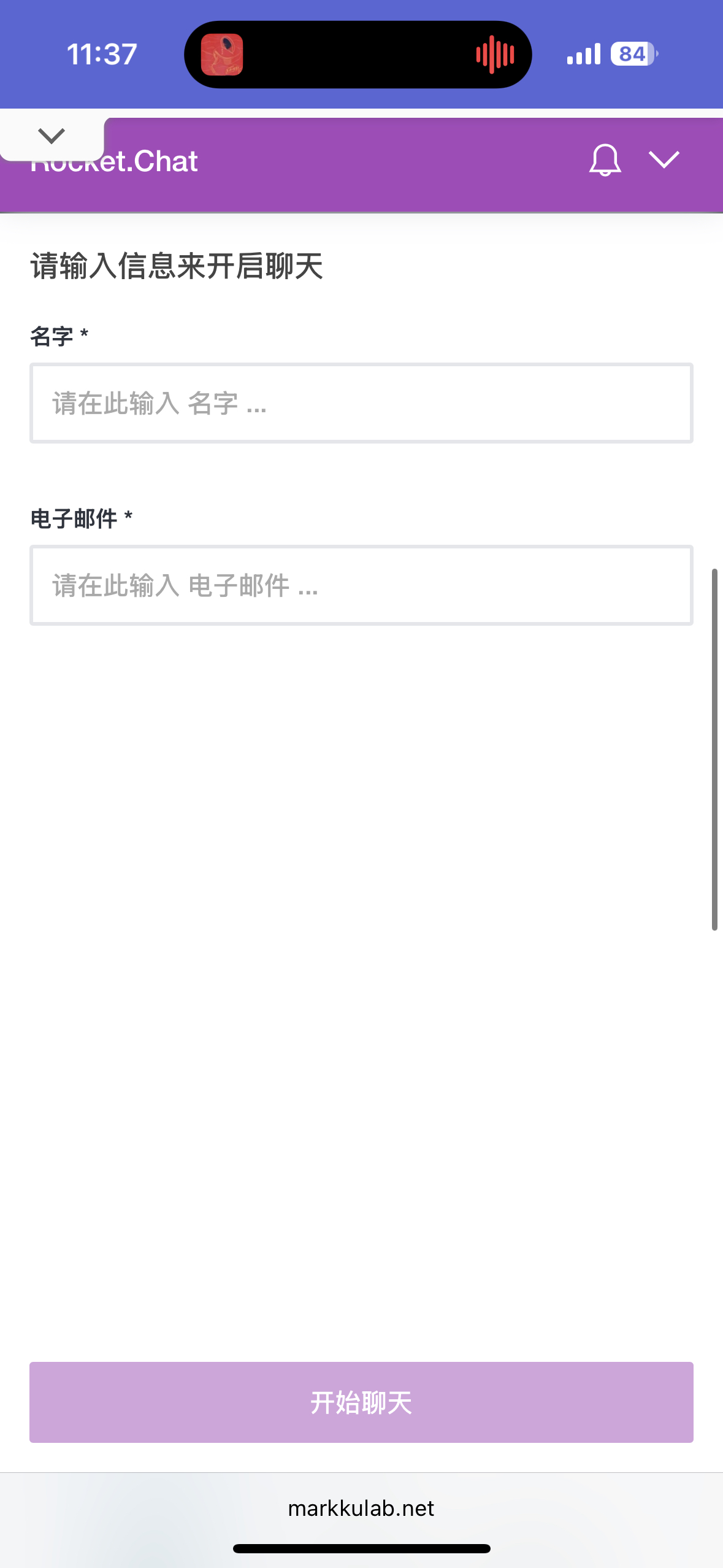
🎨 Advanced Website Chat Features
Includes features like intelligent triggers, personalized chat experiences, chat analytics and optimization, and multilingual chat support. You can trigger chats based on time on page, scroll behavior, or exit intent, and also personalize welcome messages, agent expertise, and chat styles.
Webhook Integration: Easily Connect Various Social Chat Tools
Rocket.Chat provides a comprehensive Webhook API, making it easy to integrate various social chat tools into the unified Omnichannel platform. It supports Incoming Webhooks, Outgoing Webhooks, the REST API, and the Real-time API. Common integration scenarios include social media (WhatsApp, Facebook Messenger, Telegram), business tools (Slack, Microsoft Teams, Discord), and customer service systems (Zendesk, Freshdesk, Intercom).
Smart Routing and Workflows
1. Automatic Routing Configuration
You can automatically route conversations to the appropriate department or agent based on criteria like keywords, customer level, or language.
2. Auto-Reply Configuration
Set up auto-reply rules, such as welcome messages, automatic replies when busy, and after-hours responses.
Data Analysis and Reporting
1. Agent Performance Analysis
Provides features for agent performance analysis, channel usage analysis, and customer satisfaction analysis.
2. Real-time Monitoring Dashboard
Offers real-time monitoring capabilities, allowing you to view agent status, new conversations, and concluded chats as they happen.
Advanced Features and Integrations
1. CRM System Integration
You can sync customer data, log conversations to your CRM, and retrieve customer history.
2. AI Assistant Integration
Provides features like smart reply suggestions, sentiment analysis, and automatic categorization.
Custom Development and Extensions
Supports creating custom themes, developing custom apps, and extending functionality via the API.
Conclusion
Rocket.Chat's Omnichannel feature provides businesses with a powerful multi-channel customer service solution, with its website chat and mobile app being core highlights. By managing all communication channels through a unified platform, businesses can enhance the customer experience, improve agent efficiency, reduce operational costs, and gain deep insights.
🎯 Core Feature Value
The website chat feature offers real-time customer interaction, increased conversion rates, intelligent customer service, comprehensive data analysis, and multilingual support. The mobile app provides service from anywhere, real-time push notifications, a full chat experience, team collaboration integration, and enterprise-grade security.
Choosing Between Free and Paid Plans
The free Starter plan is suitable for small teams, paid plans are ideal for large enterprises, and the open-source Community edition is perfect for teams with technical expertise.


Comments