
Background
Our Germany and US sites needed a brand new FTP server. After spending some time researching and trying a few Docker-based FTP solutions, I finally found SFTPGo — an open-source SFTP server with a proper Web UI.
SFTPGo — Official Overview
A fully-featured, highly configurable SFTP server with optional HTTP/S, FTP/S, and WebDAV support. Supported storage backends include: local filesystem, encrypted local filesystem, S3-compatible object storage, Google Cloud Storage, Azure Blob Storage, and other SFTP servers. It ships with both a WebAdmin and a WebClient interface and supports configuration backup through the UI.
SFTPGo official website GitHub
A Quick Overview of Common FTP Protocols
Since we are talking about FTP, here is a brief comparison of the common protocols:
1. SFTP
SFTP (Secure File Transfer Protocol) provides encrypted file transfer over SSH (port 22). It only needs a single port, making firewall configuration much simpler.
2. FTP / FTPS
FTP is the classic file transfer protocol. FTPS is the SSL/TLS-encrypted variant. There are two connection modes:
- Active mode (PORT): The client opens a random port to receive data, then tells the server that port number via the PORT command (control port 21). The server connects from its port 20 to the client-specified port. This can cause issues when the client's firewall blocks inbound connections from the FTP server.
- Passive mode (PASV): The client requests a passive connection from the server, which opens a random port and notifies the client. The client then initiates the data connection.
In summary, the key difference is who initiates the data connection and how, which affects firewall requirements. Passive mode is generally better suited to modern network environments, especially when the client is behind a restrictive firewall.
Note: SFTPGo currently only reliably supports SFTP. I tried FTP/S for quite a while and could not get it working. For now, SFTP is the way to go — it only needs a single port.
Prerequisites
- Install Docker Desktop on the host machine.
- Set up and configure Cloudflare Tunnel, binding it to the ports required by SFTPGo. (SFTPGo's web UI is exposed through Cloudflare Tunnel so users can upload files via the browser. For SFTP, Cloudflare Tunnel still has some bugs, so I use a direct firewall rule to expose the SFTP port instead.)
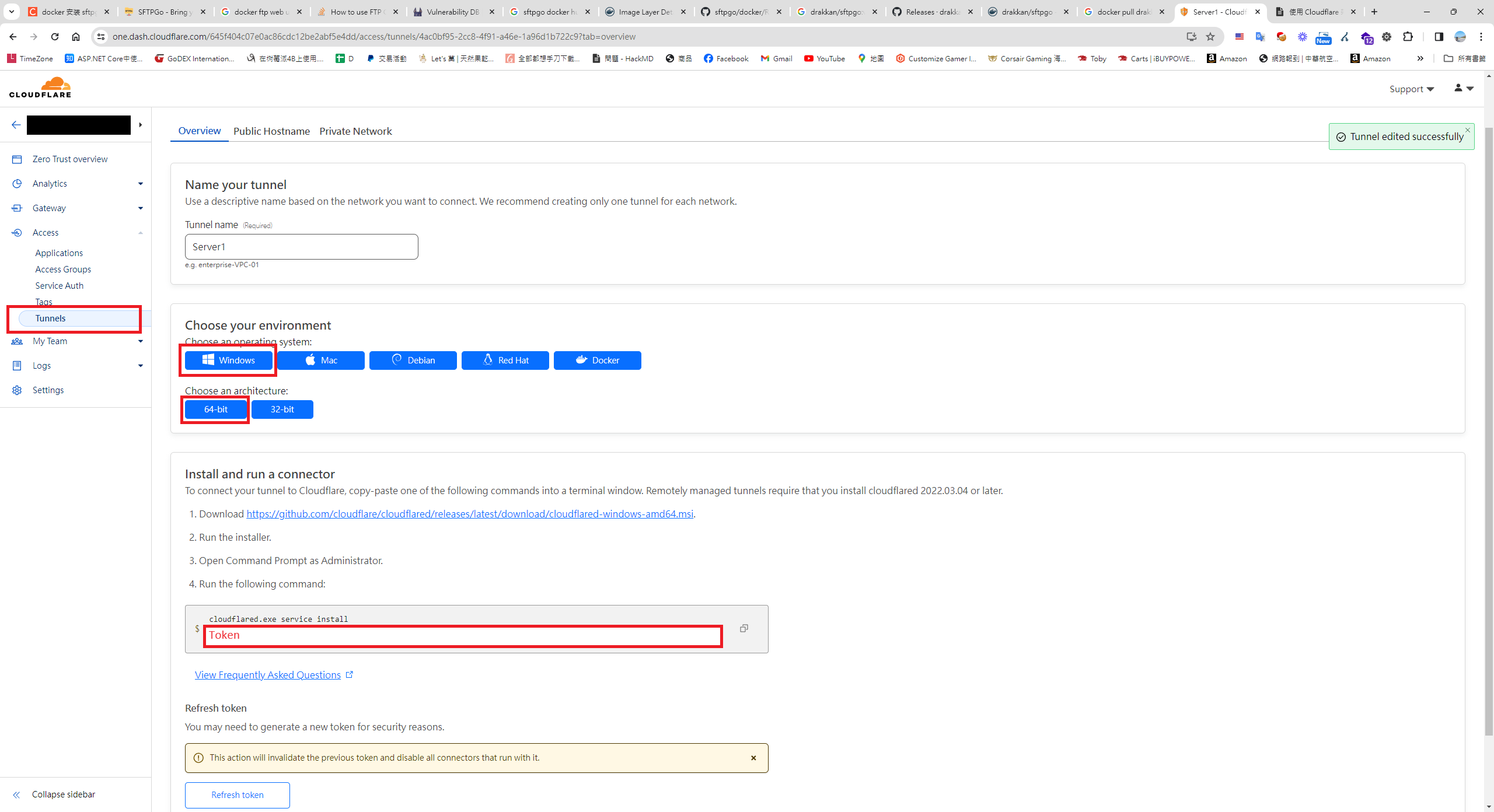
Step 1: Create and Start the FTP Docker Container
docker run -d --name sftpgo --restart always -p 8080:8080 -p 2022:2022 -p 8090:8090 -e TZ=America/Los_Angeles -e SFTPGO_HTTPD__BINDINGS__0__PORT=8080 -e SFTPGO_WEBDAVD__BINDINGS__0__PORT=8090 -v E:\ftp\:/srv/sftpgo drakkan/sftpgo
SFTPGo Default Directories
- SFTP/FTP/WebDAV default directory:
/srv/sftpgo - User default directory:
/srv/sftpgo/data/{UserName} - Host key directory:
/var/lib/sftpgo
SFTPGo TCP Ports
2022— SFTP service8080— Web Admin UI8090— WebDAV
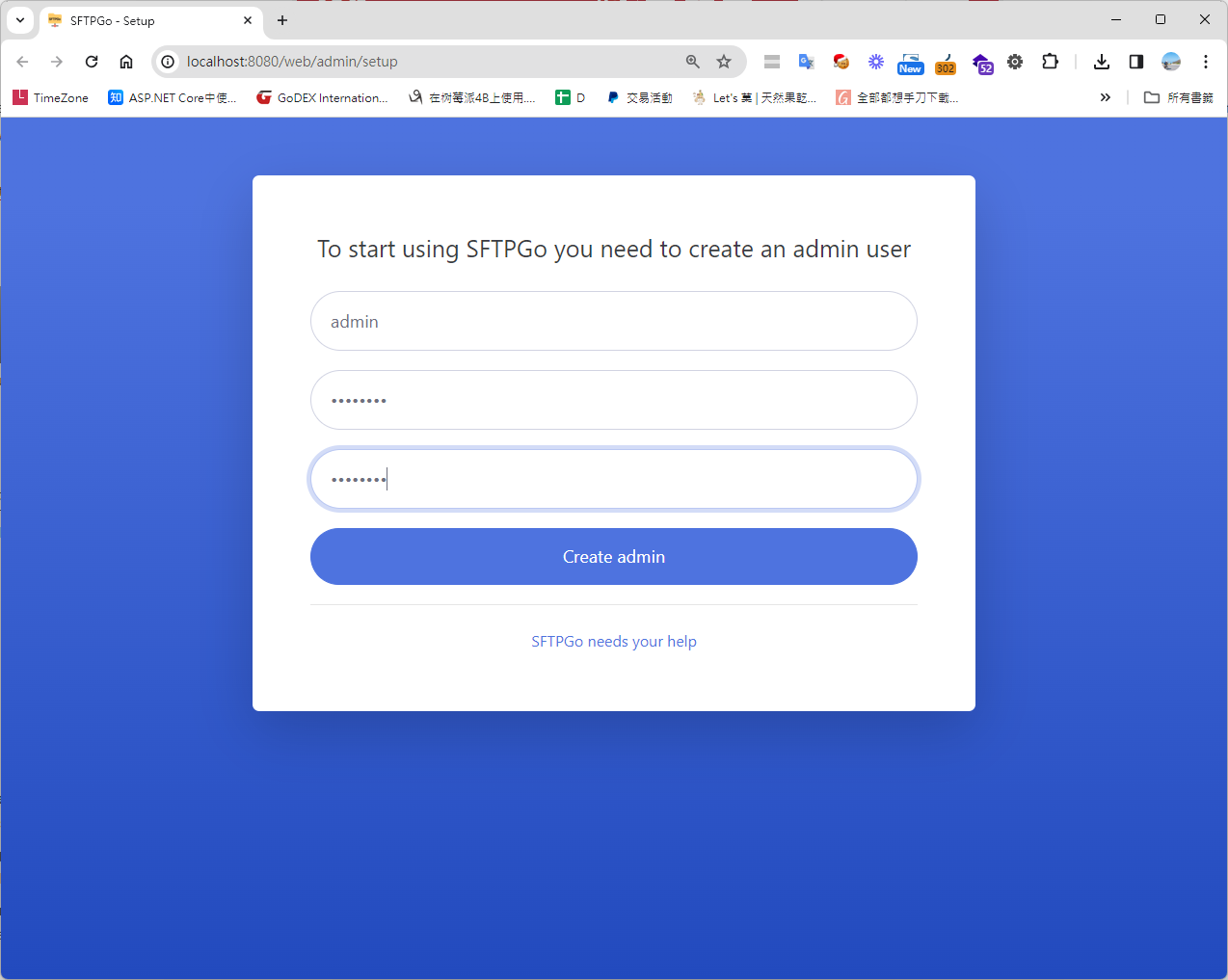
Step 2: Access the Web Admin UI and Create an Admin Account
http://localhost:8080/web/admin/setup
Step 3: Log In, Then Navigate to Users > Click "+" to Create an FTP Account
http://localhost:8080/web/admin/login
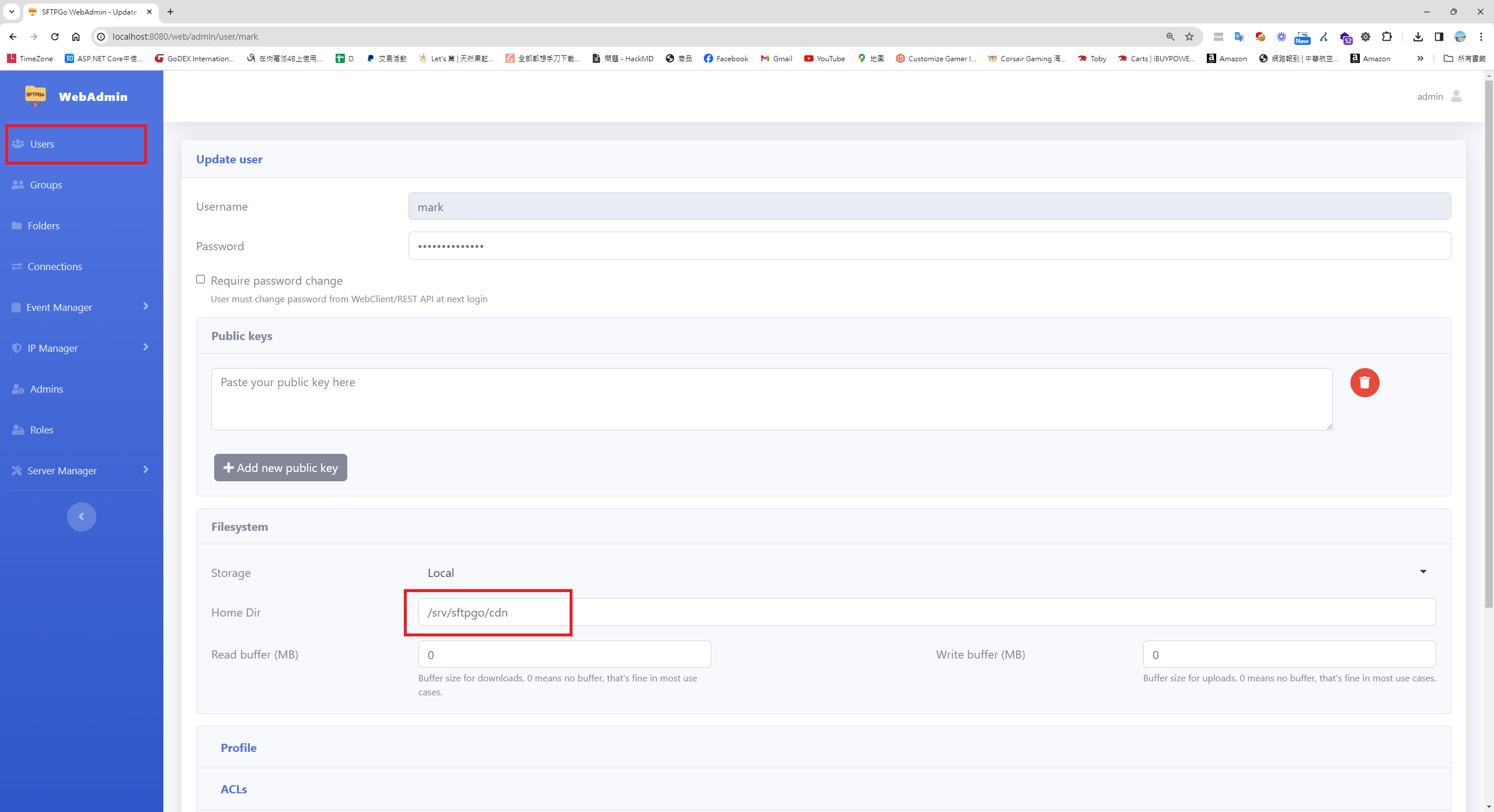
Note: The default home directory is
/srv/sftpgo/data/{your-username}. If you want all accounts to share the same root — for example/srv/sftpgo/cdn— set that in the Home Dir field.
Step 4: Test the Account via Web Client
http://localhost:8080/web/client/login
Step 5: Test with FileZilla Client
1. Download and install FileZilla Client
2. File > Site Manager > New Site > Set protocol to "SFTP - SSH File Transfer Protocol"
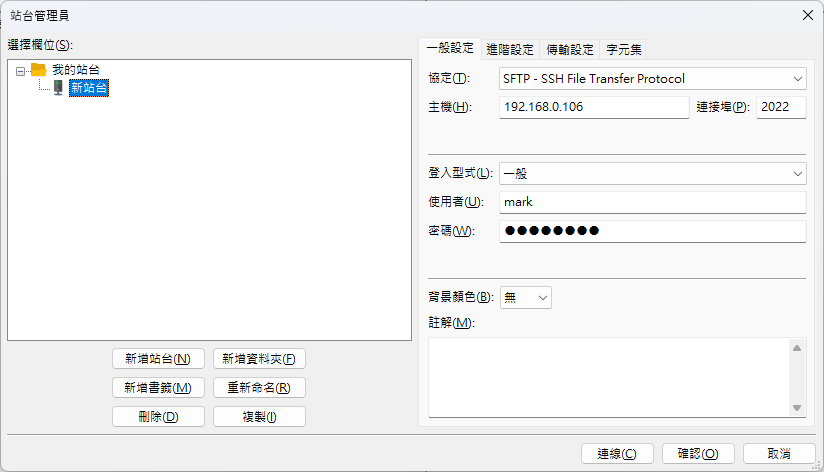
Step 6: Mount WebDAV as a Network Drive on Windows
1. Configure the registry path with an elevated PowerShell session
// Configure
Set-ItemProperty -Path "HKLM:\SYSTEM\CurrentControlSet\Services\WebClient\Parameters" -Name "BasicAuthLevel" -Value 2

// Check BasicAuthLevel
Get-ItemProperty -Path "HKLM:\SYSTEM\CurrentControlSet\Services\WebClient\Parameters" -Name "BasicAuthLevel"

// Restart WebClient
net stop webclient
net start webclient
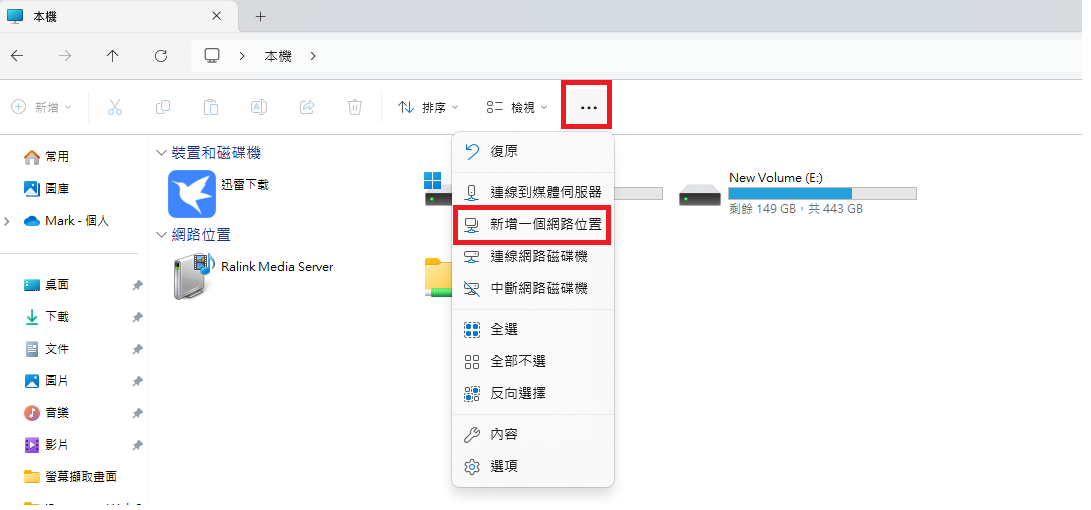
2. Open This PC > click "..." > Add a network location
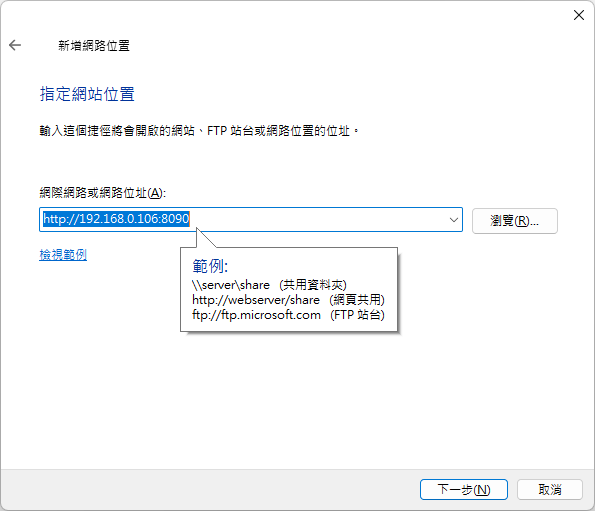
3. Enter the WebDAV host address, IP, and credentials
4. Continue
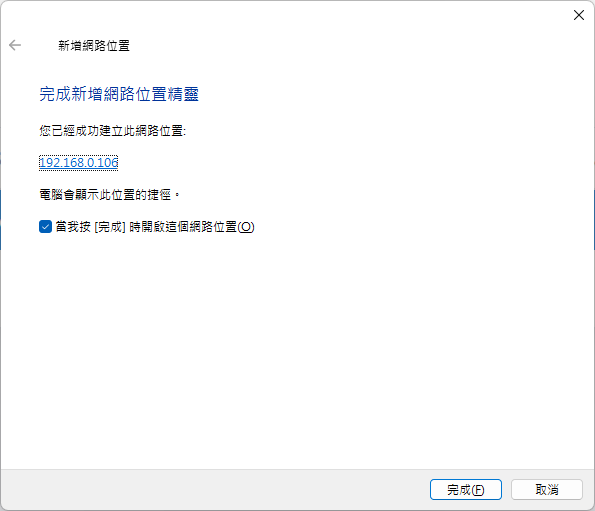
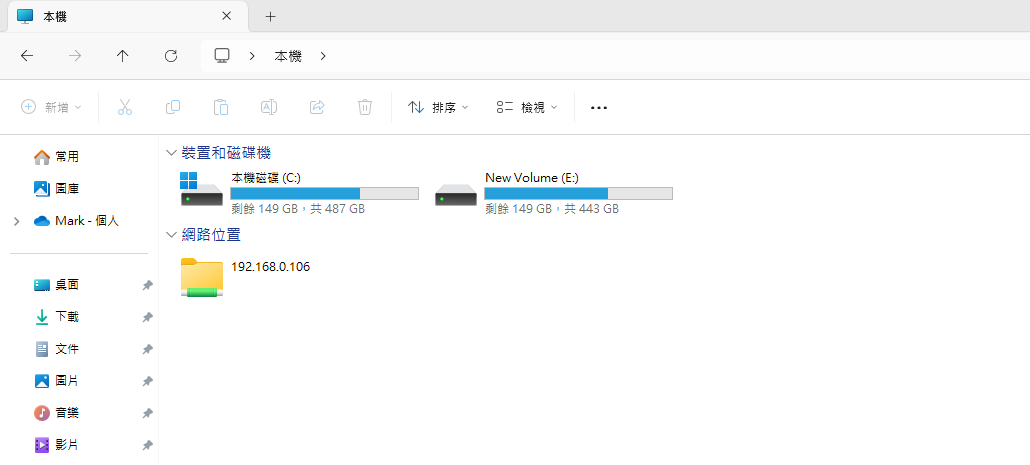
5. Done
Closing Thoughts
The open-source ecosystem keeps producing remarkably capable and easy-to-use tools. For anyone with some technical background, these projects offer enormous flexibility — you can adapt and extend them to fit your exact needs. This post aimed to provide a concise guide to spinning up a Docker-based FTP server with a Web UI using Cloudflare Tunnel and SFTPGo. I hope it helps you get up and running with these powerful open-source tools more easily.


Comments