Mark Ku's Blog

What is Microsoft Clarity

Microsoft Clarity is a free user behavior analytics tool designed to help you get a comprehensive understanding of how users interact with your website. Here is a basic introduction to Clarity.

Advantages of Clarity

Heatmaps: Clarity's heatmaps show you where users click and scroll most frequently on a page. This can help you better understand which content is most engaging and whether your site design meets user expectations.

1. Session replays: Clarity allows you to replay user browsing sessions, giving you a complete understanding of the user experience. This feature is very useful for identifying potential UX issues.

2. Insights dashboard: Clarity provides an intuitive dashboard that condenses large amounts of data into easy-to-understand visualizations. From here, you can quickly get key user behavior metrics.

3. Clarity's Features

  • Easy to use: Clarity's user interface is clean and easy to navigate, allowing you to quickly get the information you need.

  • Privacy-focused: Clarity is committed to user privacy and does not track personally identifiable information.

  • Good compatibility: Clarity can integrate with Bing, Google Analytics, Google Optimize, and other popular analytics tools.

  • No coding experience required: Clarity's setup process is simple and doesn't require much programming experience.

How to Use Clarity

To get started with Clarity, you just need to sign up for an account and then embed the Clarity tracking code into your website.

Insights Dashboard: Understand Average Scroll Depth
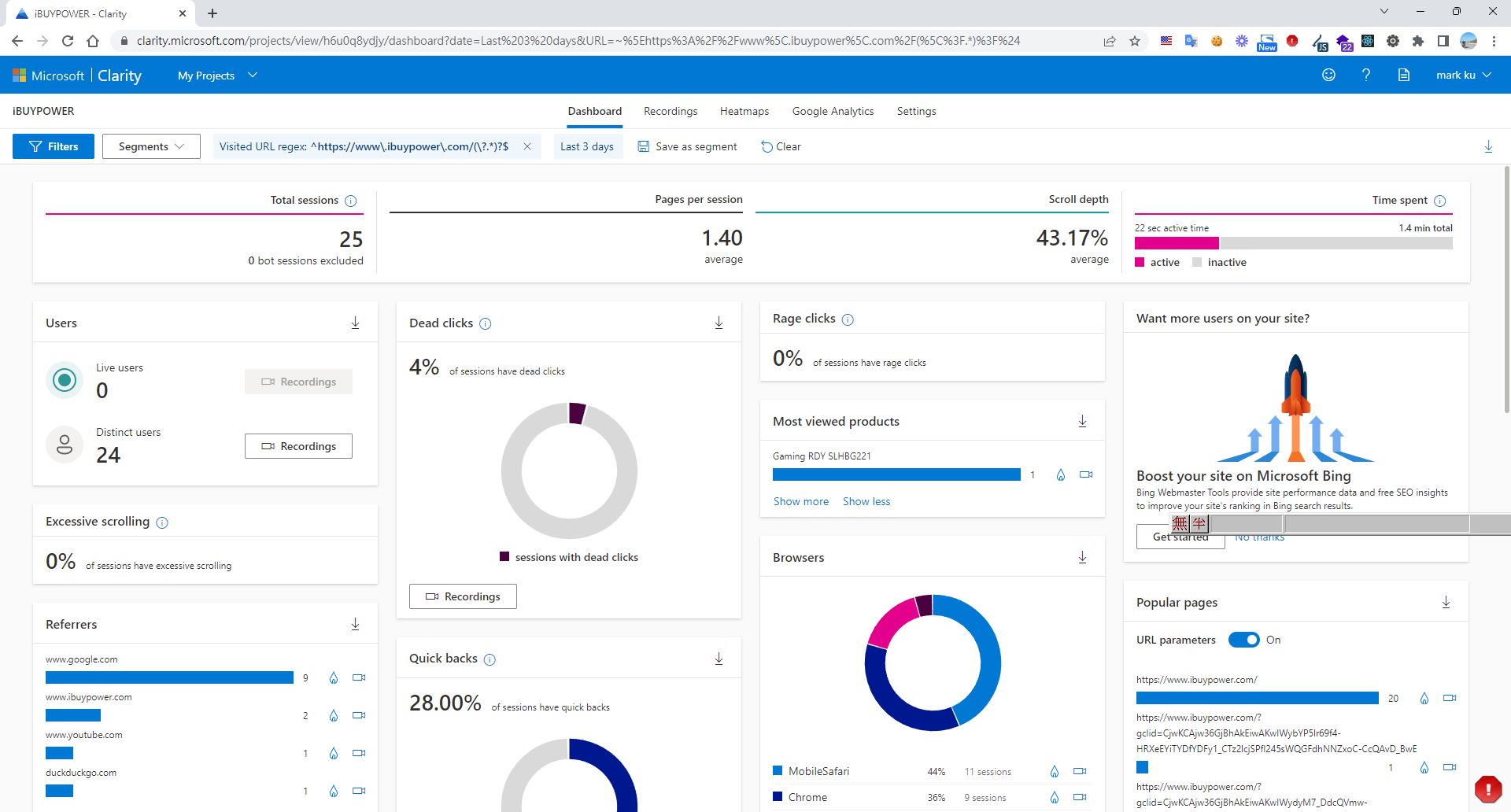
Microsoft Clarity insights dashboard displaying website performance data

Discover the Most Frequently Clicked Items
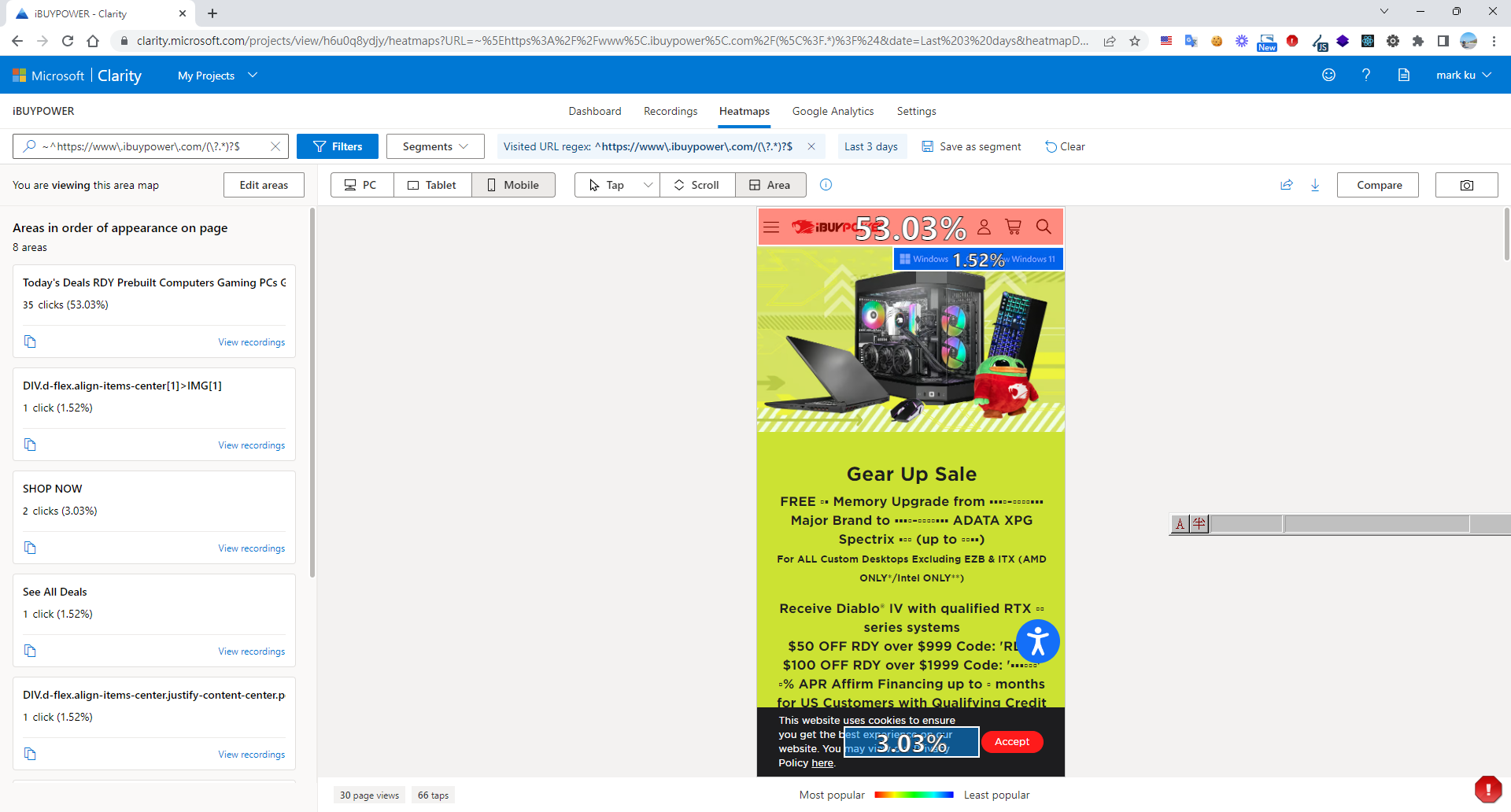
Microsoft Clarity heatmap showing click data on an iBUYPOWER website

Watch User Session Recordings by Page to Observe Behavior and Understand Scroll Depth
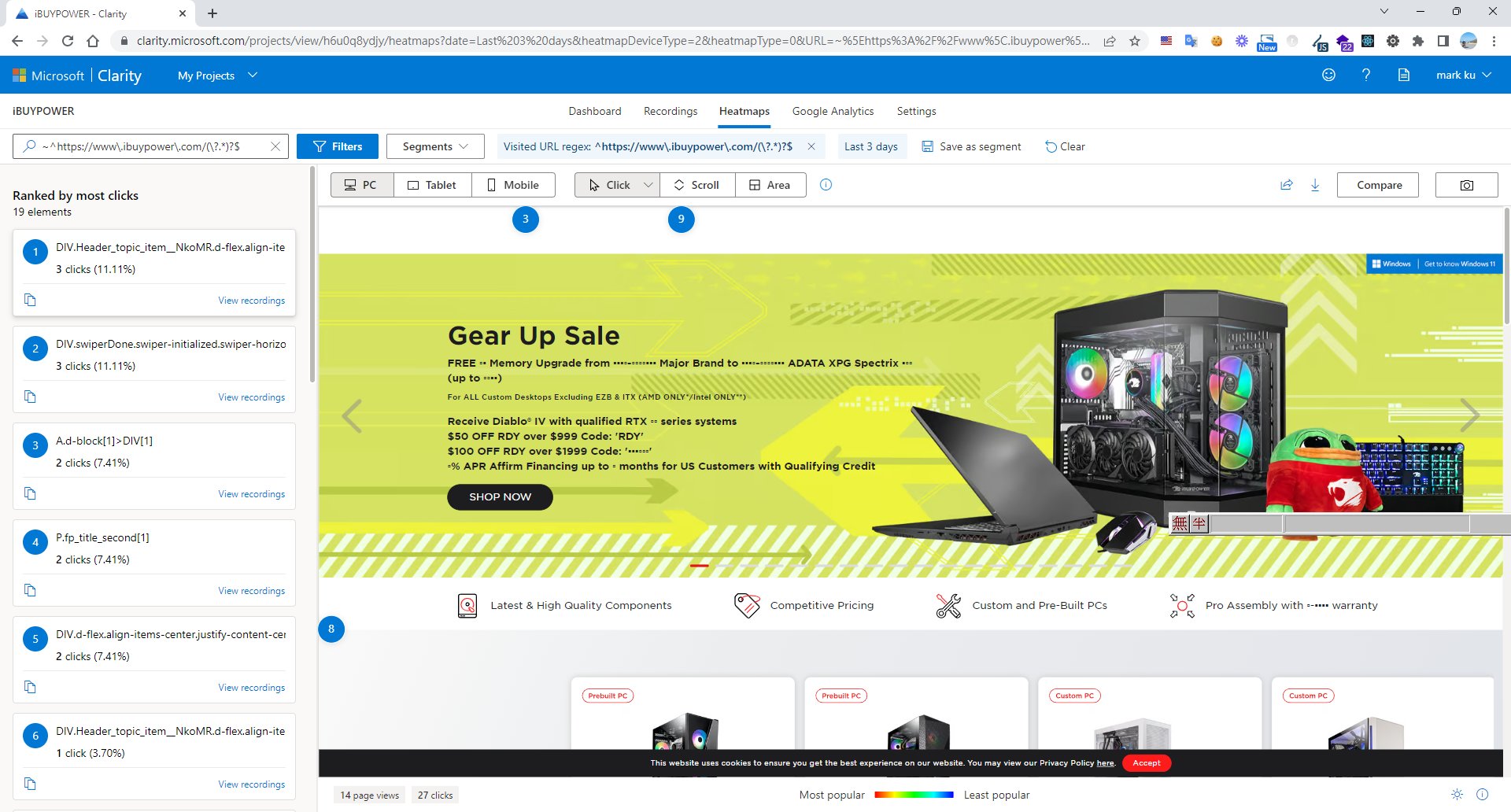
Microsoft Clarity dashboard showing website click data for IBUYPOWER

Summary

Microsoft Clarity is a powerful and intuitive tool that can provide in-depth analysis of user behavior on your website and help you optimize the user experience.

References

Advanced Application: A/B Testing

Author

Mark Ku

擁有 10+ 年經驗的資深軟體工程師,現為 AI 應用 Builder,專注於大型平台架構與簡化複雜系統設計,從電商系統到訂閱與收費平台,結合 AI Agent、AI 整合與自動化開發,打造高效率且可持續演進的產品技術基礎。Read More

Found this useful?

The author's free tools, daily podcasts and newsletter are all here.

Mark Ku · This article is licensed under CC BY 4.0. Credit the author and link back to the original when reusing it.

Comments

Subscribe to Newsletter

Subscribe to get new posts delivered instantly — never miss a tech share.

By submitting, you agree to receive emails. You can anytime.

Popular Posts

View all
Mark Ku
··602

Oracle Cloud Always Free Tier: Linux Host and Static IP for a $0 Cloud Solution

Oracle Cloud Always Free Tier: Linux Host and Static IP for a $0 Cloud Solution
Mark Ku
··490

Say Goodbye to Postman's Fee Trap! A Hands-on Guide to Bruno, the Open-Source Git-Native API Testing Powerhouse.

Say Goodbye to Postman's Fee Trap! A Hands-on Guide to Bruno, the Open-Source Git-Native API Testing Powerhouse.
Mark Ku
··333

A Free, Open-Source, Notion-like Knowledge Base — A Complete Guide to Deploying and Backing Up Outline Wiki

A Free, Open-Source, Notion-like Knowledge Base — A Complete Guide to Deploying and Backing Up Outline Wiki
Mark Ku
··264

Training Your Own AI Voice: Hardware Requirements, Open-Source Model Comparison, and LoRA Fine-Tuning

Training Your Own AI Voice: Hardware Requirements, Open-Source Model Comparison, and LoRA Fine-Tuning
Mark Ku
··221

Building an Efficient API Management Platform: Deploying Kong Gateway from Scratch - Part 1

Building an Efficient API Management Platform: Deploying Kong Gateway from Scratch - Part 1
Mark Ku
··215

Setting Up Samba on Ubuntu to Share Folders with Windows 11

Setting Up Samba on Ubuntu to Share Folders with Windows 11