
Background
Our company used to outsource website optimization to a Conversion Rate Optimization (CRO) agency in the United States. Since US labor and software monthly fees are very expensive, and they often broke our site in the process, I evaluated several A/B testing tools as a replacement. Most of them charged fees, and after a long search I finally found one that is open source, free, and easy to use - FeatureProbe.
What can A/B testing actually help us with?
Through A/B testing we can learn:
- By testing different page layouts, button colors, and copy, we can identify which elements better motivate users to take desired actions, such as buying products, registering, or downloading apps, thereby improving conversion rates.
- The impact of different pricing strategies or promotions on sales.
- Whether a redesigned page or feature is actually better than the previous version, and identify problems in the user interface.
How it works
You configure the rollout percentage of test variants in the FeatureProbe admin panel. When the front-end renders, FeatureProbe tells the page which variant (A or B) to render. When users trigger the conversion event configured in the admin panel, traffic and conversion rate appear in the dashboard reports.
Hypothetical test scenario
A designer created two banners, Banner A and Banner B, and wants to know which banner has a better click-through rate.

Following the official docs
First, set up the FeatureProbe container application
git clone https://gitee.com/featureprobe/FeatureProbe.git

cd FeatureProbe
docker compose up
Next, visit the FeatureProbe admin panel you just deployed
username: admin
password: Pass1234
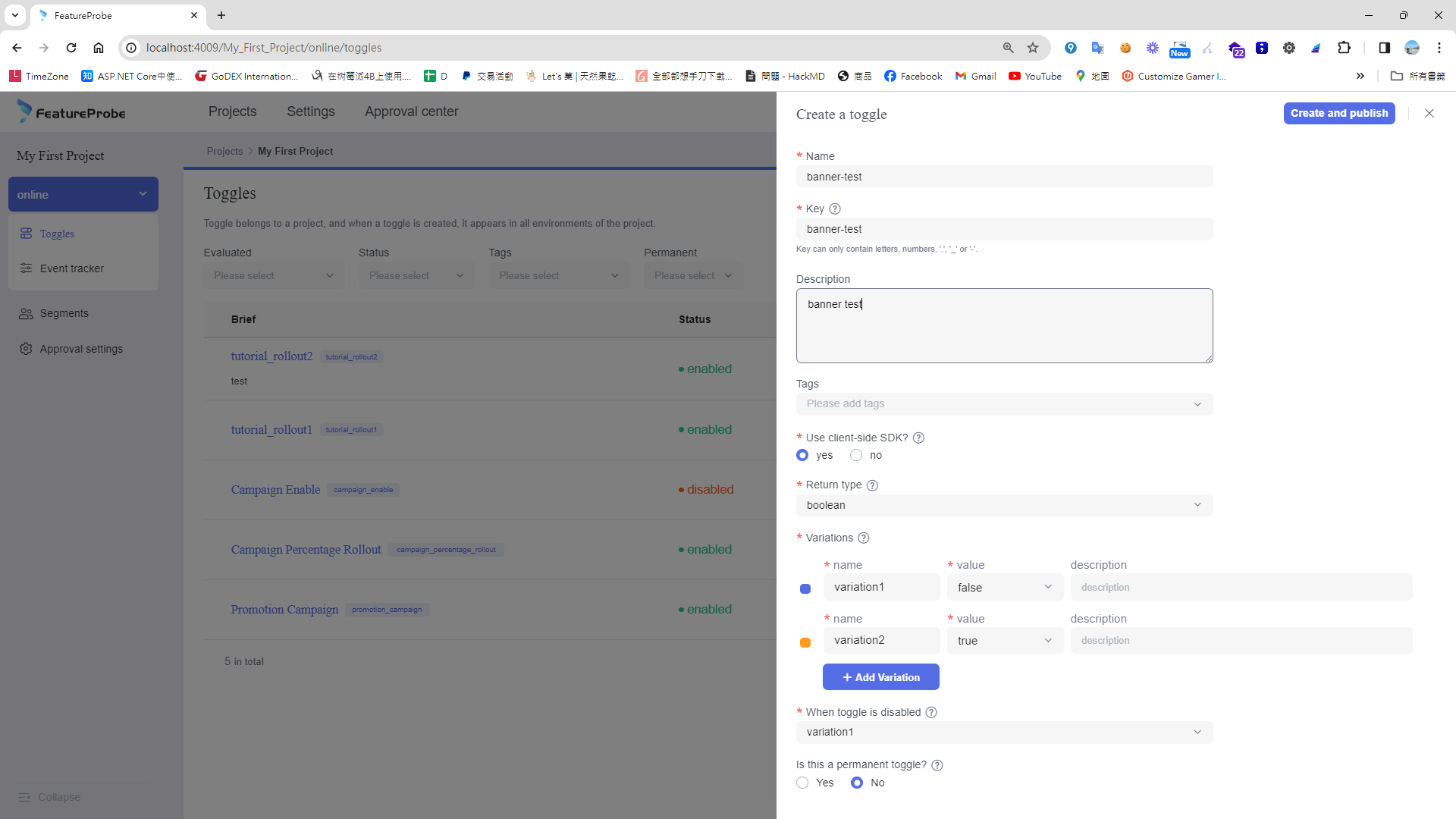
Create a test event
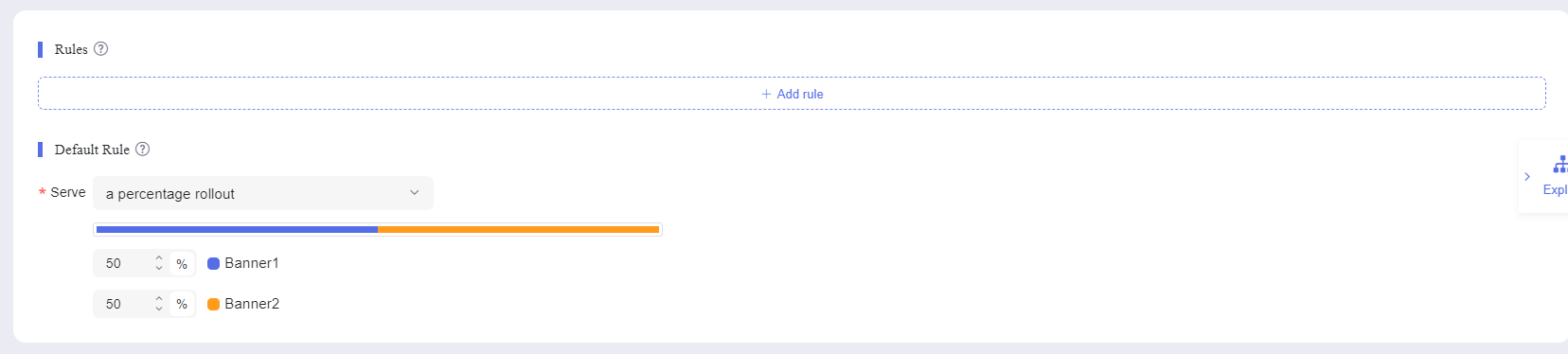
Set the default rule. The percentage here controls the probability of each variant appearing
Enable the test and click Publish

Define the conversion event and click Start iteration to begin collecting analytics
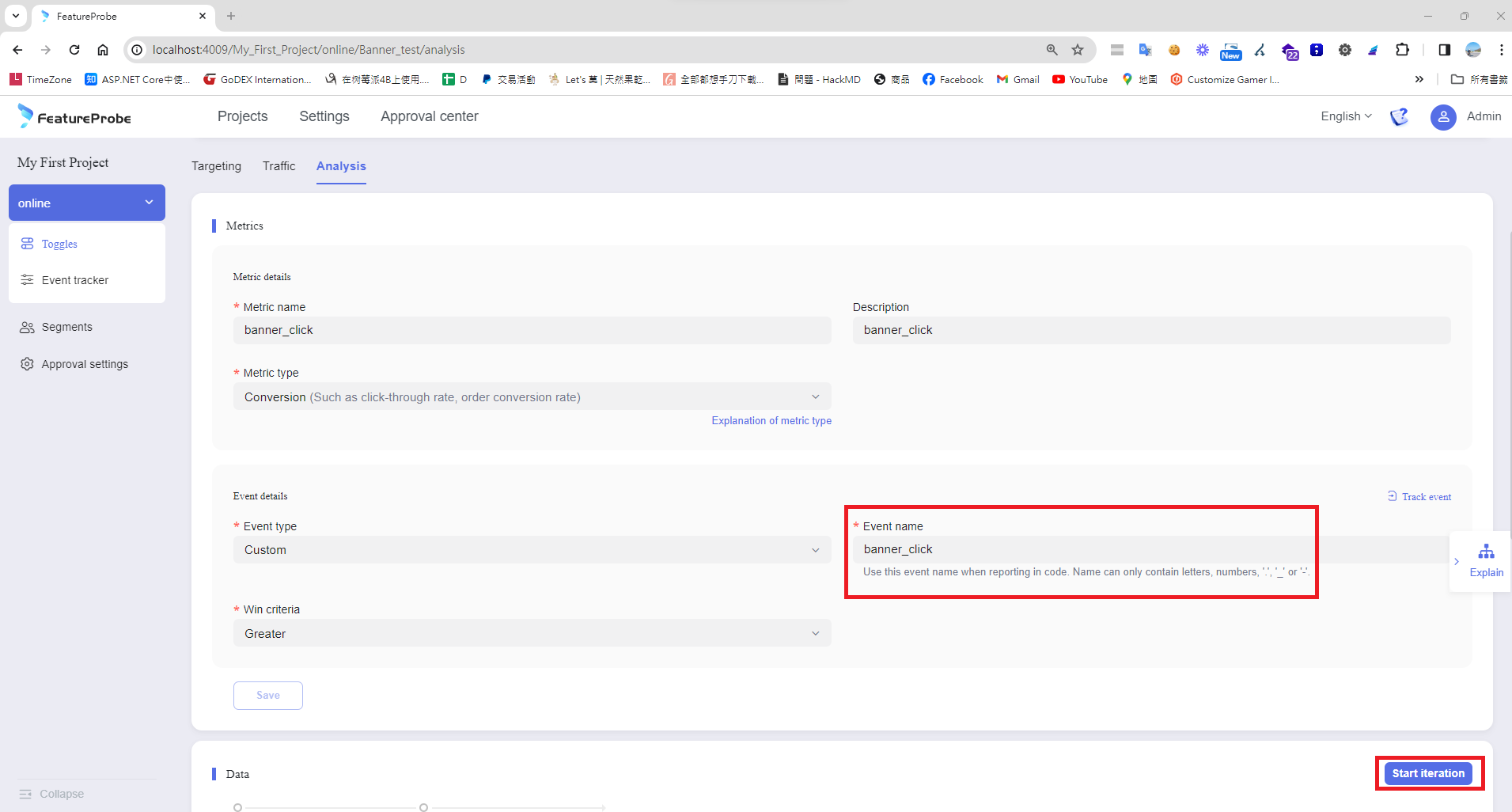
Writing the test code
Click the Connect SDK button and FeatureProbe will pop up some sample code. The samples are missing a few things, so I made small adjustments.
Install the SDK
npm install featureprobe-client-sdk-react --save
Front-end code example - using Next.js App Router
Wrap the SDK as a hook - use-featureprobe.ts
import { FPUser, FeatureProbe } from 'featureprobe-client-sdk-react';
import { useCallback, useEffect, useRef, useState } from 'react';

/**
 * Custom hook to initialize and use FeatureProbe client, providing feature flag value,
 * loading state, and a method to track events.
 *
 * @param {string} featureKey The key of the feature flag to evaluate
 * @param {any} defaultValue The default value of the feature flag
 * @param {FPUser} user The user object for feature evaluation
 * @returns An object containing the feature flag value, loading state, and a track method
 */
const useFeatureProbe = (featureKey: string, defaultValue: any, user: FPUser) => {
    const [featureValue, setFeatureValue] = useState<any>(defaultValue);
    const [isLoading, setIsLoading] = useState(true);
    const fpClientRef = useRef<FeatureProbe | null>(null);

    useEffect(() => {
        if (!fpClientRef.current) {
            const client = new FeatureProbe({
                remoteUrl: 'http://127.0.0.1:4007',
                user: user,
                clientSdkKey: 'client-xxxxxxxxxxxxx',
                refreshInterval: 5000,
            });

            client.start();
            fpClientRef.current = client;

            // Listener when client is ready
            const handleReady = () => {
                let result: any;

                if (typeof defaultValue === 'boolean') {
                    result = client.boolValue(featureKey, defaultValue);
                } else if (typeof defaultValue === 'string') {
                    result = client.stringValue(featureKey, defaultValue);
                }
                // Add more types as needed

                setFeatureValue(result);
                setIsLoading(false);
            };

            client.on('ready', handleReady);

            // Cleanup
            return () => {
                // client.off('ready', handleReady);
                // client.stop();
            };
        }
    }, []); // This effect depends on user, since user-specific features may require re-initialization

    // Method to track events
    const trackEvent = useCallback((eventName: string) => {
        if (fpClientRef.current) {
            fpClientRef.current.track(eventName);
        }
    }, []);

    return { featureValue, isLoading, trackEvent, client: fpClientRef.current };
};

export default useFeatureProbe;
Then write the Banner A component
'use client';
const BannerA = ({ featureValue, trackEvent }: IFeatureProbe) => {
    const clickHandler = () => {
        alert(featureValue + ' clicked');
        trackEvent('banner_click');
    };

    return (
        <div id="boolean-result" onClick={clickHandler}>
            {featureValue.toString()}
        </div>
    );
};

export default BannerA;

interface IFeatureProbe {
    featureValue: any;
    trackEvent: (eventName: string) => void;
}
And the Banner B component
'use client';
const BannerB = ({ featureValue, trackEvent }: IFeatureProbe) => {
    const clickHandler = () => {
        alert(featureValue + ' clicked');
        trackEvent('banner_click');
    };

    return (
        <div id="boolean-result" onClick={clickHandler}>
            {featureValue.toString()}
        </div>
    );
};

export default BannerB;

interface IFeatureProbe {
    featureValue: any;
    trackEvent: (eventName: string) => void;
}
Add the A/B test page
'use client';

import useFeatureProbe from '@/hooks/use-featureprobe';
import dynamic from 'next/dynamic';
const BannerA = dynamic(() => import('@components/ab-test/banner-a'));
const BannerB = dynamic(() => import('@components/ab-test/banner-b'));

import { FPUser } from 'featureprobe-client-sdk-react';

export default function Page() {
    const user = new FPUser();
    const { featureValue, isLoading, trackEvent } = useFeatureProbe('Banner_test', '', user);

    return (
        <main className="flex flex-col items-center justify-between min-h-screen p-24">
            {isLoading && <div>Loading...</div>}

            {!isLoading && <BannerA featureValue={featureValue} trackEvent={trackEvent}></BannerA>}
            {!isLoading && <BannerB featureValue={featureValue} trackEvent={trackEvent}></BannerB>}
        </main>
    );
}
P.S. Because we use Next.js, the A/B test page must not be cached (no ISR). It must be SSR or CSR.
Refresh the page and the corresponding variant will appear according to the configured ratio
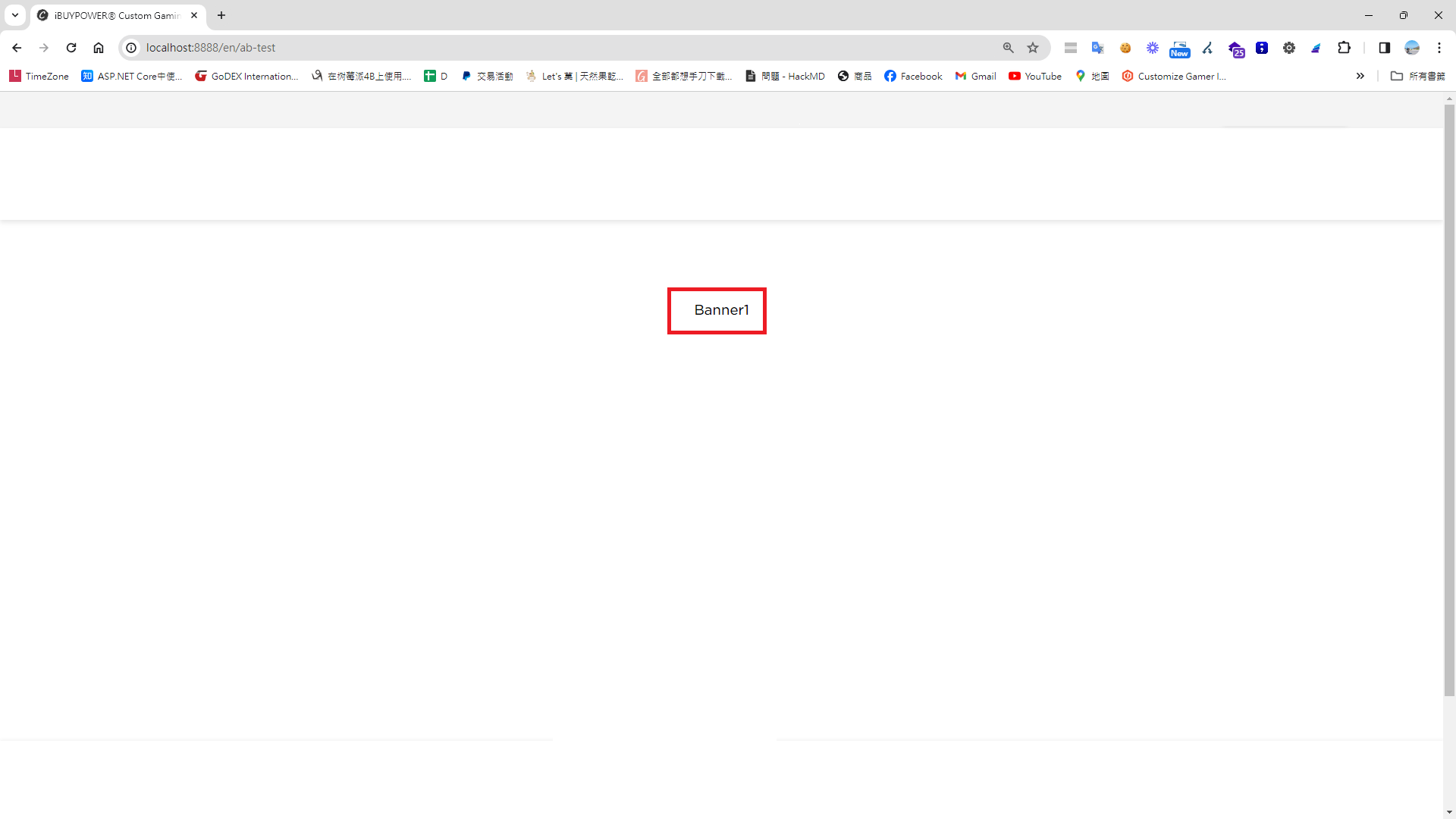
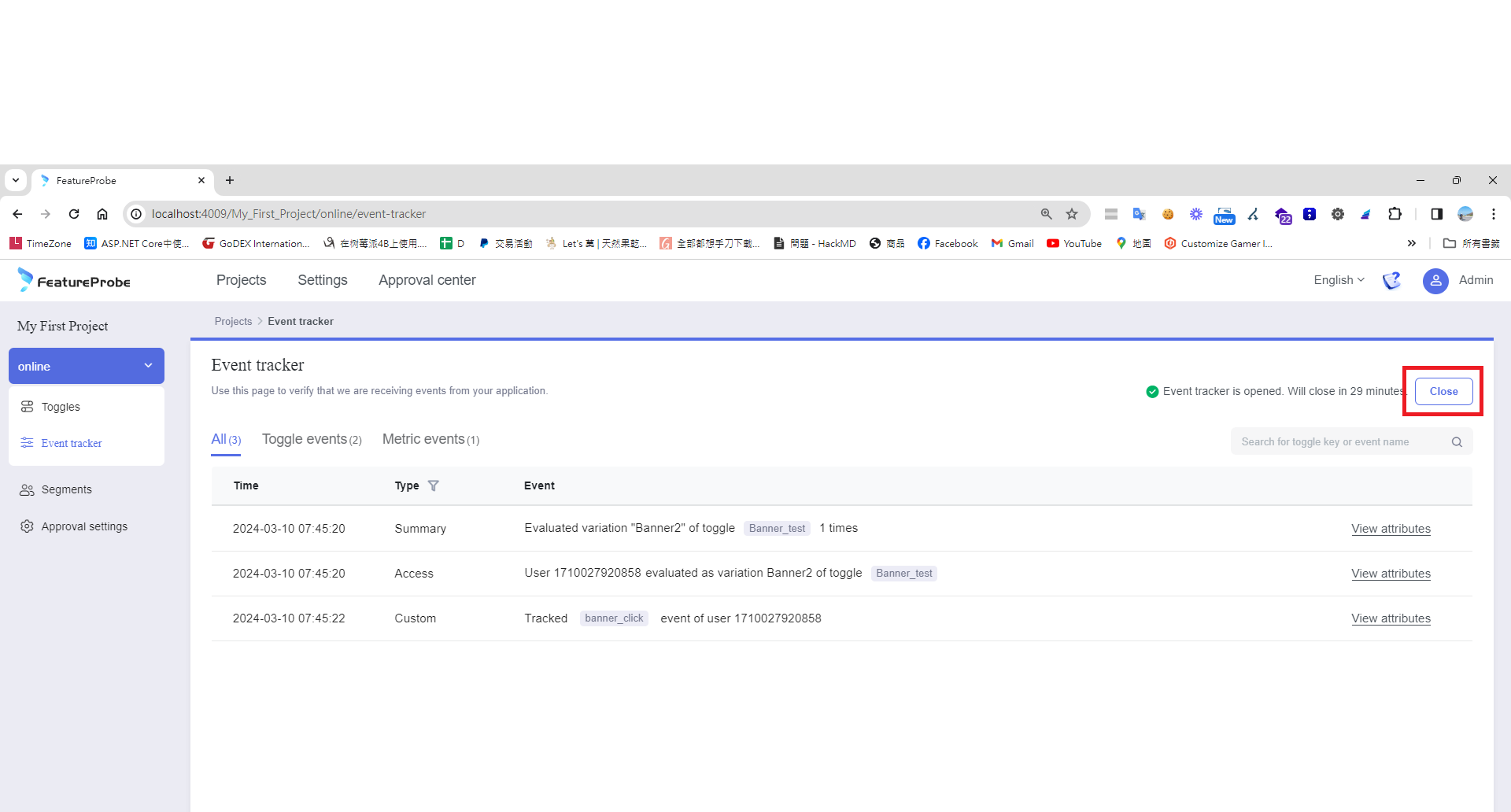
How to debug (click Open in the UI to enter debug mode)
Now let's look at the data reports
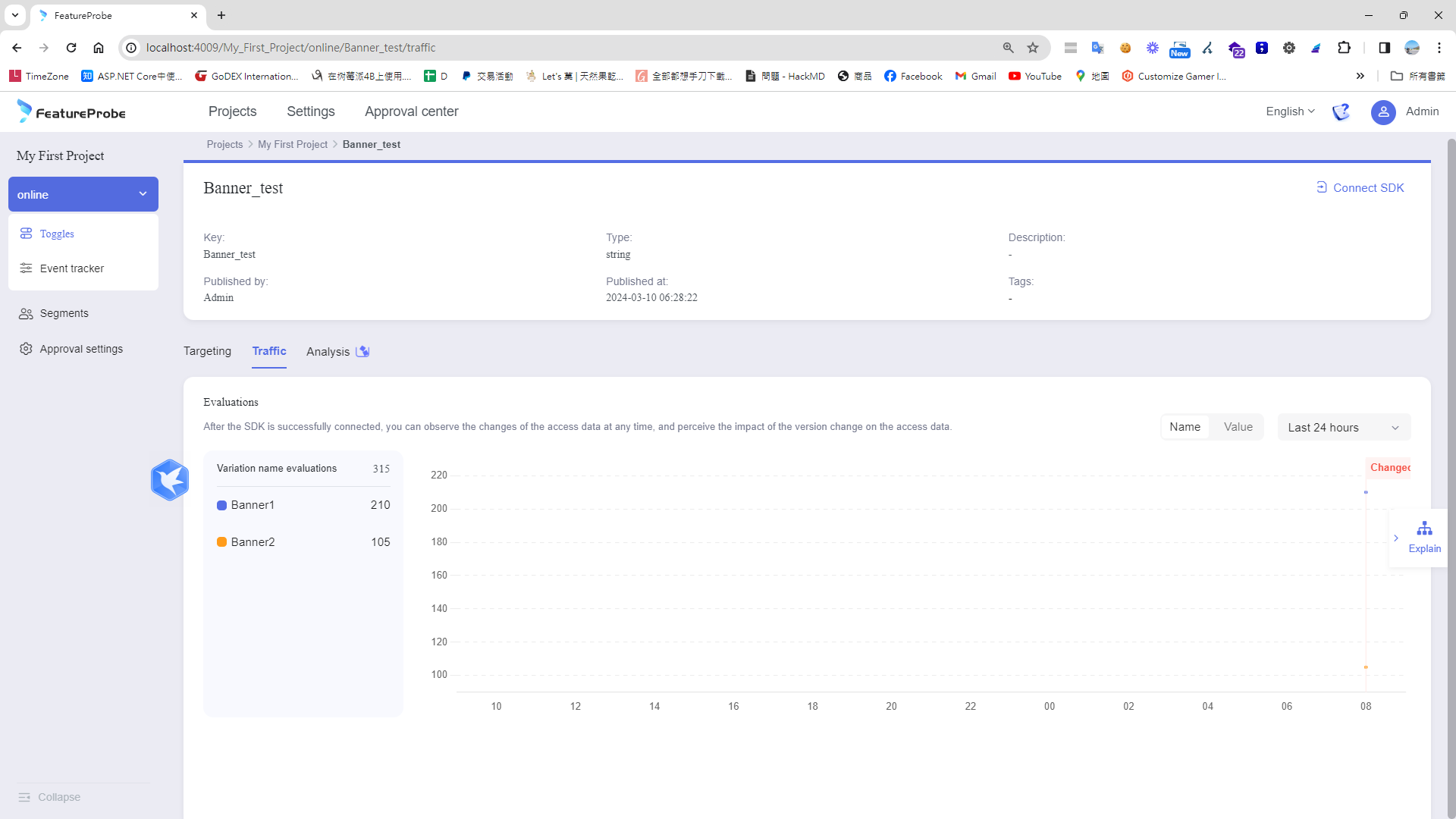
Traffic report
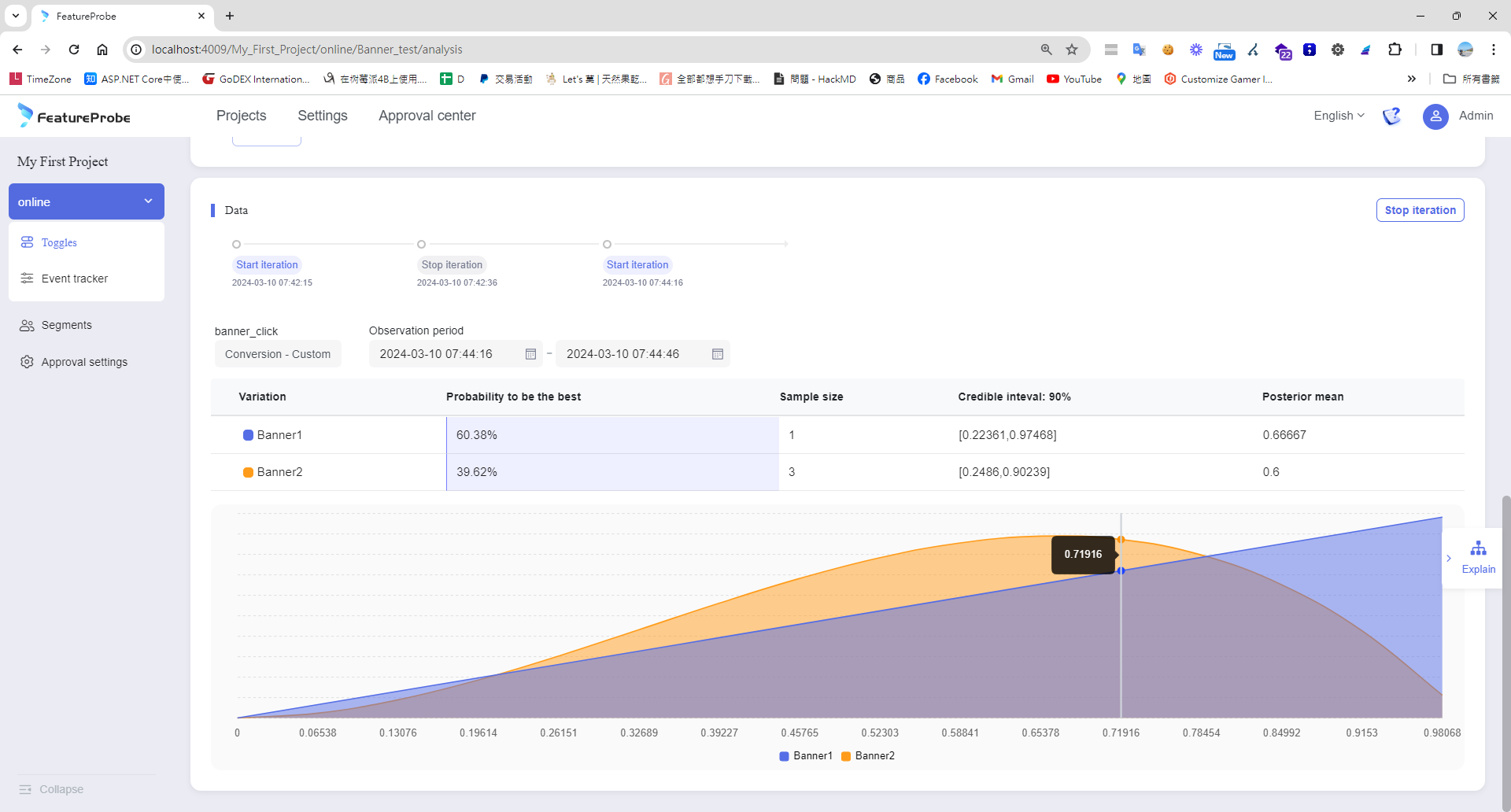
Conversion report
Advanced - retrieve variants based on input conditions and segmentation rules
When I create a rule that says "if City equals Taipei show Banner A, if City equals Kaohsiung show Banner B", I can specify the user's city in code, which lets me flexibly serve different tests based on different data.
P.S. FeatureProbe itself has no sticky cookie mechanism, but its programming model is quite flexible. You can implement cookie read/write yourself and combine it with admin-side rules so the same user sees the same variant throughout the test.
const user = new FPUser().with('City', '台北');
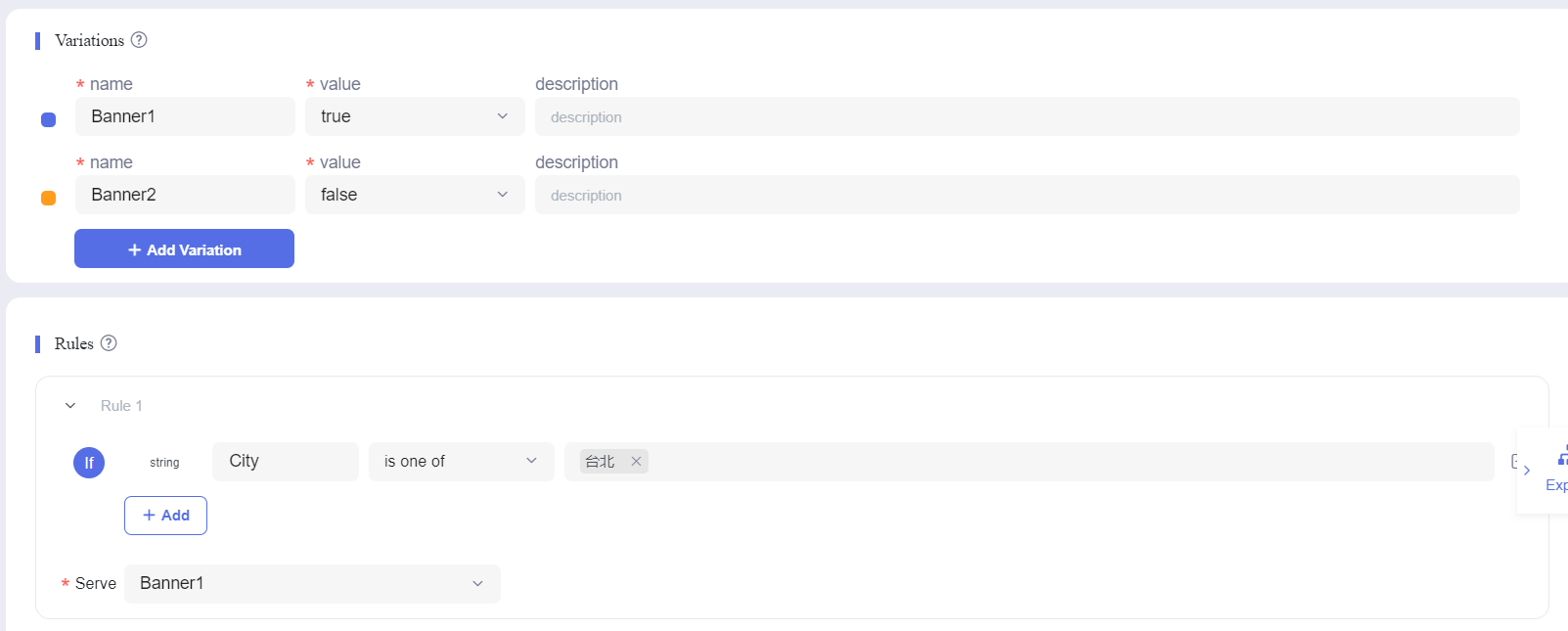
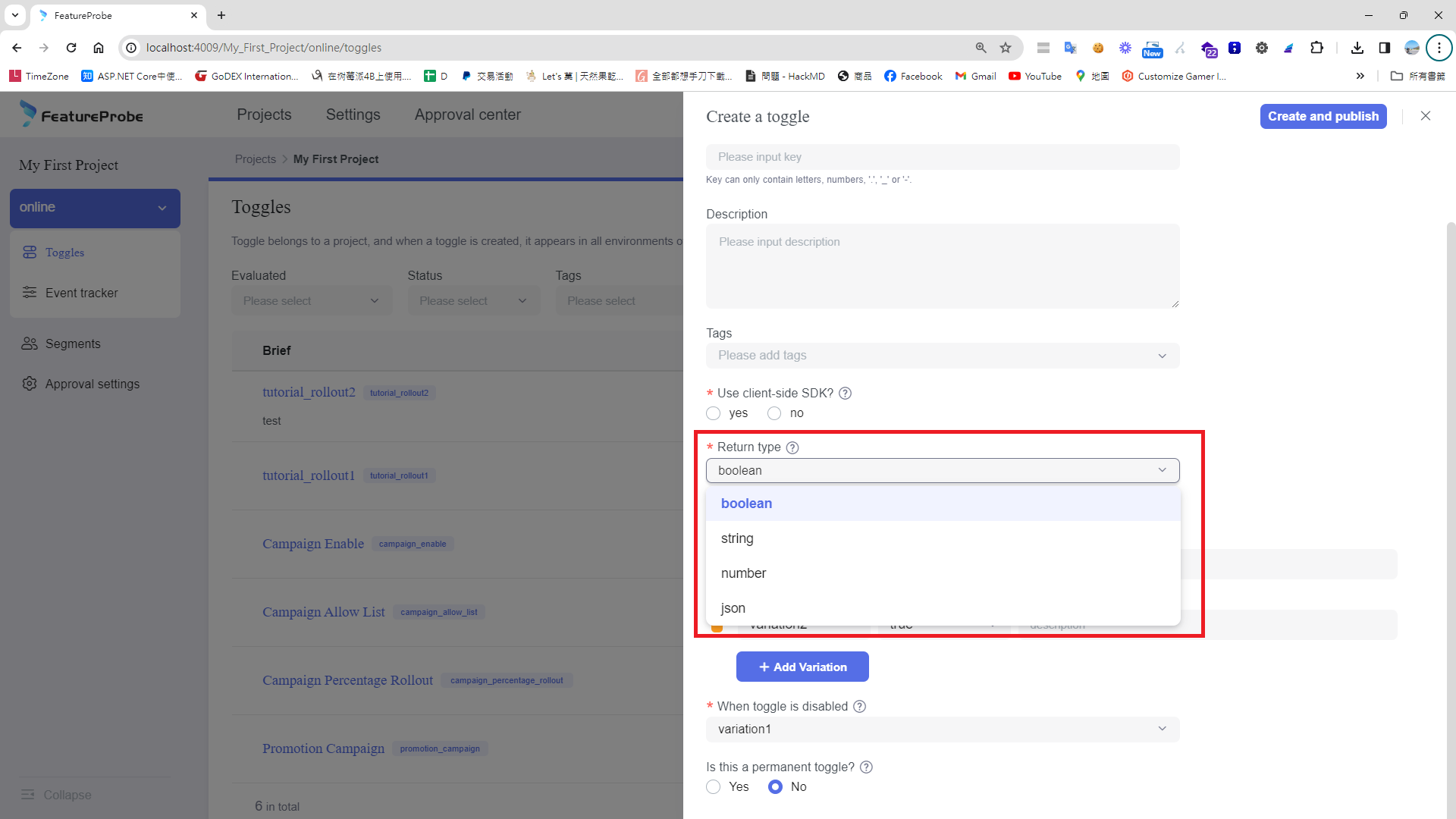
Of course, variants are not limited to true/false. When creating a flag you can choose other types like string, allowing you to test multiple variants at once.
Wrap-up
A/B testing has a high cost, so it's best applied to important features in a small, targeted scope. Through FeatureProbe, we got useful insights quickly. FeatureProbe stands out with its intuitive UI and powerful analytics, making test design and result evaluation simple and efficient. We identified which changes most improved user engagement and conversion, helping our product iteration. FeatureProbe's flexibility and ease of use are very helpful for supporting diverse tests, ensuring we can make precise product decisions based on data.


Comments