
Background
While migrating my Windows development machine to Linux, I noticed that the company's computers might have been infected by a worm. Unknown container services showed up on my Docker host, and unfamiliar .exe files appeared in the shared Samba folder. These signs led us to suspect a worm infection in the office. A colleague then used Wireshark to locate the malicious device, and I took the chance to learn from him how to use Wireshark.
First, what is a worm?
A worm is a type of malware that, like a virus, can self-replicate, but its defining trait is the ability to spread quickly across networks. Common worm behaviors include:
The worm behaviors we all know about:
-
Self-replication Worms replicate themselves and spread across the network to other devices. They typically use network protocols (such as email, file sharing, instant messaging, FTP, etc.) to propagate. Some worms even actively scan the network looking for open ports or vulnerable devices to infect.
-
Exploiting vulnerabilities Many worms exploit known vulnerabilities in operating systems or applications to break into devices. Their first move is usually to scan the LAN for devices with exploitable open ports.
-
Resource consumption Worms hog system resources (CPU, memory, network bandwidth, etc.), slowing down the infected device or the entire network. In severe cases, this can bring the network down or render devices unusable.
P.S. In our case, all three behaviors above were observed. We saw the worm scanning every device in the LAN looking for vulnerabilities to exploit further.
What is Wireshark
Wireshark is a powerful network protocol analyzer that captures and inspects packets, providing deep visibility into network traffic to help users detect anomalies and debug issues.
Using Wireshark to analyze network traffic
1. Download and install Wireshark - link
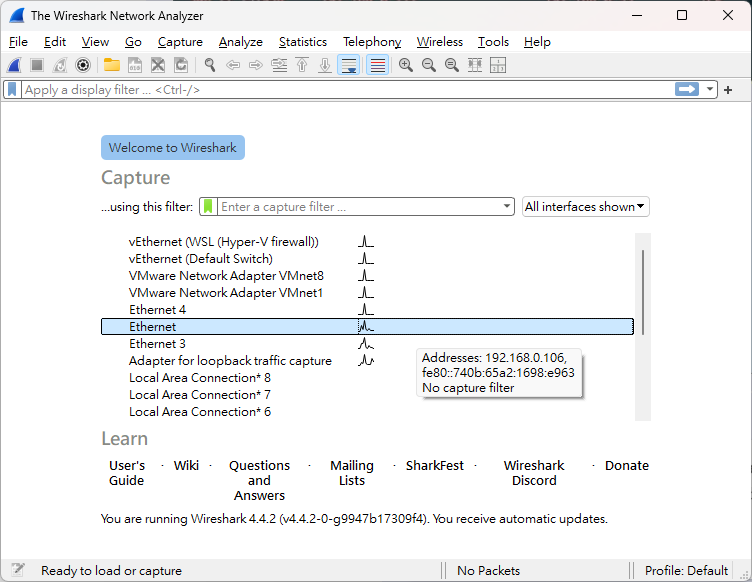
2. First, choose the network interface
In Wireshark, you start by selecting the network interface to capture traffic on.
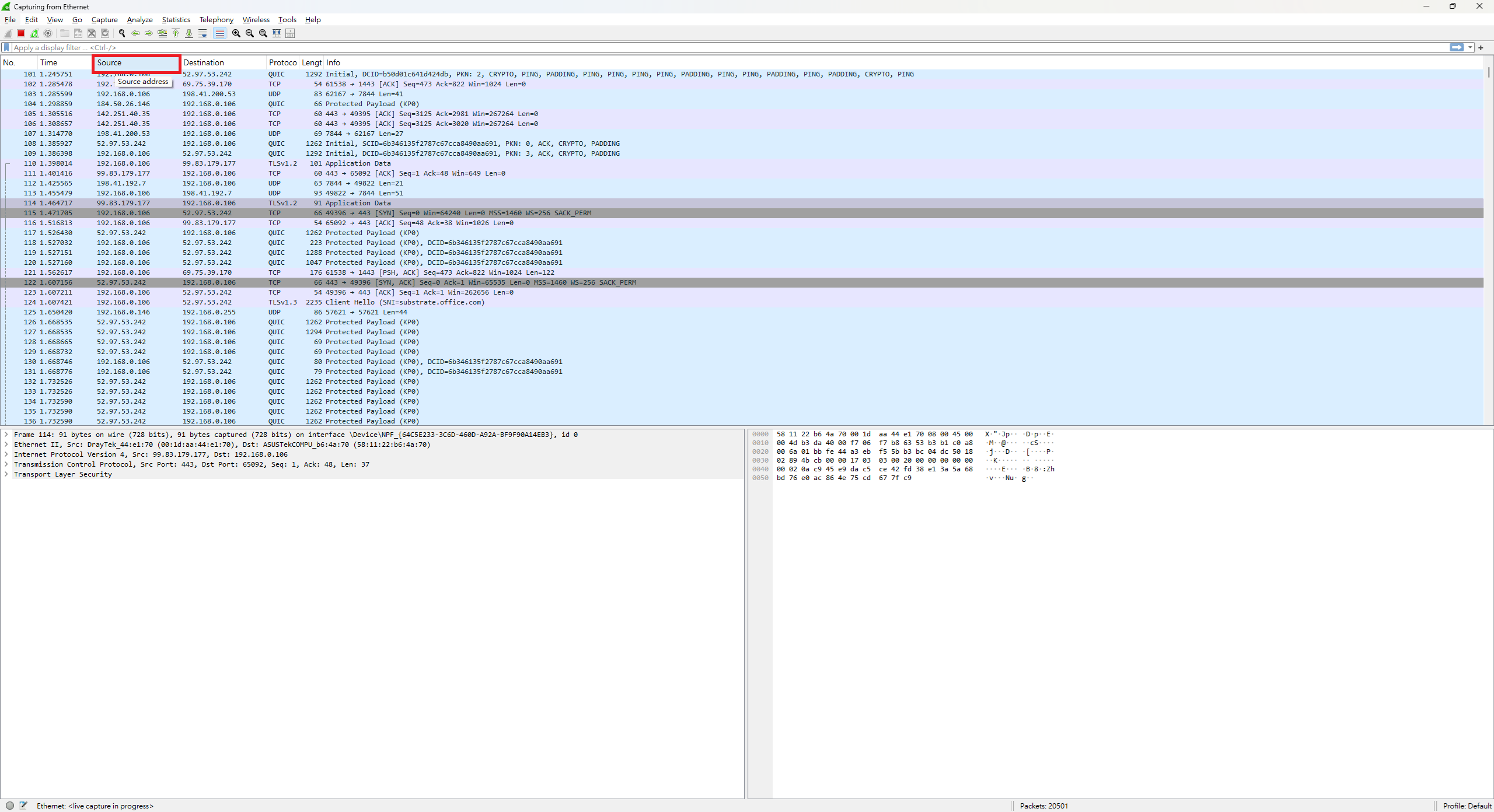
3. Start capturing and sort by source
After capturing traffic for a while, click the Source column to sort and pick out abnormal traffic origins.
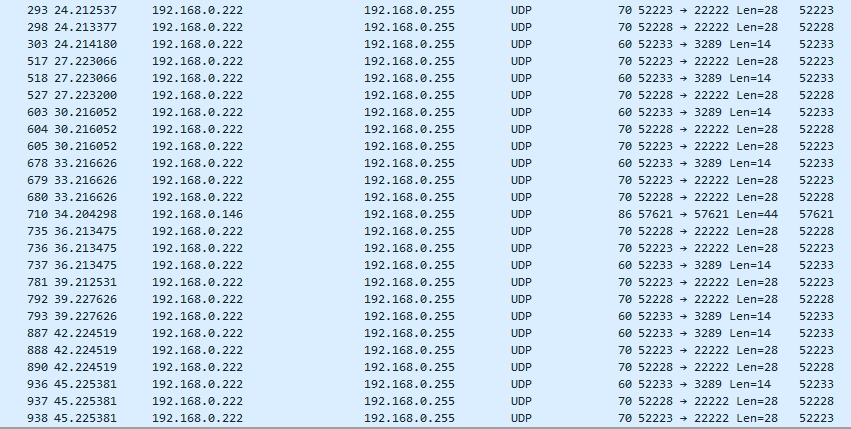
4. Identify the abnormal device
Eventually you'll spot certain machines exhibiting suspicious network behavior, scanning every port. The fix was simply to wipe and reinstall that machine.



Comments