
Background
I currently work at an e-commerce company whose products mainly serve the US, Germany, and Canada. A few days before Black Friday, we noticed that the site was constantly being hit by DDoS attacks. One day the site went down completely, which is when we started a deeper investigation.
I previously wrote an article on DDoS defense concepts. This post applies those defense rules in Cloudflare WAF.
Reviewing Cloudflare's security report, on the 12th we received roughly 20 million malicious requests targeting our site.
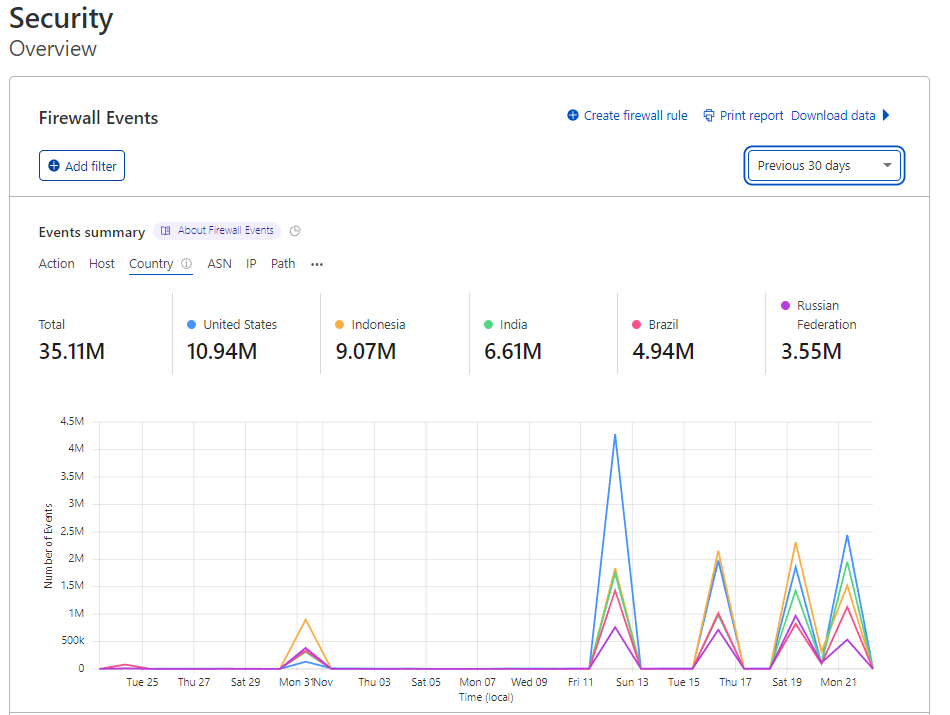

At the time many questions came to mind. Why would a single IP make such a huge volume of requests?
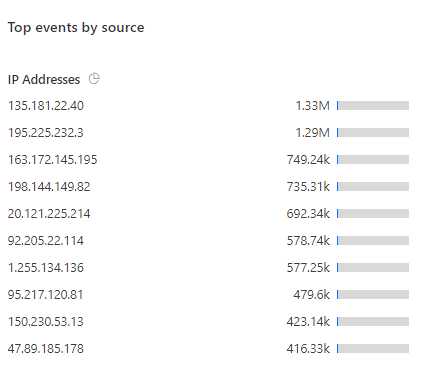
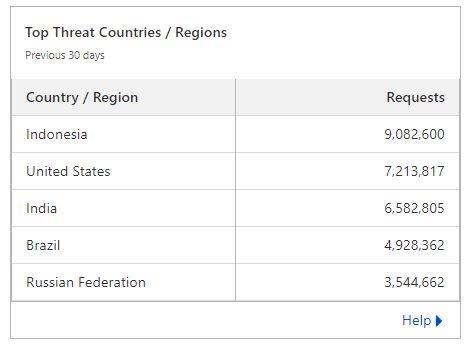
And why are there so many countries we don't even operate in sending heavy traffic to our site?
Although we use the Enterprise tier of Cloudflare, the default settings - while blocking most DDoS - still let some attacks slip through given the sheer volume. I spent a lot of time learning Cloudflare, reviewed every setting, discussed with my boss, and then put together a DDoS prevention plan using Web Application Firewall rules to protect our business during Black Friday, with our US boss's approval.
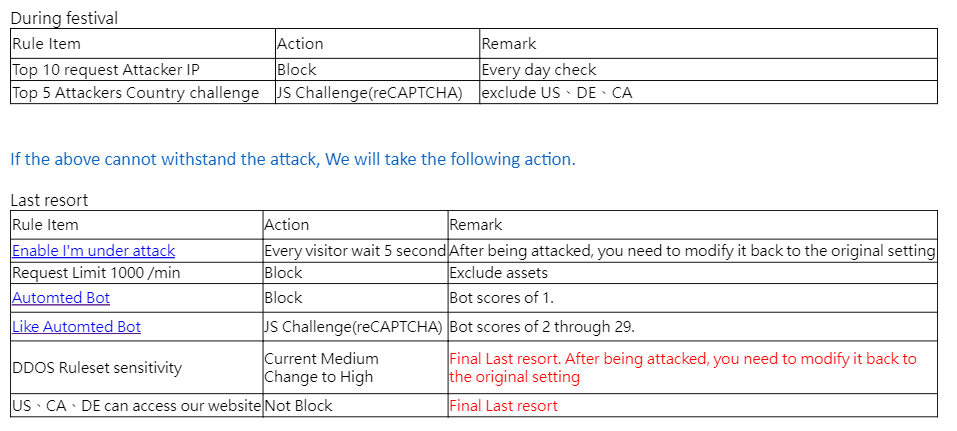
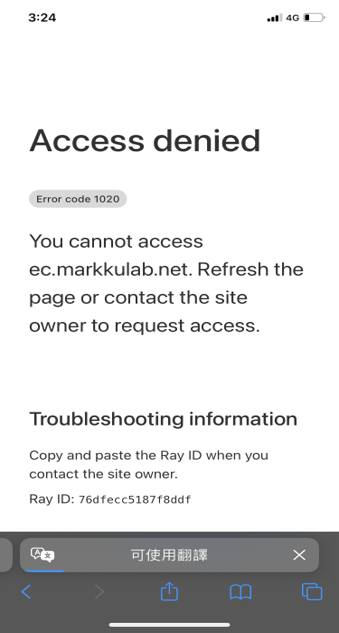
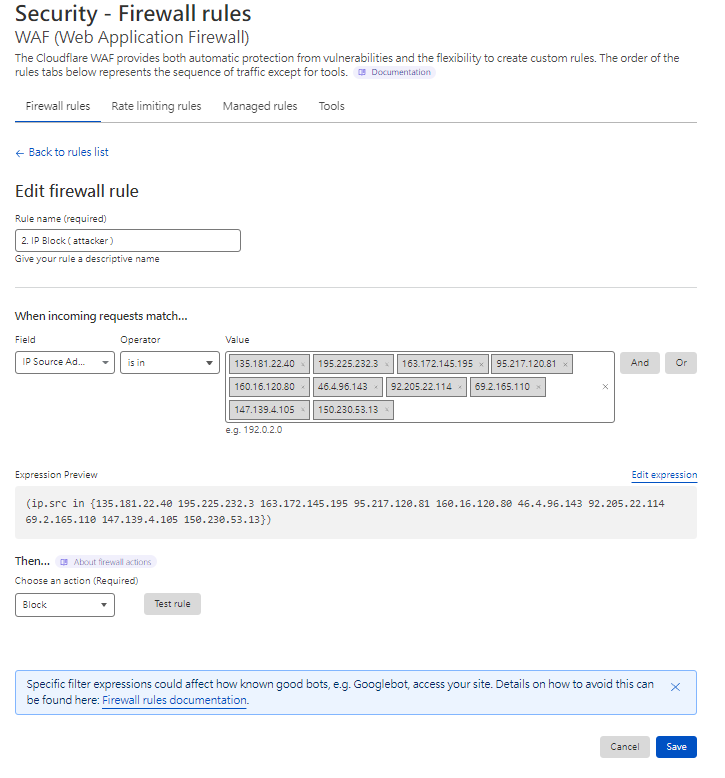
To avoid false positives that hurt the business, we only blocked single IPs making excessive requests. Below is the block screen.
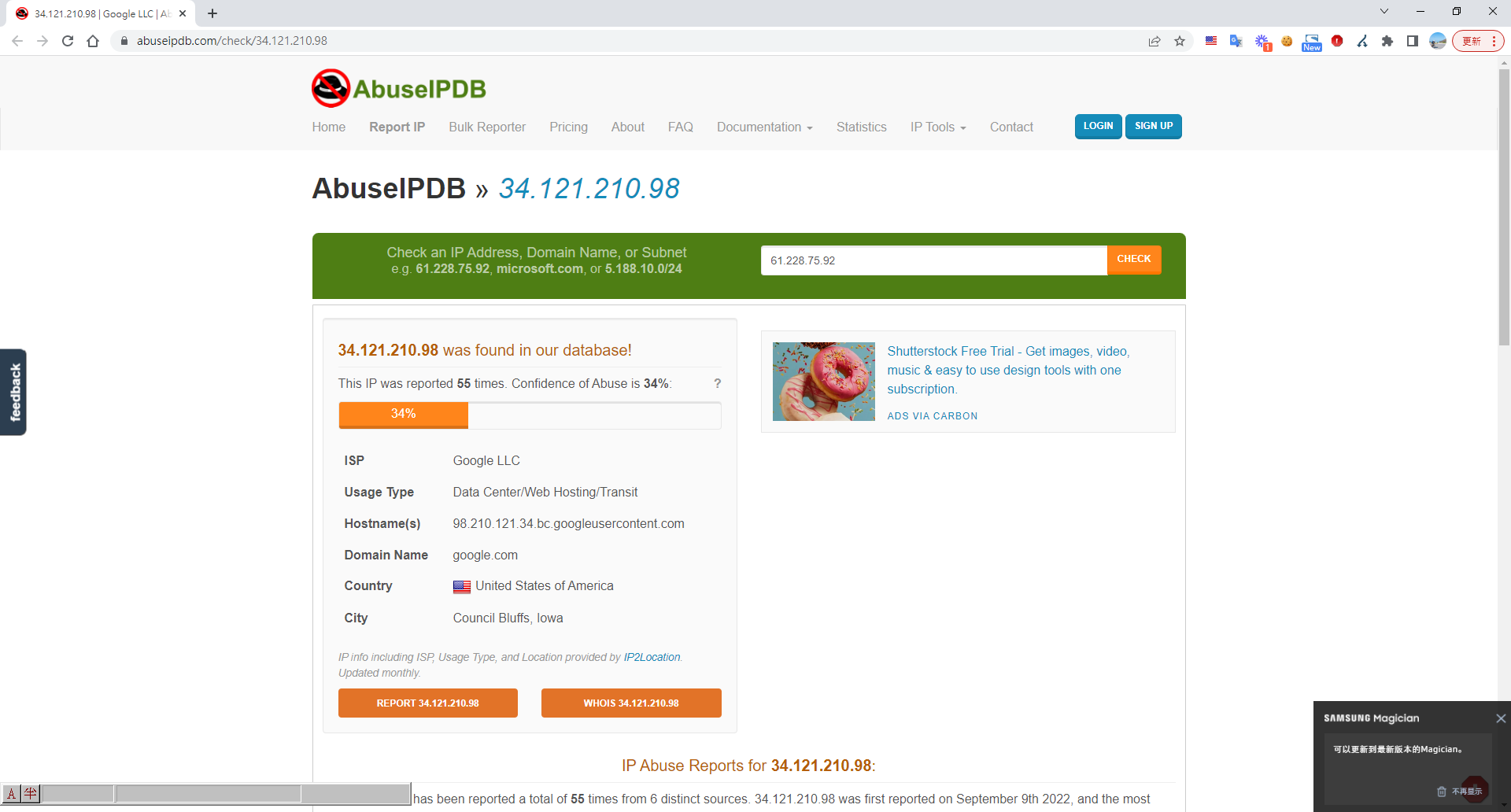
To avoid false positives, before adding an IP to the blocklist we look it up and report it on abuseipdb.
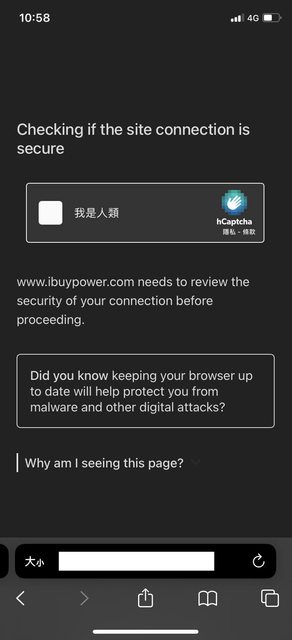
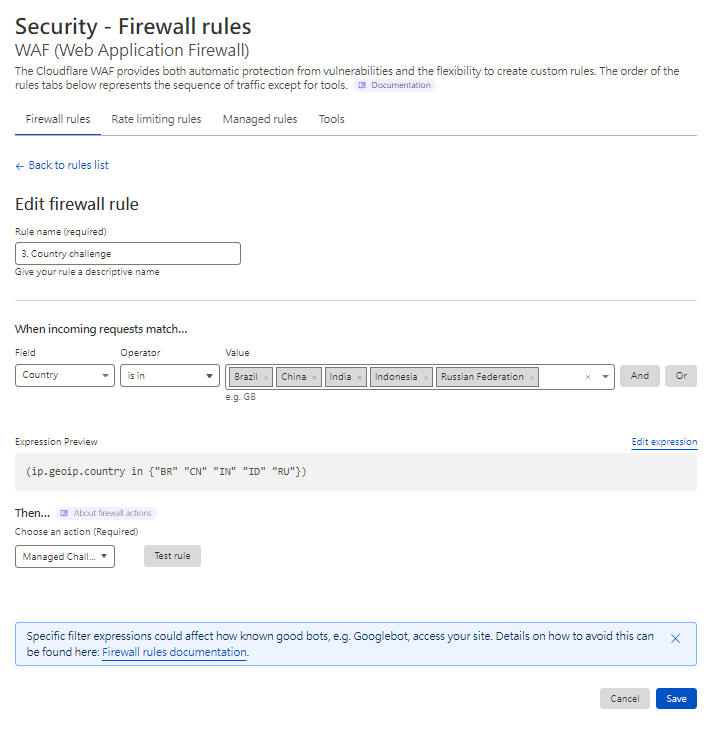
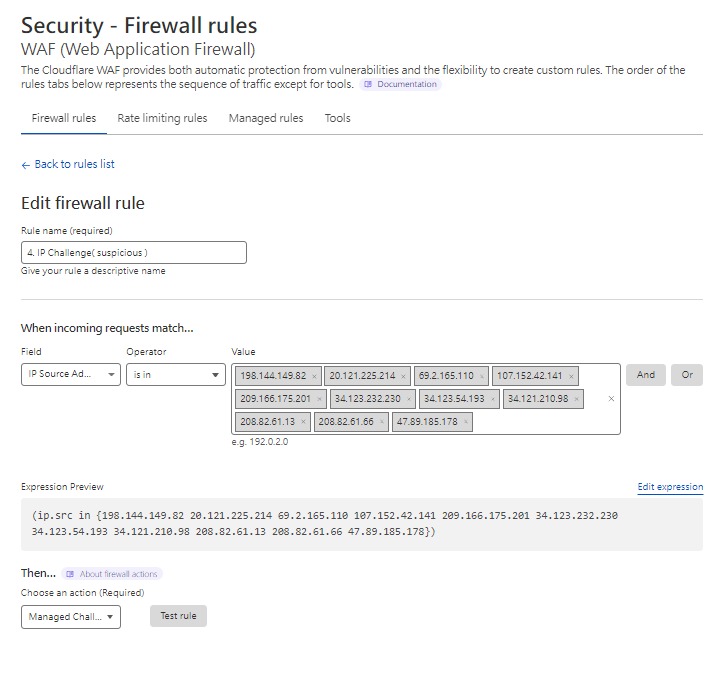
For other rules, to avoid false positives that affect orders, we only enable human verification. Users must pass it before entering the site.

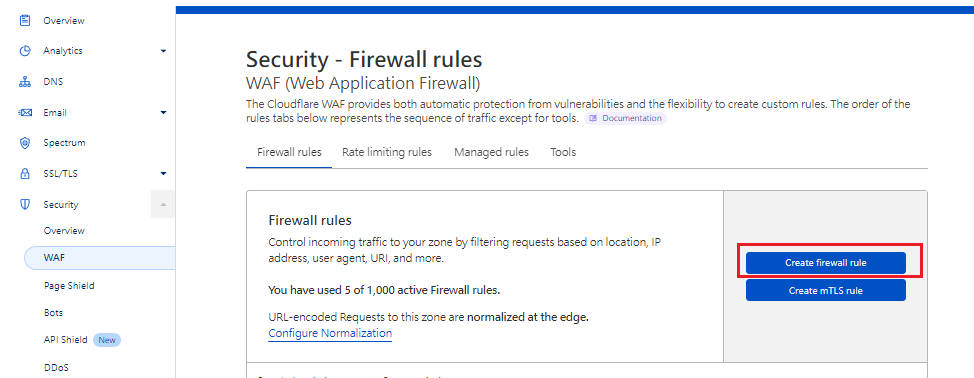
Now let's start creating WAF rules - Create Firewall rules
Go to Cloudflare admin > Security > WAF > Create firewall rule
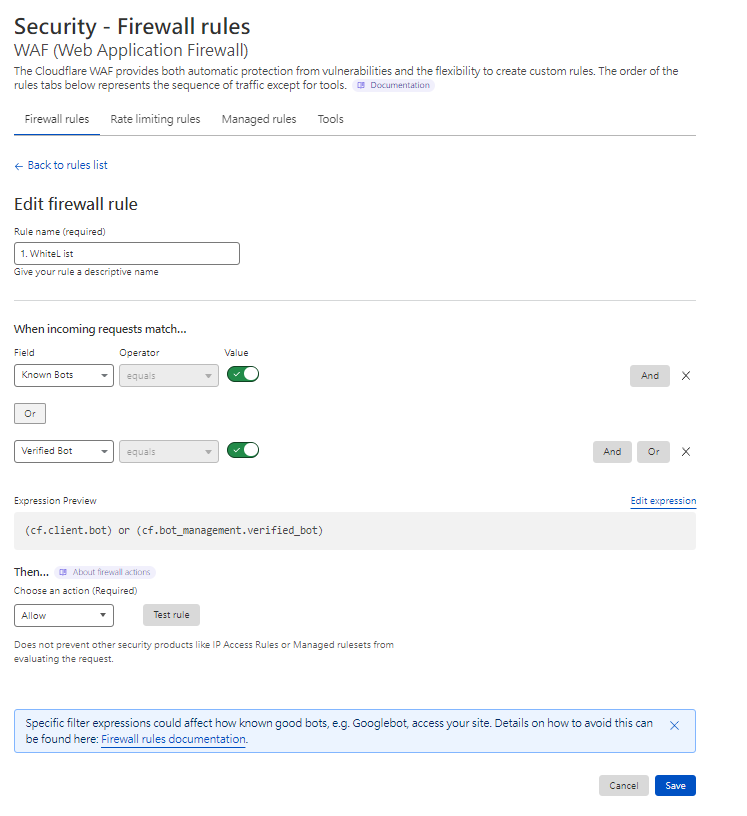
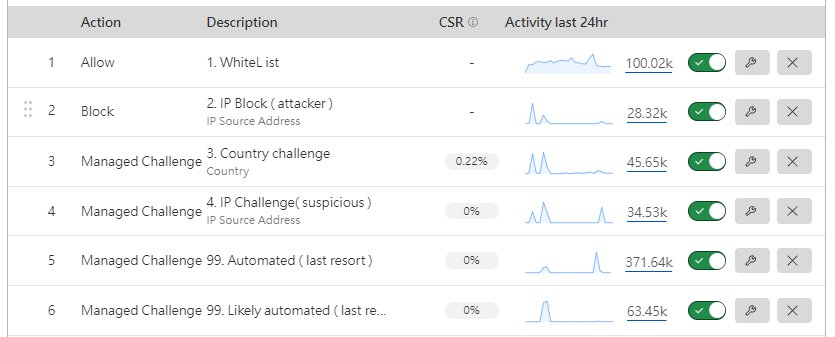
Rule 1. Allowlist - White List
Rule 2. Blocklist - IP Block (attacker)
Rule 3. Country challenge
Rule 4. IP Challenge (suspicious)
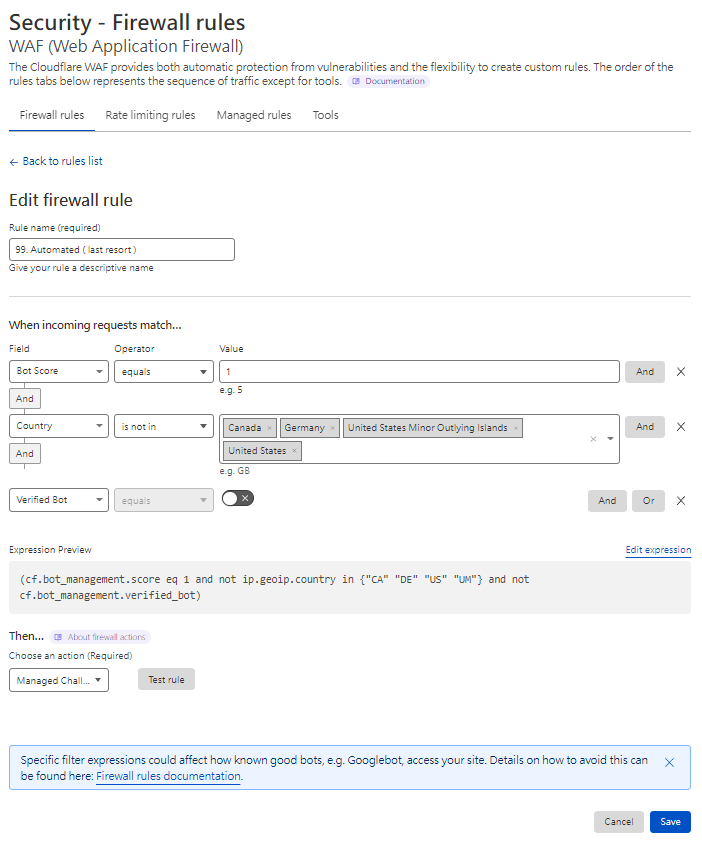
Rule 99. Bot challenge - Automated (last resort)
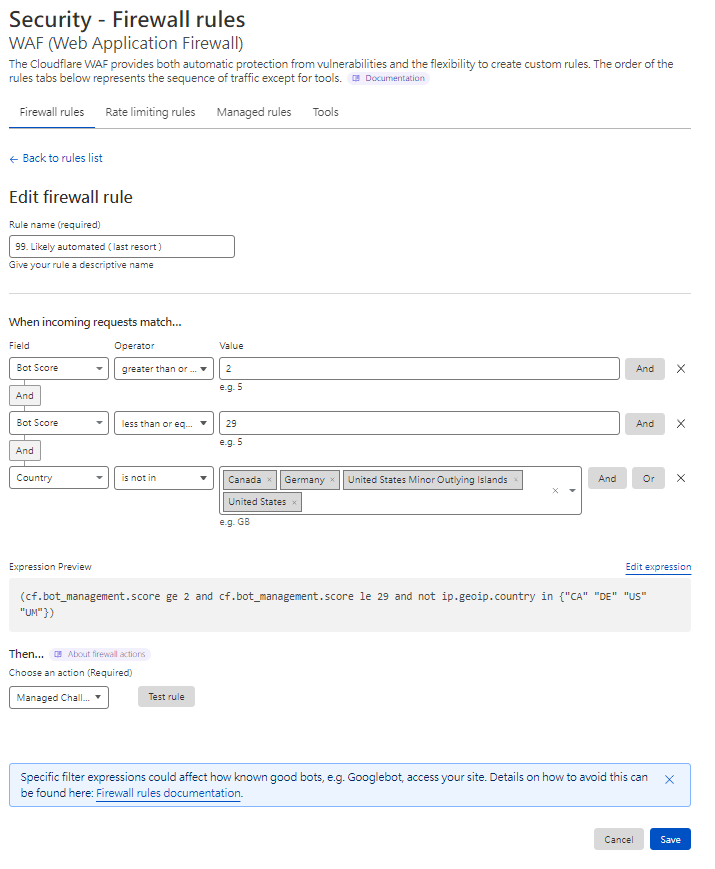
Rule 99. Likely automated challenge (last resort)
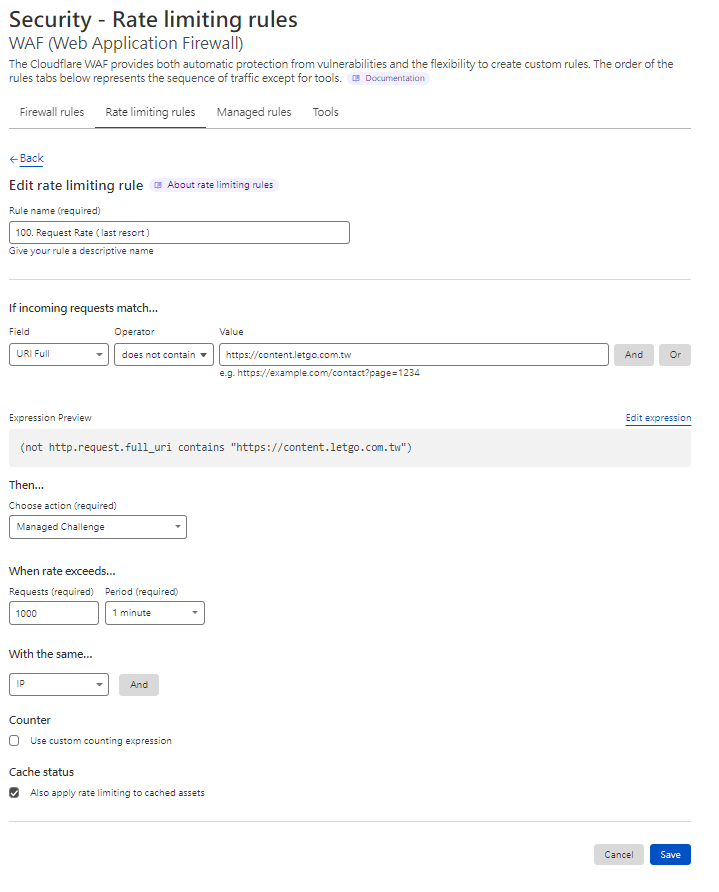
Rule 99. Request rate limit (last resort)
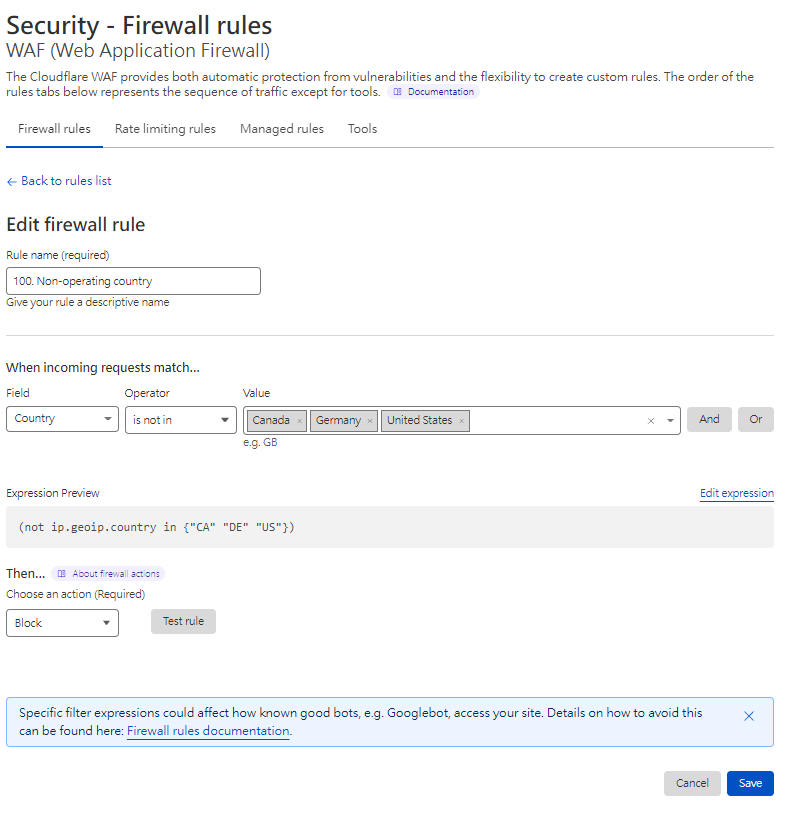
Rule 100. Only allow operating countries - Non-operating country
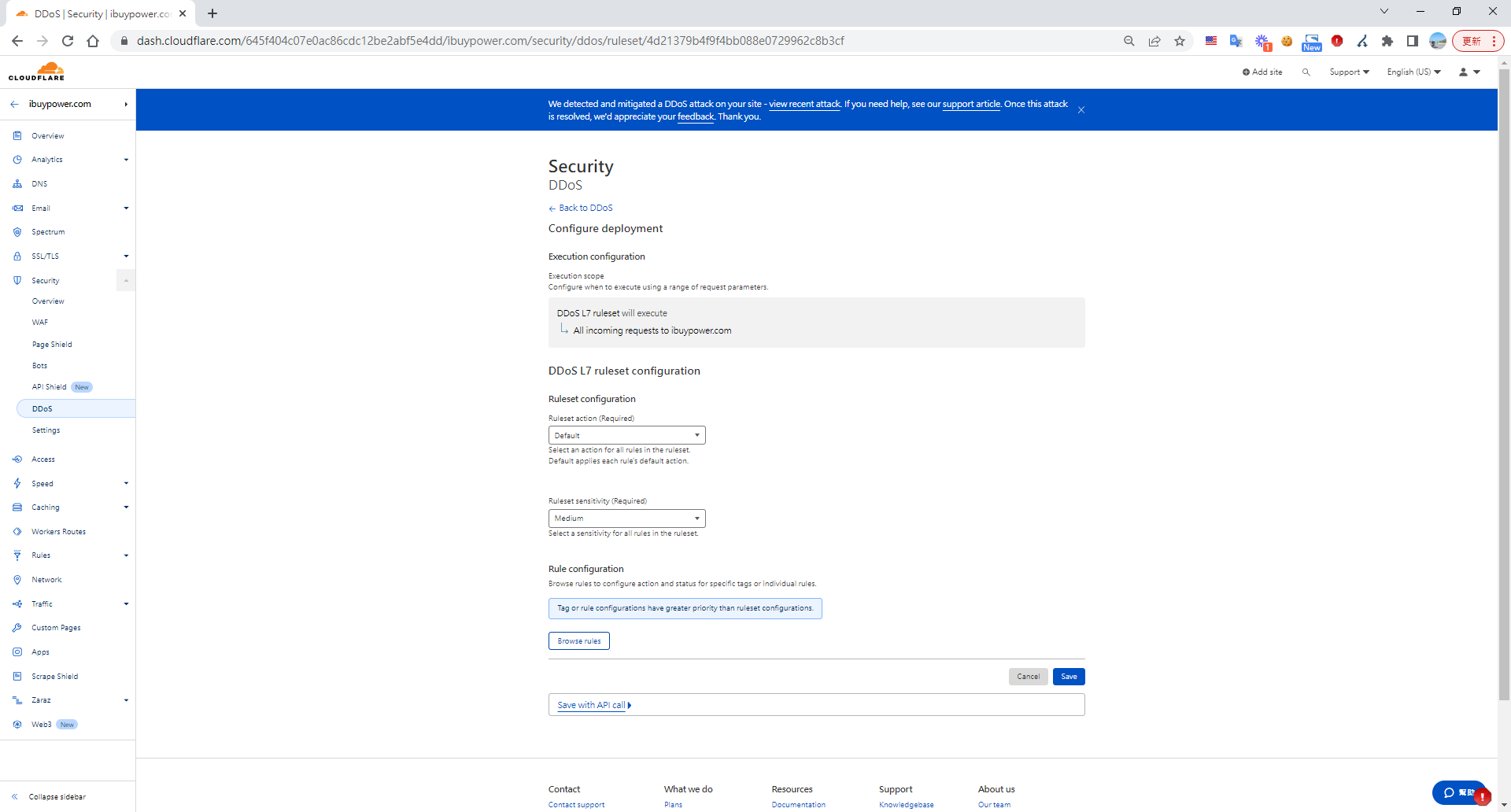
You can also tune DDoS sensitivity (Security > Settings > DDoS > Configure > Security Level > Medium)
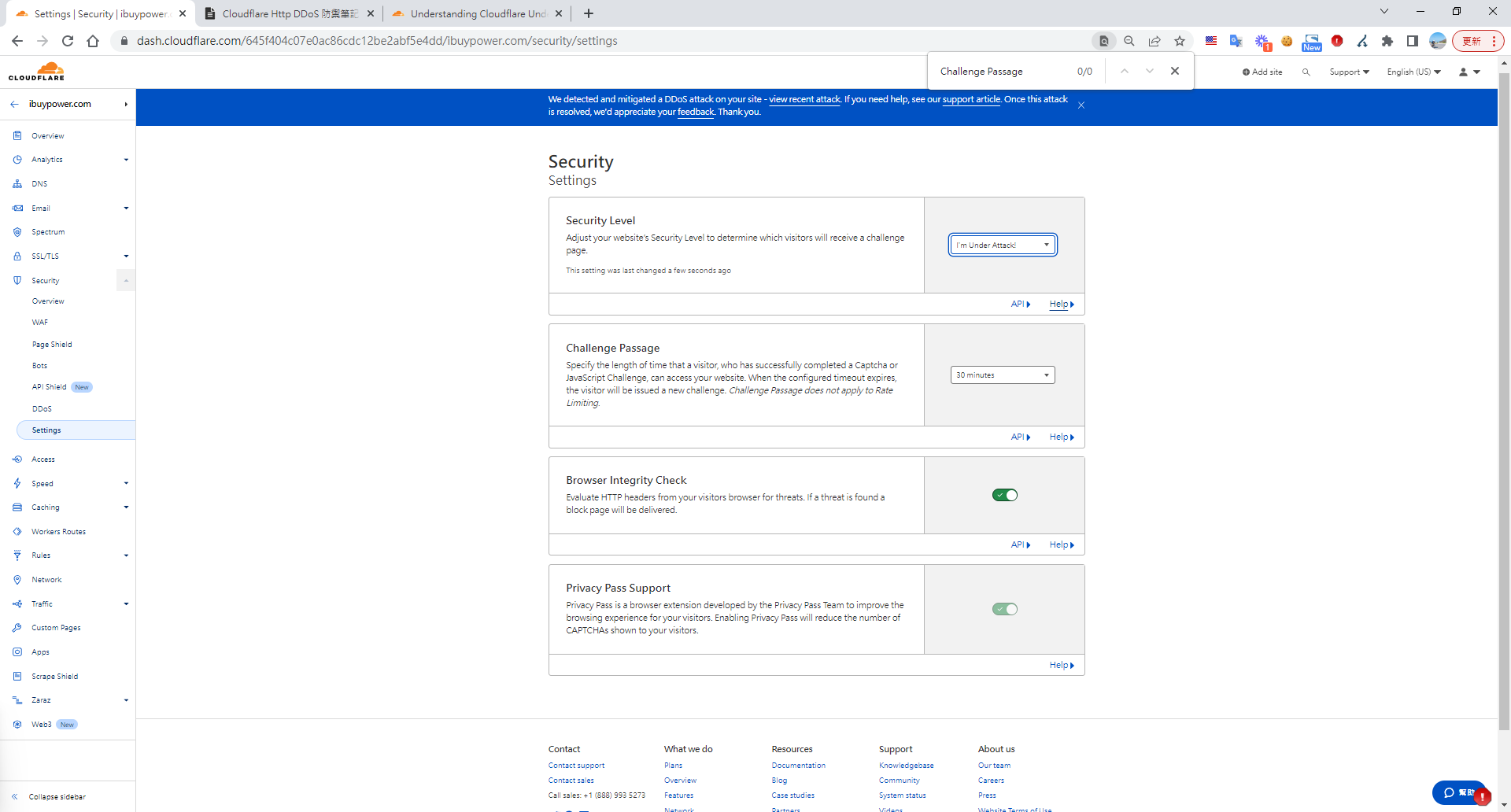
If nothing else holds, you can turn on "I'm Under Attack" mode. All users wait five seconds before entering the site. Remember to switch it back when done. Security > Settings > DDoS > Configure > Security Level > Enable I'm Under Attack mode
Effectiveness
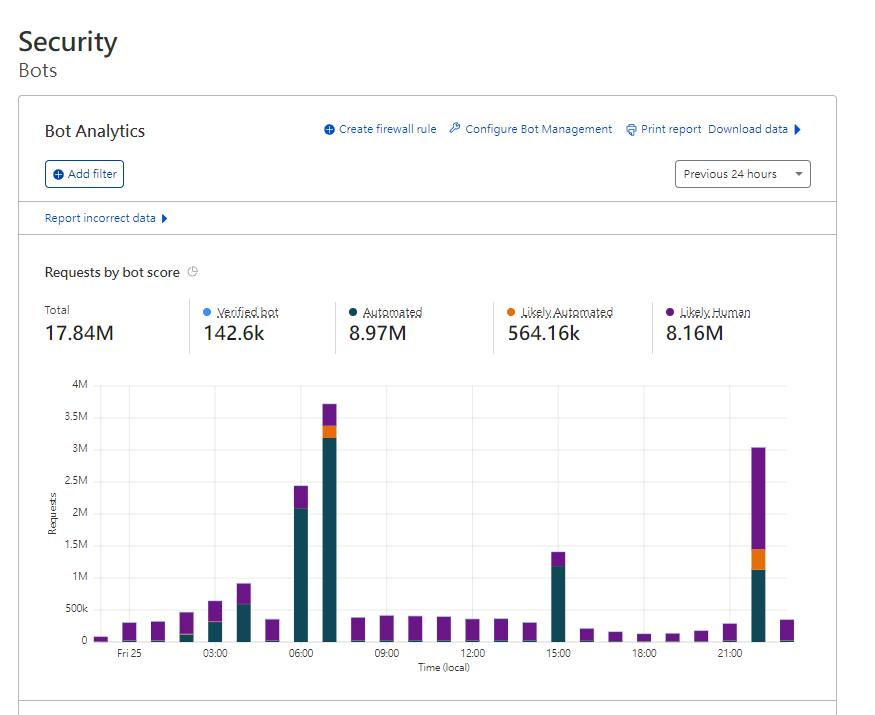
Across Thanksgiving and Black Friday (three days), we faced 7 DDoS attacks totaling more than 13 million malicious requests, with the highest single burst hitting 3 million requests at once. After the fifth attack the site stalled for about 30 seconds. The reports showed the attack pattern shift from concentrated IPs and countries to small, dispersed traffic. We finally decided to leverage Cloudflare's machine-learning-based rules. Without hurting the business, only single IPs sending massive request volumes were outright blocked, while everything else was sent to human verification. We made it through this year's Black Friday smoothly. It was a pretty intense Black Friday - many external services also experienced anomalies.
A total of 13.63 million requests received
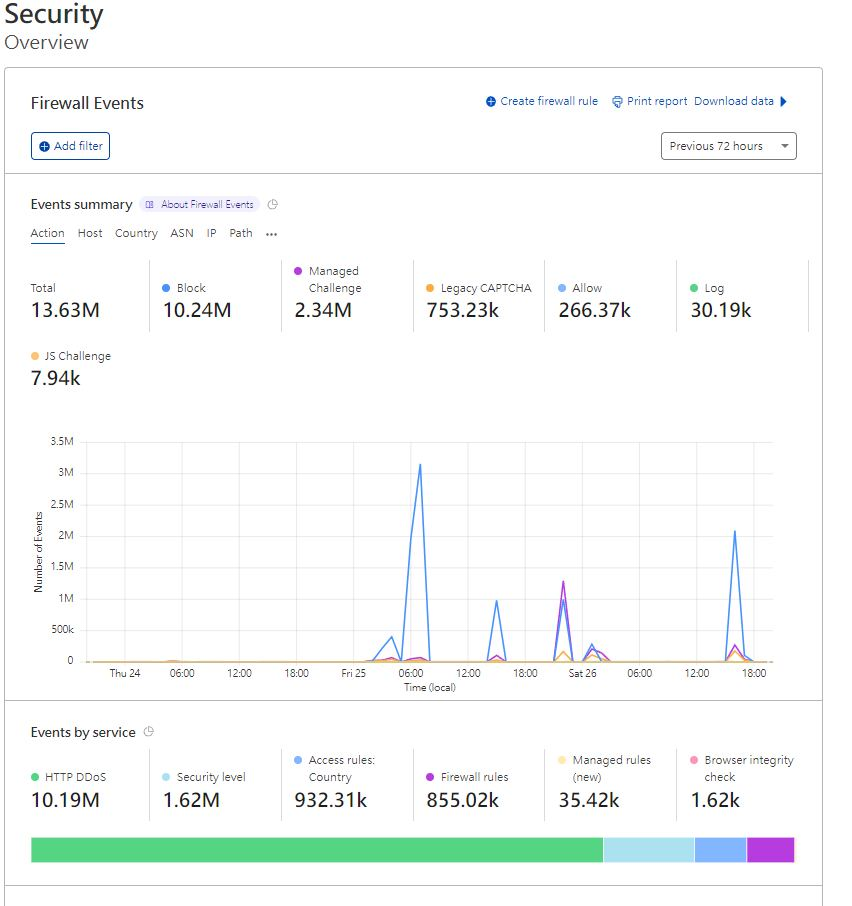
WAF helped block over 5 million requests
Bot analytics report


Comments