
Stylelint - Bring ESLint-Style Auto-Formatting and Error Checking to Your CSS
Background
When developing CSS or SCSS in Vue projects, have you ever run into this problem: you add an outer wrapper class and then have to manually re-indent everything? On a team, every member writes CSS differently. Stylelint exists to solve exactly these issues.
What Is Stylelint?
Stylelint is a CSS code-style checker, much like ESLint for JavaScript. It helps teams:
- Auto-format CSS as you write it
- Highlight property errors, enforce casing rules, sort properties, and more
- Build consistent CSS writing habits across the team
- Fix style issues and errors automatically
Demo Video
Installation and Configuration
Install the required packages
npm install --save-dev stylelint stylelint-config-standard stylelint-order stylelint-scss
Create .stylelintrc.json in the project root
{
    "extends": "stylelint-config-standard",
      "plugins": [
        "stylelint-scss",
        "stylelint-order"
    ],
    "rules": {
      "property-no-unknown": [
      true,
      {
        "ignore": [
        "promotioncolorfirst",
        "promotioncolorsecond",
        "promotioncolorthird"
        ]
      }
    ],
    "color-hex-case": "upper",
    "no-descending-specificity": null,
    "at-rule-no-unknown": null,
    "order/properties-order": [
        "position",
        "top",
        "right",
        "bottom",
        "left",
        "z-index",
        "display",
        "justify-content",
        "align-items",
        "float",
        "clear",
        "overflow",
        "overflow-x",
        "overflow-y",
        "margin",
        "margin-top",
        "margin-right",
        "margin-bottom",
        "margin-left",
        "border",
        "border-style",
        "border-width",
        "border-color",
        "border-top",
        "border-top-style",
        "border-top-width",
        "border-top-color",
        "border-right",
        "border-right-style",
        "border-right-width",
        "border-right-color",
        "border-bottom",
        "border-bottom-style",
        "border-bottom-width",
        "border-bottom-color",
        "border-left",
        "border-left-style",
        "border-left-width",
        "border-left-color",
        "border-radius",
        "padding",
        "padding-top",
        "padding-right",
        "padding-bottom",
        "padding-left",
        "width",
        "min-width",
        "max-width",
        "height",
        "min-height",
        "max-height",
        "font-size",
        "font-family",
        "font-weight",
        "text-align",
        "text-justify",
        "text-indent",
        "text-overflow",
        "text-decoration",
        "white-space",
        "color",
        "background",
        "background-position",
        "background-repeat",
        "background-size",
        "background-color",
        "background-clip",
        "opacity",
        "filter",
        "list-style",
        "outline",
        "visibility",
        "box-shadow",
        "text-shadow",
        "resize",
        "transition"
      ],
      "selector-pseudo-class-no-unknown": [
      true,
      {
        "ignorePseudoClasses": ["export"]
      }
    ],
    "property-no-unknown": [
      true,
      {
        "ignoreProperties": ["composes", "compose-with"],
        "ignoreSelectors": [":export", "/^:import/"]
      }
    ]
    }
}
Enable auto-fix on save in VS Code
To have errors fixed automatically on save, add the following to your VS Code settings.json:
"editor.codeActionsOnSave": {
    "source.fixAll.eslint": true,
    "source.fixAll.stylelint": true
  },
Install the Stylelint plugin in VS Code
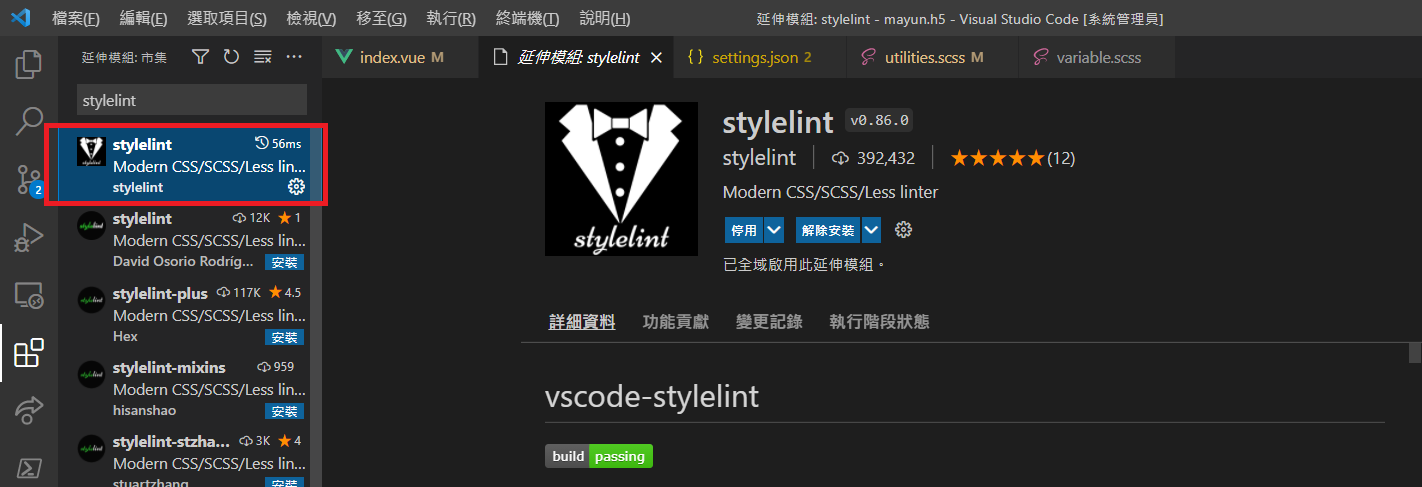
Once installed, saving any CSS file in your project will automatically fix formatting and errors.
Applying Stylelint to the Entire Project
Run from the terminal
// 檢查錯誤
 npx stylelint "**/*.css"
// 修正錯誤
 npx stylelint "**/*.css" --fix
Or configure npm scripts in package.json
/ package.json

{
  "scripts": {
    "check:style": "stylelint **/*.{css,scss,sass,vue}",
    "lint:style": "stylelint **/*.{css,scss,sass,vue} --fix"
  }
}


Comments