
One-Click Remote Container Deployment with PowerShell — .NET Core to QNAP Docker Container Station
Problem Statement
When developing containerized applications on a Windows PC, deploying them to a remote NAS Docker host involved way too many manual steps. I wrote a PowerShell script to automate the entire build and deployment process.
Development Environment
Windows 10 X64 Home Visual Studio 2019 Community Docker for Windows 17.06.2 QNAP NAS TS-253d 5.0.0.1891 Container Station 2.4.3.208 QNAP Docker Version 20.10.8
Step 1: Download Docker Certificates from the NAS to Your Windows Client
Go to the NAS admin panel > Open Container Station > Click "Properties" in the left menu > Select "Docker Certificate" > Download
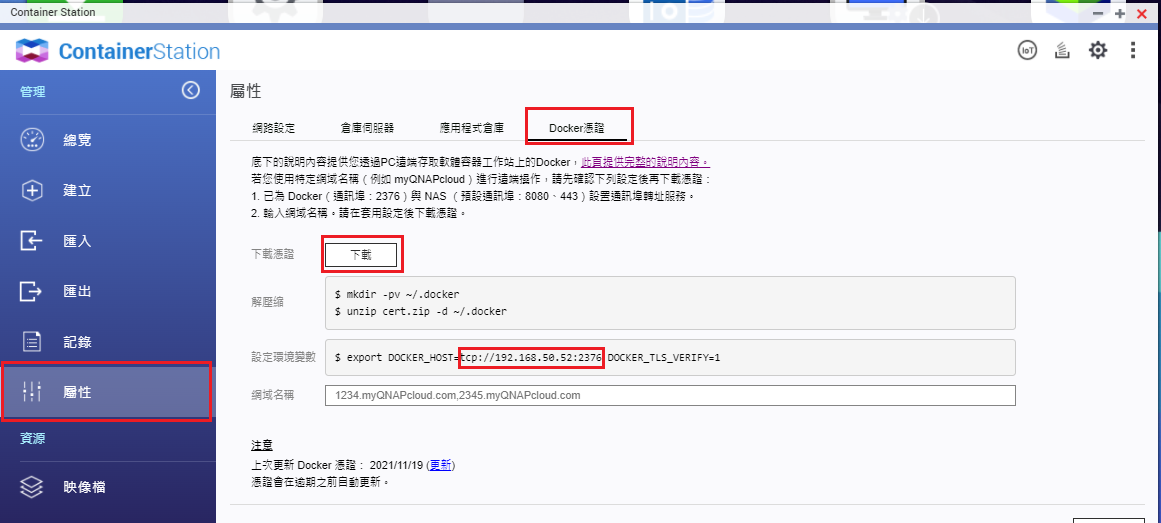
Extract the downloaded archive and place the Docker certificates into the %USERPROFILE%/.docker directory.
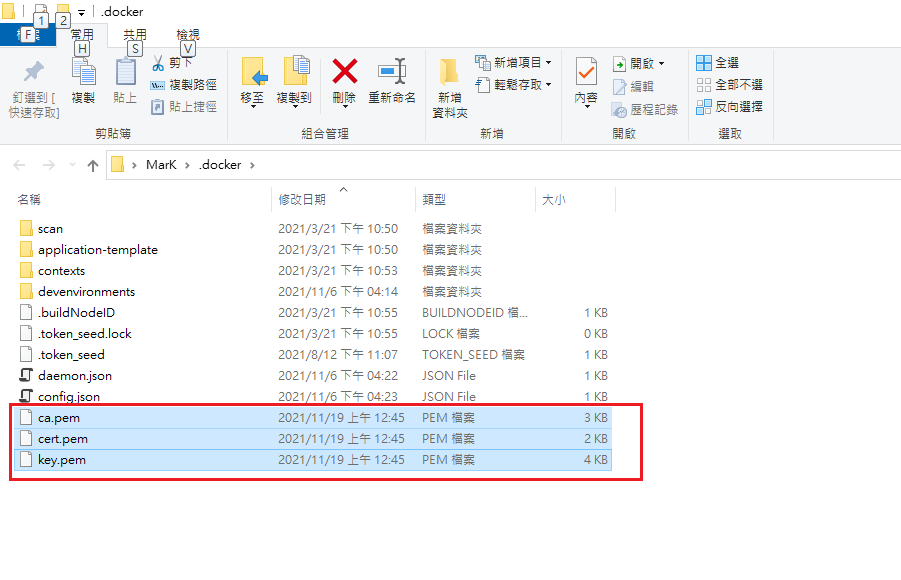
Note: tcp://192.168.50.52:2376 is the Docker host address (this IP and port are no longer active).
Test the Connection with PowerShell
docker --tls -H="tcp://192.168.50.52:2376" --version # 查詢遠端 nas docker 版本號
Writing the PowerShell Remote Deployment Script
Build the Image
# 本地建置映像檔
docker build -t shopcart . -f ./Comma.Web/Dockerfile
# save 要搭配 load 指令; import 搭配 export 指令
docker save -o C:\Project\shopcart.tar shopcart

$containerUrl = "tcp://192.168.50.52:2376" # 將Nas docker 主機位置宣告成變數

# 遠端建置映像檔 (nas 比本機電腦慢,這個就不建議了)
# docker  --tls -H="$containerUrl" build -t shopcart . -f ./Comma.Web/Dockerfile
Stop the Remote Container
$containerName = "shopcart-1" # 容應應用名稱
docker --tls -H="$containerUrl" ps -a -f ancestor=$containerName --no-trunc -q | foreach-object { docker --tls -H="$containerUrl" stop $_ }
docker --tls -H="$containerUrl" ps -a -f name=$containerName --no-trunc -q | foreach-object { docker --tls -H="$containerUrl" stop $_ }
Remove the Remote Container
docker --tls -H="$containerUrl" ps -a -f ancestor=$containerName* --no-trunc -q | foreach-object { docker --tls -H="$containerUrl" rm -f $_ }
docker --tls -H="$containerUrl" ps -a -f name=$containerName* --no-trunc -q | foreach-object { docker --tls -H="$containerUrl" rm -f $_ }
Delete the Remote Image
$imageName = "shopcart"
$existingImages = docker --tls -H="$containerUrl" images $imageName
If ($existingImages.count -gt 1) {
write-host "[Removing image]Removing the existing image.."
docker --tls -H="$containerUrl" rmi -f $imageName
} else {
write-host "[Removing image]The image does not exist"
}
Load the Local Image onto the Remote Docker Host
docker --tls -H="$containerUrl" load --input "C:\Project\shopcart.tar"
Create and Start the Container
docker --tls -H="$containerUrl" run -d --name shopcart-1 -p 888:80 shopcart
Testing It Out
Double-click the PowerShell script you just wrote
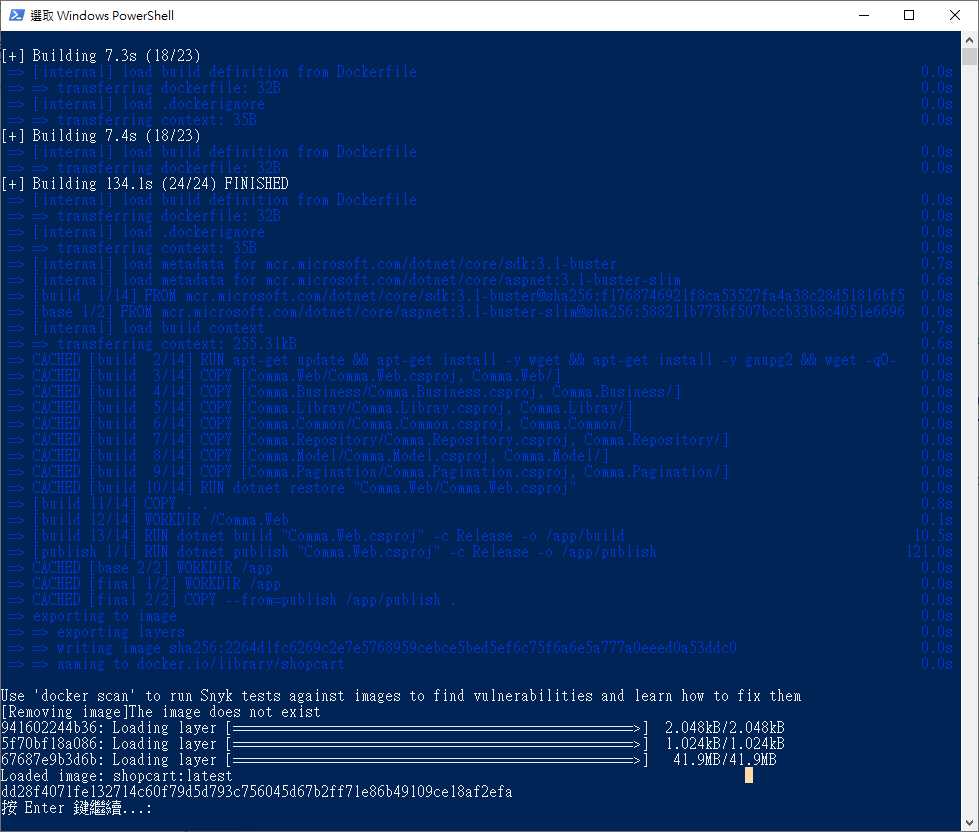
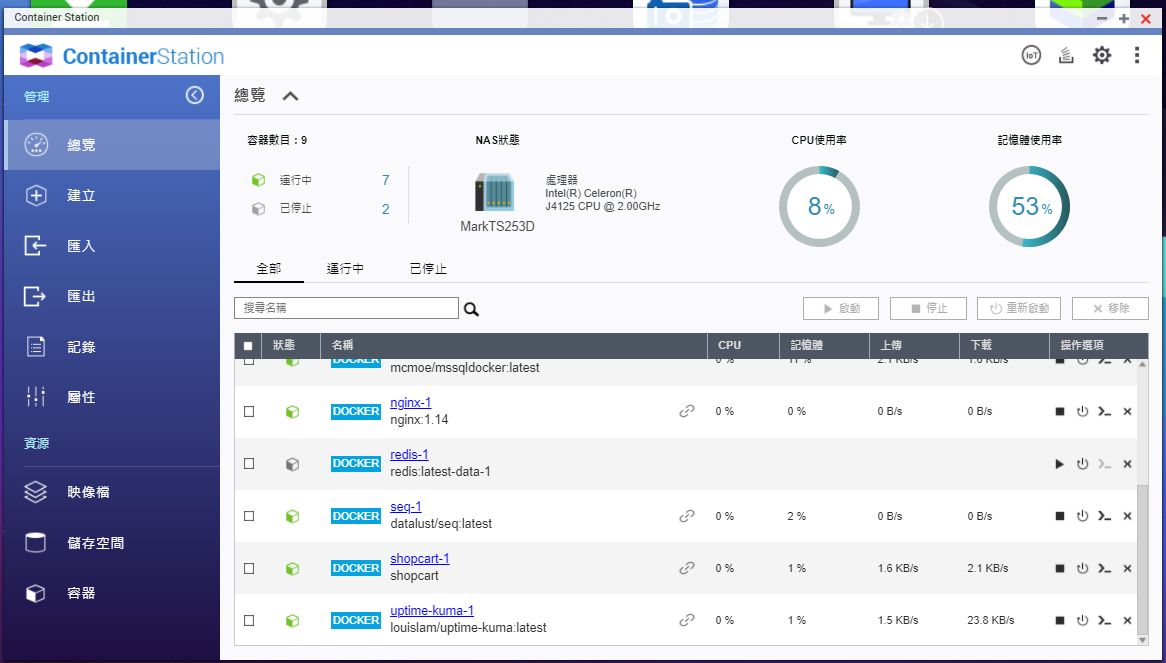
Once the script finishes, check Container Station to confirm the container is running
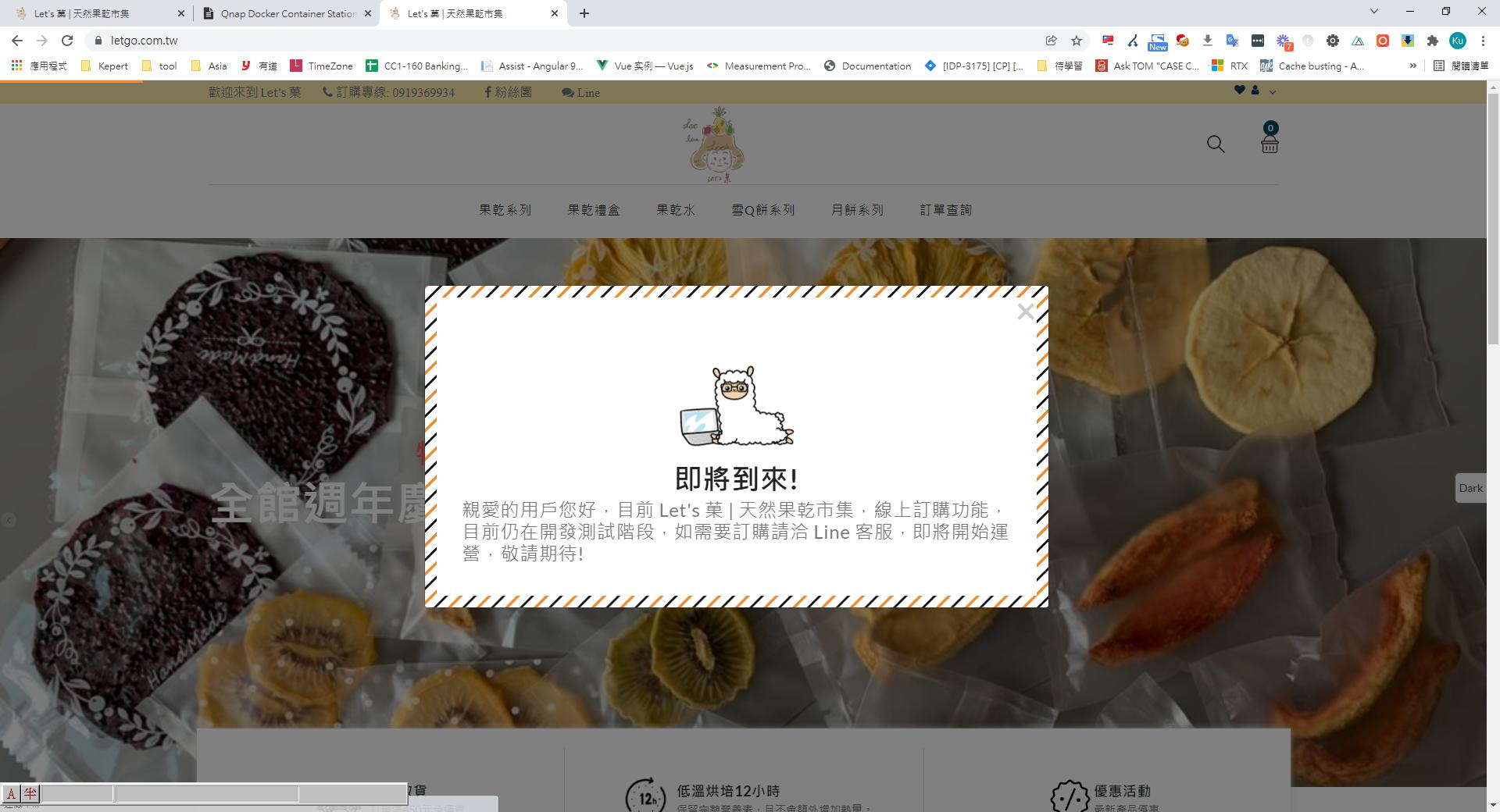
The web service is displaying correctly
Complete Script
$hostname = "letgoshop"
$containerName = "shopcart-1"
$containerUrl = "tcp://192.168.50.52:2376"
$imageName = "shopcart"
$containerMacAddress = "00:0C:29:E8:24:F4"
$containerIpAddress = "192.168.0.142"
$logsVolumePath = "/share/Container/Logs"
$dockerfile = "./Comma.Web/Dockerfile"

# 本地建置映像檔
docker build -t shopcart . -f ./Comma.Web/Dockerfile

docker save -o C:\Project\shopcart.tar shopcart # save 指令要搭配 load 指令; import 指令搭配 export 指令

# 遠端建置映像檔 (nas 比本機電腦慢,這個就不建議了)
# docker  --tls -H="$containerUrl" build -t shopcart . -f ./Comma.Web/Dockerfile

# 停用容器
docker --tls -H="$containerUrl" ps -a -f ancestor=$containerName --no-trunc -q | foreach-object { docker --tls -H="$containerUrl" stop $_ }
docker --tls -H="$containerUrl" ps -a -f name=$containerName --no-trunc -q | foreach-object { docker --tls -H="$containerUrl" stop $_ }

# 移除容器
docker --tls -H="$containerUrl" ps -a -f ancestor=$containerName* --no-trunc -q | foreach-object { docker --tls -H="$containerUrl" rm -f $_ }
docker --tls -H="$containerUrl" ps -a -f name=$containerName* --no-trunc -q | foreach-object { docker --tls -H="$containerUrl" rm -f $_ }

# 移除映像檔

$existingImages = docker --tls -H="$containerUrl" images $imageName
If ($existingImages.count -gt 1) {
write-host "[Removing image]Removing the existing image.."
docker --tls -H="$containerUrl" rmi -f $imageName
} else {
write-host "[Removing image]The image does not exist"
}

# 將本地的映像檔匯入 Docker 主機
docker --tls -H="$containerUrl" load --input  "C:\Project\shopcart.tar"

# 建立及啟動容器應用
docker --tls -H="$containerUrl" run -d --name shopcart-1 --restart=always -p 8888:80 shopcart

pause


Comments