
Remote Build and Deploy Docker Containers on Windows Docker Desktop with PowerShell
Background
Due to limited infrastructure resources at the company — no dedicated network admin, no desire to maintain a Jenkins instance, and no appetite for the overhead of setting up a Docker registry — I spent some time figuring out how to remotely build and manage Docker containers on a Windows Docker Desktop machine.
Architecture
Both machines have Docker Desktop installed. Developers trigger remote Docker commands via PowerShell on their own Windows machine, which manages the Docker Engine on the remote build machine.
Enable Docker Desktop Remote API
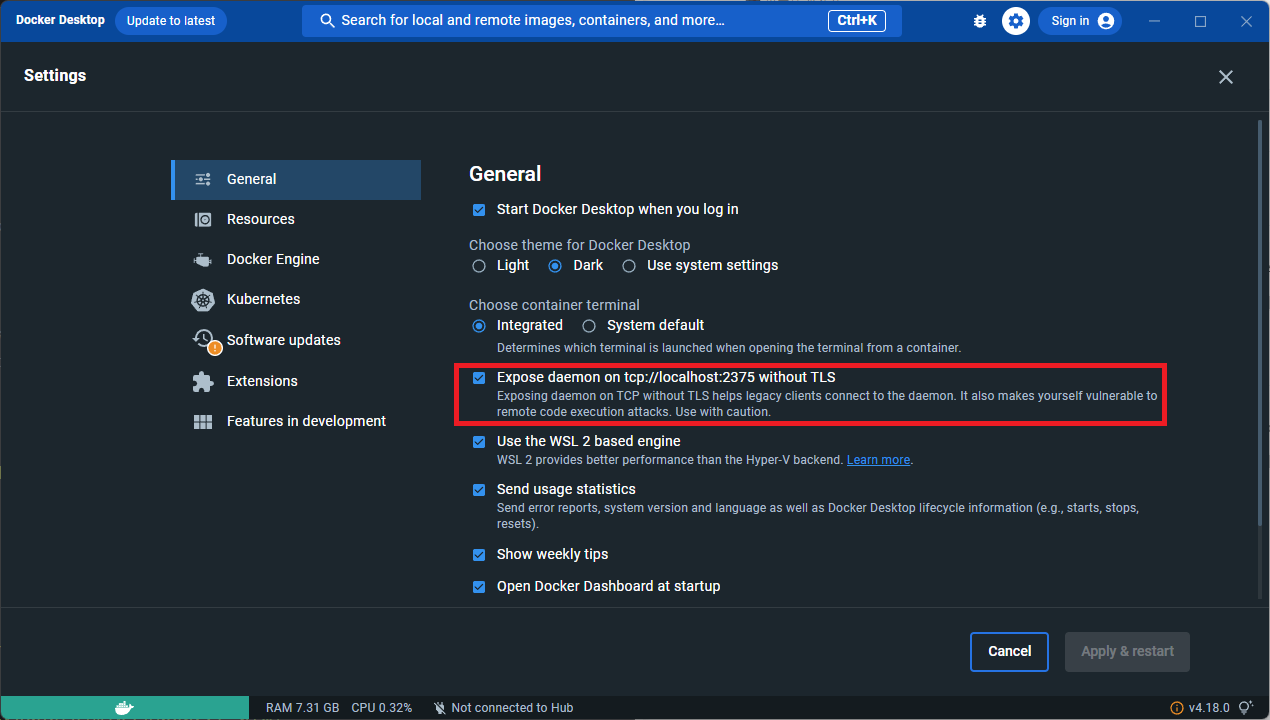
Open Docker Desktop > Settings > Check "Expose daemon on tcp://localhost:2375 without TLS remote build"
Map Port 2375 to 2376 for Security
To avoid exposing port 2375 directly, use netsh to proxy it to port 2376:
netsh interface portproxy show all
netsh interface portproxy delete v4tov4 listenport=2375 listenaddress=0.0.0.0
netsh interface portproxy delete v4tov4 listenport=2376 listenaddress=0.0.0.0
netsh interface portproxy add v4tov4 listenport=2376 listenaddress=0.0.0.0 connectaddress=127.0.0.1 connectport=2375
Open Firewall Port 2376
New-NetFirewallRule -DisplayName "Allow Port 2376" -Direction Inbound -Protocol TCP -LocalPort 2376 -Action Allow
Test the Connection
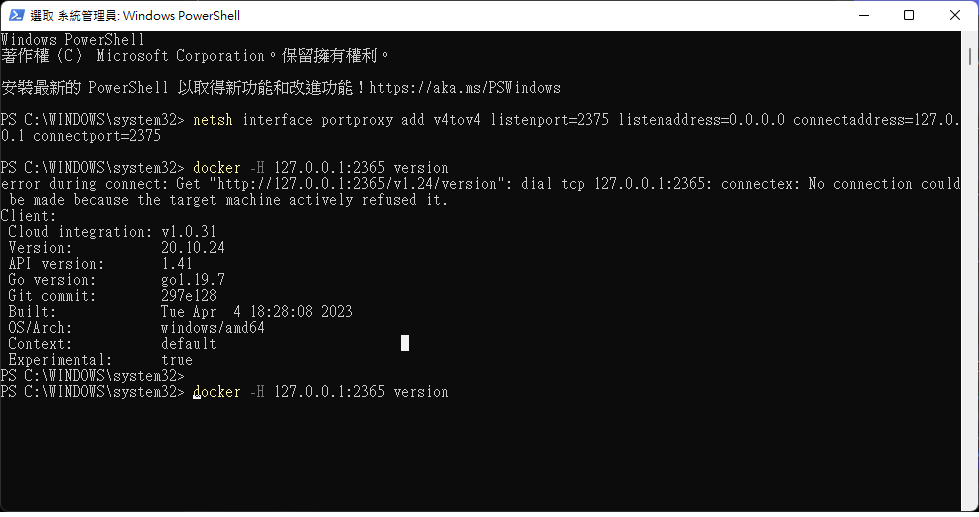
docker -H 192.168.0.88:2376 version
Remote Deployment Script
$tag=":latest"
$imageShortName="de-next-ap"
$imageName = $imageShortName + $tag
$containerName = $imageShortName + "-1"
$containerUrl = "192.168.0.88:2376"
$dockerfile = "./Dockerfile"
$port="30000:80"

# 遠端停用容器
docker  -H="$containerUrl" ps -a -f ancestor=$containerName --no-trunc -q | foreach-object { docker  -H="$containerUrl" stop $_ }
docker  -H="$containerUrl" ps -a -f name=$containerName --no-trunc -q | foreach-object { docker  -H="$containerUrl" stop $_ }

# 遠端移除容器
docker -H="$containerUrl" ps -a -f ancestor=$containerName* --no-trunc -q | foreach-object { docker  -H="$containerUrl" rm -f $_ }
docker -H="$containerUrl" ps -a -f name=$containerName* --no-trunc -q | foreach-object { docker  -H="$containerUrl" rm -f $_ }

# 遠端移除映像檔

 $existingImages = docker  -H="$containerUrl" images $imageName
 If ($existingImages.count -gt 1) {
 write-host "[Removing image]Removing the existing image.."
 docker  -H="$containerUrl" rmi -f $imageName
 } else {
 write-host "[Removing image]The image does not exist"
 }

# # # 遠端建置映像檔 (nas 比本機電腦慢,這個就不建議了)
docker  -H="$containerUrl" build -t $imageName . -f $dockerfile

# # 建立及啟動容器應用
docker  -H="$containerUrl" run -d --name $containerName --restart=always -p $port $imageShortName

pause
Note: If you can't push, remember to add the following to daemon.json on both Docker Engine instances:
 "insecure-registries": [
    "192.168.0.88:2376"
  ]


Comments