
Background
Most systems at my company can be containerized, but there are some legacy websites—the oldest, largest, and most profitable—that we can't upgrade technologically for the time being. With many people involved in manual deployments, we often run into issues where someone forgets to commit a binary. Therefore, I wanted to automate the build part of the process to optimize our deployment workflow and reduce the impact of errors.
Because it's a legacy system using the old .NET MVC framework, it can't be containerized. A fully automated deployment would be a bit risky, so the deployment part will remain a manual process.
Goals
- When someone pushes any code to the
masterbranch, Jenkins will automatically trigger a build and then commit and push the resulting binaries to GitHub. - In the production environment, we'll write a script to pull the latest binaries ready for deployment via Git. Then, we'll use Beyond Compare to check the differences in the binaries, and finally, perform the deployment manually.
Environment Details
Since it's a legacy system, Jenkins is installed on a Windows Server.
First, Find MSBuild
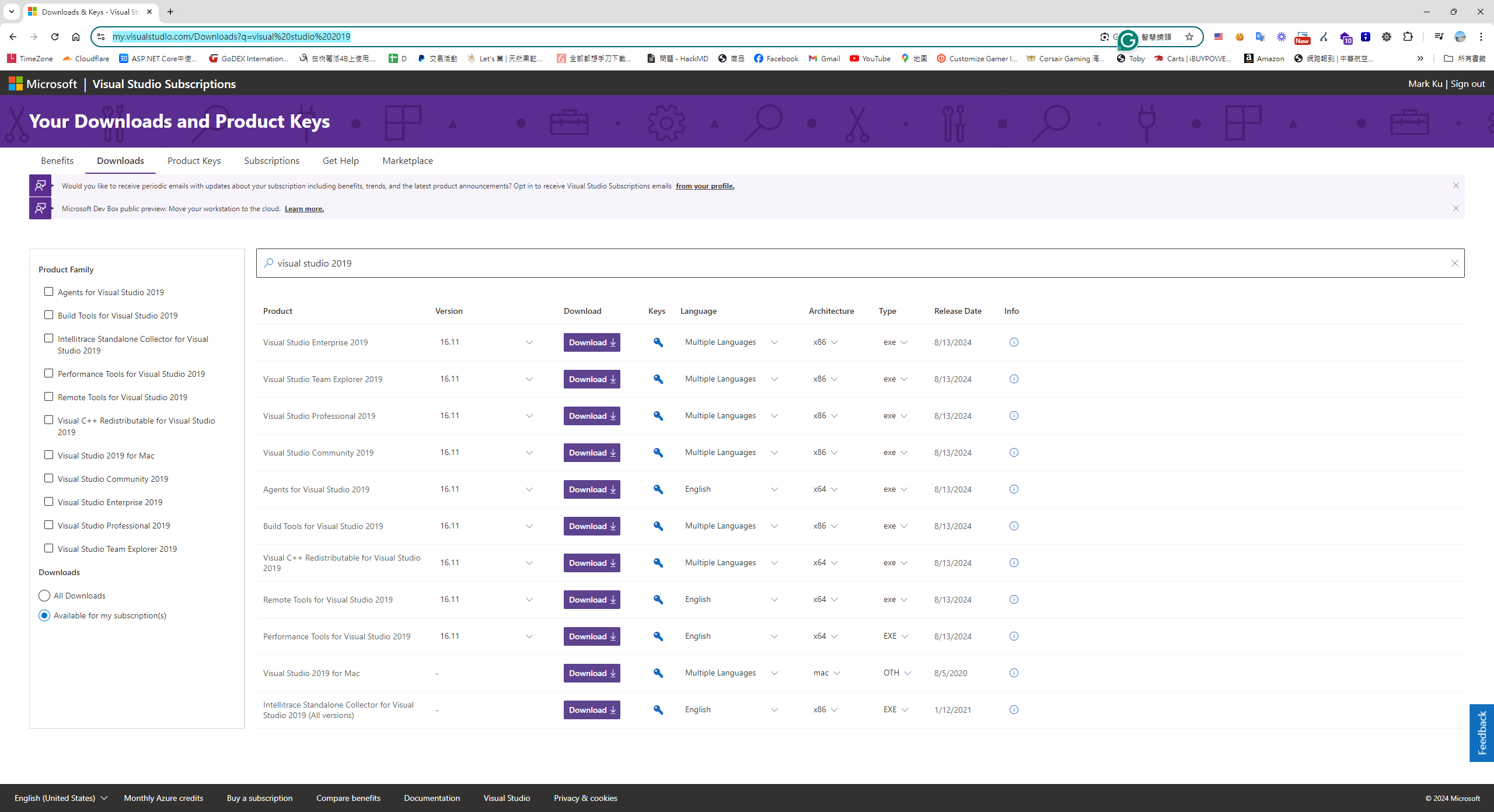
We all know that .NET MVC projects are built using the MSBuild tool. Based on our version of Visual Studio 2019, the corresponding MSBuild version is 16. However, on Microsoft's website, the download links for older versions of the MSBuild tools are hard to find. I eventually found the download link for the older Visual Studio 2019 from my MSDN subscription account.
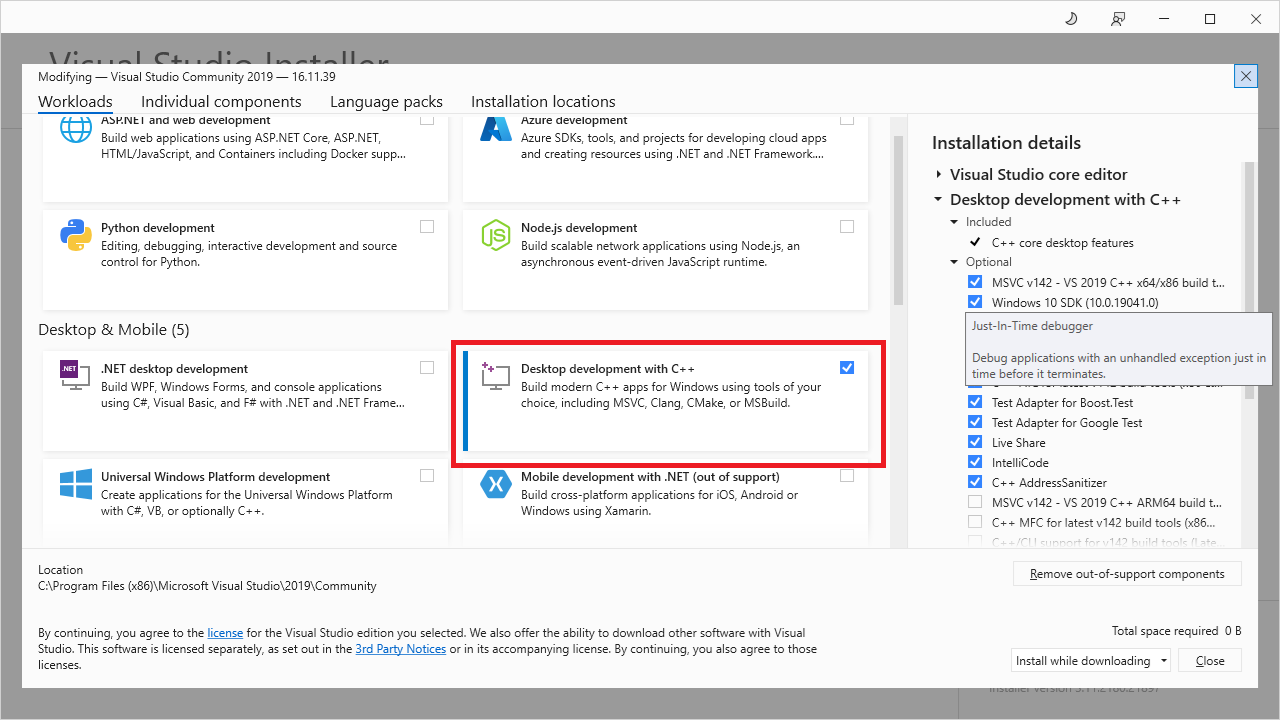
During installation, remember to check "Desktop development with C++".
Configure the MSBuild Path in Jenkins
The MSBuild installation path is: The path for MSBuild.exe installed with Visual Studio 2019 is:
C:\Program Files (x86)\Microsoft Visual Studio\2019\Community\MSBuild\Current\Bin
Download nuget.exe
Download nuget.exe to:
C:\Program Files (x86)\Microsoft Visual Studio\2019\Community\MSBuild\Current\Bin
Download and Install the .NET Framework 4.8 Developer Pack
First, Configure a Webhook in the GitHub Repo to Notify Jenkins on Commits for Automatic Builds
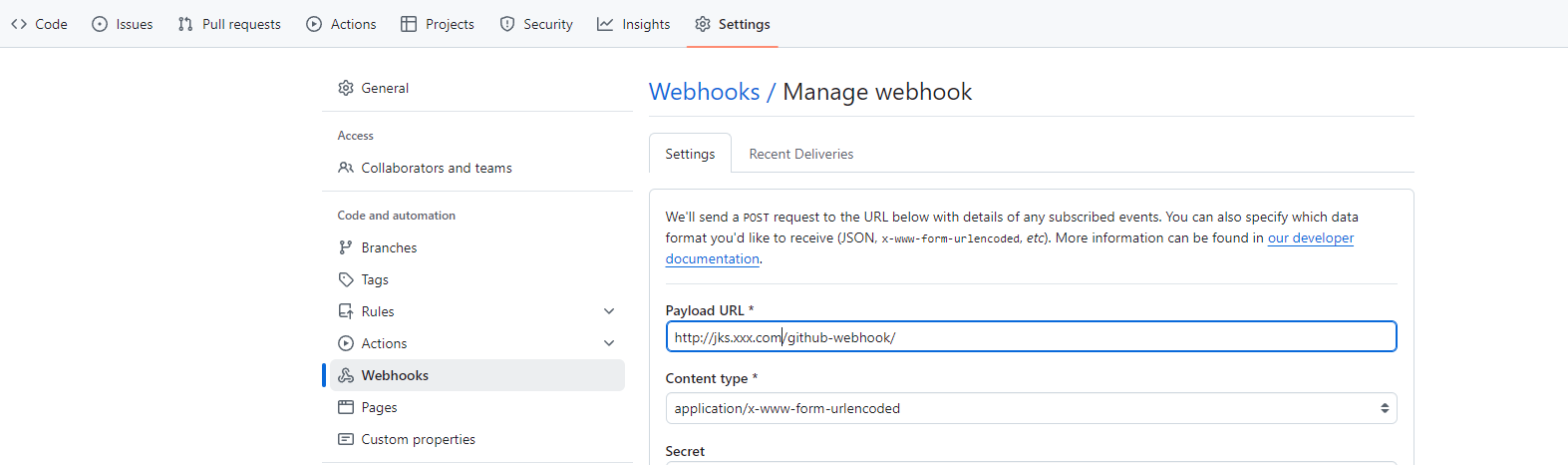
http://jks.xxx.com/github-webhook/
Next, Configure the Automatic Build Pipeline in Jenkins
Create a Job > Select "New Item" > "Pipeline", and configure the GitHub Project.

properties([pipelineTriggers([githubPush()])])

pipeline {
	agent any

	environment {
	}

	options {
		buildDiscarder logRotator(artifactDaysToKeepStr: '', artifactNumToKeepStr: '3', daysToKeepStr: '', numToKeepStr: '3')
	}

	stages {
	    stage('Cleanup Directories') {
            steps {
                script {
                    // Delete the 'Api' and 'Artifact' directories
                    dir('Api') {
                        deleteDir()
                    }
                    dir('Artifact') {
                        deleteDir()
                    }

                    dir('Publish') {
                        deleteDir()
                    }
                    echo "Deleted Api and Artifact directories."
                }
            }
        }

	    stage("GitHub Pull - Net mvc api") {
            steps {
                dir('Api') {
                    git(
                        branch: 'master',
                        credentialsId: 'xxxx-xxxx-xxxx',
                        url: '[email protected]:iRobot/MVC.Api.git'
                    )
                }
            }
        }

		 stage("GitHub Pull - Artifact") {
            steps {
                dir('Artifact') {
                    git(
                        branch: 'main',
                        credentialsId: 'xxxx-xxxx-xxxx',
                        url: '[email protected]:iRobot/Artifact.git'
                    )
                }
            }
        }

    stage('Restore nuget') {
        steps {
        script {
            bat 'echo Current Directory: %CD%'
            bat 'echo Workspace Directory: %WORKSPACE%'
            bat '"C:\\Program Files (x86)\\Microsoft Visual Studio\\2019\\Community\\MSBuild\\Current\\Bin\\nuget.exe" restore ".\\Api\\IRobot.WebCore\\IBuyPower.WebCore.sln"'
        }
        }
    }

    stage('Build') {
            steps {
                script {
                    // Define the MSBuild path and solution file
                    def msBuildPath = '"C:\\Program Files (x86)\\Microsoft Visual Studio\\2019\\Community\\MSBuild\\Current\\Bin\\MSBuild.exe"'
                    def solutionPath = '".\\api\\IRobot.WebCore\\IRobot.WebCore.sln"'

                    // Build command with all necessary parameters
                    def buildCommand = "${msBuildPath} ${solutionPath} /t:Clean,Build /p:Configuration=enUSLive /p:DeployOnBuild=True /p:DeployDefaultTarget=WebPublish /p:WebPublishMethod=FileSystem /p:DeleteExistingFiles=True /p:OutDir=\"%WORKSPACE%\\Publish\" /p:ExcludeGeneratedDebugSymbol=True -verbosity:minimal"

                    // Execute the build command
                    bat script: buildCommand, returnStatus: true
                }
            }
    }

     stage("Copy to Artifact") {
            steps {
                script {

                    def buildCommand =  "robocopy \"%WORKSPACE%\\Publish\\_PublishedWebsites\\Core.Web\" \"%WORKSPACE%\\Artifact\" /E /COPY:DAT /MT:100"

                    // Execute the build command
                    bat script: buildCommand, returnStatus: true
                }
            }

    }

    stage('Check for Changes and Commit') {
    steps {
        dir('Artifact') {
            script {
                // Set local git configuration for user identity
                bat "git config user.email \"[email protected]\""
                bat "git config user.name \"Jenkins CI\""

                // Stage all changes
                bat "git add ."

                // Commit with a timestamp
                bat "git commit -m \"Automated commit at ${new Date().format('HH:mm:ss')} by Jenkins\""

                // Attempt to push changes to remote repository
                def pushResult = bat(script: "git push --set-upstream origin main", returnStdout: true, returnStatus: true)
                if (pushResult != 0) {
                    echo "Failed to push changes. Error Code: ${pushResult}"
                }
            }
        }
    }
}
}
}
Manual Deployment
Because it's a legacy system using the old .NET MVC framework, it can't be containerized. A fully automated deployment would be a bit risky, so the deployment part will remain a manual process.
Then, Install Beyond Compare
Write the PowerShell script deploy.ps1
git pull

$LOCAL = "C:\Workspace\USApiArtifact\bin"
$REMOTE = "C:\inetpub\Core.Web\bin"

$env:Path = "C:\Program Files\Beyond Compare 4\"
$filters = "/filters=-web.config"
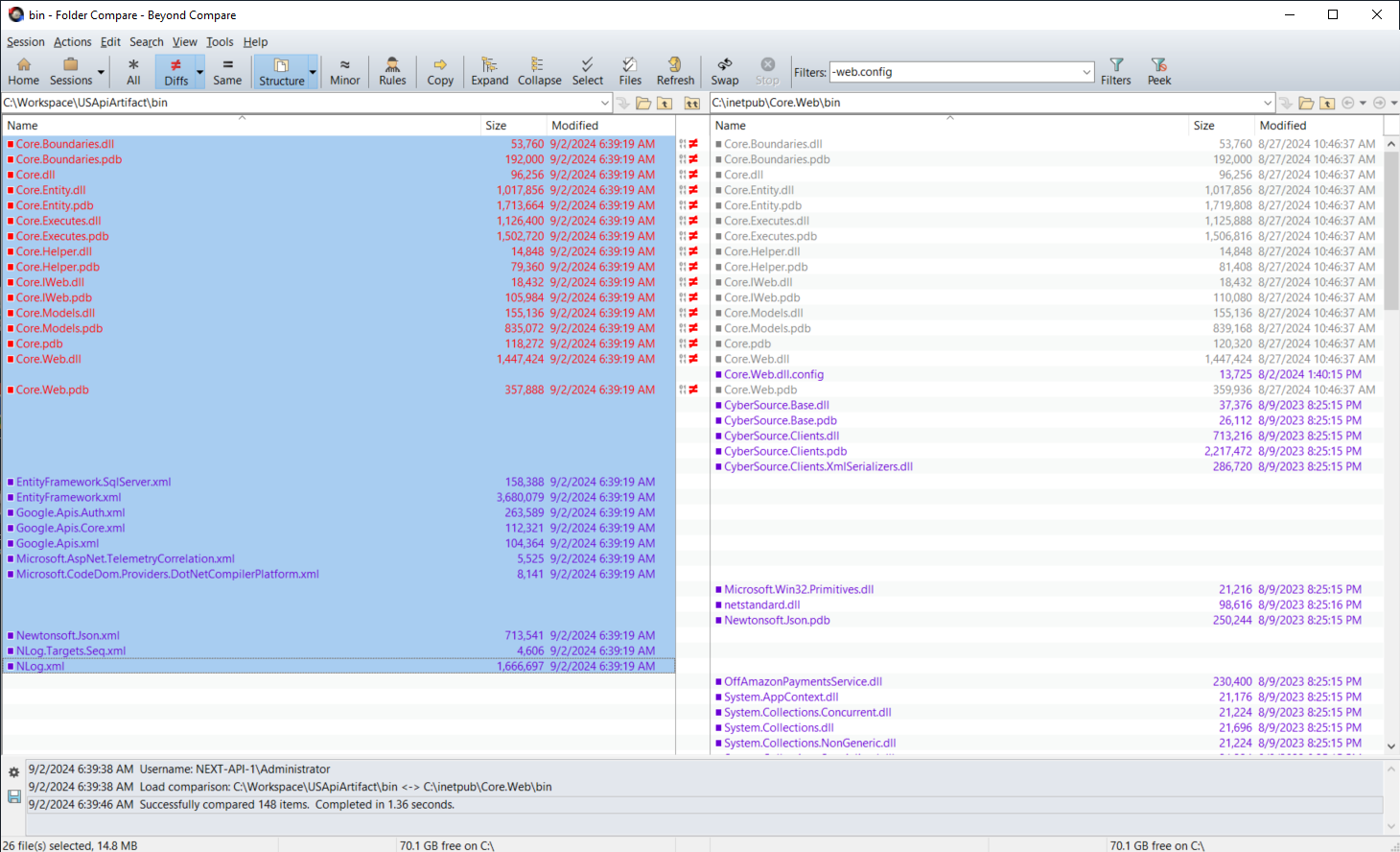
BCompare.exe /excludefilter="web.config"  "$LOCAL" "$REMOTE" $filters
Finally, after running the script, you can use Beyond Compare to verify that the DLLs for this deployment are as expected. Then, deploy the new version of the application by right-clicking and selecting "Copy to Right".


Comments