
What is a React Hook?
"Hooks are a new addition in React 16.8. They let you use state and other React features without writing a class." (from the official docs) The idea is "reusing logic via functions" — redesigning components with finer-grained updates and clearer code, gradually replacing class components with function components. Simply put, they're template-less components, convenient for sharing state and logic.
What is a side effect?
Calling the same method with the same arguments should always return the same value. In a React component, given the same props, the rendered UI should always be the same. Side effects are the opposite of pure functions — they handle things unrelated to the return value. In short, a side effect watches a value and reacts when it changes.
useEffect for asynchronous data fetching
  const [count, setCount] = useState(0);

  useEffect(() => {
    document.title = `點擊${count}`;
  }, [count]);
P.S. Without the second argument, useEffect runs on every render — easily creating an infinite loop. To avoid that, pass an empty array.
P.S. With an empty dependency array, useEffect only initializes once. In Next.js you can use it as a client-side initialization event.
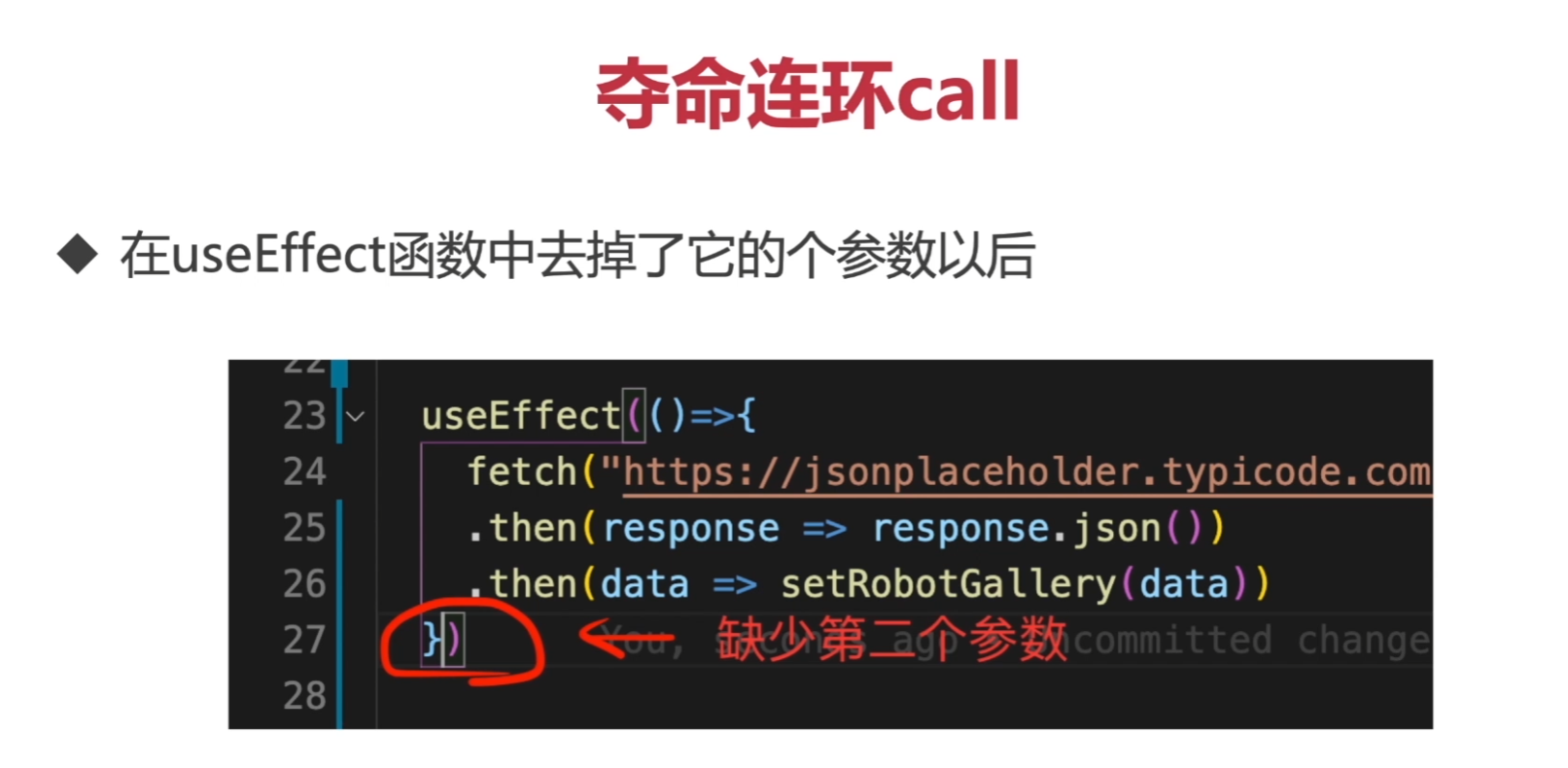
useEffect itself is synchronous, but you can use promises directly. To use async/await, define an async function inside useEffect and call it.
// promise 用法
const responses = fetch(
     "https://jsonplaceholder.typicode.com/users"
   )
   .then(response => response.json())
   .then(data => setRobotGallery(data))
or
// async await 用法
 useEffect(() => {
   const fetchData = async () => {
     const res = await fetch("https://jsonplaceholder.typicode.com/users");

     const data = await res.json();
     setRobotGallery(data);
   };

   fetchData();
 }, []);
Loading
const [loading, setLoading] = useState<boolean>(false);
{!loading ? (
        <div className={styles.robotList}>
          {robotGallery.map((r) => (
            <Robot key={r.id} id={r.id} email={r.email} name={r.name} />
          ))}
        </div>
      ) : (
        <h2>loading</h2>
)}
Error handling
 const [error, setError] = useState<string>();

 try {
       throw new Error("網站錯誤")
} catch (e) {
 if (e instanceof Error) {
    setError(e.message);
    }
}

{(!error || error !== "") && <div>{error}</div>}
Passing parameters between parent and child components
Normally you can pass parameters down to children via props. But when a component itself doesn't need a prop yet has to pass it through just so a deeper child can access it, you end up with the "Prop Drilling" problem.
<component test="" />
add perpery props interface
React.FC<props>
P.S. In short, Prop Drilling is when a component doesn't need a prop itself but is forced to pass it down so a child component can access it.
This is exactly where React Context comes in
const defaultContextValue = {
  username: "阿來克斯",
};

export const appContext = React.createContext(defaultContextValue);

const root = ReactDOM.createRoot(
  document.getElementById("root") as HTMLElement
);
root.render(
  <React.StrictMode>
    <appContext.Provider value={defaultContextValue}>
      <App />
    </appContext.Provider>
  </React.StrictMode>
);
Consumer component
import { appContext } from "../index";
<appContext.Consumer>
      {(value) => {
        return (
          <div className={styles.cardContainer}>
            <p>{value.username}</p>
          </div>
        );
      }}
</appContext.Consumer>
useContext Hook — a simpler form, no nesting required
onst Robot: React.FC<RobotProps> = ({ id, name, email }) => {
const value = useContext(appContext)

  return (
          <div className={styles.cardContainer}>
            <img alt="robot" src={`https://robohash.org/${id}`} />
            <h2>{name}</h2>
            <p>{email}</p>
            <p>{value.username}</p>
          </div>
  );
};
P.S. If the components don't have a parent–child relationship and you don't want to pass props through every layer, you'll need a state-management solution like Redux instead.


Comments