
Background
I found some Jira notes I wrote a year and a half ago and decided to organize them into a blog post.
What is Jira?
Jira is a professional project management tool that helps teams collaborate effectively and maintain clear, transparent project progress, whether for software development or daily task management.
Integrating with GitHub
After integrating Jira with GitHub, you can directly link relevant code within Jira, boosting work efficiency. Follow the official guide to set it up: Integrate with Github
Designing the Workflow
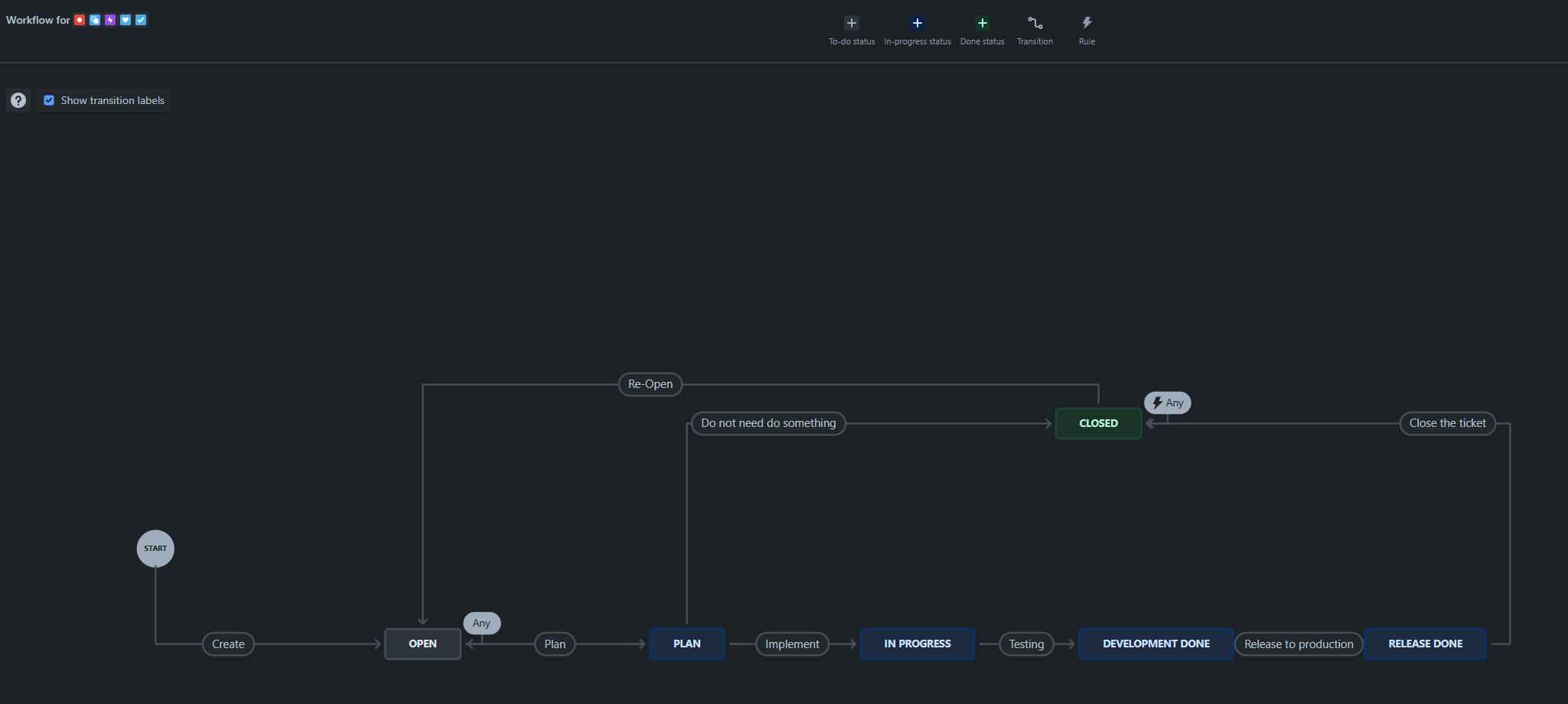
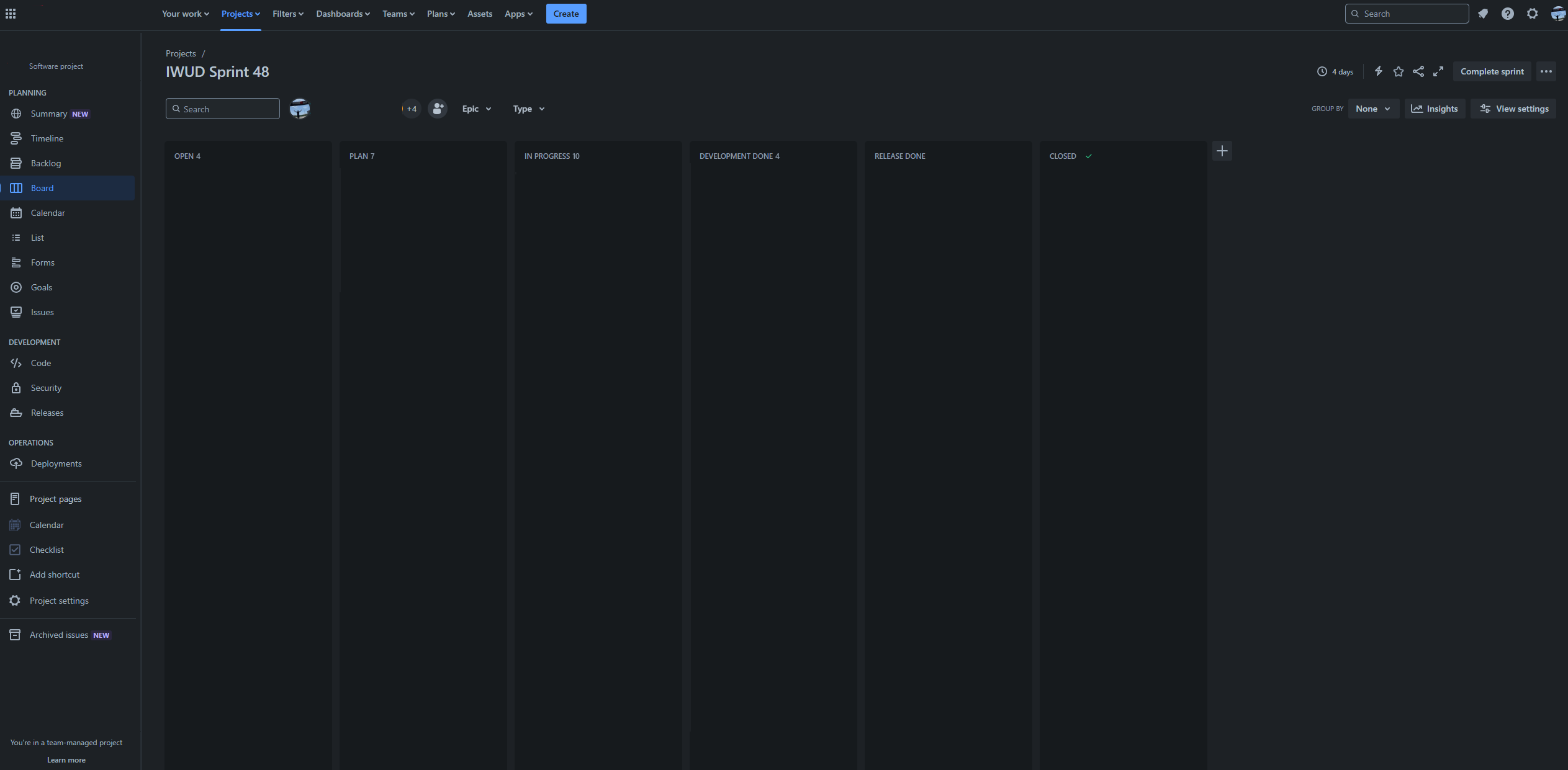
Because we've adopted agile development, we run two-week Sprints, planning the goals and deliverables for each iteration. We customize our workflow diagram based on the team's development process and update Jira statuses before our daily stand-up meetings. The Kanban board provides a clear overview of the project's current progress.
Jira Usage Guidelines
-
Basic Rules
- Task titles should follow the format: "Issue Key + Space + Message". For example:
- Single task:
IUW-8 fix xxxx - Multiple tasks:
IUW-8 IUW-9 fix xxx
- Single task:
- You can also use the issue key to create branches, and Jira will automatically link them to the code.
- Task titles should follow the format: "Issue Key + Space + Message". For example:
-
Sub-task Principles
- If a task is too complex or requires collaboration from multiple people, it's recommended to break it down into sub-tasks (Child Issues).
- If a task is handled by a single team member, using a Check List is a more intuitive way to track progress.
- If a module is too large, a new issue should be created and linked to the main issue using relates to.
-
Handling Pending Tasks
- When a task is blocked, be sure to mark it with a Flag and clearly state the reason for follow-up.
-
Enhancement Tasks
- Before every optimization or new technology adoption, discuss it with the tech lead and PM to ensure the plan is clear before creating a task.
- Document the solution in detail for future reference.
Handling Dependent Bugs Discovered During a Sprint
-
Fix Immediately
- When a bug affects the next stage of development, create a new issue card immediately, notify the PM for discussion, and bring it up in a meeting to prioritize it.
-
Fix Opportunistically
- If the bug doesn't directly impact the current Sprint's timeline, you can fix it while you're at it. However, please create an issue and notify the PM.
-
Postpone the Fix
- If the bug doesn't affect current requirements and can't be finished within this Sprint, create a new card and notify the PM, who will schedule it for later.
Common Jira Filter Examples (JQL)
Personal Task-Related
- Issues I created
reporter = currentUser() AND resolution is EMPTY - Issues assigned to me
assignee = currentUser() AND resolution is EMPTY
Project Management-Related
- Overdue tasks
project = "US-Web" AND due < now() - Tasks completed in the last 30 days
project = "US-Web" and resolved >= startOfDay(-30d) - Tasks with recent status changes
status changed DURING (startOfWeek(-1), endOfWeek(-1))
Other Recommended Plugins and Tools
-
Microsoft Teams Notifications
- Install the Jira Cloud plugin to receive update notifications anytime via Teams: Teams plugin
-
Checklist Plugin
- Jira doesn't have a built-in checklist. For advanced checklist functionality, you can use this free plugin (limit of 20 items per issue): Checklist for Jira Free
Final Thoughts
Adopting Jira not only boosts team efficiency but also organizes the project management process, ensuring every task is delivered on time and is clearly traceable. By using the strategies and tools mentioned above, adopting Jira can effectively enhance team collaboration and ensure a clear and efficient project workflow.


Comments