
Foreword
As the old saying goes, "Without rules, nothing can be accomplished." In many development projects, the most painful part is reading other people's code. Because there's no unified set of standards, everyone suffers when they have to take over someone else's code. Often, the biggest cost in software development is communication overhead. The more people on the team, the higher the communication cost. Establishing standards is one way to reduce communication costs and improve team collaboration efficiency.
However, all established rules are rigid, but people are flexible. We must know when to adapt. If you feel anything is inappropriate, missing, or have a better approach, please feel free to suggest changes. After all, the field of information technology is like rowing a boat upstream; if you don't advance, you fall behind. All methods, technologies, and management techniques must evolve with the times!
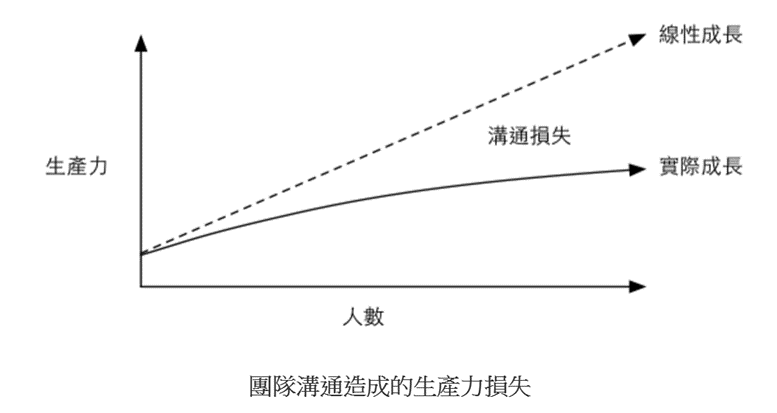 (Reference: The Lost Decade of Taiwan's Software Industry)
JS Standards:
- Ensure
eslintandPrettierconfigurations are consistent. (The ibuypwer next project has a.vscode\init.vscode-env.ps1script to help you configureeslintandPrettierfor consistent standards and formatting.) - Use camelCase for naming variables and methods. Linters will help enforce this.
- Double equals (
==) and triple equals (===) are different. Since===provides precise comparison, avoid using loose comparison (==). => Theeslinttool will also help check for this. - Names should be meaningful. If a method retrieves a value without modifying it, don't name it
set. - Method names should clearly express their intent. => e.g., (Verb + Noun) like
getUserProfile. - If a function is too long and performs multiple distinct tasks, split it into separate functions.
- If a piece of logic is repeated more than once, find a way to extract it into a shared function. Don't just copy-paste it multiple times, ending up with 7-8 copies. When someone else takes over and a new requirement comes in, they're likely to miss updating one of the copies.
- When designing React components, if a component becomes too large or contains reusable parts, please split it into smaller components.
- For systems that require long-term maintenance, use TypeScript whenever possible. Don't be lazy. Use
anyonly in special circumstances after careful consideration. - In React templates (JSX), avoid complex logic. Prepare the data beforehand so the template is only responsible for rendering.
- If a ternary expression is nested (more than one level), please refactor it into a function or use state to control the output. This makes it easier for the next person to read and understand.
- Use full English words for variable and method names. Avoid abbreviations and ensure correct spelling.
- Add comments where appropriate while coding. For example, for complex logic or parts that might be difficult to understand.
- Extract magic numbers into
constvariables orenumsfor centralized management. - Prefer short-circuit evaluation over ternary expressions where applicable.
- Be careful with short-circuiting. If a prop can be
undefinedornull, provide a default value in the component's props or use the||operator to provide a fallback, e.g.,(parentElement && Style.fixed) || ''. - If a ternary expression has more than one level of nesting, please extract it into a function. Otherwise, it becomes difficult for the next person to read.
- Be extremely careful when using
dangerouslySetInnerHTMLin React. Unlike some other frameworks, it does not protect against XSS attacks. Remember to use a library likedompurifyto sanitize dangerous characters.
Git Standards:
-
Delete all unused comments, code, and files (including images, JS files, style sheets,
debuggerstatements, etc.) from the project. Do not commit them to Git. -
Do not commit local test code or personalized local configuration files to Git.
-
Always
pullthe latest changes before youpush. If there are conflicts, resolve them first before committing your code. -
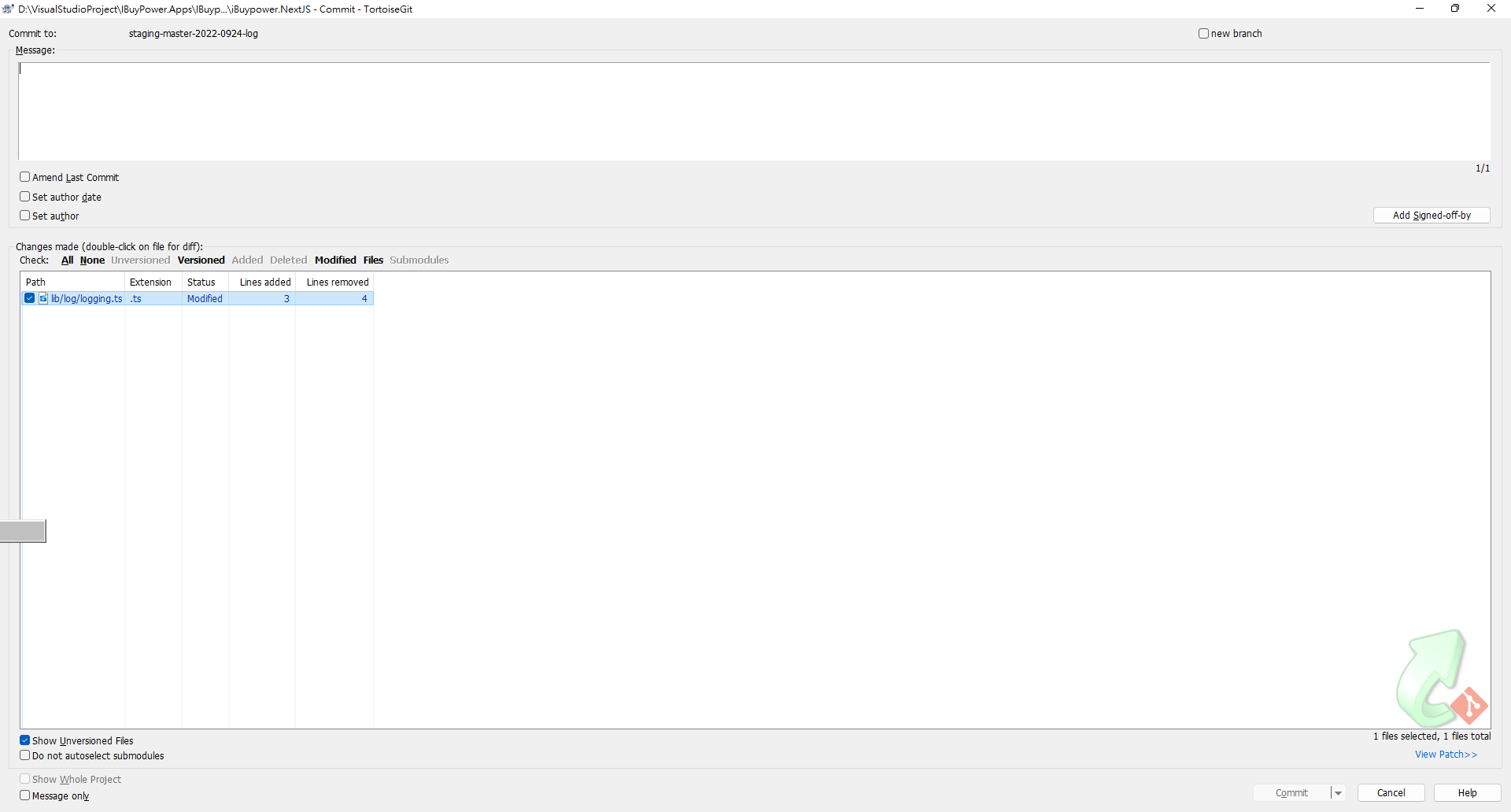
As more people join the team, the chance of accidentally overwriting each other's work in Git increases. Before committing, please verify that you are only committing your own changes. => You can use a tool like TortoiseGit for this.
-
All new branches must be created from the
stagingbranch. -
Commit format for a single JIRA ticket
IUW-01 fix type error
- Commit format for multiple JIRA tickets
IUW-01 IUW-02 fix type error, refactor modal style
Comments
Few programmers can remember the details of code they wrote six months ago, let alone a year ago. Writing comments helps you and your team quickly understand what the code does. You don't need to comment everything, but please add a comment if you think others might not understand it or if the logic is overly complex.
Whether to write comments isn't an absolute rule. I know that some well-known international companies try to avoid writing comments. They believe that comments require extra time to maintain and that it's common for developers to update functionality but forget to update the corresponding comments, leading to confusion. However, this approach is only suitable when the company has strong coding standards and the team's skill level is relatively consistent. But at our company's current stage, my recommendation is that complex or hard-to-understand parts of the code should still be commented.
Hardcoding
This refers to the practice of embedding parameters (like file paths, output formats, etc.) directly into the source code as constants. This is a very bad practice, as it makes the system extremely difficult to extend after it goes live. Therefore, unless absolutely necessary, do not hardcode values. Maintain a certain level of flexibility. Hardcoding is not without its uses. If it's just to meet a specific, isolated requirement that doesn't affect the main architecture, it can be a way to shorten development time. If you think hardcoding is necessary, please discuss it with your colleagues first. See if there's a dynamic data source you can use instead. Only hardcode as a last resort.
A Quick Tip for Dealing with Magic Numbers
A small programming tip: I often see code from new developers that contains hardcoded numbers or strings. This makes it difficult for the next person to understand what these "magic numbers" represent. Incorrect example:
If (ShippingMethodID === 7)
{
Do some thing
}

if (subItem.OptionID == 127) {
Do some thing
}
With code like this, the magic numbers are hard for others to understand, and it's easy to miss one when making changes. Here, I recommend using an enum to solve this problem for a series of related values. For standalone values, use a const.
Short-term Fixes
A short-term fix can solve a problem temporarily, but over the long run, they accumulate and create complex issues. Piling short-term fixes on top of each other turns simple problems into complicated ones. Once the code is live, it takes much more effort to go back, understand it, and refactor it without breaking anything.
If you can't fix it properly right away, it should be documented as technical debt. Later, you can ask the PM for time to address it.
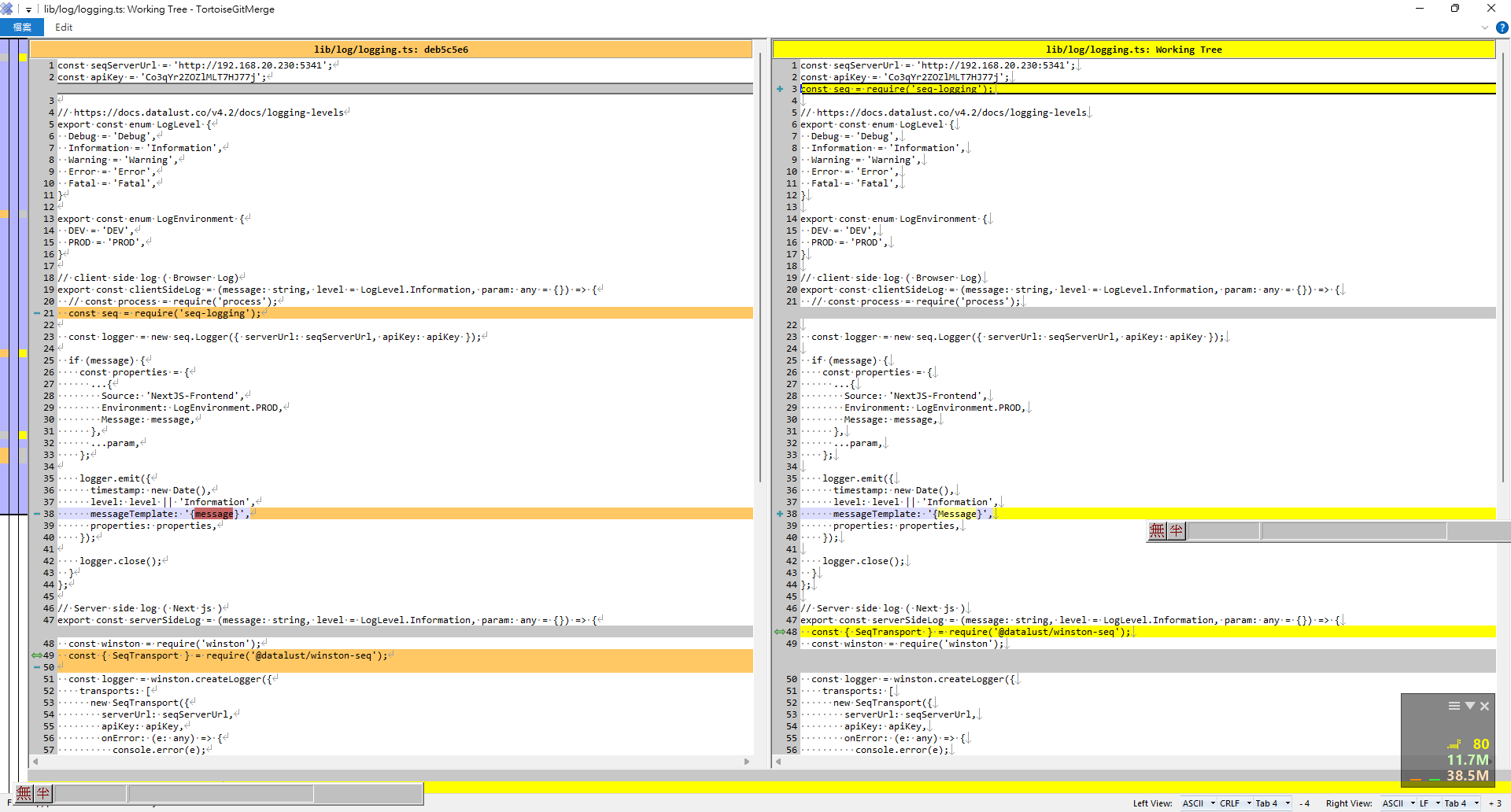
You can use TortoiseGit to compare changes before committing.
You can use Alt + Down Arrow to jump to the next change.
Short-Circuit Evaluation
return (<div>{ showHeader && <Header /> } </div> );


Comments