
Introduction
In the previous post, we discussed giving our AI its own knowledge base through a vector database. In this post, we'll create a product recommendation API.
First, I programmatically inserted a large amount of test data into my vector database, including:
- Unstructured data - Text descriptions of cats, dogs, and dumplings.
- Structured data - Computers, laptops, and computer peripherals, with their specifications also written into the vector database.
Next, go back to the vector database (qdrant) Dashboard > click on Visualize
http://localhost:6333/dashboard
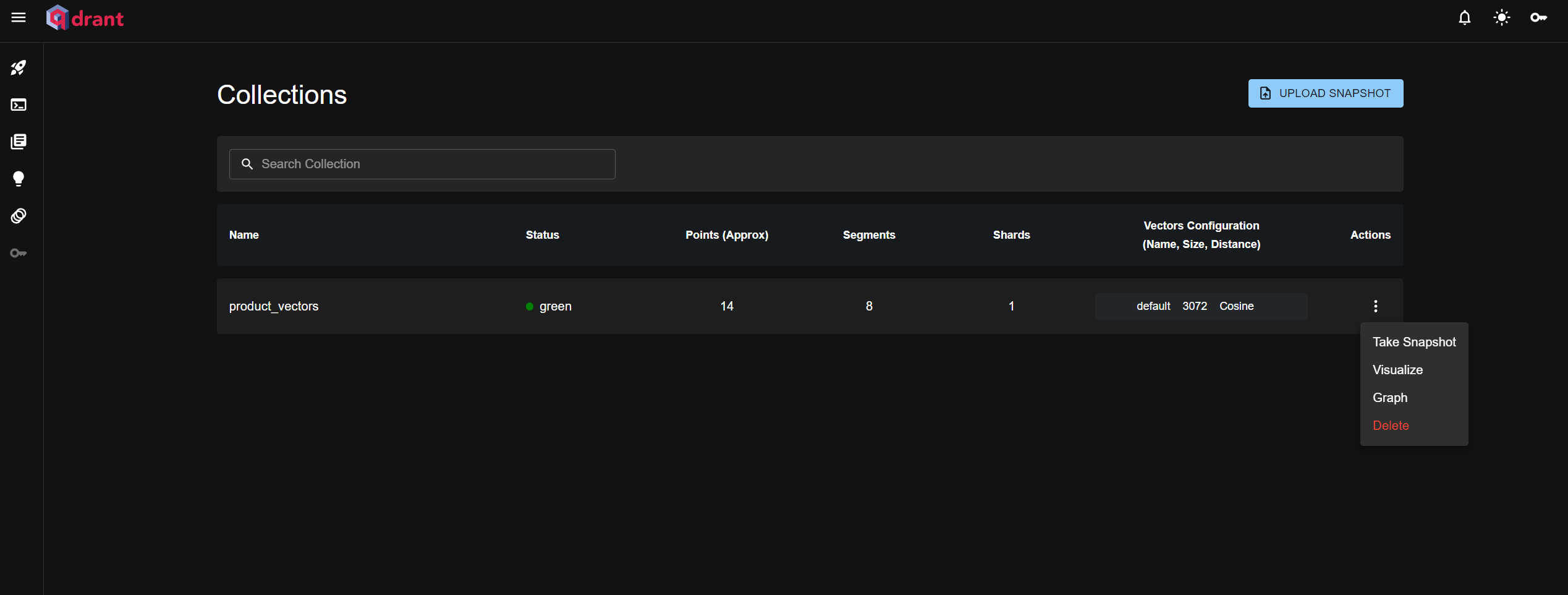
Click Run, and you will see the data in the vector database presented like a data universe.
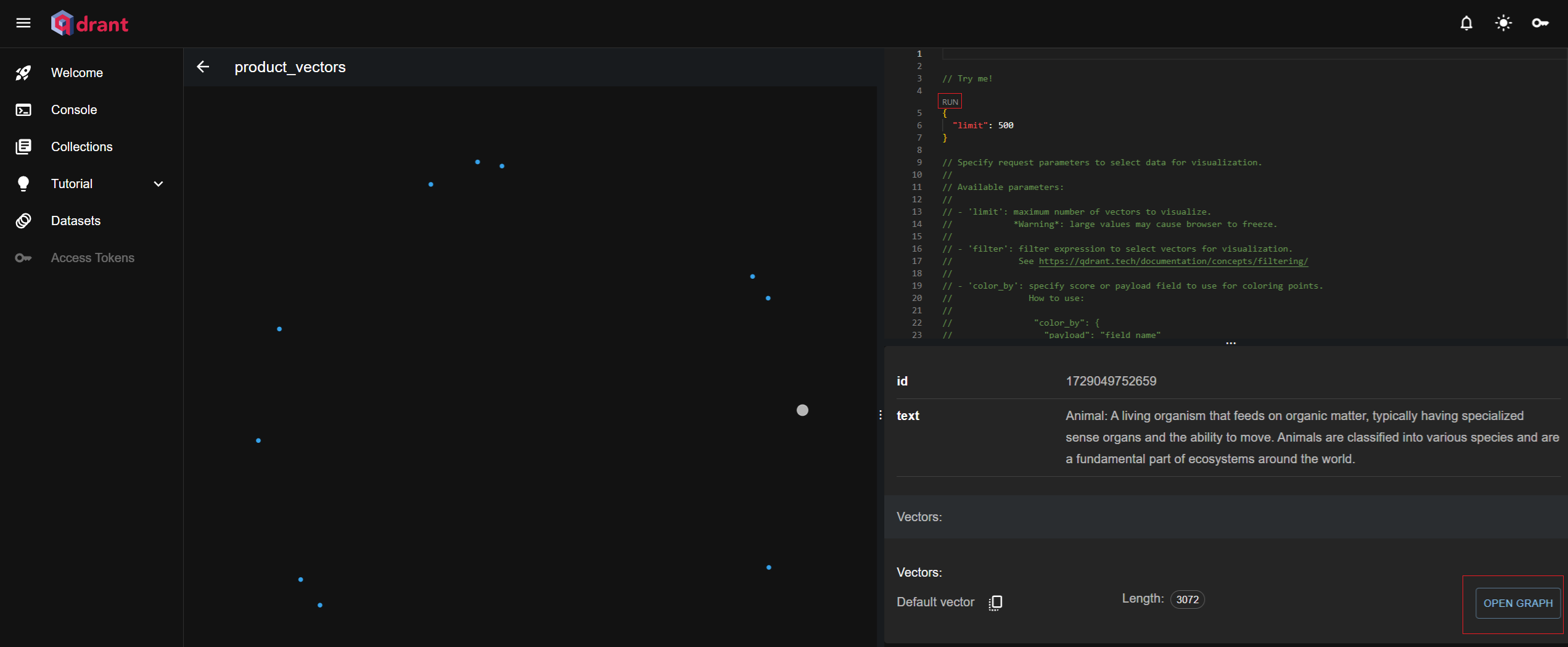
Next, select a data point and click the OPEN GRAPH button to expand the relationship graph for the selected data. Hovering your mouse over the connecting lines will show the similarity between the data points.
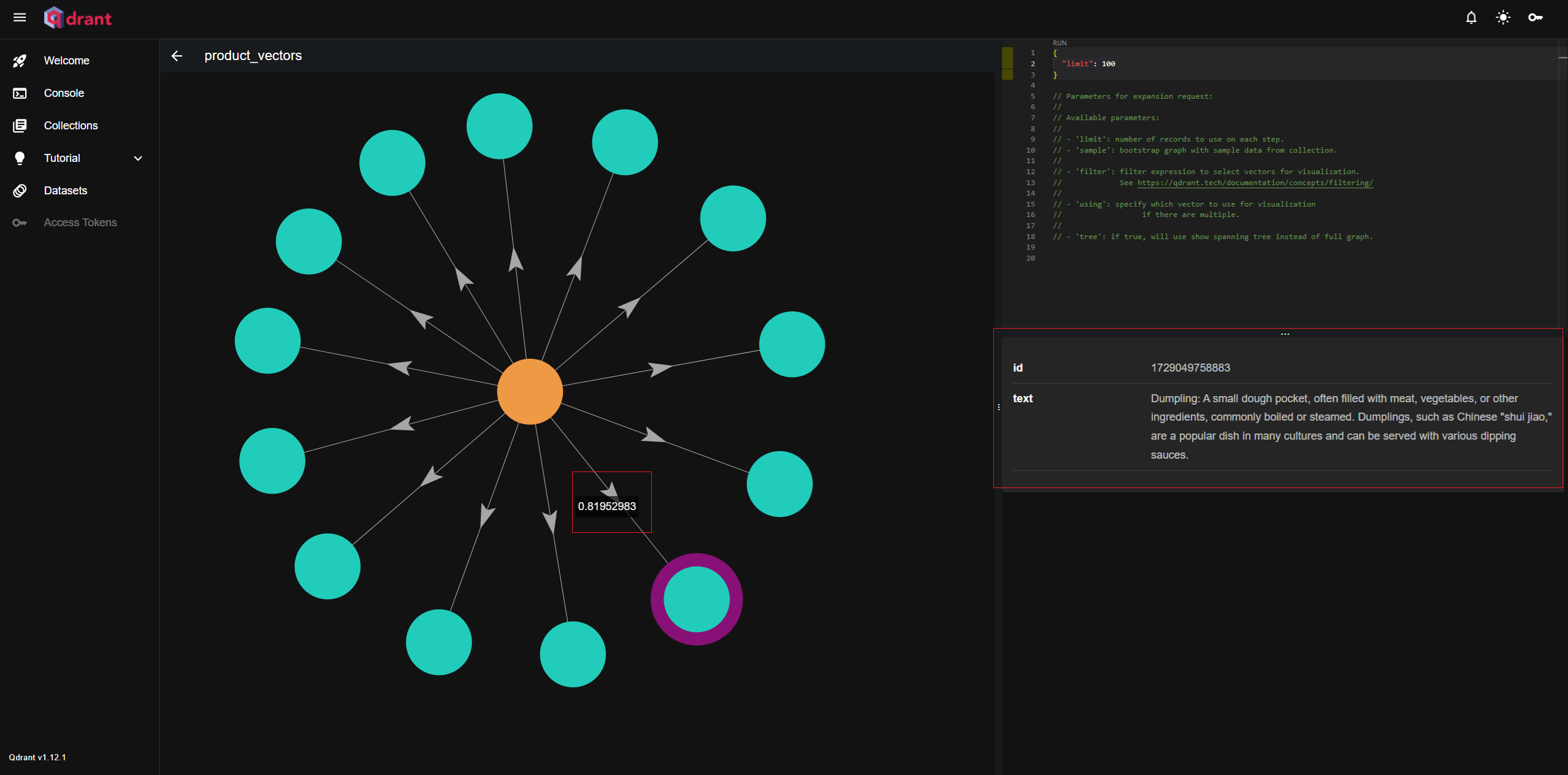
I discovered something interesting: the similarity between animals and dumplings was 0.8, while the similarity between animals and an HP laptop was 0.06. Could it be because dumplings are made from animals? XD
Improving the search accuracy of the vector database
Interestingly, in the real world, dumplings and animals aren't very related. The similarity between data is derived by the model through a specific algorithm and doesn't seem to be modifiable. Therefore, we must solve the query accuracy problem through other means. Here are the feasible methods I've compiled:
1. When writing to the vector database, include structured data and use filter conditions for querying.
 qdrantClient.filter({
    collection_name: 'products_collection',
    filter: {
        must: [
            { key: 'price', range: { gte: 50, lte: 150 } }, // 價格範圍查詢
            { key: 'category', match: { value: '筆記型電腦' } } // 分類查詢
        ]
    },
    limit: 5
});
2. Customize the similarity function to adjust semantic weights.
...
  async function adjustSimilarity(results) {
    for (let result of results) {
      if (result.payload.productName === "動物") {
        result.score *= 0.5;  // 調整「動物」的相似度
      }
    }
    return results;
  }

  // 進行相似度搜尋
  const query = "水餃";
  const topK = 10;
  const results = await client.search(query, {
    vector: queryEmbedding,
    limit: topK,
  });

  // 調整特定結果中的相似度
  const adjustedResults = await adjustSimilarity(results);

  // 打印調整後的結果
  console.log(adjustedResults);
...
3. Take the result set from the vector database and let the AI make the final decision.
...
        const searchResults = await qdrantClient.search(collectionName, {
            vector: vector,
            limit: 5, // 查詢最相似的 5 條結果
        });

        const faqContext = searchResults
            .map((result: any) => `Q: ${result.payload.question}\nA: ${result.payload.answer} score: ${result.score}`)
            .join('\n\n');

        // 初始化 ChatOllama
        const model = new ChatOllama({
            model: 'llama3.2',
            temperature: 0,
            maxRetries: 2,
            baseUrl: 'http://localhost:11434',
        });

        // 使用 ChatOllama 根據用戶問題進行進一步分析
        const response = await model.invoke(
            `Here is a list of FAQs and their answers:\n\n${faqContext}\n\nBased on the question "${text}", which answer is the most relevant? Please choose the best one.`
        );
...
Sample Code Section
First, let's write the code to insert bulk product data (/api/lang-chain/insert-products-vector-database)
import { OllamaEmbeddings } from '@langchain/ollama';
import { QdrantClient } from '@qdrant/js-client-rest'; // 引入 Qdrant 客戶端
import { NextApiRequest, NextApiResponse } from 'next';

// 初始化 Qdrant 客戶端
const qdrantClient = new QdrantClient({ url: 'http://localhost:6333' });

// 初始化 OllamaEmbeddings
const embeddings = new OllamaEmbeddings({
    model: 'llama3.2',
    baseUrl: 'http://localhost:11434',
});

// 定義集合名稱
const collectionName = 'product_vectors';

// 定義向量點的界面
interface VectorPoint {
    id: number | string;
    vector: number[];
    payload: { text: string; price: number; rating: number; reviews: number };
}

// 定義產品數據
const products = [
    {
        ProductID: 1,
        ProductName: 'Dell XPS 15',
        Category: '筆記型電腦',
        SalesUnits: 120,
        Revenue: 240000,
        Price: 2000,
        Rating: 4.5,
        Reviews: 300,
        SaleDate: '1/1/2024',
        LastRestockDate: '1/15/2024',
        StockLevel: 50,
        Supplier: 'Dell Inc.',
        URL: 'https://www.dell.com/XPS15',
    },
    {
        ProductID: 2,
        ProductName: 'Logitech MX Master 3',
        Category: '配件',
        SalesUnits: 200,
        Revenue: 180000,
        Price: 900,
        Rating: 4.8,
        Reviews: 500,
        SaleDate: '1/2/2024',
        LastRestockDate: '1/12/2024',
        StockLevel: 150,
        Supplier: 'Logitech',
        URL: 'https://www.logitech.com/MX3',
    },
    {
        ProductID: 3,
        ProductName: 'HP Spectre x360',
        Category: '筆記型電腦',
        SalesUnits: 180,
        Revenue: 270000,
        Price: 1500,
        Rating: 4.7,
        Reviews: 450,
        SaleDate: '1/3/2024',
        LastRestockDate: '1/14/2024',
        StockLevel: 80,
        Supplier: 'HP',
        URL: 'https://www.hp.com/SpectreX360',
    },
    {
        ProductID: 4,
        ProductName: 'Lenovo ThinkPad X1',
        Category: '筆記型電腦',
        SalesUnits: 130,
        Revenue: 195000,
        Price: 1500,
        Rating: 4.6,
        Reviews: 400,
        SaleDate: '1/4/2024',
        LastRestockDate: '1/13/2024',
        StockLevel: 70,
        Supplier: 'Lenovo',
        URL: 'https://www.lenovo.com/ThinkPadX1',
    },
    {
        ProductID: 5,
        ProductName: 'Apple MacBook Pro',
        Category: '筆記型電腦',
        SalesUnits: 250,
        Revenue: 500000,
        Price: 2000,
        Rating: 4.8,
        Reviews: 600,
        SaleDate: '1/5/2024',
        LastRestockDate: '1/10/2024',
        StockLevel: 100,
        Supplier: 'Apple',
        URL: 'https://www.apple.com/MacBookPro',
    },
    {
        ProductID: 6,
        ProductName: 'Asus ROG Strix',
        Category: '合式機',
        SalesUnits: 90,
        Revenue: 180000,
        Price: 2000,
        Rating: 4.5,
        Reviews: 350,
        SaleDate: '1/6/2024',
        LastRestockDate: '1/6/2024',
        StockLevel: 40,
        Supplier: 'Asus',
        URL: 'https://www.asus.com/ROGStrix',
    },
    {
        ProductID: 7,
        ProductName: 'Acer Predator Helios',
        Category: '筆記型電腦',
        SalesUnits: 75,
        Revenue: 150000,
        Price: 2000,
        Rating: 4.4,
        Reviews: 320,
        SaleDate: '1/7/2024',
        LastRestockDate: '1/9/2024',
        StockLevel: 40,
        Supplier: 'Acer',
        URL: 'https://www.acer.com/PredatorHelios',
    },
    {
        ProductID: 8,
        ProductName: 'Dell UltraSharp',
        Category: '顯示器',
        SalesUnits: 300,
        Revenue: 210000,
        Price: 700,
        Rating: 4.5,
        Reviews: 500,
        SaleDate: '1/8/2024',
        LastRestockDate: '1/20/2024',
        StockLevel: 200,
        Supplier: 'Dell Inc.',
        URL: 'https://www.dell.com/UltraSharp',
    },
    {
        ProductID: 9,
        ProductName: 'Logitech G Pro X',
        Category: '鍵盤',
        SalesUnits: 150,
        Revenue: 300000,
        Price: 200,
        Rating: 4.7,
        Reviews: 450,
        SaleDate: '1/9/2024',
        LastRestockDate: '1/12/2024',
        StockLevel: 50,
        Supplier: 'Logitech',
        URL: 'https://www.logitech.com/GProX',
    },
    {
        ProductID: 10,
        ProductName: 'HP Omen',
        Category: '筆記型電腦',
        SalesUnits: 100,
        Revenue: 150000,
        Price: 1500,
        Rating: 4.5,
        Reviews: 370,
        SaleDate: '1/10/2024',
        LastRestockDate: '1/11/2024',
        StockLevel: 60,
        Supplier: 'HP',
        URL: 'https://www.hp.com/Omen',
    },
];

// 定義 Next.js API 處理器
export default async function handler(req: NextApiRequest, res: NextApiResponse) {
    try {
        // 遍歷產品,將每個產品插入 Qdrant
        for (const product of products) {
            const text = `${product.ProductName} - ${product.Category}`;

            // 生成文本的嵌入向量
            const vector: number[] = await embeddings.embedQuery(text);

            // 定義要插入的點
            const points: VectorPoint[] = [
                {
                    id: Date.now(), // 使用當前時間作為唯一 ID
                    vector: vector, // 插入生成的向量
                    payload: {
                        text, // 存放文本數據
                        price: product.Price,
                        rating: product.Rating,
                        reviews: product.Reviews,
                    },
                },
            ];

            // 檢查集合是否已存在,若不存在則創建
            try {
                const collectionExists = await qdrantClient.getCollection(collectionName);

                if (!collectionExists) {
                    await qdrantClient.createCollection(collectionName, {
                        vectors: {
                            size: 1000, // 向量大小
                            distance: 'Cosine', // 距離度量使用 Cosine
                        },
                    });
                }
            } catch (error) {
                console.log(`集合 ${collectionName} 不存在,正在創建...`);
                await qdrantClient.createCollection(collectionName, {
                    vectors: {
                        size: vector.length,
                        distance: 'Cosine',
                    },
                });
            }

            // 將向量插入 Qdrant
            await qdrantClient.upsert(collectionName, { points });
        }

        res.status(200).json({ message: '所有產品向量已成功插入 Qdrant' });
    } catch (error) {
        console.error('插入向量時發生錯誤:', error);
        res.status(500).json({ message: '插入向量時發生錯誤', error: error });
    }
}
API Execution
curl -X GET http://localhost:3001/api/lang-chain/insert-products-vector-database
Next, write the API to query product data (/api/lang-chain/query-products-vector-database)
import { OllamaEmbeddings } from '@langchain/ollama';
import { QdrantClient } from '@qdrant/js-client-rest'; // 引入 Qdrant 客戶端
import { NextApiRequest, NextApiResponse } from 'next';

// 初始化 Qdrant 客戶端
const qdrantClient = new QdrantClient({ url: 'http://localhost:6333' });

// 初始化 OllamaEmbeddings
const embeddings = new OllamaEmbeddings({
    model: 'llama3.2',
    baseUrl: 'http://localhost:11434',
});

// 定義集合名稱
const collectionName = 'product_vectors';

// 定義 Next.js API 查詢處理器
export default async function handler(req: NextApiRequest, res: NextApiResponse) {
    try {
        const { text, category } = req.body;

        // 檢查是否有文本內容
        if (!text) {
            return res.status(400).json({ message: '文本內容為必填項' });
        }

        // 生成文本的嵌入向量
        const vector: number[] = await embeddings.embedQuery(text);

        // 構建搜索參數
        const searchParams: any = {
            vector: vector,
            limit: 5, // 查詢的最大結果數量
        };

        // 如果提供了 category,則添加過濾條件
        if (category) {
            searchParams.filter = {
                must: [
                    {
                        key: 'category',
                        match: { value: category }, // 動態應用類別過濾
                    },
                ],
            };
        }

        // 使用生成的向量在 Qdrant 中查詢相似的向量
        const searchResults = await qdrantClient.search(collectionName, searchParams);

        // 格式化查詢結果,返回產品詳細信息
        const formattedResults = searchResults.map((result: any) => {
            const { payload, score } = result;

            return {
                productName: payload.text, // 使用生成時的產品名稱
                price: payload.price, // 產品價格
                rating: payload.rating, // 產品評分
                reviews: payload.reviews, // 產品評論數量
                similarityScore: score, // 相似度分數
            };
        });

        res.status(200).json({ results: formattedResults });
    } catch (error) {
        console.error('查詢向量時發生錯誤:', error);
        res.status(500).json({ message: '查詢向量時發生錯誤', error: error });
    }
}
Execute the API
curl -X POST http://localhost:3001/api/lang-chain/query-products-vector-database \
  -H "Content-Type: application/json" \
  -d '{
  "text": "幫我推薦一台筆電",
  "category": "筆記型電腦"
  }'
After adding query conditions, the execution results become quite accurate
{
  "results": [
    {
      "productName": "Acer Predator Helios - 筆記型電腦",
      "price": 2000,
      "rating": 4.4,
      "reviews": 320,
      "similarityScore": 0.7771975
    },
    {
      "productName": "HP Spectre x360 - 筆記型電腦",
      "price": 1500,
      "rating": 4.7,
      "reviews": 450,
      "similarityScore": 0.7680249
    },
    {
      "productName": "Dell XPS 15 - 筆記型電腦",
      "price": 2000,
      "rating": 4.5,
      "reviews": 300,
      "similarityScore": 0.7658051
    },
    {
      "productName": "HP Omen - 筆記型電腦",
      "price": 1500,
      "rating": 4.5,
      "reviews": 370,
      "similarityScore": 0.7594989
    },
    {
      "productName": "Apple MacBook Pro - 筆記型電腦",
      "price": 2000,
      "rating": 4.8,
      "reviews": 600,
      "similarityScore": 0.73970205
    }
  ]
}
Conclusion
Through the experiments in the previous posts, we've figured out how to use LangChain to build a more accurate AI agent for product recommendations.
-
Agent User input > AI parses the user's intent and decides which tool to use based on dynamic routing > Executes a custom tool (product recommendation) > Returns the result to the end user.
-
Custom Product Recommendation Tool The implementation of the product recommendation tool allows the AI to parse user input into query conditions for product category, price, and brand, and finally query the vector database.
Related Articles in This Series
- Building an AI Bot API with LangChain and Open-Source Llama AI in Next.js Part 1 - Getting Started with LangChain
- Building an AI Bot API with LangChain and Open-Source Llama AI in Next.js Part 2 - Creating an AI Agent with Memory
- Building an AI Bot API with LangChain and Open-Source Llama AI in Next.js Part 3 - Adding a Vector Database to Give the AI an Extra Brain
- Building an AI Bot API with LangChain and Open-Source Llama AI in Next.js Part 4 - AI Product Recommendation API


Comments