
Background
We previously used Azure OpenAI to optimise SEO, but Azure OpenAI is capped at $150 USD per month and we kept getting cut off near month-end when our MSDN credit ran out. So we started looking for an alternative and ended up choosing Ollama, the open-source project from Facebook.
Installation and Setup
First, create the Docker Compose file (GPU version) - docker-compose.yml
Updated 2025/06/01
version: '3.8'
services:
  ollama:
    image: ollama/ollama:latest
    ports:
      - 11434:11434
    volumes:
      - .:/code
      - ./ollama/ollama:/root/.ollama
    container_name: ollama
    pull_policy: always
    tty: true
    restart: always
    networks:
      - ollama-docker
    deploy:
      resources:
        reservations:
          devices:
            - capabilities: [gpu]

  open-webui:
    image: ghcr.io/open-webui/open-webui:main
    container_name: open-webui
    depends_on:
      - ollama
    ports:
      - 8088:8080
    environment:
      - 'OLLAMA_API=http://ollama:11434/api'
    extra_hosts:
      - host.docker.internal:host-gateway
    restart: unless-stopped
    networks:
      - ollama-docker

networks:
  ollama-docker:
    external: false
Start the Containers
docker compose up -d
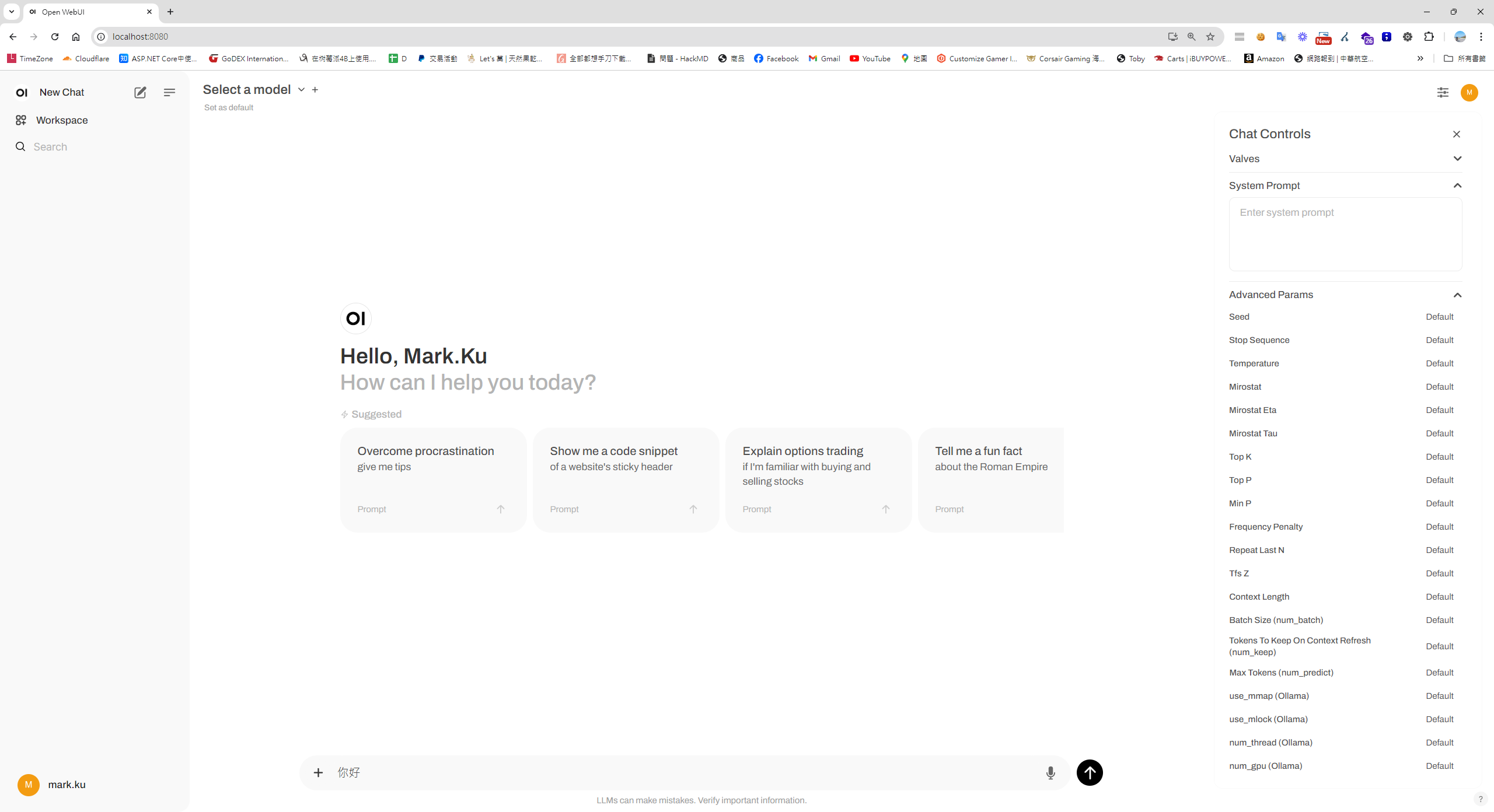
Visit localhost:8080
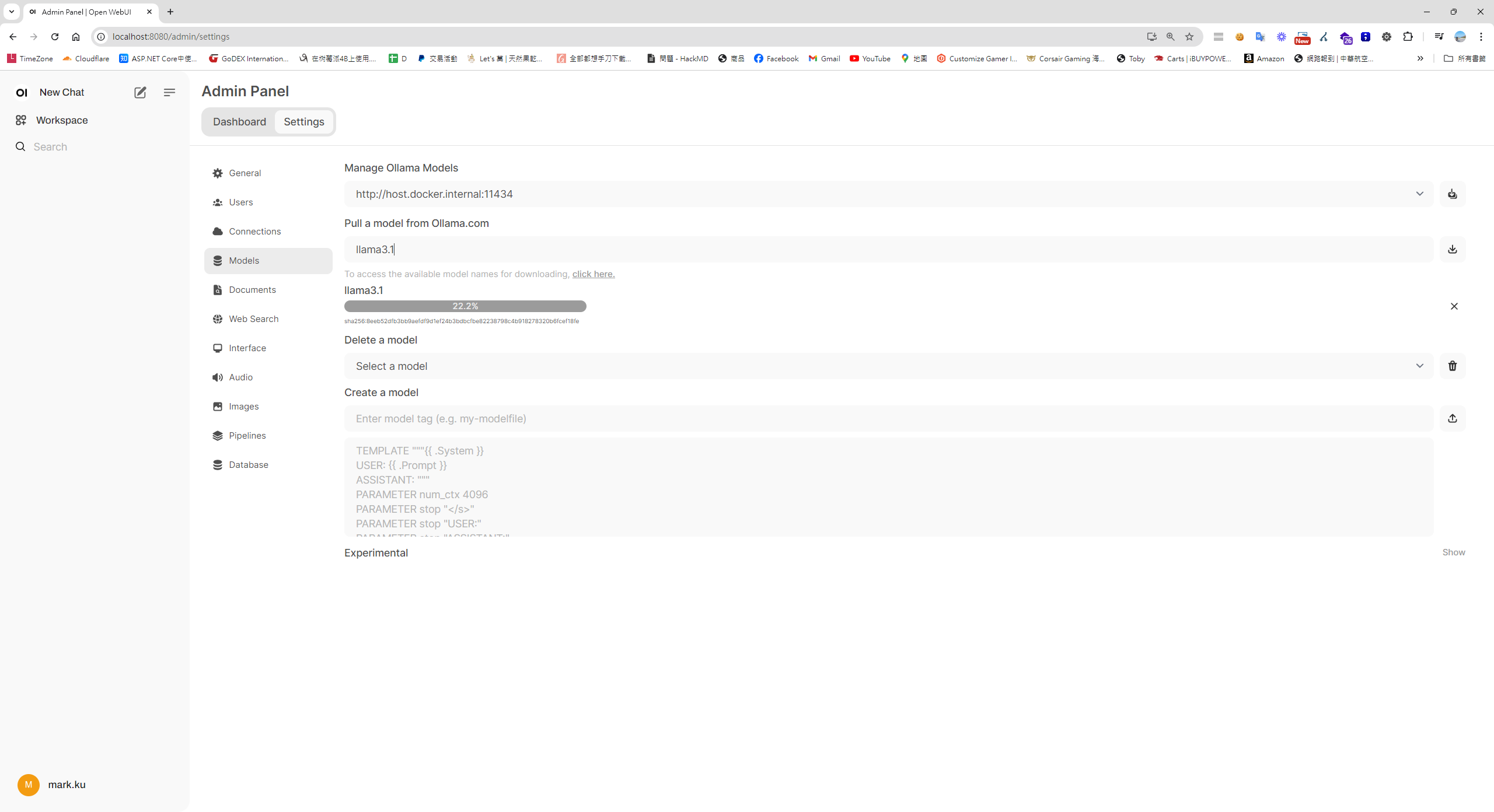
Settings > Download and Install a Model
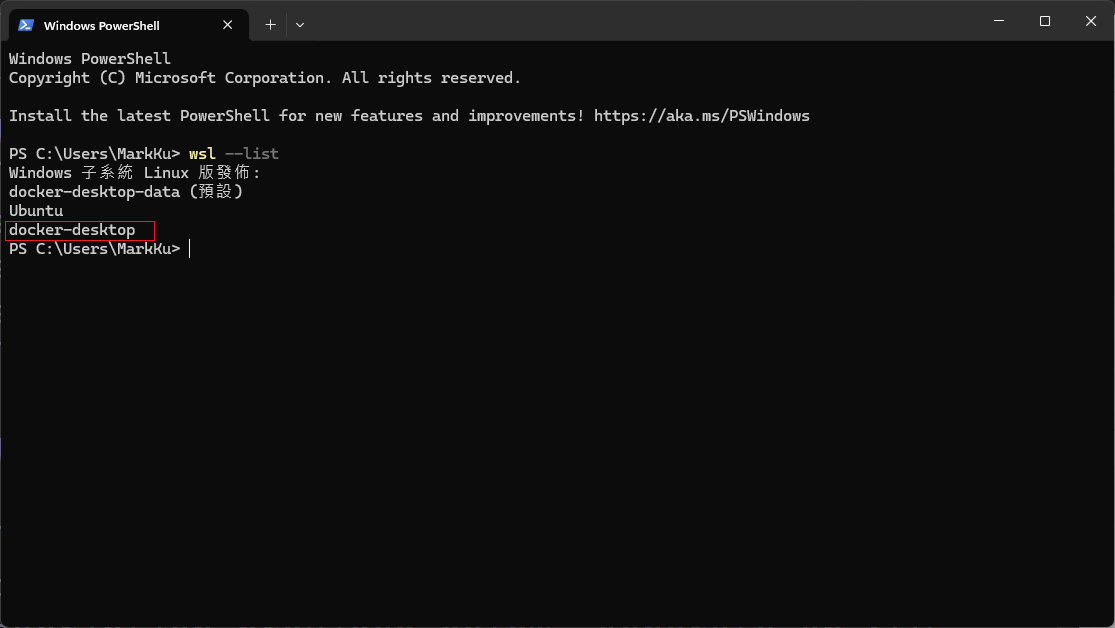
Install the Linux Subsystem (Windows PowerShell)
wsl --version
wsl --update
wsl --install
wsl --list
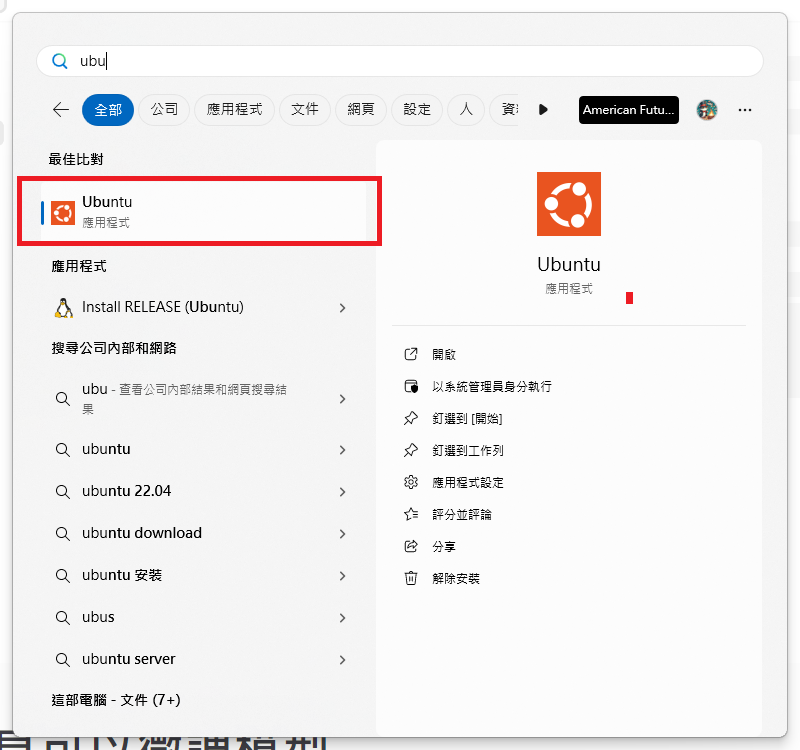
Open Ubuntu
Run the Following Inside Ubuntu
Inside Ubuntu, run the following to set up the NVIDIA Container Toolkit:
sudo apt-get update
sudo apt-get install -y nvidia-cuda-toolkit nvidia-container-toolkit
Configure Docker for GPU Support
 * Make sure Docker has **WSL2 integration enabled**
 * Open Docker Desktop → Settings → Resources → WSL integration → enable Ubuntu
 * Recent Docker versions Enable GPU support** (on by default) => no extra config needed
 * Docker engine settings
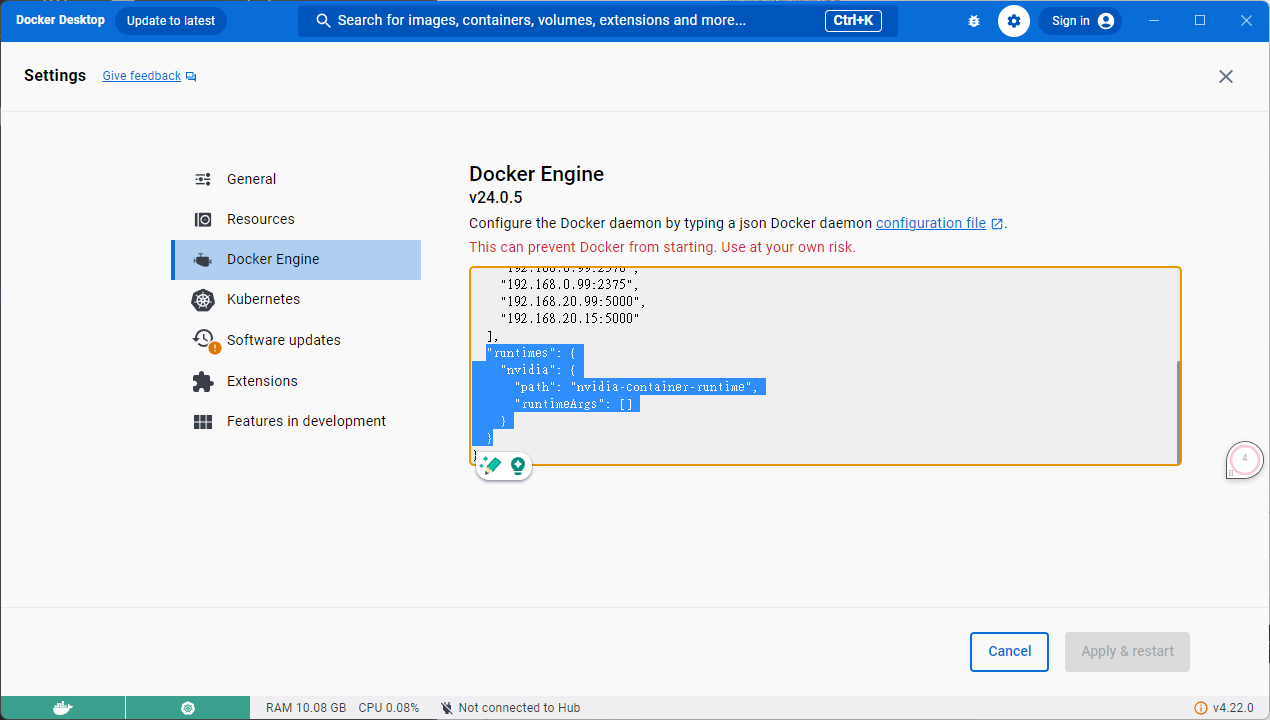
"runtimes": {
    "nvidia": {
      "path": "nvidia-container-runtime",
      "runtimeArgs": []
    }
  }
Test GPU Integration
Verify GPU integration works:
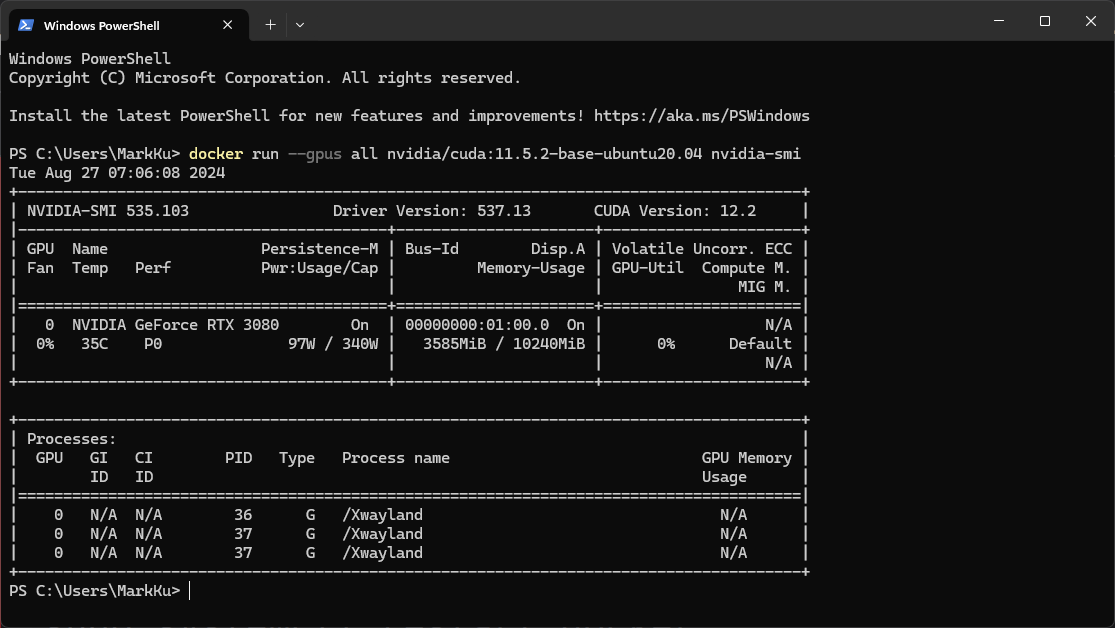
docker run --gpus all nvidia/cuda:11.5.2-base-ubuntu20.04 nvidia-smi
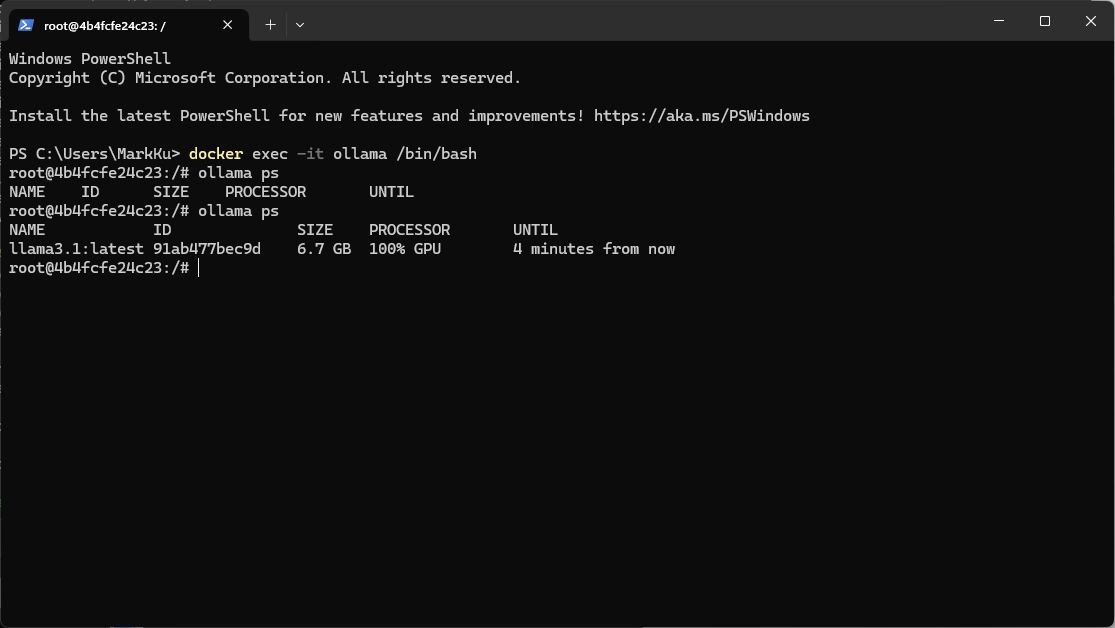
Confirm Ollama Is Using the GPU — run the following on the host
docker exec -it ollama /bin/bash
ollama ps
Benchmark Results
Hardware: CPU 13900K + Nvidia TUF RTX 3080 + 64 GB RAM + Win 11
We fed Ollama the same SEO-generation prompt we used with Azure OpenAI.
You are an SEO expert. Based on the page description provided below, generate an SEO-optimized title, meta description, and keywords. Ensure that the title is engaging and concise, the meta description summarizes the product effectively while enticing users to learn more, and the keywords are relevant to the product's features and market segment. Additionally, translate all content into the language specified by the given language code.
Company:Your company Desc ...
Ecommerce Page Description: Case: NZXT H5 Flow Gaming Gehäuse - Schwarz Processor: AMD Ryzen 5 5600X Processor (6x 3.7GHz/32MB L3 Cache) Memory: 16GB DDR4/3200MHz Memory(G.Skill ,Corsair,Kingston) Storage: Video Card: NVIDIA GeForce RTX 3050 - 8GB GDDR6X (VR-Ready) Motherboard: ASRock B450 PRO 4 ATX USB 3.1, SATA3, 1x M.2
Translate Target Language Code: en
FormatInstructions: Only the title, description and keywords of the json structure are returned. example :{"title":"","description":"","keywords":""} Please delete any other unnecessary information. Such as python code, Python Flask API, etc. Give me json result. Do not send back any other information such as python code, Python Flask API, etc.
Performance Comparison
- CPU only: 1 min 10 sec ~ 1 min 30 sec
- NVIDIA RTX MSI 2060 OG GPU: around 30 seconds
- NVIDIA RTX TUF 3080 GPU: under 3 seconds
References
- Idiot's Guide to Hosting an LLM - Ollama + Open WebUI Docker Compose Setup
- [CUDA] How to install Ollama 3 + Open WebUI on Windows (docker + WSL 2 + ubuntu + nvidia-container)
- How to Use Ollama Elegantly | JD Cloud Tech Team
- A Collection of Common Ollama Models
- No Privacy Worries Offline! Free Open-Source AI Assistant Ollama — From Install to Fine-Tuning in One Video


Comments