
Context
Our competitor, maingear, launched a 3D Configurator, so I spent some time researching 3D technology.
First, Solving the 3D File Format Problem
I got the 3D model file for our company's computer case from the product designer. It was a STEP file, so I started by learning about common web-friendly formats.
When it comes to 3D product showcases, we need to understand the differences between the two main formats: GLB and GLTF (From ChatGPT)
GLB and GLTF are two formats used to represent 3D models, primarily for 3D graphics and virtual reality. Both are based on the glTF (GL Transmission Format), but there are some differences between them:
File Structure: GLB: This is a binary file format where all data (including textures, meshes, etc.) is stored in a single binary file. This makes the file smaller and faster to load. GLTF: This is a JSON-based format that can store textures, meshes, etc., in separate binary files or embed them directly into the JSON. Compared to GLB, the GLTF file structure can be more flexible but also more complex. Readability:
GLB: Being a binary format, GLB files are not easily human-readable or editable. GLTF: Being JSON-based, GLTF files are easier to read and edit. Developers can open and modify them with a regular text editor. Use Cases:
GLB: Suitable for scenarios requiring fast loading and efficient performance, such as real-time 3D applications. GLTF: Due to its readability and flexibility, it's suitable for development and debugging. File Size:
GLB: Usually smaller than GLTF because it packs all data into a single binary file. GLTF: Can be relatively larger, especially when textures and other resources are embedded in the JSON. In summary, both GLB and GLTF have their own advantages and use cases. GLB is better for performance-sensitive applications, while GLTF is more suitable for situations that require readability and editability. During the development phase, you might choose to use GLTF for iteration and debugging, then convert to GLB for the production stage to improve performance.
Our company only has two SolidWorks licenses, and the designers are very busy. I felt bad bothering them frequently, so I looked for some tools to convert 3D models myself.
Vectary Online Tool Conversion requires payment, but there's a free trial for a few days.
Why choose Vectary? There are many 3D conversion tools to choose from, but I chose Vectary because of its intuitive interface and simple import/export features. Additionally, Vectary has rich tutorial resources that helped me get started quickly. With this tool, I could easily convert SolidWorks files into web-supported formats.
Blender (Open Source) + Stepper Plugin (Paid)
Next, Converting the 3D Model into a React Component
npm i gltfjsx -g
npx gltfjsx <glTF model source file>
GLB
As mentioned earlier, gltfjsx is better for adjustments during the product phase, but GLB files are smaller, making them more suitable for the final production deployment.
npm i gltf-pipeline -g
gltf-pipeline -i scene.gltf -o scene.glb
Since 3D models are often large, which leads to a poor user experience, you can use gltf-pipeline to set a compression level when exporting to GLB.
gltf-pipeline -i <source file> -o <output file> --draco.compressionLevel=10
gltf-pipeline -i scene.gltf -o mother-board.glb
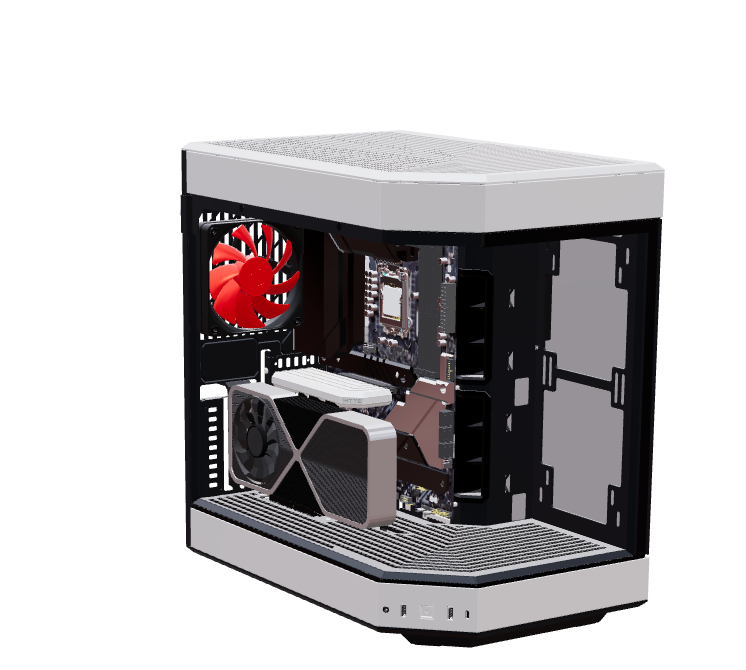
At this point, we have the necessary files to create a 3D product showcase. Following this blog post, we can build our 3D product display.
Advanced Applications
- Adding other computer components
- Fan animations
- Applying textures
- Color changing functionality
- Loading animation while the model loads (component loading animation)
- Product feature tooltips (part's hint)
- Material glow effects (bloom, emissive)
- Scene setup
Debugging Tip: Bind a click event to a group to log which object was clicked.
  <group
      https://hackmd.io/onPointerMissed={() => (state.current = null)}
      onPointerDown={(e) => (
        e.stopPropagation(), (state.current = e.object.material.name)
      )}
    >
Crashes on Mobile Devices
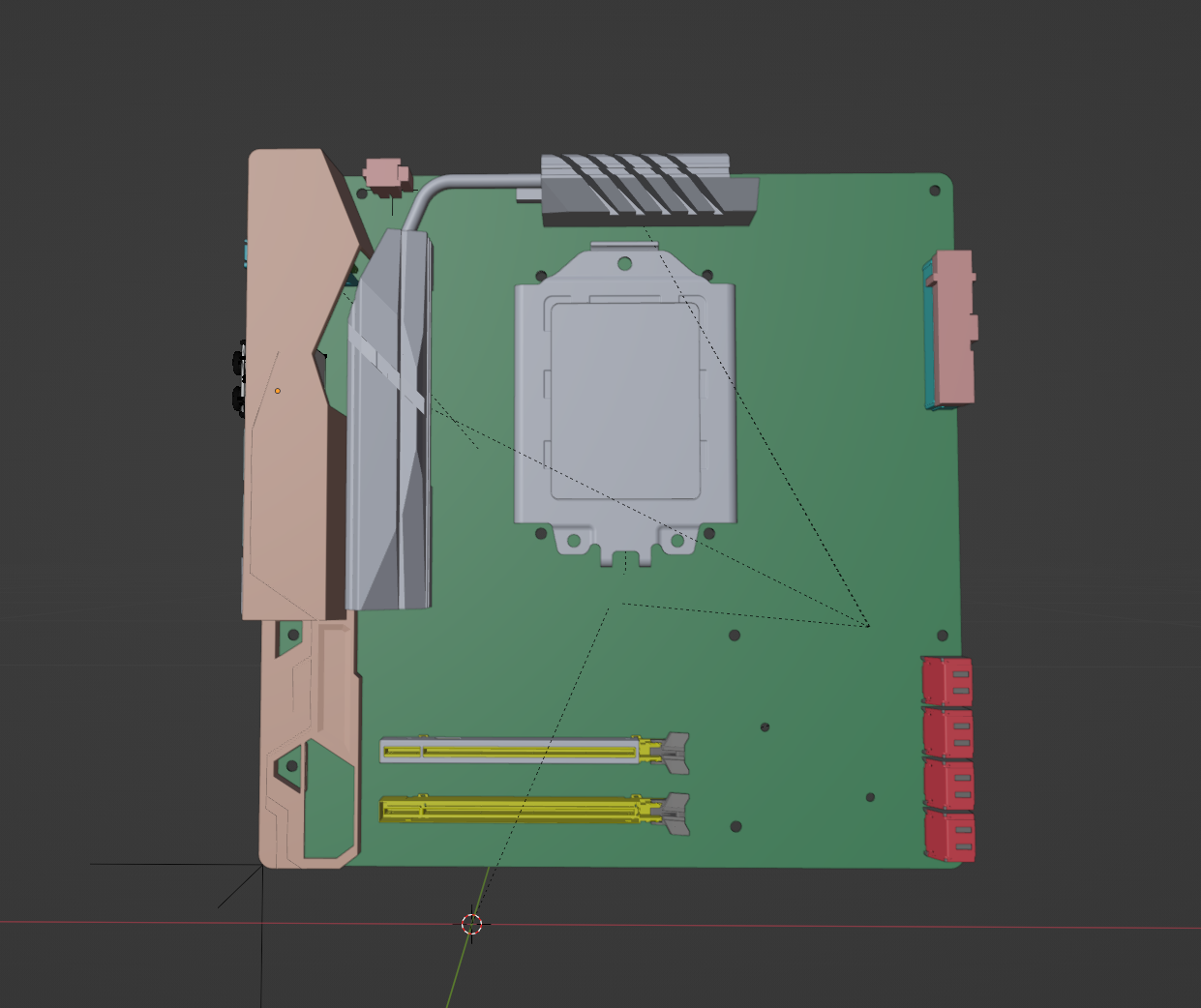
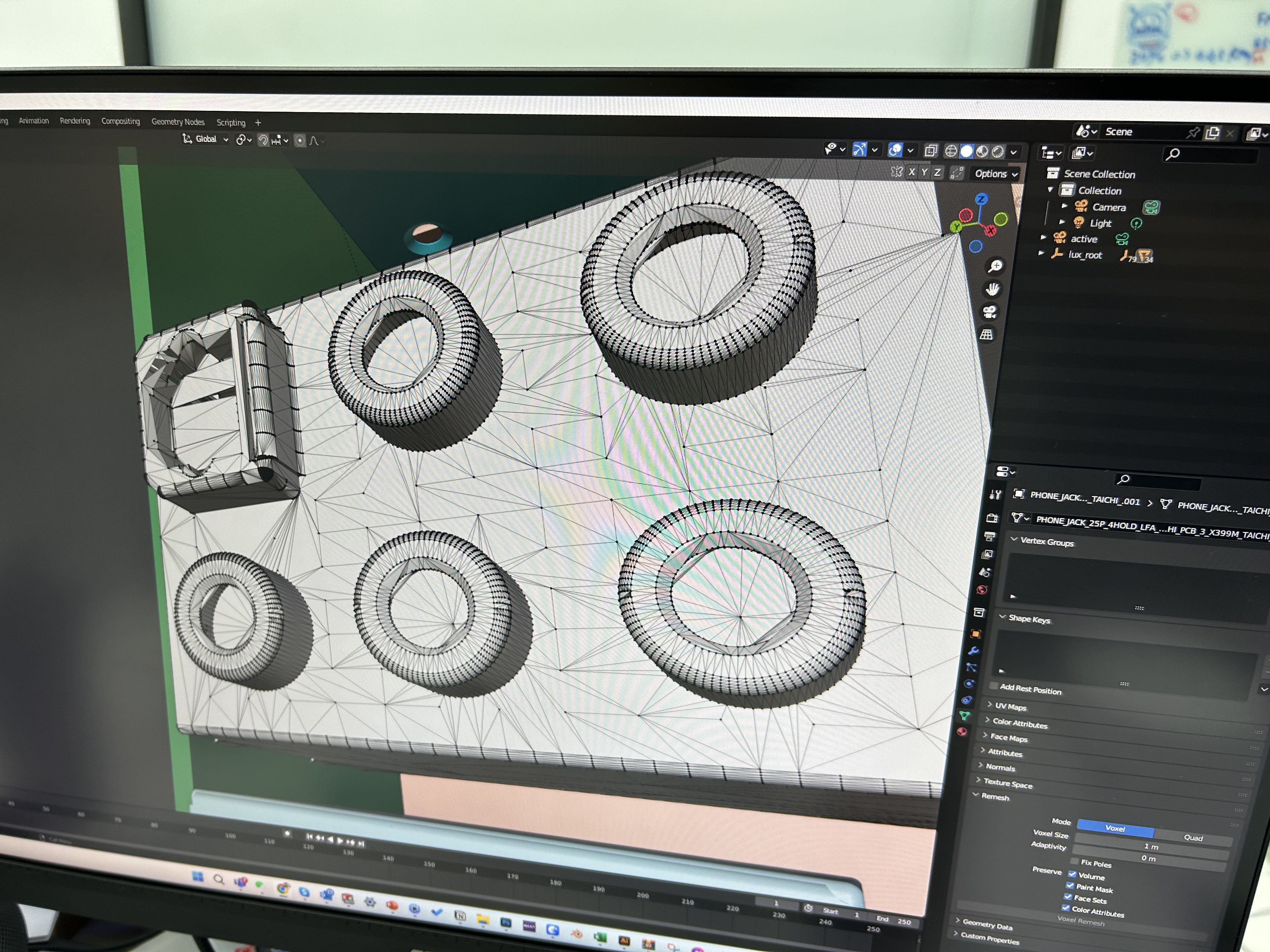
My own phone isn't very powerful. The motherboard model from the original manufacturer had too much detail and complexity, causing it to crash easily on load. Every circle is composed of many triangles, which requires a 3D designer to perform topology optimization to reduce the triangle count. If we want to build a 3D product configurator in the future, every motherboard or other component will need a 3D designer's help, even for manually reducing details. This means we would need a dedicated in-house or freelance 3D designer.
3D on the iPhone currently has significant limitations. iOS itself imposes a memory limit of 384 MB on Safari. Exceeding this will also cause the page to refresh.
If you are using Next.js and everything works fine during local debugging, but you get a "next js application error a client-side exception has occurred" message in production, you need to switch to client-side rendering. The server cannot render 3D components.
In Conclusion
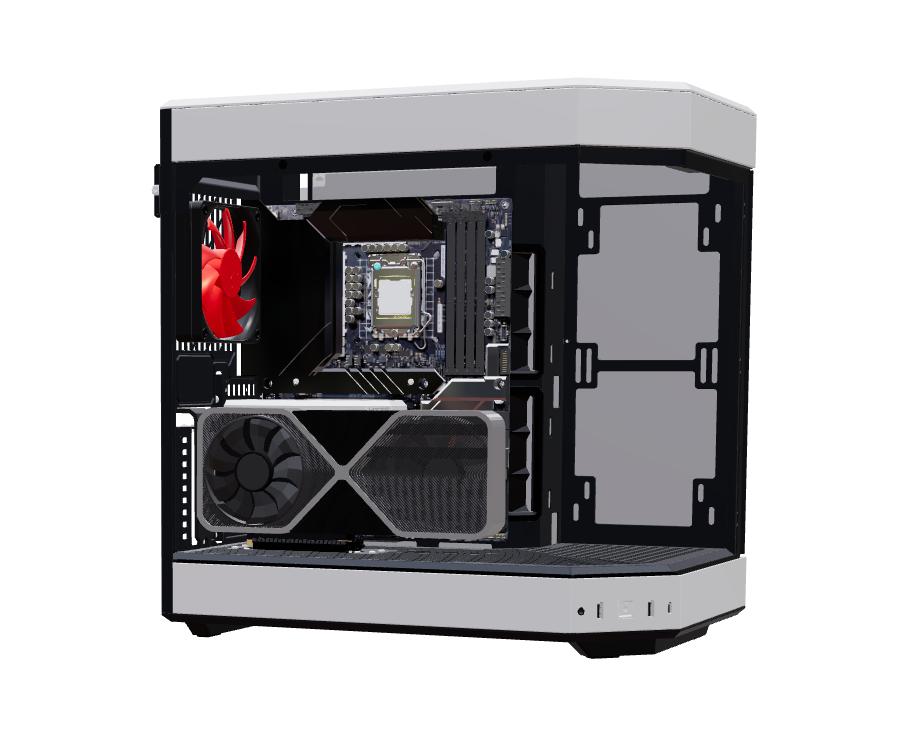 Demo
Demo
As technology evolves, online 3D web model showcases and 3D product configurators will become more widespread. It's crucial for developers to understand and master these technologies. After all, only by keeping up with the times can we provide the best user experience for our customers.
Although Web 3D still has some limitations—such as slow network speeds, large 3D model sizes, insufficient support for certain effects and materials on iOS, and high demands on mobile performance and memory—we can expect to see more applications implemented in 3D as technology and infrastructure improve.
References
Reference
Reference
Reference
Reference
Reference
Reference
Reference
Reference
Reference
Reference
Reference
Reference
Reference
Reference
Reference
Reference
Reference
Reference
Reference
Reference
Reference
Reference
Reference
Reference
Reference
Reference
Reference
Reference
Reference
Reference


Comments