
解決問題
先前有透過 windows certbot 申請免費的 https 憑證,但每三個月都要手動延展一次,很不方便,但透過 nginx-certbot 容器應用,可以自動延展 https 憑證。
開發環境
- 採用 QNAP TS-253D 的 Container Station
安裝方式
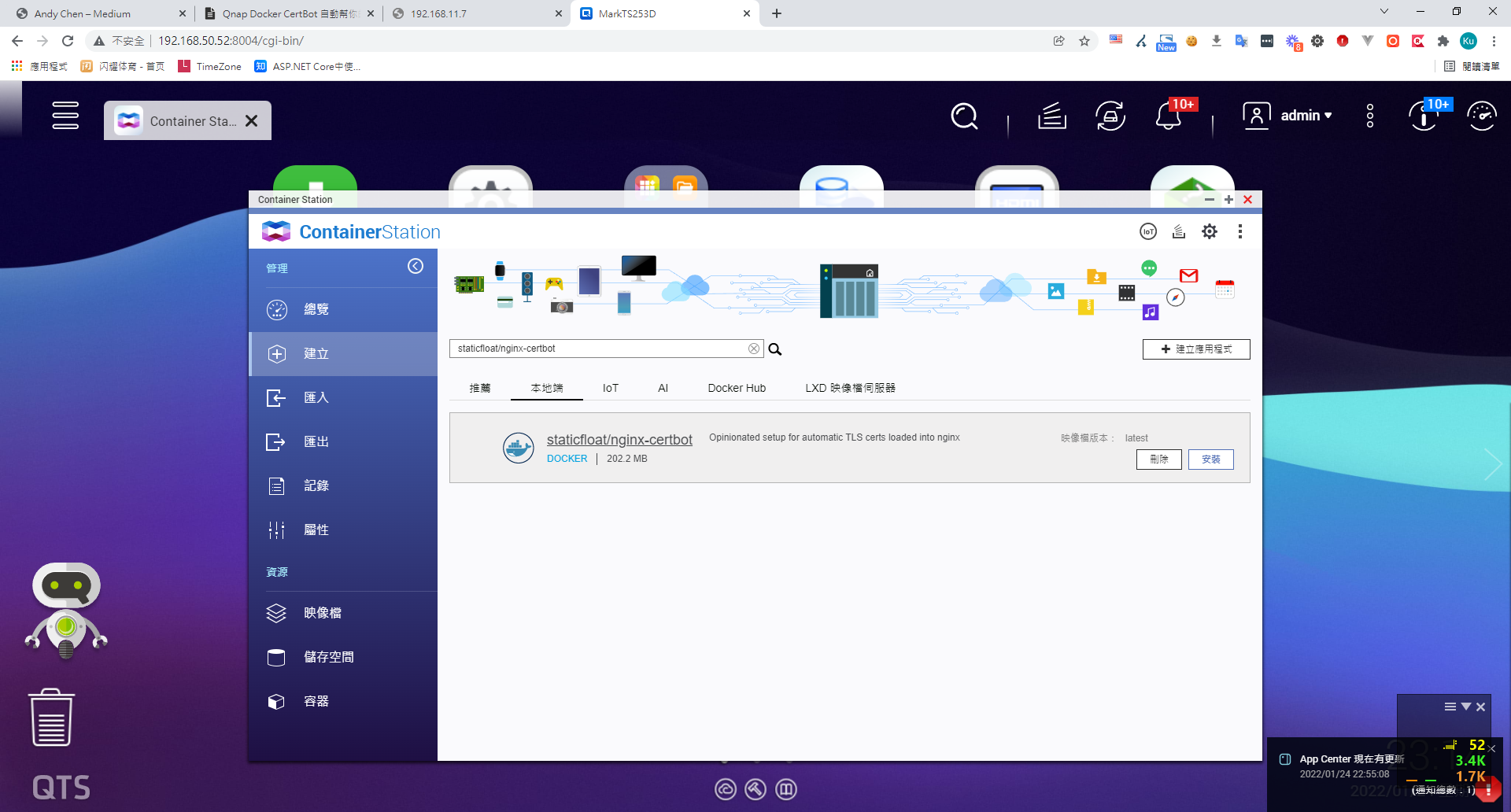
1. 建立 > 搜尋 採用docker hub 上的 "staticfloat/nginx-certbot" 映像檔 > 安裝
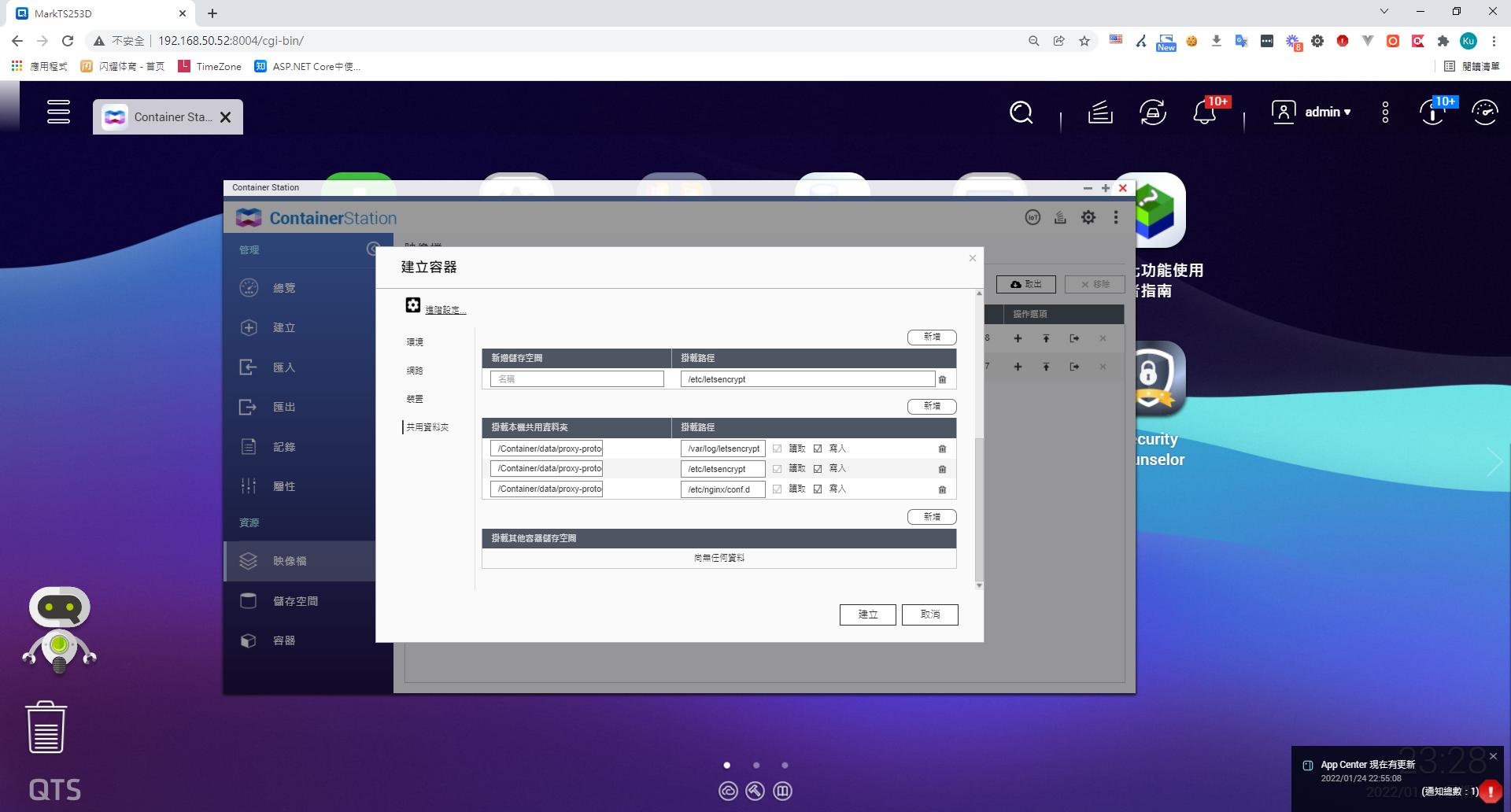
2. 依據以下面表格 掛載資料夾 ( Docker Volume )
| 掛載資料夾用途 | NAS 掛載資料夾位置 | 容器對映路徑 |
|---|---|---|
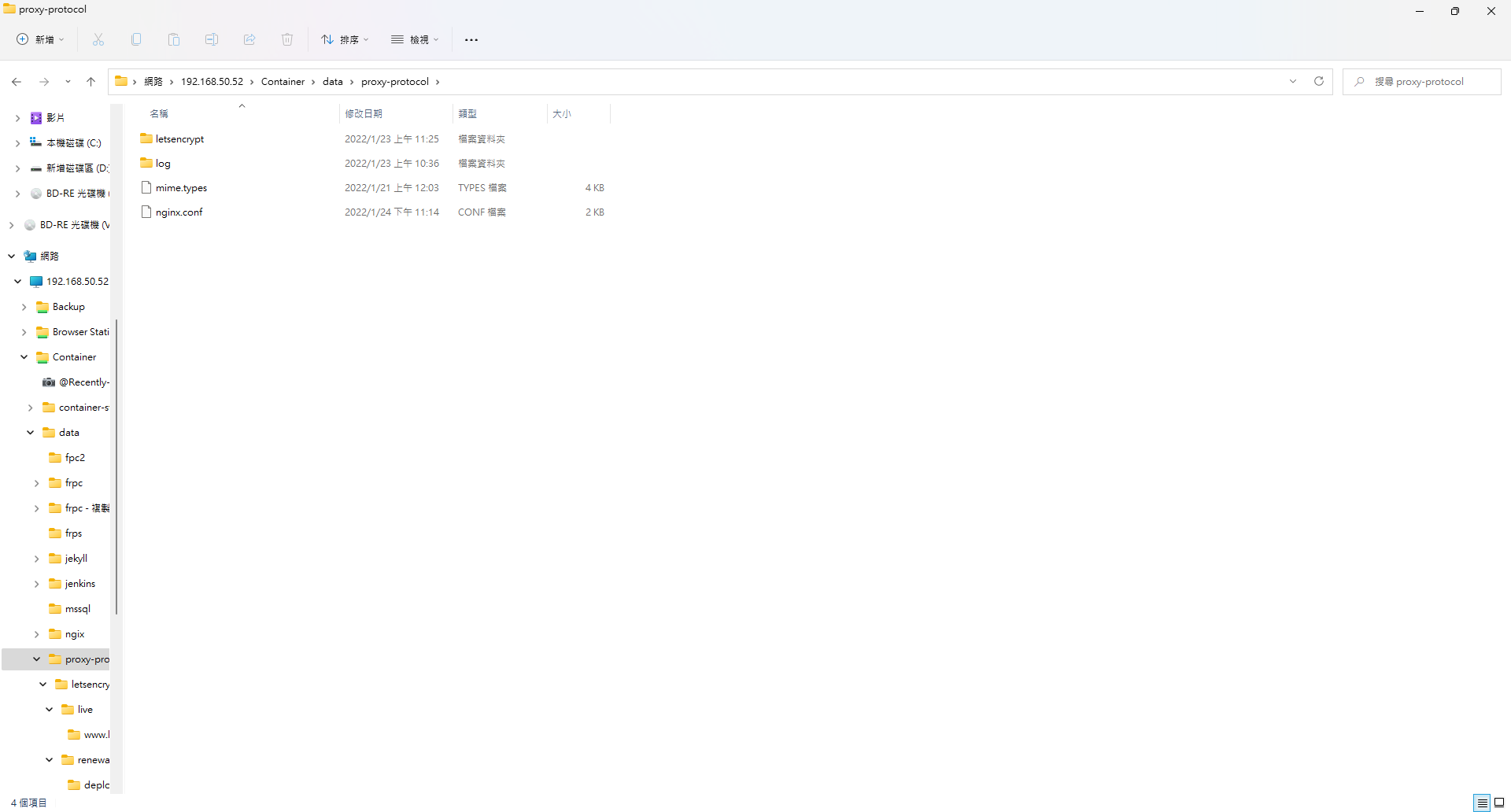
| nginx 設定檔路徑 | /share/Container/data/proxy-protocol | /etc/nginx/conf.d |
| letsencrypt log | /share/Container/data/proxy-protocol/log | /var/log/letsencrypt |
| 己申請的 letsencrypt 舊憑證目錄 | Container/data/proxy-protocol/letsencrypt | /etc/letsencrypt |
| nginx 網頁預設目錄 | /usr/share/nginx/html | Container/data/proxy-Container/data/proxy-protocol/web |
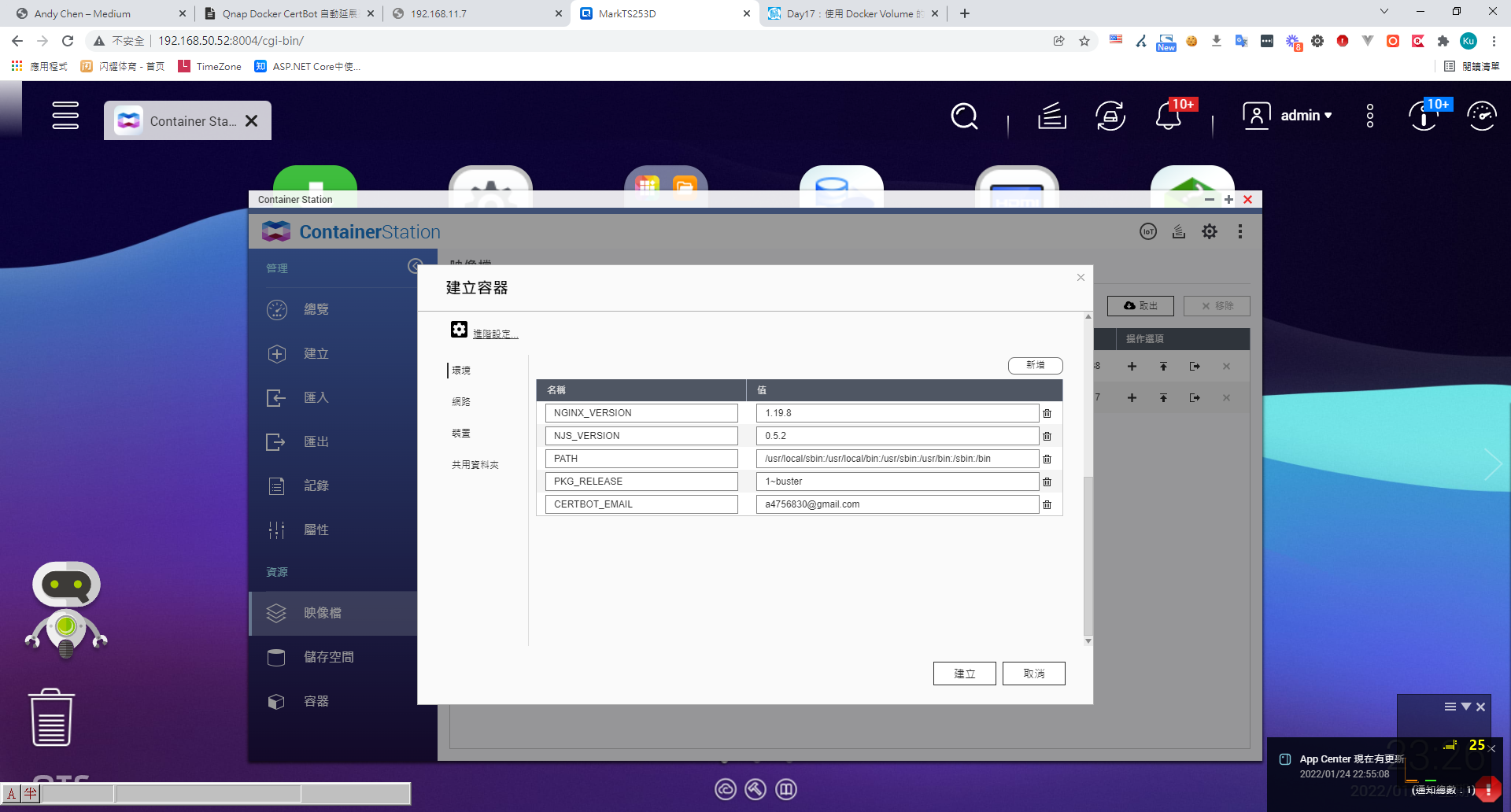
3. 環境變數
CERTBOT_EMAIL => 當初申請 https 憑證的 email
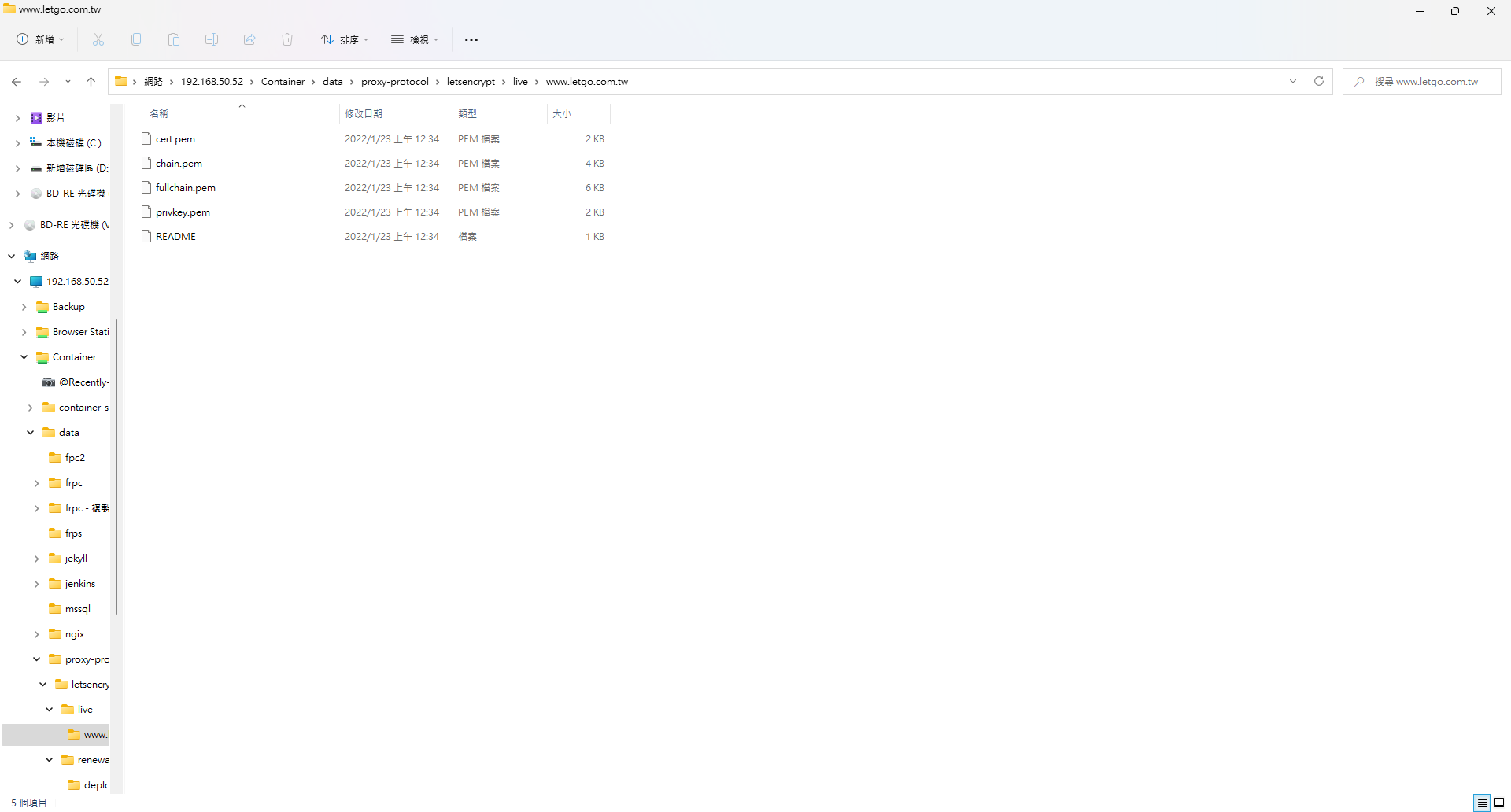
4. 將先前申請的憑證放置到指定位置
5. 撰寫 nginx 設定檔,
upstream frp {
	server 34.80.106.95:80;  # 这个是frp_server的内网ip和http监听端口
}

server
	{

	listen 443 ssl http2 proxy_protocol;
	listen [::]:443 ssl http2;
	server_name www.letgo.com.tw; # local server ip

	set_real_ip_from 172.31.0.1; # frp client ip
	real_ip_recursive on;
	real_ip_header  proxy_protocol;


	    ssl_certificate     /etc/letsencrypt/live/www.letgo.com.tw/fullchain.pem;
    ssl_certificate_key /etc/letsencrypt/live/www.letgo.com.tw/privkey.pem;

	ssl_protocols TLSv1.1 TLSv1.2 TLSv1.3;

	ssl_ciphers EECDH+CHACHA20:EECDH+CHACHA20-draft:EECDH+AES128:RSA+AES128:EECDH+AES256:RSA+AES256:EECDH+3DES:RSA+3DES:!MD5;
	ssl_prefer_server_ciphers on;
	ssl_session_cache shared:SSL:10m;
	ssl_session_timeout 10m;
	add_header Strict-Transport-Security "max-age=31536000";

	location / {
		proxy_set_header Host $host;
		proxy_set_header X-Real-IP $remote_addr;
		proxy_set_header X-Forwarded-For $proxy_protocol_addr;
		proxy_set_header X-Forwarded-Proto $scheme;
		proxy_pass http://192.168.50.52:8890/; # your local application ip
	}
}
6. 啟動容器應用,則會每週檢查,並自動幫你延展免費的 https 憑證。
備註
- letsencrypt 資料夾不能亂刪,否則下次更新會失敗。
- 我的網路架構有用 frp,frp 不能區分 http 及 https ,會自動昇級 https,因此第一次 http 挑戰,我是移到 IIS 驗證。


留言