
Stylelint - 提昇讓你的專案中的 CSS 樣式,擁有像 Eslint 的自動排版及檢查錯誤
前言
您是否也有在開發 Vue 的 CSS 或 SCSS 檔案時,是不是也有這個困擾,常常為了加了外層一個 Class ,又得手動重新調整縮排,團隊開發時,每個成員的撰寫風格都不一樣,Stylelint 則就是為了解決上述的問題而存在。
什麼是StyleLint
StyleLint 是一套檢查 CSS Coding Style ,就像是 eslint 一樣,在撰寫 css 時,它可以幫助團隊
- 在撰寫 css 能自動排版
- 提示屬性錯誤、限制大小寫、屬性的排序等..
- 協助團隊養成良好的 css 撰寫風格
- 修正風格及錯誤
功能展示影片
安裝及設定
安裝相關的套件
npm install --save-dev stylelint stylelint-config-standard stylelint-order stylelint-scss
在專案根目錄中新增 .stylelintrc.json
{
    "extends": "stylelint-config-standard",
      "plugins": [
        "stylelint-scss",
        "stylelint-order"
    ],
    "rules": {
      "property-no-unknown": [
      true,
      {
        "ignore": [
        "promotioncolorfirst",
        "promotioncolorsecond",
        "promotioncolorthird"
        ]
      }
    ],
    "color-hex-case": "upper",
    "no-descending-specificity": null,
    "at-rule-no-unknown": null,
    "order/properties-order": [
        "position",
        "top",
        "right",
        "bottom",
        "left",
        "z-index",
        "display",
        "justify-content",
        "align-items",
        "float",
        "clear",
        "overflow",
        "overflow-x",
        "overflow-y",
        "margin",
        "margin-top",
        "margin-right",
        "margin-bottom",
        "margin-left",
        "border",
        "border-style",
        "border-width",
        "border-color",
        "border-top",
        "border-top-style",
        "border-top-width",
        "border-top-color",
        "border-right",
        "border-right-style",
        "border-right-width",
        "border-right-color",
        "border-bottom",
        "border-bottom-style",
        "border-bottom-width",
        "border-bottom-color",
        "border-left",
        "border-left-style",
        "border-left-width",
        "border-left-color",
        "border-radius",
        "padding",
        "padding-top",
        "padding-right",
        "padding-bottom",
        "padding-left",
        "width",
        "min-width",
        "max-width",
        "height",
        "min-height",
        "max-height",
        "font-size",
        "font-family",
        "font-weight",
        "text-align",
        "text-justify",
        "text-indent",
        "text-overflow",
        "text-decoration",
        "white-space",
        "color",
        "background",
        "background-position",
        "background-repeat",
        "background-size",
        "background-color",
        "background-clip",
        "opacity",
        "filter",
        "list-style",
        "outline",
        "visibility",
        "box-shadow",
        "text-shadow",
        "resize",
        "transition"
      ],
      "selector-pseudo-class-no-unknown": [
      true,
      {
        "ignorePseudoClasses": ["export"]
      }
    ],
    "property-no-unknown": [
      true,
      {
        "ignoreProperties": ["composes", "compose-with"],
        "ignoreSelectors": [":export", "/^:import/"]
      }
    ]
    }
}
為了在儲存時能夠,自動的修正錯誤,請在 vscode 中的 setting.json 請加入 => "source.fixAll.stylelint": true
"editor.codeActionsOnSave": {
    "source.fixAll.eslint": true,
    "source.fixAll.stylelint": true
  },
VS Code 安裝 style lint plugin
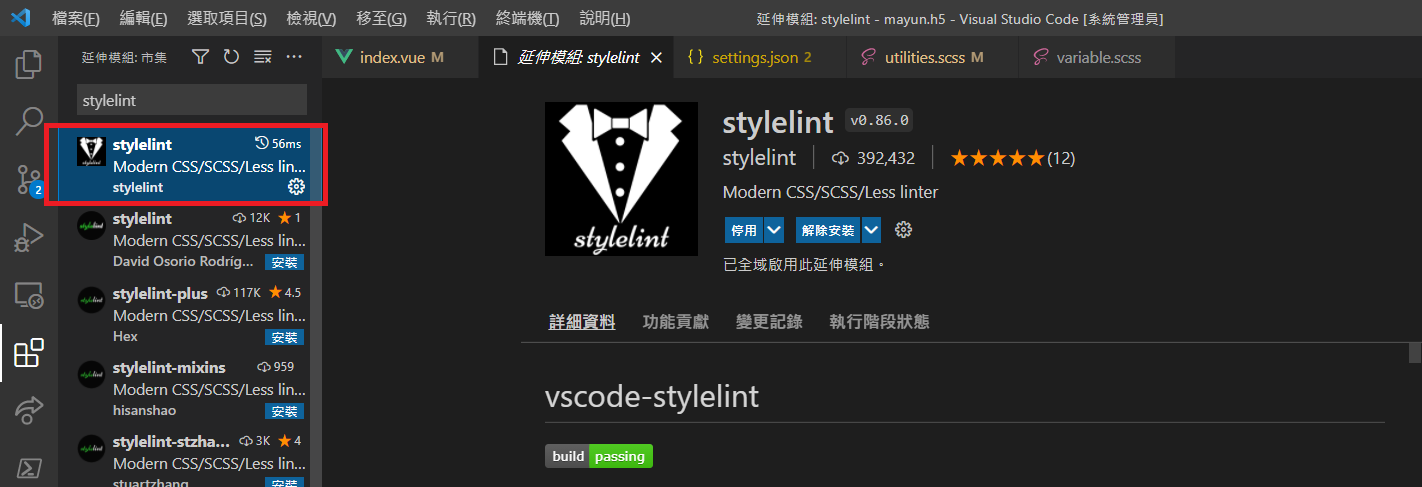
此時你在開發專案中的 css 時,存檔就能自動幫你自動修正錯誤
如果你想套用在整個專案
終端機輸入以下指令
// 檢查錯誤
 npx stylelint "**/*.css"
// 修正錯誤
 npx stylelint "**/*.css" --fix
或是在 package.json 內設定,透過 npm run lint:style 去執行
/ package.json

{
  "scripts": {
    "check:style": "stylelint **/*.{css,scss,sass,vue}",
    "lint:style": "stylelint **/*.{css,scss,sass,vue} --fix"
  }
}


留言