


Webp 起緣
WebP圖像格式 起緣,由Google開發,它的主要優點是:使您獲得出色的清晰度而又不會增加網路傳輸的負擔。 這對於頁面加載速度至關重要。
為何要用 Webp
大多數網站,圖片佔網路加載的 60% 以上,然而 webp 格式的的出現,可以將 JPEG 圖像尺寸減小35%,將PNG圖像尺寸減小50%,並保留了其畫質和透明度,採用 webp 圖片格式,以減少網路的傳輸,提高使用者的體驗。
檔案大小比較
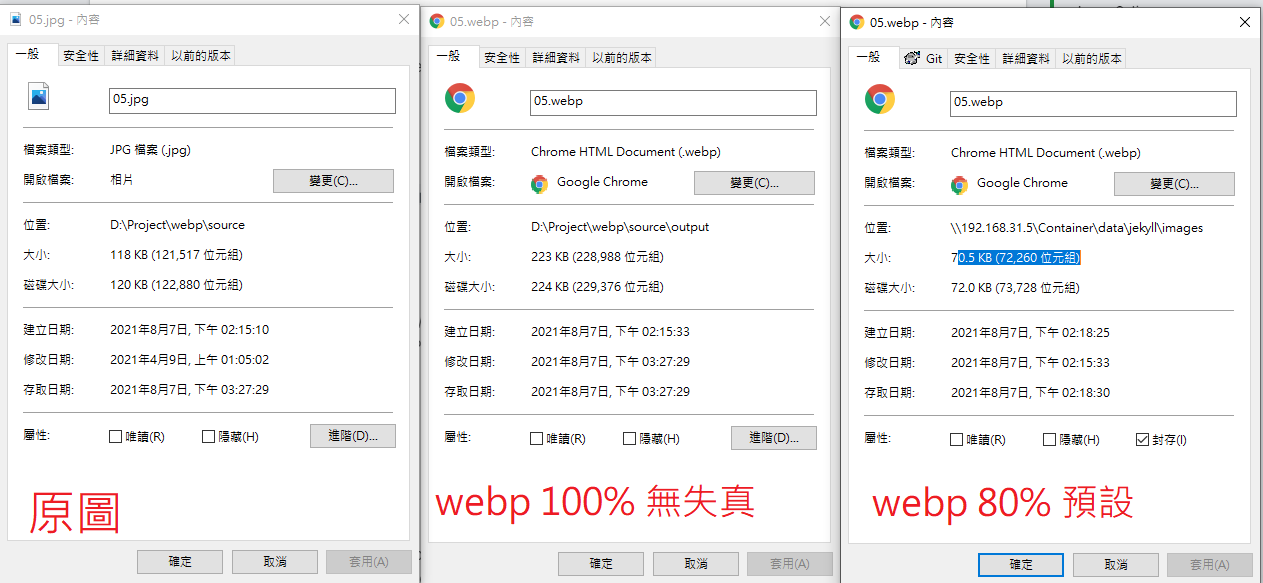
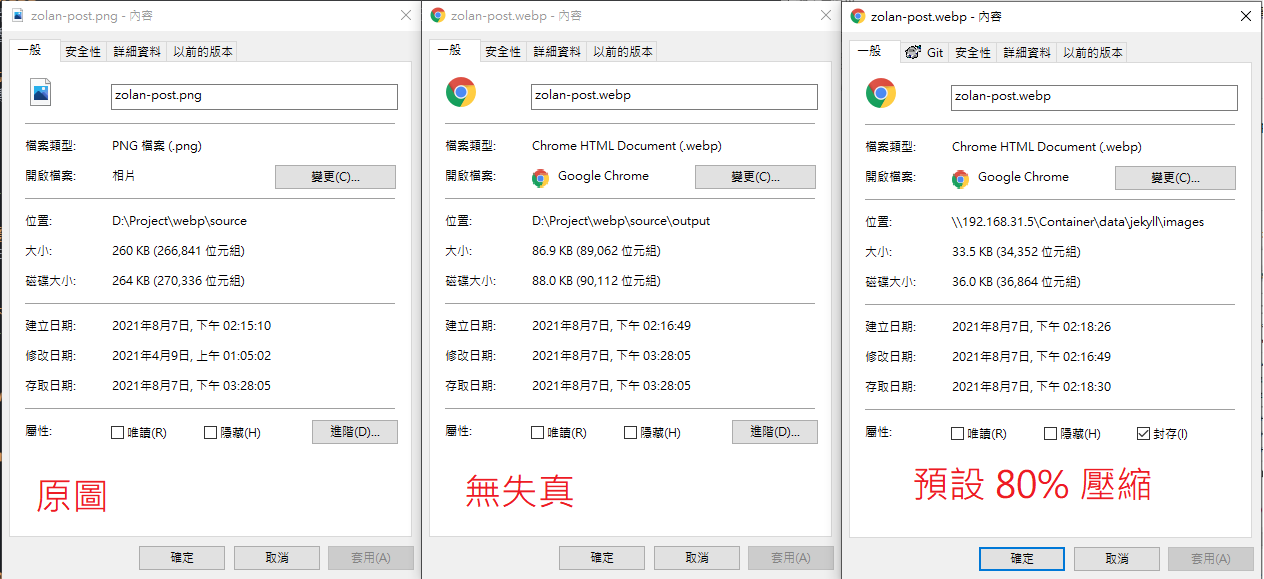
webp converter 預設是 80% 的壓縮格,這邊做了 無失真 100% 和壓縮格式 80% 的檔案大小的對比
- JPG 轉換 WEBP - 在無失真的 Webp 檔案轉換上,檔案大小不減反增,增加了約一倍以上的大小,但採用 Webp 預設80%的壓縮,檔案大小少了約 40%。
- PNG 轉換 WEBP - 在無失真的 Webp 檔案轉換上,檔案少了約一半以上,但採用 Webp 預設80%的壓縮,檔案大小少了約 86%。
- 但有有趣的現象
- Webp 預設 80 % 的壓縮格式,確實 JPG / PNG 將圖片大小減少,但 Webp 的 100% 無失真格式,反而讓 JPG 檔案增加了一倍大小
瀏覽器支援度
Webp 在前幾年支援度還沒這麼好,現在支援度很普及了,但需要特別留意 iOS 14 後才支援 web p, 這邊就必須額外處理。

Google 下載 Webp tool
https://developers.google.com/speed/webp/download

撰寫 power shell (Convert-WebP.ps1)
$libPath = $PSScriptRoot + "\libwebp-1.2.0-windows-x64\bin\cwebp.exe"
$defaultFoldPath = (Get-Item .)
$outputFolder = 'output'
Function Get-Folder([String] $initialDirectory)
{
    [System.Reflection.Assembly]::LoadWithPartialName("System.windows.forms")|Out-Null

    $foldername = New-Object System.Windows.Forms.FolderBrowserDialog
    $foldername.Description = "Select a folder"
    $foldername.rootfolder = "MyComputer"
    $foldername.SelectedPath = $initialDirectory
	$foldername.ShowNewFolderButton = $false

    if($foldername.ShowDialog() -eq "OK")
    {
        $folder += $foldername.SelectedPath
    }else{
		exit
	}
    return $folder
}


Function Conver-Webp([String] $source, [String] $output)
{
   Write-Host ('$input path:' + $source)
   Write-Host ('$output path:' + $output)

   if (!(Test-Path -Path $output )) {
   New-Item -ItemType directory -Path $output
   Write-Host 'create new folder' + $output
   }

   $files = get-childitem $source -recurse -force -include *.jpg, *.png
   Write-Host $files
   foreach($inputFile in $files){

   #Call cwebp
   $inputFilePath = $inputFile.FullName
   $outputFilePath = Split-Path -Path $inputFile.FullName

   $outputFilePath = $output + "\" + [System.IO.Path]::GetFileNameWithoutExtension($inputFilePath) + ".webp"

   # 使用 80% 品質等級去轉換單張圖片:

   Write-Host $outputFilePath
   $args = "-q 80 " + $inputFilePath + " -o " + $outputFilePath

   Start-Process -FilePath $libPath -ArgumentList $args -Wait

   $originalFileSize = (Get-Item $inputFilePath).length
   $optimizedFileSize = (Get-Item $outputFilePath).length

   $savedBytes = $originalFileSize - $optimizedFileSize
   $savedPercentage = [math]::Round(100-($optimizedFileSize / $originalFileSize)*100)
   $message = $inputFilePath + " " + $outputFilePath + " " + $savedBytes + "bytes " + $savedPercentage + "%"

   Write-Host $message
   }
}


$sourceFolderPath = Get-Folder($defaultFoldPath)
$outputFolderPath =($sourceFolderPath+ '\' + $outputFolder)

Conver-Webp $sourceFolderPath $outputFolderPath

PAUSE
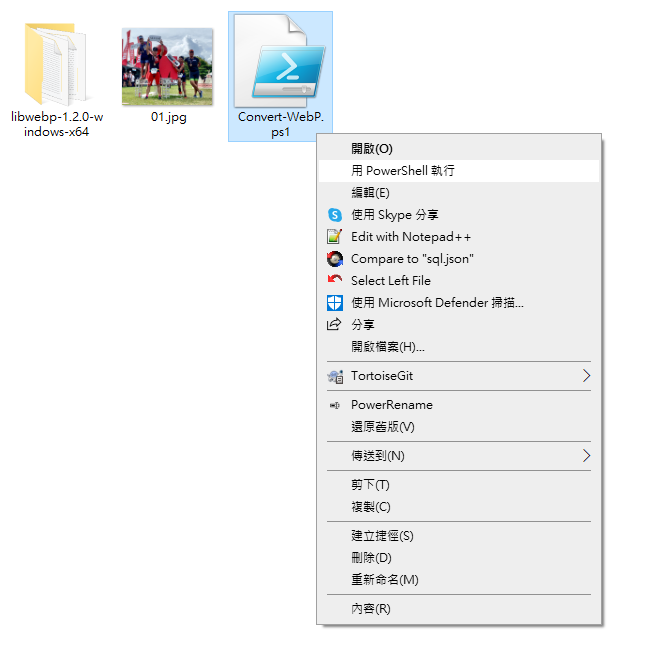
將下載的 Webp Lib 放在 PowerShell 同目錄,對 Convert-WebP.ps1 > 右鍵 > 用 powershell 執行
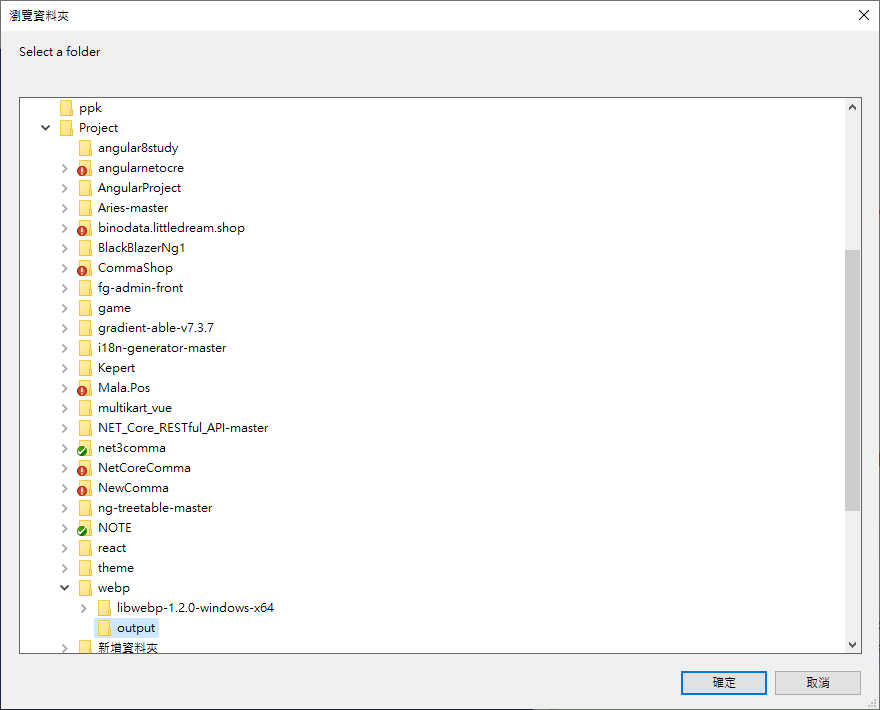
選取來源資料夾
執行畫面
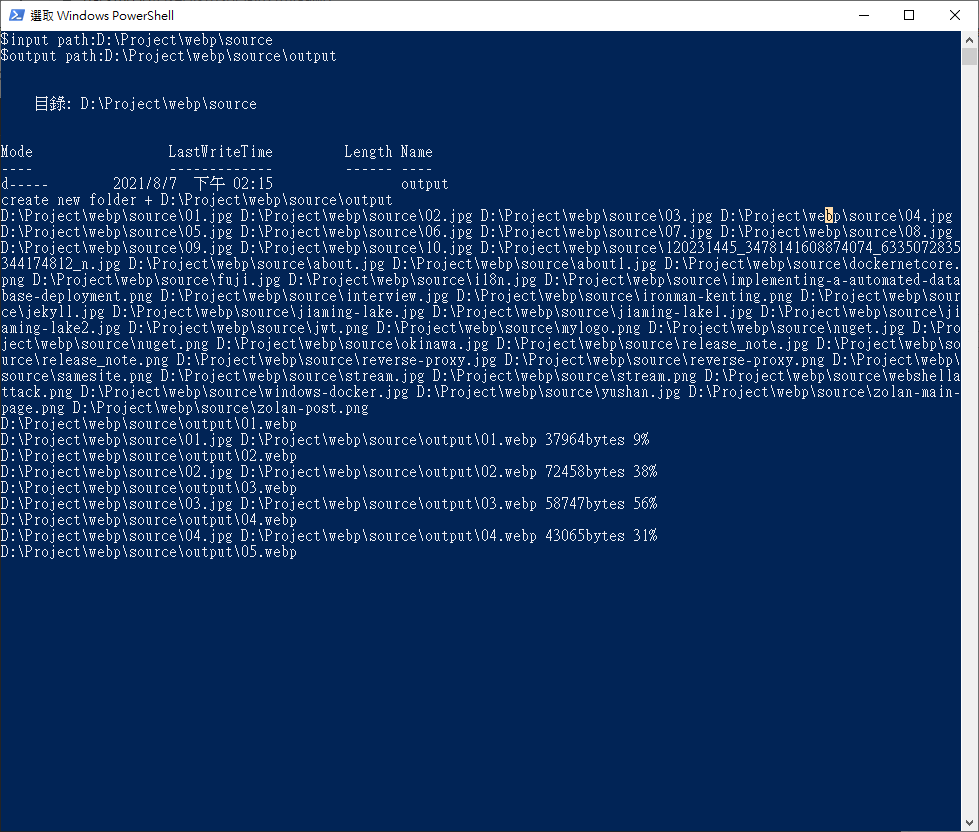
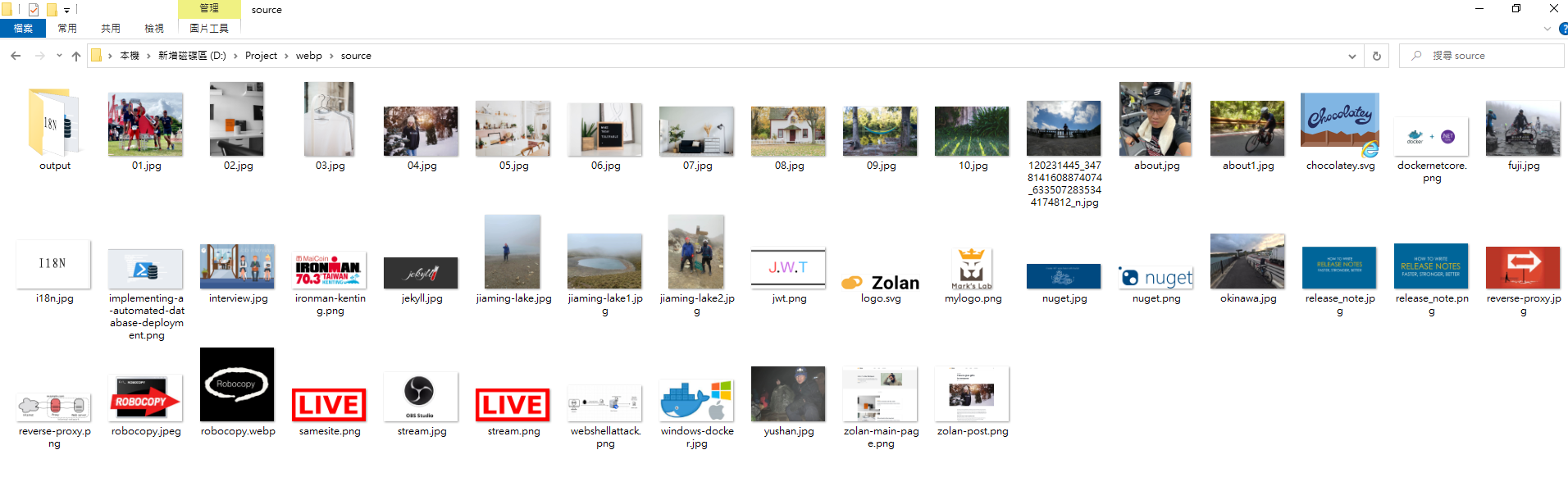
腳本執行完後,會將所有 jpg / png 的檔案 輸出到 output 目錄下。


留言