
Amazon pay integration note with csharp - one-time payments
Purpose
Our company's Amazon Pay integration often breaks down, so we need to reconnect/reintegrate it
Prepare
- Amazon pay api key
- Setting white list of domains in the Amazon pay backend sytem.
- Embedding Amaon pay checkout js in Frontend Web site
- Install Amazon SDK in your backend ( Nuget:Amazon.Pay.API.SDK )
Doc
Amazon pay demo dite
Amazmon pay check out process
- Create Checkout Session - POST
https://pay-api.amazon.com/:version/checkoutSessions
- Get Checkout Session - GET
https://pay-api.amazon.com/:version/checkoutSessions/:checkoutSessionId
- Update Checkout Session - PATCH
https://pay-api.amazon.com/:version/checkoutSessions/:checkoutSessionId
- Complete Checkout Session - POST
https://pay-api.amazon.com/:version/checkoutSessions/:checkoutSessionId/complete
Step1 Embedding Amaon pay checkout js
<Script src="https://static-na.payments-amazon.com/checkout.js" strategy="afterInteractive"></Script>
Step2 Call our backend api to Create Amazon Session get signature and payload (backend)
private static WebStoreClient InitiateAmazonPayClient() {
         var environment = Projects.InTestingServer ? Environment.Sandbox : Environment.Live;
         var payConfiguration = new ApiConfiguration
         (
             region: Region.UnitedStates,
             environment: environment,
             publicKeyId: AmazonV2.Public_key_id,
             privateKey: AmazonV2.PrivateKey
         );

         var client = new WebStoreClient(payConfiguration);

         return client;
}

public static AmazonCreateCheckoutSession AmazonPayButton(string ChangePaymentReferID) {
         var isChangePayment = !string.IsNullOrEmpty(ChangePaymentReferID);
         var client = InitiateAmazonPayClient();
         var request = new CreateCheckoutSessionRequest(
             checkoutReviewReturnUrl: "http://{your-domain}/carts",
             storeId: Projects.AmazonV2.Store_Id
         );
         request.PaymentDetails.CanHandlePendingAuthorization = false;
         request.DeliverySpecifications.AddressRestrictions.Type = RestrictionType.Allowed;
         request.DeliverySpecifications.AddressRestrictions.AddCountryRestriction("US");
         request.DeliverySpecifications.AddressRestrictions.AddCountryRestriction("CA");

         //generate the button signature
         var signature = client.GenerateButtonSignature(request);
         var payload = request.ToJson();

         return new AmazonCreateCheckoutSession {
            Signature = signature,
            PayloadJSON = payload,
            PublicKeyId = Projects.AmazonV2.Public_key_id,
            MerchantId = Projects.AmazonV2.Merchant_Id,
            IsSandbox = Projects.InTestingServer
         };
      }
Step3 Render Amazon pay button (frontend)
async function amazonPaySetting() {
        const resp = await createAmazonCheckoutSession('');

        if (reviewItems) {
            updateCartReviewItems(reviewItems);
        }

        if (resp.Success) {
            const data = resp.Data;
            const request = {
                merchantId: data.MerchantId,
                ledgerCurrency: 'USD',
                checkoutLanguage: 'en_US',
                productType: 'PayAndShip',
                placement: 'Cart',
                buttonColor: 'Gold',
                createCheckoutSessionConfig: {
                    payloadJSON: data.PayloadJSON,
                    signature: data.Signature,
                    publicKeyId: data.PublicKeyId,
                },
                sandbox: process.env.NODE_ENV === 'development' ? true : false,
            };


            (window as any).amazon.Pay.renderButton('#AmazonPayButton', request);

            setTimeout(() => {
                if (amazonBtn.current) {
                    amazonBtn.current.click();
                }
            }, 1000);
        }
    }

Step 4 When the user clicks 'Express Checkout', they will be redirected to the payment selection page and can continue with the checkout process (frontend)
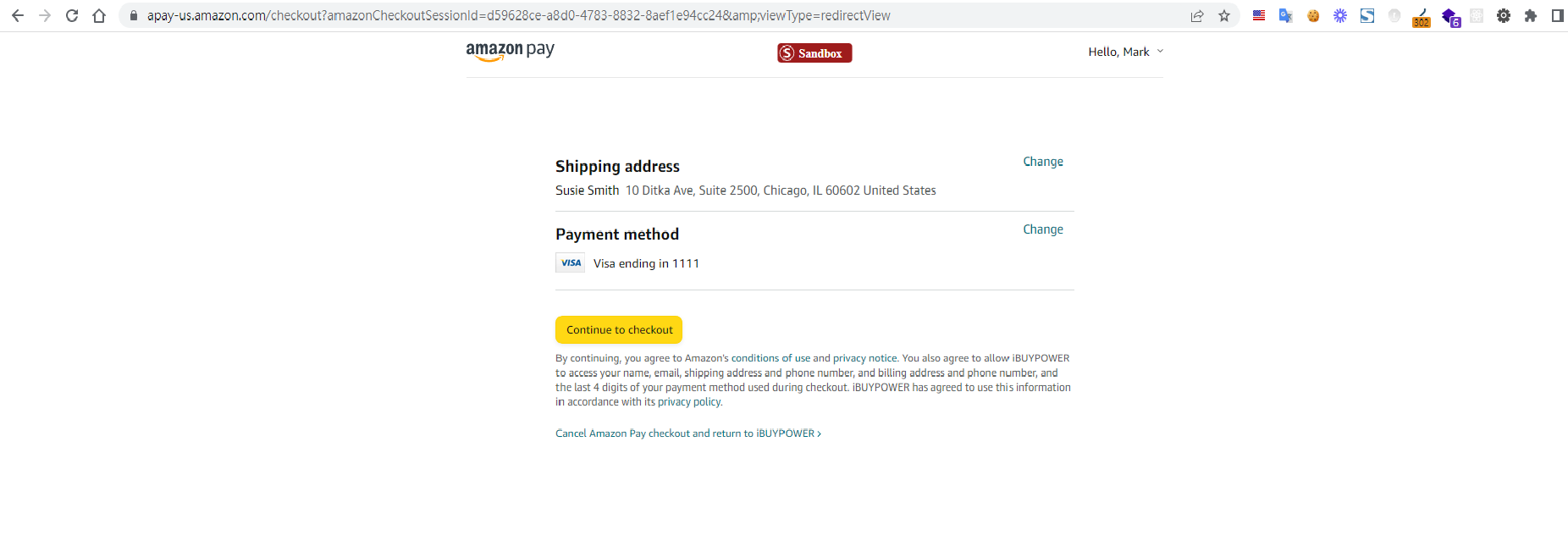
Step5 Amazon will redirect to payload's checkoutReviewReturnUrl with checkout session Id (frontend)

Step6 Call our backend API to retrieve the checkout session and obtain Amazon shipping information.(backend)
public static AmazonV2Result GetPaymentInfo(string AmazonCheckoutSessionId) {
         var client = InitiateAmazonPayClient();
         var getInfo = client.GetCheckoutSession(AmazonCheckoutSessionId);
         var result = new AmazonV2Result {
            Success = false
         };

         if (!getInfo.Success) {
            return GetAmazonIssue(getInfo.RawResponse);
         }

         result.Success = true;
         result.CustomerInfo = FilloutCustomerInfo(getInfo.ShippingAddress, getInfo.Buyer.Email);

         return result;
}
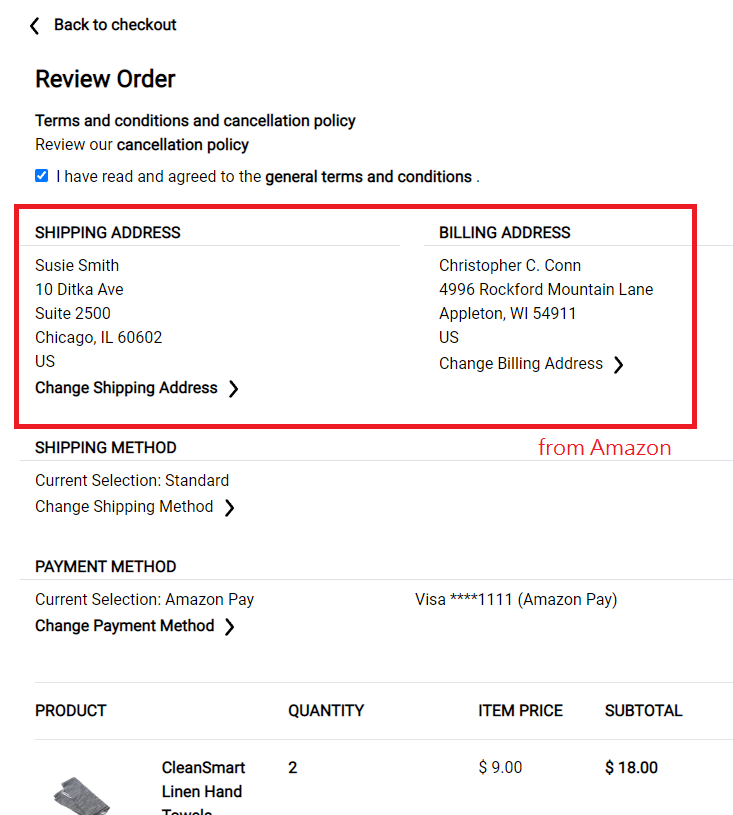
Step7 Call our backend API to update the checkout session and retrieve the Amazon purchase URL(backend)
Backend will UpdateCheckoutSession then get Checkout Url with Amazon pay SDK.
private static AmazonV2Result UpdateCheckoutSession(string AmazonCheckoutSessionId, AmazonV2Request Data, bool Authorize, string ChangPaymentsReferID) {
         NLog.Logger logger = NLog.LogManager.GetCurrentClassLogger();

         var result = new AmazonV2Result {
            Success = false,
            AmazonPayRedirectUrl = string.Empty,
            ResponseJson = string.Empty
         };

         try {
            var client = InitiateAmazonPayClient();
            var request = new UpdateCheckoutSessionRequest();
            var isChangPaymentsStep = !string.IsNullOrEmpty(ChangPaymentsReferID);

            request.WebCheckoutDetails.CheckoutResultReturnUrl = isChangPaymentsStep ? ChangePaymentsSuccessLink + ChangPaymentsReferID + "&complete=1" : successLink;
            request.PaymentDetails.ChargeAmount.Amount = Data.OrderAmount;
            request.PaymentDetails.ChargeAmount.CurrencyCode = Currency.USD;
            request.PaymentDetails.CanHandlePendingAuthorization = false;
            request.PaymentDetails.PaymentIntent = Authorize ? PaymentIntent.Authorize : PaymentIntent.AuthorizeWithCapture;
            request.MerchantMetadata.MerchantReferenceId = Data.OrderId;
            request.MerchantMetadata.MerchantStoreName = "ibuypower.com";
            request.MerchantMetadata.NoteToBuyer = Data.ModelName;

            // send the request
            var updateResult = client.UpdateCheckoutSession(AmazonCheckoutSessionId, request);

            // check if API call was successful
            if (updateResult.Success) {
               var josn = DataPackager.Json(updateResult);
            result.Success = true;
               result.AmazonPayRedirectUrl = updateResult.WebCheckoutDetails.AmazonPayRedirectUrl;
               result.ResponseJson = JsonConvert.SerializeObject(updateResult.RawResponse, Formatting.Indented);
            }
            else {
               logger.Error($"[AmazonPay][AmazonV2Helper][PurchaseGetAmazonPayRedirectUrl][UpdateCheckoutSession][Error]Request:{DataPackager.Json(request)},Response:{DataPackager.Json(updateResult)}");
               result.Message = "Please select another credit card or change payment method and try again.";
            }
         }
         catch (Exception ex) {
            logger.Error($"[AmazonPay][AmazonV2Helper][PurchaseGetAmazonPayRedirectUrl][UpdateCheckoutSession][Error]{ex.Message},{ex.StackTrace}");
         }

         return result;
      }
Step8 When a member checks out on Amazon's website, they are redirected to our website with an 'amazonCheckoutSessionId.' This allows us to initiate the 'CompleteCheckoutSession' process.
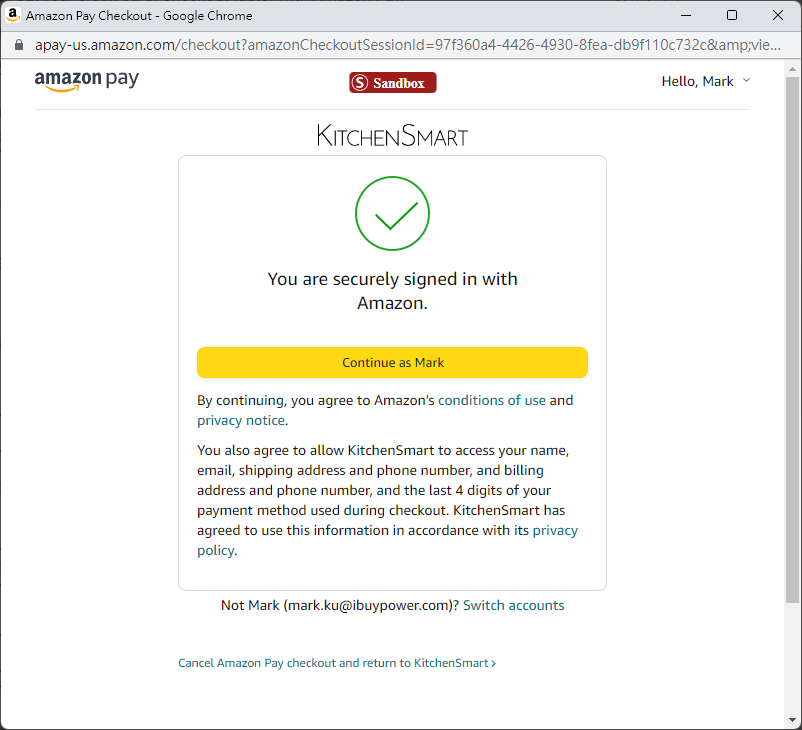
( return to CheckoutResultReturnUrl)
Step9 CompleteCheckoutSession (backend)
private static AmazonV2Result CompleteCheckoutSession(string AmazonCheckoutSessionId, decimal Amount) {
         NLog.Logger logger = NLog.LogManager.GetCurrentClassLogger();

         AmazonV2Result result = new AmazonV2Result();

         try {
            var client = InitiateAmazonPayClient();
            var request = new CompleteCheckoutSessionRequest(Amount, Currency.USD);
            CheckoutSessionResponse checkoutSessionResponse = client.CompleteCheckoutSession(AmazonCheckoutSessionId, request);

            logger.Info($"[AmazonPay][Success][CompleteCheckoutSession]AmazonCheckoutSessionId:{AmazonCheckoutSessionId},Amount{Amount},Data:{DataPackager.Json(checkoutSessionResponse)}");

            if (checkoutSessionResponse.Success) {
               result.Success = true;
               result.ChargeId = checkoutSessionResponse.ChargeId;
               result.ChargePermissionId = checkoutSessionResponse.ChargePermissionId;
               result.ResponseJson = JsonConvert.SerializeObject(checkoutSessionResponse.RawResponse, Formatting.Indented);
            }
            else {
               result = GetAmazonIssue(checkoutSessionResponse.RawResponse);

               logger.Error($"[AmazonPay][Error][CompleteCheckoutSession][GetAmazonIssue][Step 3]AmazonCheckoutSessionId:{AmazonCheckoutSessionId},Amount{Amount},Data:{DataPackager.Json(checkoutSessionResponse)}");
            }
         }
         catch (System.Exception ex) {
            logger.Error($"[AmazonPay][Error][CompleteCheckoutSession][Step 3]AmazonCheckoutSessionId:{AmazonCheckoutSessionId},Amount{Amount},Ex:{ex.Message},StackTrace:{ex.StackTrace}");
         }

         return result;
      }
Step 10 Finsih
Amazon pay is a bit complicated, with a lot of page redirections, so it's really difficult to integrate.


留言