---
title: "Fixing Three.js Video Texture Issue on iOS 16"
description: "Documents the key constraints and workarounds for making Three.js VideoTexture work correctly on iOS 16, including muted video, playsInline, and placing the video element outside the Canvas."
canonical_url: "https://blog.markkulab.net/post/resolve-three-js-video-texture-is-not-working-in-ios"
author: "Mark Ku"
author_url: "https://blog.markkulab.net/author/mark-ku"
site: "Mark Ku's Blog"
date_published: "2023-10-28 01:01:35 +0300"
category: "Frontend"
tags: ["three.js", "react", "ios", "video texture", "nextjs", "3d"]
language: "zh-TW"
license: "CC BY 4.0"
license_url: "https://creativecommons.org/licenses/by/4.0/"
attribution: "轉載或引用請註明作者並附上原文連結"
---
# Fixing Three.js Video Texture Issue on iOS 16
## Problem
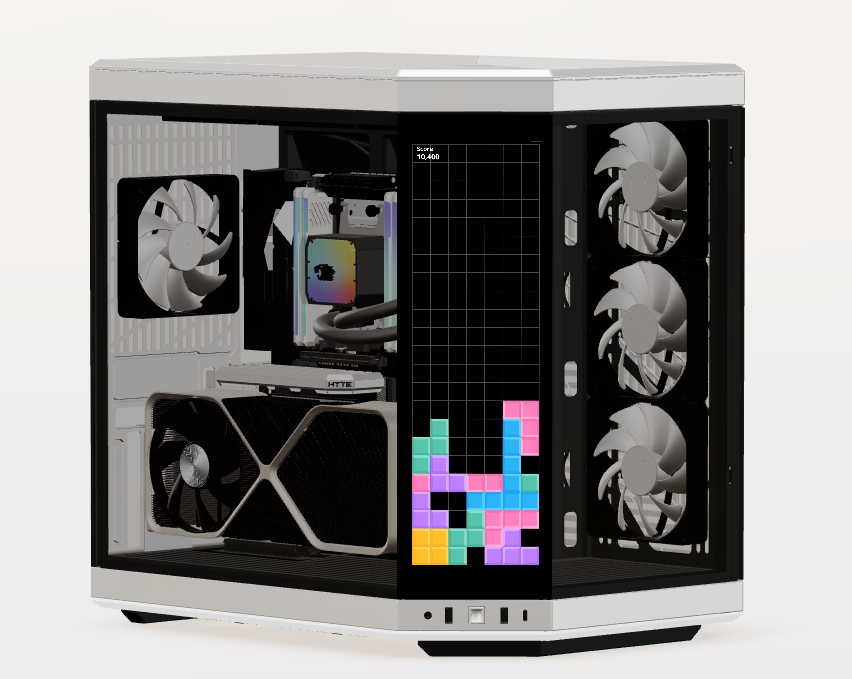
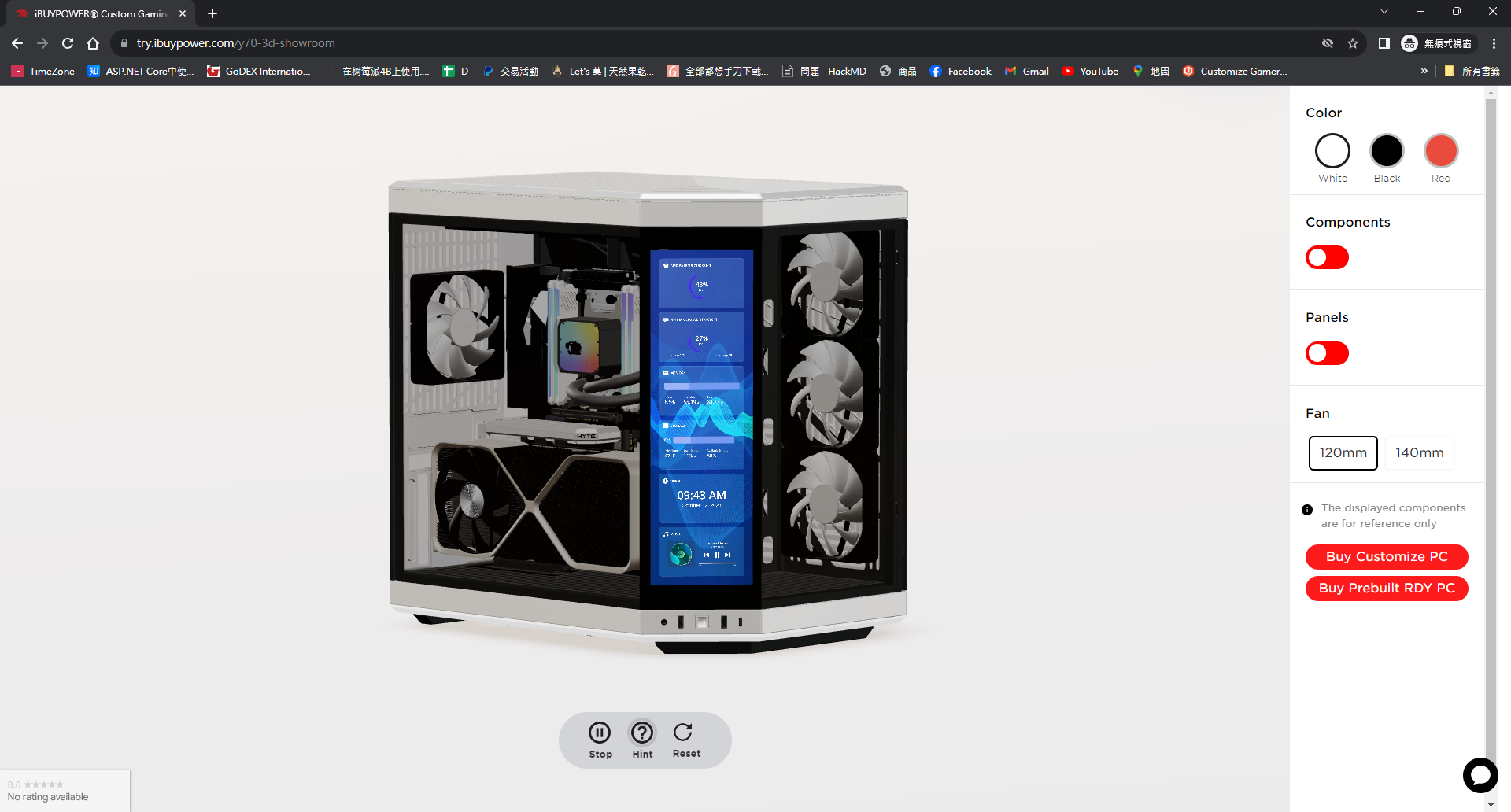
We plan to launch a new computer case with a 4K touch screen. We intended to showcase product features in 3D, but we tried a lot of instructional video texture tutorials and none of them worked properly in iOS 16.
## iOS has many limit. I tried many times and sorted out the key points
* Using native html video outside of Three.js canvus
* Video must be mutte
* Disable auto play
* playsInline
* crossOrigin="anonymous"
* display none
* Video url must have full domain name with https
## Source Code
### Using native html video outside of Three.js canvus
```
```
### Using Video Texture
```
import { SHOW_ROOM_3D_URL } from '@/const/const-3d';
import { CanvasContext } from '@/lib/context/3d-showroom/canvas-context';
import { useGLTF, useTexture } from '@react-three/drei';
import React, { useContext } from 'react';
import * as THREE from 'three';
import { GLTF } from 'three-stdlib';
type GLTFResult = GLTF & {
nodes: {
Cube: THREE.Mesh;
};
materials: {
['default']: THREE.MeshStandardMaterial;
};
};
type ContextType = Record>;
export function VideoCanvas(props: JSX.IntrinsicElements['group']) {
const { nodes, materials } = useGLTF(SHOW_ROOM_3D_URL + 'y70/video-canvas.glb') as GLTFResult;
const {
videoPlay: { isPlaying },
} = useContext(CanvasContext);
const touchScreenImgTexture = useTexture(SHOW_ROOM_3D_URL + 'y70/hyte-y70-case-touch-screen.png');
const video = document.getElementById('video');
const VideoMaterial = () => {
if (video instanceof HTMLVideoElement) {
const texture = new THREE.VideoTexture(video);
texture.wrapS = THREE.RepeatWrapping;
texture.wrapT = THREE.RepeatWrapping;
texture.repeat.x = -1; // -1 為鏡像翻轉
texture.flipY = true;
texture.repeat.set(1, 1);
return (
{isPlaying && }
{!isPlaying && (
)}
);
}
return <>;
};
return (
);
}
useGLTF.preload(SHOW_ROOM_3D_URL + 'y70/video-canvas.glb');
```
## Result
it's work for us. Hope it can help you too.
---
## 關於本文與作者
本文出自 [Mark Ku's Blog](https://blog.markkulab.net/post/resolve-three-js-video-texture-is-not-working-in-ios)
授權條款: [CC BY 4.0](https://creativecommons.org/licenses/by/4.0/) — 轉載或引用請註明作者並附上原文連結
### 關於作者
**[Mark Ku](https://blog.markkulab.net/author/mark-ku)** — Software Solution Provider
- 10+ 年資深軟體工程師,現為 AI 應用 Builder
- 專注大型平台架構設計,從北美電商到AI SaaS訂閱收費系統
- 結合 AI Agent 與自動化,打造高效可演進的產品技術基礎
### 作者開發的免費工具
以下工具皆可免費使用:
- [免費 PDF 簽名工具](https://blog.markkulab.net/tools/pdf-sign): 線上 PDF 簽名工具,瀏覽器內完成手繪、打字、上傳簽名,可拖曳放置、縮放、下載。所有處理都在你的裝置完成,檔案不會上傳。
- [VS Code Refactory](https://blog.markkulab.net/tools/refactory): Refactory 是一款 VS Code 重構擴充套件:34 個重構動作、37 條 code smell 檢查、Code Health 儀表板、18 種語言、534 支測試。懂你的專案慣例:介面放哪、DI 註冊寫在哪、'use client' 該不該加;還會用 git 修改頻率 × 複雜度排出「該先修哪個檔案」,並一鍵把壞味道交給你自己電腦上的 Claude Code 修。免費使用,原始碼不離開你的機器。
- [DB-Kit 資料庫管理工具](https://blog.markkulab.net/tools/db-kit): DB-Kit 是一個用 Tauri + Rust + React 打造的輕量跨平台資料庫管理工具,用單一一致的介面同時管理 MySQL、MariaDB、PostgreSQL、SQL Server、Oracle、SQLite、MongoDB、Redis、Kafka、Elasticsearch 與 RabbitMQ 十一種資料來源:連線密碼以 OS keychain 加密、SSH Tunnel、完整 CRUD、視覺化查詢建構器、多結果集同時顯示、跨連線資料傳輸與比對同步、Excel / CSV 匯入匯出、執行計畫視覺化、ER 圖、排程備份、SQL 壓力測試(p50~p99 延遲百分位)、15 條規則的 SQL 審查、Kafka 訊息瀏覽與監控告警;繁中 / 英文雙語介面,內建 AI 助手(自然語言生成 SQL、AI 審查與調校建議)與命令列工具 dbk。免費開源(MIT),提供 Windows / macOS / Linux 安裝檔。
- [VS Code Super Mermaid](https://blog.markkulab.net/tools/super-mermaid): Super Mermaid 是一款 VS Code 擴充套件:開箱即用的漂亮 Mermaid 圖表,自動上色、即時預覽、滑鼠平移縮放、PNG / SVG 高解析匯出,內建 21 種範本與多種主題。免費開源(MIT)。
- [React Super Mermaid](https://blog.markkulab.net/tools/react-super-mermaid): react-super-mermaid 是一個開源 React 元件庫:一行 即可渲染漂亮的 Mermaid 圖表,內建 colorful / sketch 主題、平移縮放、圖內搜尋、SVG / PNG 高解析匯出。輕量、SSR 安全、完整 TypeScript 型別。免費開源(MIT)。
- [Jira / Confluence Super Mermaid](https://blog.markkulab.net/tools/jira-super-mermaid): Atlassian Forge app:在 Jira issue 與 Confluence 內文直接寫 Mermaid 語法,畫流程圖、時序圖、狀態機與甘特圖。11 種圖表、SVG / PNG 匯出、明暗主題、完整中日韓文字支援。取得 Runs on Atlassian 資格:圖表存在你自己的站台,app 不呼叫任何第三方服務。免費,即將上架 Atlassian Marketplace。
- [Mermaid 線上預覽](https://blog.markkulab.net/tools/mermaid-preview): 在瀏覽器裡寫 Mermaid、即時看圖,整張圖表壓進網址就能分享。免註冊、不上傳伺服器,相容 mermaid.live 的分享連結。
- [React Intl Phone Number](https://blog.markkulab.net/tools/react-intl-phone-number): react-intl-phone-number 是一個開源 React 元件:framework-agnostic、不依賴 antd,提供 E.164 進出、可搜尋國旗 / 國碼下拉、可配置驗證等級(strict / mobile-strict / loose)、可主題化 CSS 與 i18n,電話邏輯由 google-libphonenumber 驅動。輕量、完整 TypeScript 型別。免費開源(MIT)。
- [Uptime Kuma Cluster](https://blog.markkulab.net/tools/uptime-kuma-cluster): 把單機版 Uptime Kuma 改造成高可用叢集:OpenResty + Lua 智慧負載平衡、MariaDB 共享狀態、健康檢查與自動 Failover,附叢集管理 REST API,一行 Docker Compose 啟動。免費開源(MIT)。
- [特教專案](https://blog.markkulab.net/education): 為特殊教育學生製作的學習教材
### 每日 Podcast
- [科技新鮮事](https://blog.markkulab.net/category/tech-news): 每日精選 AI 與科技趨勢,透過語音摘要快速掌握最新技術動態,涵蓋 AI 應用、軟體架構、DevOps 與工程實戰。 — RSS: https://blog.markkulab.net/feed.xml
- [AI股市蝦聊](https://blog.markkulab.net/category/ai-stock-chat): 每個交易日用 AI 分析台股盤勢,以雙人對話聊當天的盤中觀察與隔日預測。 — RSS: https://blog.markkulab.net/ai-stock-chat/feed.xml
### 電子報
[訂閱電子報](https://blog.markkulab.net/subscribe) — 第一時間收到新文章通知,無垃圾信、隨時可取消訂閱。