---
title: "Using PowerShell to Download Google Sheets and Generate i18n JSON Files"
description: "How to use PowerShell to download a CSV from Google Sheets and turn it into multi-language i18n JSON files, enabling multiple people to collaborate on translations at the same time."
canonical_url: "https://blog.markkulab.net/en/post/powershell-googlesheet-i18n"
author: "Mark Ku"
author_url: "https://blog.markkulab.net/en/author/mark-ku"
site: "Mark Ku's Tech Notes"
date_published: "2021-06-19 01:01:01 +0800"
category: "PowerShell"
tags: ["powershell", "i18n", "google sheets", "json", "localization", "automation", "frontend"]
language: "en"
license: "CC BY 4.0"
license_url: "https://creativecommons.org/licenses/by/4.0/"
attribution: "when reusing or quoting, credit the author and link back to the original"
---
# Using PowerShell to Download Google Sheets and Generate i18n JSON Files
## Using PowerShell to download Google Sheets and generate i18n JSON files
## Problem
As enterprise architectures grow more complex, different roles and applications often need to maintain the same set of translation files during development.
## How it works
Google Sheets gives you collaborative editing for free. By exporting the sheet as CSV and downloading it locally, PowerShell can read the CSV, transform it into i18n JSON objects, and write them out.
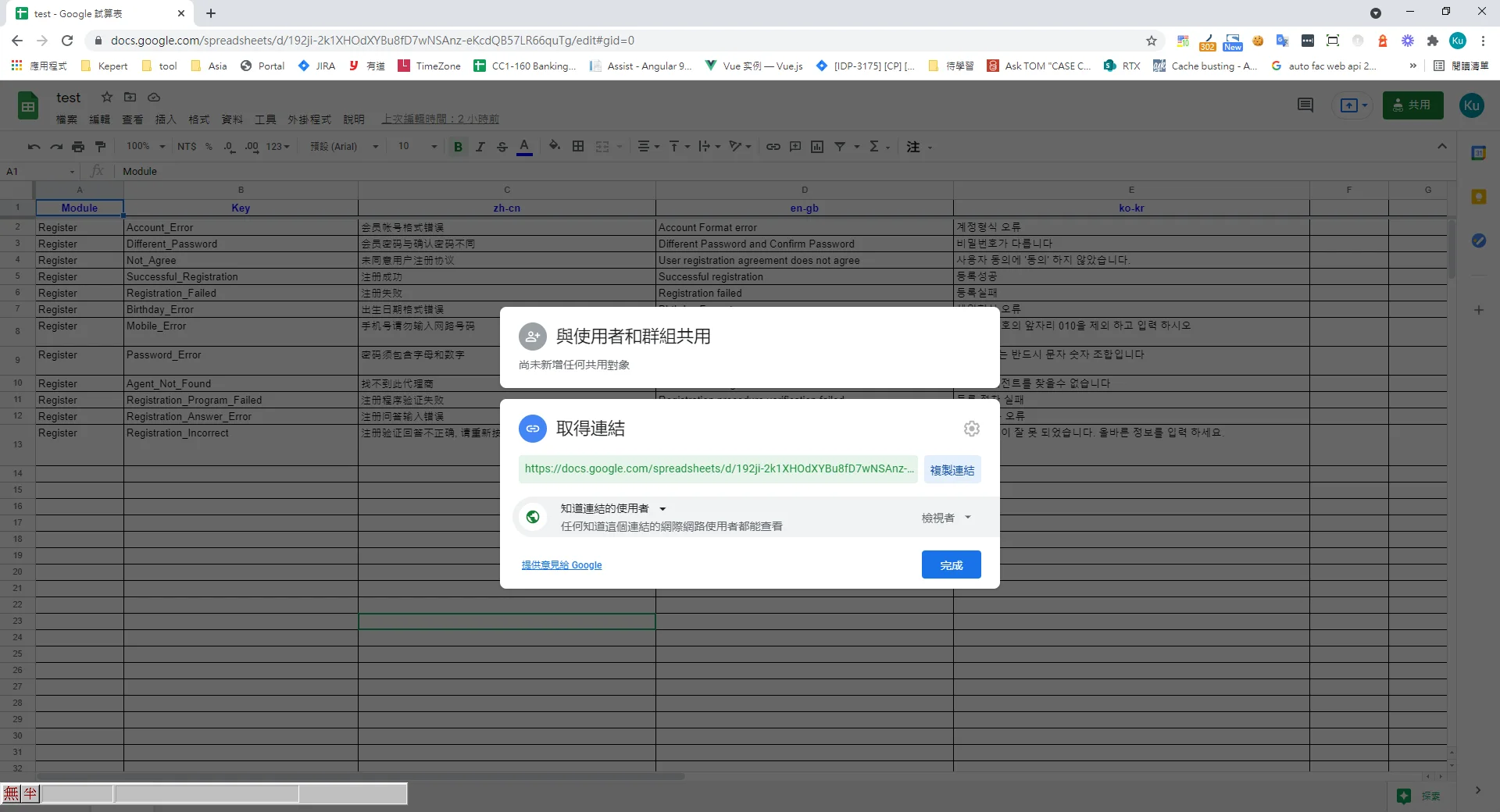
## First, use Google Sheets to enable collaboration
1. Create a new Google Sheet
https://docs.google.com/spreadsheets/d/192ji-2k1XHOdXYBu8fD7wNSAnz-eKcdQB57LR66quTg
2. Set the share permissions so that anyone with the link can access it
## Write the PowerShell script
```
$filepath = './Rawi18nFile.csv'
& {
(new-object net.webclient).downloadfile('https://docs.google.com/spreadsheets/d/192ji-2k1XHOdXYBu8fD7wNSAnz-eKcdQB57LR66quTg/export?format=csv', $filepath)
}
$translate = @{}
$NewCsvData= Import-CSV $filepath | Foreach-Object{
foreach ($property in $_.PSObject.Properties)
{
if($property.Name -eq 'Module' )
{
$module = $property.Value
continue
}
if($property.Name -eq 'Key')
{
$key = $property.Value
continue
}
$mainKey ="$module.$key";
if (!$translate.ContainsKey($property.Name)) {
$translate[$property.Name]= @{}
}
$translate[$property.Name][$mainKey] = $property.Value
}
}
forEach($lang in $translate.Keys){
$translate[$lang] | ConvertTo-Json | % { [System.Text.RegularExpressions.Regex]::Unescape($_) } | new-item -force "./output/$lang.json"
}
```
## Result
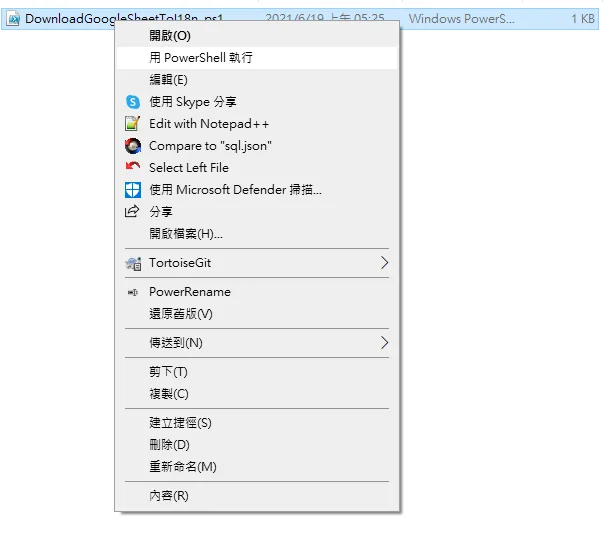
1. Right-click > Run with PowerShell
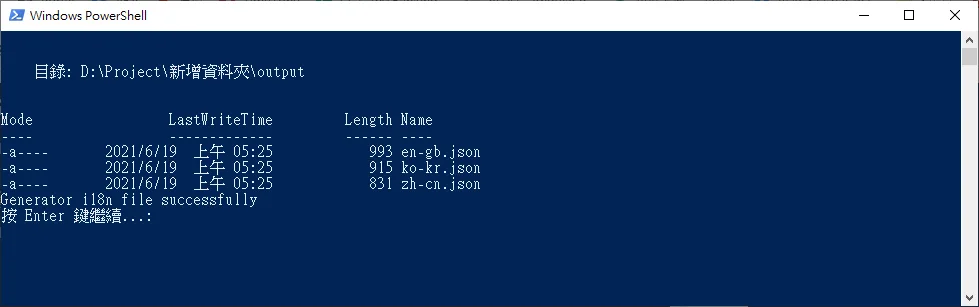
2. PowerShell reports success
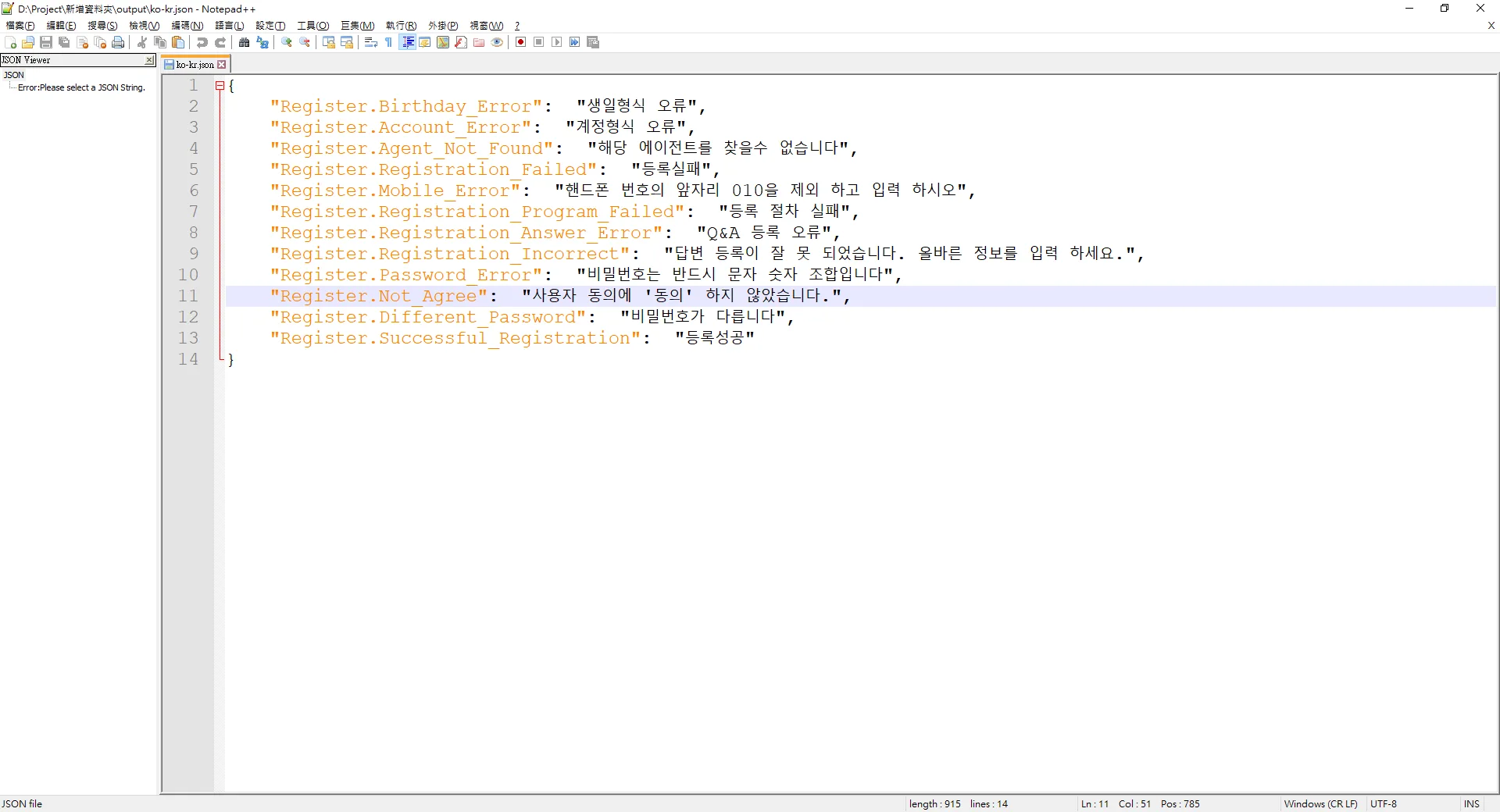
3. The i18n locale files appear in the output folder
---
## About this article and its author
Originally published on [Mark Ku's Tech Notes](https://blog.markkulab.net/en/post/powershell-googlesheet-i18n)
License: [CC BY 4.0](https://creativecommons.org/licenses/by/4.0/) — when reusing or quoting, credit the author and link back to the original
### About the author
**[Mark Ku](https://blog.markkulab.net/en/author/mark-ku)** — Software Solution Provider
- 10+ years senior software engineer, now an AI Builder
- Focused on large-platform architecture — North-American e-commerce, AI SaaS subscription billing
- Combining AI Agents and automation to build evolvable product foundations
### Free tools built by the author
All of these are free to use:
- [Free PDF Sign Tool](https://blog.markkulab.net/en/tools/pdf-sign): Online PDF sign tool — draw, type, or upload a signature, then drag, resize, and download. Everything runs in your browser; nothing is uploaded.
- [VS Code Refactory](https://blog.markkulab.net/en/tools/refactory): Refactory is a VS Code refactoring extension: 34 actions plus a 37-rule code-smell inspection layer with a Code Health dashboard, across 18 languages, backed by 534 tests. It learns your repo's conventions: where interfaces live, where DI is registered, whether 'use client' belongs. It ranks files by git churn × complexity so you know what to fix first, and hands any smell to the Claude Code already on your machine. Free to use, and your source never leaves your computer.
- [DB-Kit Database Manager](https://blog.markkulab.net/en/tools/db-kit): DB-Kit is a lightweight, cross-platform database manager built with Tauri + Rust + React. Manage MySQL, MariaDB, PostgreSQL, SQL Server, Oracle, SQLite, MongoDB, Redis, Kafka, Elasticsearch and RabbitMQ from one consistent interface: passwords encrypted in the OS keychain, SSH tunnels, full CRUD, a visual query builder, stacked multi-statement result sets, cross-connection data transfer and compare/sync, Excel / CSV import & export, visualized execution plans, ER diagrams, scheduled backups, SQL stress testing with p50–p99 latency percentiles, a 15-rule SQL review engine, Kafka message browsing with monitoring & alerts, a bilingual UI (Traditional Chinese / English), a built-in AI assistant (natural-language SQL, AI review and tuning advice) and the dbk CLI. Free and open source (MIT), with installers for Windows, macOS and Linux.
- [VS Code Super Mermaid](https://blog.markkulab.net/en/tools/super-mermaid): Super Mermaid is a VS Code extension for beautiful Mermaid diagrams out of the box: auto-colored live preview, mouse pan & zoom, high-res PNG / SVG export, 21 templates and multiple themes. Free and open source (MIT).
- [React Super Mermaid](https://blog.markkulab.net/en/tools/react-super-mermaid): react-super-mermaid is an open-source React component library: render beautiful Mermaid diagrams with a single , with built-in colorful / sketch themes, pan & zoom, in-diagram search, and high-res SVG / PNG export. Lightweight, SSR-safe, fully typed. Free and open source (MIT).
- [Jira / Confluence Super Mermaid](https://blog.markkulab.net/en/tools/jira-super-mermaid): An Atlassian Forge app: write Mermaid syntax directly inside a Jira issue or a Confluence page and get flowcharts, sequence diagrams, state machines and Gantt charts. 11 diagram types, SVG / PNG export, light and dark themes, full CJK support. Runs on Atlassian: your diagrams live in your own site and the app calls no third-party service. Free, coming soon to the Atlassian Marketplace.
- [Mermaid Live Preview](https://blog.markkulab.net/en/tools/mermaid-preview): Write Mermaid in your browser, see it render instantly, and share the whole diagram as a single link. No sign-up, nothing uploaded to a server, and mermaid.live share links work as-is.
- [React Intl Phone Number](https://blog.markkulab.net/en/tools/react-intl-phone-number): react-intl-phone-number is an open-source React component: framework-agnostic and antd-free, with E.164 in/out, a searchable flag / country-code dropdown, configurable validation levels (strict / mobile-strict / loose), themeable CSS, and i18n — phone logic powered by google-libphonenumber. Lightweight and fully typed. Free and open source (MIT).
- [Uptime Kuma Cluster](https://blog.markkulab.net/en/tools/uptime-kuma-cluster): Turn single-node Uptime Kuma into a highly available cluster: OpenResty + Lua smart load balancing, shared MariaDB state, health checks and automatic failover, plus cluster-management REST APIs. One Docker Compose command to start. Free and open source (MIT).
- [Special Education](https://blog.markkulab.net/en/education): Learning materials crafted for special education students
### Daily podcasts
- [Tech News](https://blog.markkulab.net/en/category/tech-news): Daily curated AI and tech trends. Catch the latest developments via audio summaries — covering AI applications, software architecture, DevOps, and engineering practice. — RSS: https://blog.markkulab.net/feed.xml
- [AI Stock Chat](https://blog.markkulab.net/en/category/ai-stock-chat): Every trading day, an AI-analyzed take on the Taiwan stock market, delivered as a two-host conversation covering the session and the next-day outlook. — RSS: https://blog.markkulab.net/ai-stock-chat/feed.xml
### Newsletter
[Subscribe to the newsletter](https://blog.markkulab.net/en/subscribe) — Be the first to know about new posts. No spam, unsubscribe anytime.